
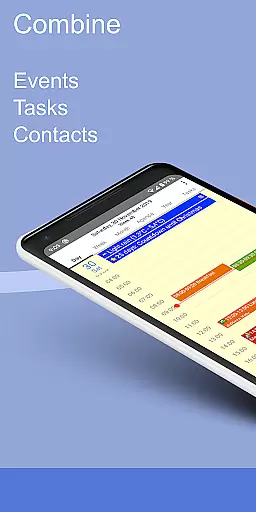
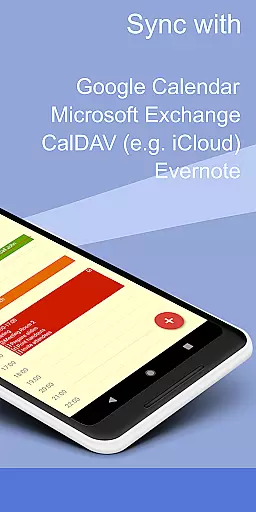
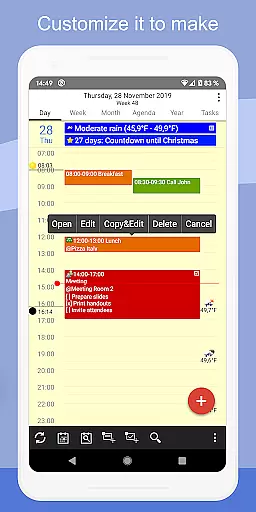
CalenGoo is a comprehensive productivity app designed to help users efficiently manage their events and tasks. With seamless synchronization capabilities, it connects directly with Google Calendar, Exchange, CalDAV, and iCloud, ensuring all your past and future events are always up-to-date across devices. The app offers extensive customization options, allowing users to tailor the interface and functionality to suit their preferences.
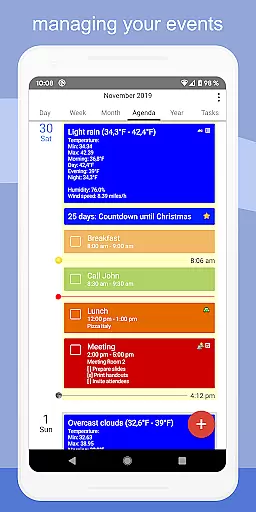
In addition to its robust calendar features, CalenGoo supports advanced functionalities such as attaching photos, files, and Evernote notes to events. Users can benefit from practical tools like weather forecasts, event icons, and various reminder functions. Whether you need day, week, month, agenda, or year views, CalenGoo provides multiple ways to visualize your schedule. Its user-friendly design includes drag-and-drop functionality, widgets for home screen access, and a dark theme option, making it an invaluable tool for organizing both personal and professional life.
CalenGoo stands out with its rich feature set tailored for productivity enthusiasts. One of its key strengths is the ability to sync calendars and tasks across multiple platforms including Google Calendar, Exchange, CalDAV, and iCloud. This ensures that no matter where your data resides, it's easily accessible within the app. Additionally, the support for attaching photos, files, and Evernote notes to events enhances the utility by allowing richer context for each appointment or task.
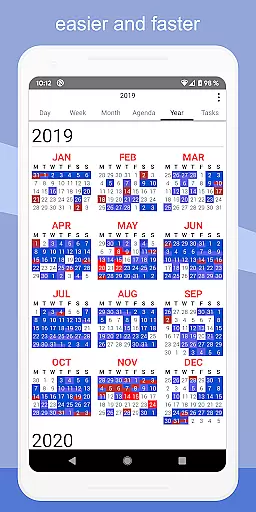
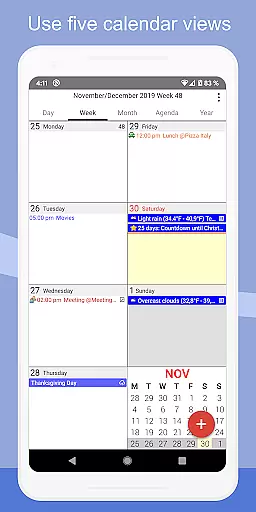
The app also excels in customization and convenience. It offers five distinct calendar views—day, week, month, agenda, and year—alongside four styles of agenda views. Practical features like drag-and-drop for moving or copying events, widgets for quick access on the home screen, and support for Exchange categories make daily planning more efficient. Furthermore, users can take advantage of unique functionalities such as floating events, completable events, templates for recurring activities, and even a print-to-PDF function. These thoughtful additions ensure that CalenGoo not only meets but exceeds the needs of power users seeking a versatile productivity tool.
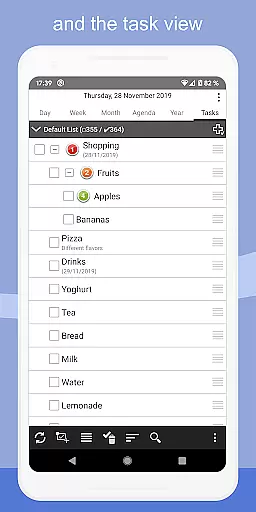
CalenGoo offers robust core task management features that cater to both personal and professional needs. The app allows users to sync tasks with multiple services including Google Calendar, Exchange, CalDAV, and iCloud, ensuring seamless integration across platforms.
One of the standout features is the ability to attach photos, files, and even Evernoteu00ae notes to events, enhancing productivity by centralizing all relevant information. This makes it easier for users to access everything they need directly from their calendar entries.
The app also supports various reminder functions such as notifications, pop-up windows, spoken reminders, and different sounds. These options ensure that users never miss an important event or task, providing timely alerts tailored to individual preferences.
Additionally, CalenGoo includes templates for events, floating events, and completable events, allowing users to customize their scheduling experience. With extensive configuration options available under 'Settings > Display and Use', users can fine-tune the app to match their unique workflow and boost overall efficiency.
Cross-device synchronization is a critical feature for any productivity app, and CalenGoo excels in this area. By supporting direct syncs with Google Calendar, Exchange, CalDAV, and iCloud, the app ensures that all your devices are updated with the latest events and tasks in real-time.
This reliable synchronization extends beyond just basic calendar entries; it includes detailed information such as attached files, photos, and notes. Whether you're switching between your phone, tablet, or computer, you can trust that every piece of data will be accurately reflected across all platforms.
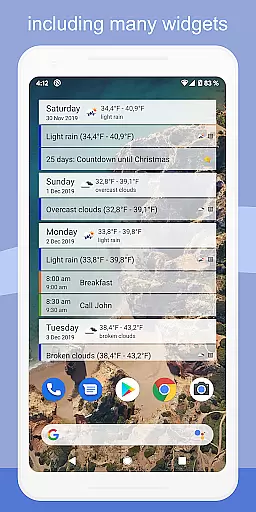
Moreover, CalenGoo provides widgets for day, week, month, agenda, year, and task views, allowing users to see their schedules directly on their home screens. This constant visibility helps maintain consistency and awareness, no matter which device you're using at any given moment.
For those who rely on shared calendars, CalenGoo's support for sharing via Google Calendar adds another layer of convenience. Combined with its comprehensive set of configuration options, the app delivers a dependable cross-device experience that keeps users organized and informed wherever they go.
User-friendly interface
Extensive customization options
Seamless cross-platform syncing
Rich feature set for event management
Supports attachments and integrations
Steep learning curve for beginners
Requires multiple permissions
Paid version may deter some users
Occasional sync issues reported
Interface can feel cluttered

Direct Chat without saving contacts & Dual WA Account on Single Device
 4.70
4.70
Android Wallet Password Manager
4.80
aCalendar+ makes your day, week and month
4.70
App Lock with fingerprint, password: Lock apps & hide photos with lock screens
4.60
The AI assistant that thinks with you - write, code, and solve complex tasks
4.60
All document reader, all in one file viewer read PDF, DOCX, XLS, PPT, TXT files.
4.60
Great calculator for Android named one of USA TODAY's "25 Essential Apps".
4.90
Access your phone's notifications, calls, apps, photos & texts on your PC
3.90
Simple notepad & memo. Take notes, to-do list, shopping list with reminders.
4.80
Scientific calculator for Android - looks and operates like the real thing!
4.90
Protect and view your important info on your phone and tablet with eWallet®
4.80
Calendar 2023 widget for Android. Appointment scheduler, planner, and reminder
4.60
Secure your apps with lock screens, use custom themes and different features.
4.40
Automates browsing any website and notifies you of important changes or events
4.30
Access, manage and transfer files on Android, PC, Mac, NAS and cloud storages.
4.30
Professional calendar app for Google Calendar, MS Outlook & Exchange
4.20
Experience real multitasking on your Android!
4.00
Smart PDF reader & editor to view, organize and manage PDF documents easily.
3.70
Code on-the-go with VScode for Android. Edit,debug and collaborate from mobile!!
3.10


User Reviews