
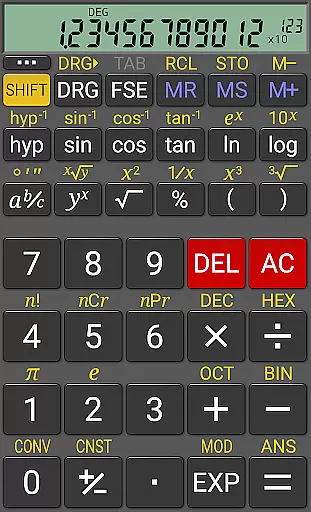
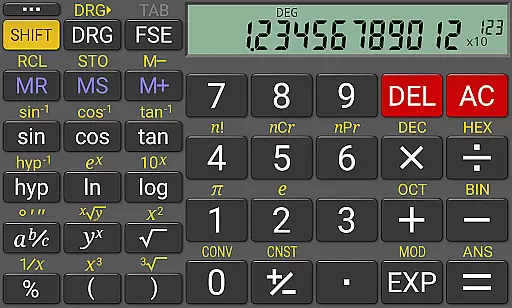
RealCalc Plus is the advanced version of RealCalc, a leading scientific calculator on Android. It mirrors the functionality of a real hand-held calculator with added features for precision and customization. The app supports standard scientific functions along with fractions, degrees/minutes/seconds calculations, and history tracking. With customizable unit conversions, constants, and support for binary, octal, and hexadecimal calculations, it caters to both students and professionals.
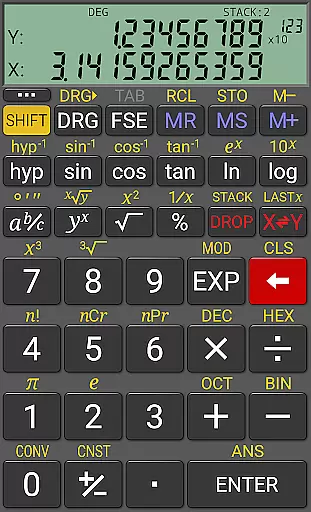
The calculator offers multiple display styles and formats including 7-segment, dot-matrix, or standard font options. Users can choose between algebraic or RPN modes, making it versatile for various calculation preferences. Its extended internal precision of 32-digits ensures accuracy in complex computations. RealCalc Plus also includes a homescreen widget, multi-window support, and external keyboard compatibility, enhancing its usability across different scenarios.
RealCalc Plus stands out with its comprehensive feature set tailored for productivity. The app provides traditional algebraic or RPN operation modes, catering to different user preferences. Fraction calculations, degrees/minutes/seconds conversions, and percentage functions are seamlessly integrated, allowing for diverse mathematical operations. The inclusion of a 12-digit display and extended internal precision up to 32-digits ensures that users can perform high-accuracy calculations without compromise.
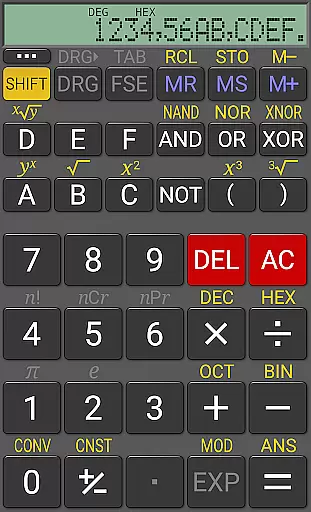
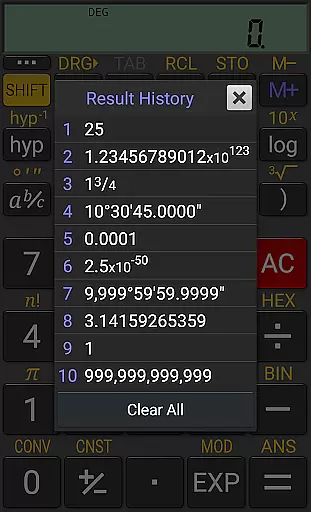
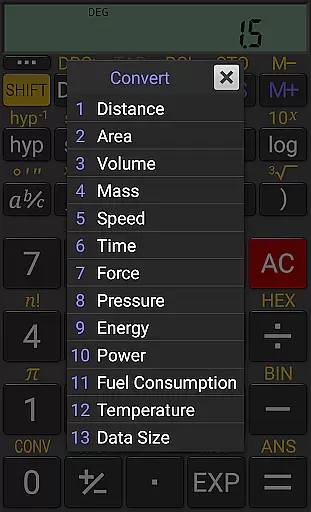
Customization is at the heart of RealCalc Plus, offering user-defined unit conversions and constants. This flexibility allows users to tailor the calculator to their specific needs. Additionally, the app supports binary, octal, and hexadecimal calculations, appealing to those in computer science and engineering fields. With result history, 10 memories, and three distinct RPN styles, users can efficiently manage and review their work, boosting overall productivity.
RealCalc Plus excels in core task management by offering a comprehensive suite of scientific calculation tools. This includes traditional algebraic or RPN operation, enabling users to choose their preferred method for data entry and computation.
The calculator supports fraction calculations, conversion to/from decimal, and degrees/minutes/seconds operations, which are essential for engineering and scientific tasks. These features ensure that users can perform precise calculations required in various professional fields.
With 12-digit display, extended internal precision (32-digit), and multiple display modes such as scientific, engineering, and fixed-point, RealCalc Plus provides the accuracy and flexibility needed for complex computations. Users can customize digit grouping and decimal points, tailoring the interface to their specific needs.
Furthermore, the inclusion of result history and 10 memories allows users to manage and track their calculations efficiently. This functionality is crucial for productivity, ensuring that users can revisit previous work and continue their analysis without losing progress.
Cross-device synchronization reliability is another cornerstone of RealCalc Plus's productivity features. The app offers a customizable experience through its support for binary, octal, and hexadecimal calculations, which can be enabled in settings, catering to programmers and engineers who work across different systems.
RealCalc Plus ensures consistent performance with multi-window support and drag & drop functionality, allowing seamless transitions and interactions between different applications and devices. External keyboard support further enhances this reliability, making it easier for power users to input data accurately and swiftly.
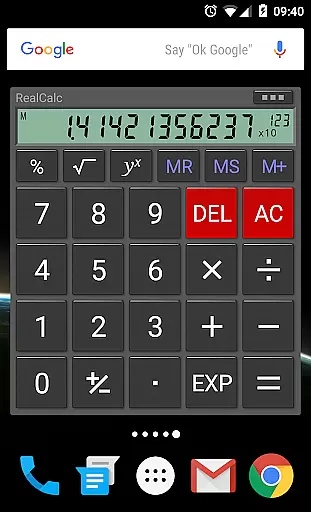
The homescreen widget, now with RPN support, provides quick access to the calculator without needing to open the app fully. This instant access feature significantly boosts productivity by reducing the time needed to perform quick calculations on any device.
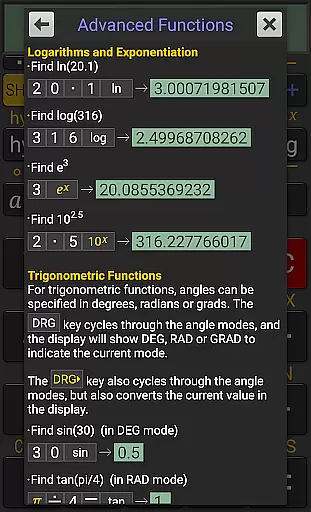
Finally, full built-in help is available within the app, ensuring that users can easily find solutions to any operational questions, thus maintaining a smooth workflow across different devices. This commitment to user support underscores the app's dedication to reliable cross-device functionality.
User-friendly interface
Highly customizable
Accurate calculations
Versatile display options
Comprehensive help included
Paid version only
No graphing capabilities
Limited visual themes
Advanced features may overwhelm beginners
Occasional lag in landscape mode

AI Video AI Image Private LLM AI Browser Llama Gemma Ollama Connect LLM Studio
 4.1
4.1
Take control of your clipboard with Clipper!
3.90
Unlock AutoNotification
4.00
Easily read and manage all your PDF files
4.10
We're working to become the best machining app on the market! www.cncdirt.com
4.80
Todo reminder
4.10
The AI assistant that thinks with you - write, code, and solve complex tasks
4.60
Share files & memories safely. Keep your photos and videos secure.
4.40
Okta MFA
4.70
Secure, fast, open-source, VNC and SSH Remote Desktop for Windows, Linux and Mac
4.70
Direct Chat without saving contacts & Dual WA Account on Single Device
4.70
Quickly and easily keep track of your work shifts
4.70
Secure, fast, open-source, Remote Desktop Client for Windows and Linux with SSH
4.60
Tally and goal counter for Wear OS & mobile
4.50
Enjoy classic gameplay with customizable features and retro-style graphics.
4.30
Create and edit presentations with Google Slides, part of Google Workspace.
4.00
⏰ Finally a timer app which can run multiple timers simultaneously on your watch
3.90
Ultimate Virtual AI Character for immersive Roleplay Chat. Perfect Companion
3.90
IP Camera Viewer - Android TV : RTSP Surveillance camera viewer for Android TV
4.1


User Reviews