
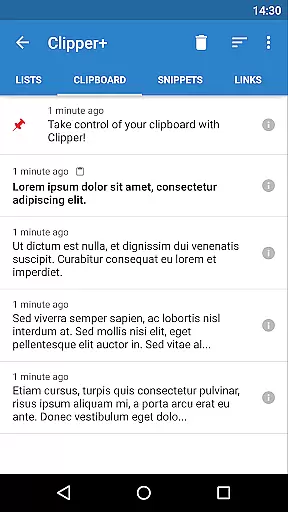
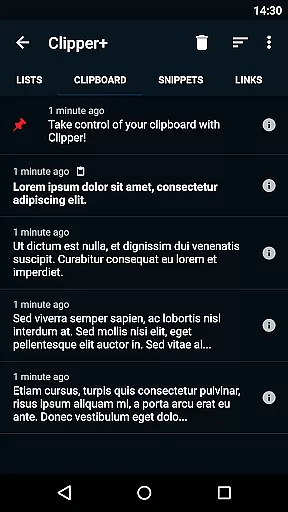
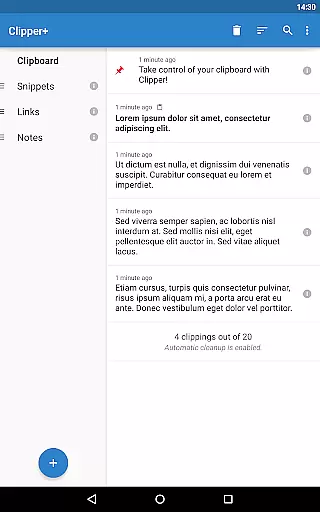
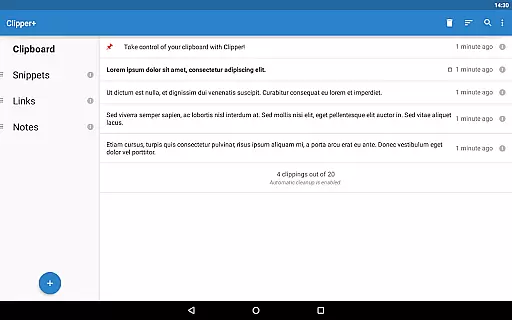
Clipper+: Clipboard Manager is a powerful productivity tool designed to enhance your clipboard experience. This application automatically saves everything you copy, allowing you to access, organize, and manage your collected clippings with ease. Whether it's text snippets, URLs, or other important data, Clipper+ ensures that nothing gets lost.
The app offers dynamic features such as unlimited clipping storage, customizable snippets with dynamic values like date and time, and advanced search capabilities. These functionalities make it an indispensable tool for anyone looking to streamline their workflow and improve efficiency. With seamless integration into your device, Clipper+ provides quick access through the status bar and predefined folders for better organization.
Clipper+ stands out by offering an ad-free environment, ensuring uninterrupted productivity. Its intuitive interface and robust feature set cater to both casual users and power users who need reliable clipboard management. By taking control of your copy-paste operations, Clipper+ transforms how you handle repetitive tasks and information storage.
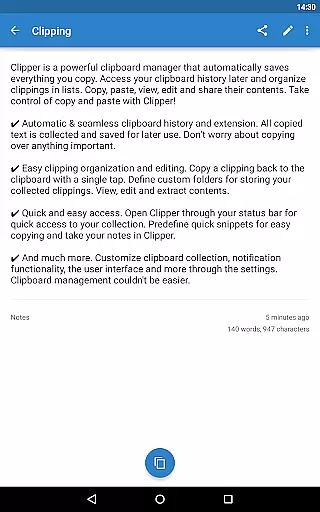
Clipper+ boasts a comprehensive set of features tailored to maximize productivity. One of its standout capabilities is the automatic and seamless clipboard history extension. Every piece of text you copy is saved and can be accessed later, eliminating the risk of losing important information. This feature alone revolutionizes traditional copy-paste operations by providing a safety net for your data.
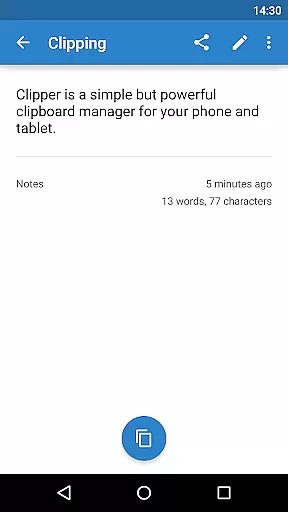
In addition to basic clipboard functions, Clipper+ allows users to organize clippings into custom folders, edit contents directly within the app, and even create predefined quick snippets for frequently used text. The inclusion of dynamic values means you can insert current dates and times into your snippets effortlessly. Advanced settings give you granular control over how clippings are collected, whether manually or automatically, enhancing personalization.
Another significant advantage is the app's commitment to user experience by being completely ad-free. This ensures a distraction-free environment where you can focus on your tasks without interruptions. Furthermore, Clipper+ supports importing and exporting backups to internal storage or SD cards, safeguarding your data against loss. Overall, these features combine to offer a robust solution for managing clipboard content efficiently.
Clipper+: Clipboard Manager excels in core task management by offering users an efficient way to handle their clipboard history. This app automatically saves everything you copy, allowing for seamless access and organization of collected clippings.
With features like unlimited collected clippings and dynamic values, Clipper+ ensures that no important information is lost. Users can store repetitive pieces of text and retrieve them whenever necessary, streamlining their workflow significantly.
The ability to search through clippings enhances productivity by saving time when looking for specific content. Additionally, options to organize clippings into custom folders provide a structured approach to managing copied data.
Overall, Clipper+ transforms the basic function of copy and paste into a powerful tool for task management, making it indispensable for users who rely on efficient information handling.
Cross-device synchronization is a critical feature for modern productivity apps, and Clipper+: Clipboard Manager delivers reliable performance in this area. By ensuring that clipboard data is consistently updated across all devices, users can seamlessly transition between different platforms without losing any information.
This app supports easy migration from its free version, allowing users to maintain their existing data while upgrading. Once installed, Clipper+ integrates smoothly with the user's current setup, providing uninterrupted service as they move between devices.
Furthermore, the appu2019s backup functionality extends to internal storage or SD cards, enhancing data security and accessibility. This means users can import and export backups effortlessly, maintaining synchronization even when switching between multiple gadgets.
By focusing on cross-device reliability, Clipper+ ensures that users have constant access to their clipboard history, regardless of where they are or which device they are using.
User-friendly interface
Unlimited clipping storage
Customizable snippets
Advanced search functionality
Completely ad-free
Paid version required
Separate installation needed
Limited multimedia support
No cloud sync option
Manual data migration

A Revolutionary All-in-One Artificial Intelligence Tools
 3.80
3.80
AI Video AI Image Private LLM AI Browser Llama Gemma Ollama Connect LLM Studio
4.4
A customizable calendar for your Wear OS watch
4.20
Seamlessly integrate data and reports to build your presentation to impress
4.80
CalenGoo is a very flexible and feature-rich calendar app
4.40
Cloud storage, automatic phone backup, and more.
4.10
Tally and goal counter for Wear OS & mobile
4.50
This small app MUST BE INSTALLED after purchase, else license won't work
4.40
Lightweight PDF, Word, Excel reader.
4.60
Multilingual translator for text, voice, and image translation!
4.90
Great calculator for Android named one of USA TODAY's "25 Essential Apps".
4.90
Simple notepad & memo. Take notes, to-do list, shopping list with reminders.
4.80
The Pro Version of Android's tiniest Notepad app. Just 0.3MB but feature-packed!
4.60
A simple Whisper AI keyboard for reliable speech transcription and rewording
4.60
A Pixel Art watchface inspired by other iconic 90s designs for Wear OS devices!
4.40
Secure your apps with lock screens, use custom themes and different features.
4.40
Device's storage information in a simple and clear graphical form (infographics)
4.10
Secure, open-source, SPICE and SSH Remote Desktop for QEMU KVM virtual machines
4.00
Easiest event planning, volunteer signups & parent teacher conference scheduling
2.20


User Reviews