
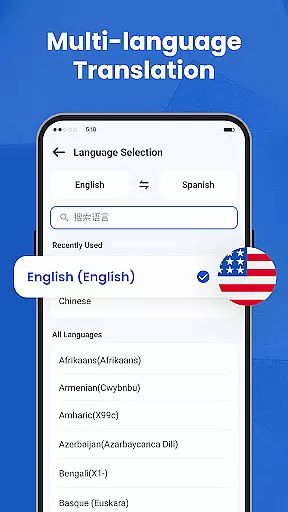
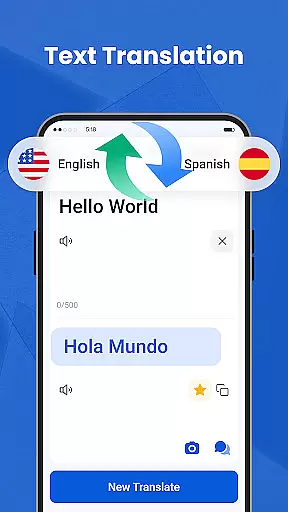
We Translate is a powerful productivity app designed to break language barriers and facilitate seamless global communication. With its comprehensive suite of translation tools, the app supports text, voice, image, and document translation across multiple languages.
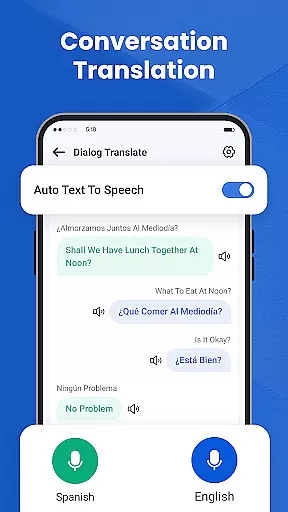
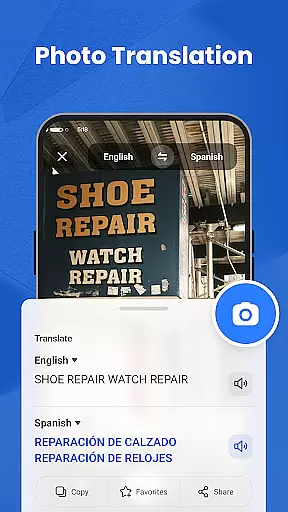
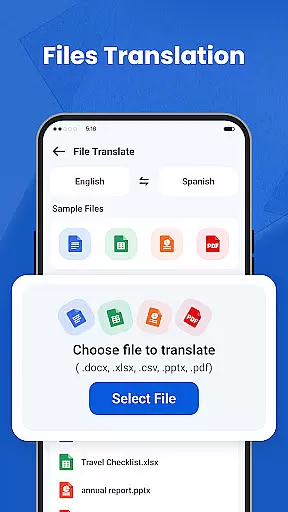
Key features include real-time conversation translation, photo translation for signs and documents, and one-tap document translation for PDFs, Word, and Excel files. Users can also access translation history, save favorites, and customize settings for a personalized experience. Whether for personal, educational, or business use, We Translate enables effortless multilingual communication.
This app proves invaluable for travelers, students, professionals, and anyone working in multicultural environments. By providing fast and accurate translations, it empowers users to communicate confidently and efficiently in any language they encounter.
We Translate offers an impressive array of features that cater to diverse translation needs. The app's text translation function delivers instant results for typed content, making it perfect for various scenarios from casual conversations to professional correspondence.
Its standout feature is the real-time conversation translation, which automatically detects languages and translates speech on-the-fly. This enables natural, face-to-face interactions without language obstacles. The photo translation tool adds extra convenience by extracting text from images and translating it instantly.
For document-intensive work, the app supports multiple file formats including PDF, Word, and Excel. The built-in history and favorites system helps users organize their translations effectively. Personalization options such as adjustable voice speed and preferred languages make the app adaptable to individual preferences and workflows.
In the realm of productivity, core task management is essential for organizing and prioritizing tasks efficiently. We Translate excels in this area by offering features that cater to various translation needs.
The app provides seamless text translation, conversation translation, and photo translation services. These features are designed to help users manage their language-related tasks with ease and precision.
Users can benefit from the app's ability to save translation history and mark favorites. This functionality allows for quick access to frequently used translations, enhancing productivity and streamlining workflows.
We Translate's personalized settings further augment its task management capabilities. With customizable options such as voice reading speed and translated text preferences, users can tailor the app to fit their unique requirements.
Cross-device synchronization is a critical component of modern productivity tools, ensuring that users have consistent access to their data across multiple devices. We Translate offers reliable synchronization features that enhance the user experience.
With support for translation history and favorites, the app ensures that important translations are accessible wherever the user goes. This feature is particularly beneficial for individuals who rely on translations for work or study.
We Translate's document translation service adds another layer of convenience. By supporting common file formats like PDF, Word, and Excel, the app facilitates cross-device productivity for professionals and students alike.
The app's commitment to accessibility and privacy further underscores its reliability. Users can trust that their data remains secure while enjoying the benefits of synchronized translations across their devices.
Fast and accurate translations
User-friendly interface
Multi-format document support
Real-time voice translation
Customizable settings
Limited free features
Occasional translation errors
Requires internet connection
Premium subscription cost
Large app size

Secure, fast, open-source, VNC and SSH Remote Desktop for Windows, Linux and Mac
 4.70
4.70
Mind Map and brainstorm, note taking and idea collection
4.80
⏰ Finally a timer app which can run multiple timers simultaneously on your watch
3.90
Font maker keyboard with your own handwriting
4.10
The AI assistant that thinks with you - write, code, and solve complex tasks
4.60
Create and edit presentations with Google Slides, part of Google Workspace.
4.00
Subscribe to Webcal & .ics calendars and keep them up-to-date!
4.50
Access your phone's notifications, calls, apps, photos & texts on your PC
3.90
Set up, print, and get support—in one place
4.20
We're working to become the best machining app on the market! www.cncdirt.com
4.80
aCalendar+ makes your day, week and month
4.70
Secure, fast, open-source, Remote Desktop Client for Windows and Linux with SSH
4.60
All document reader, all in one file viewer read PDF, DOCX, XLS, PPT, TXT files.
4.60
To do list widget with a notebook organizer, checklist, simple shopping list
4.60
Send files, sync SMS, notifications & clipboard across devices via local network
4.40
Total remote control for your Android device, PC and cloud services (IFTTT)!
4.20
Take control of your clipboard with Clipper!
3.90
Make your handwriting beautiful, even more than pen on paper.
3.60
Auto-shutoff Alarm with Sunrise, Sunset & Fixed Options.
3.50


User Reviews