
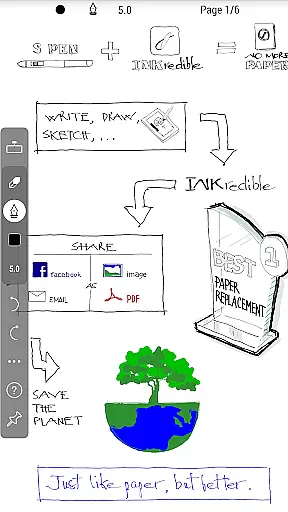
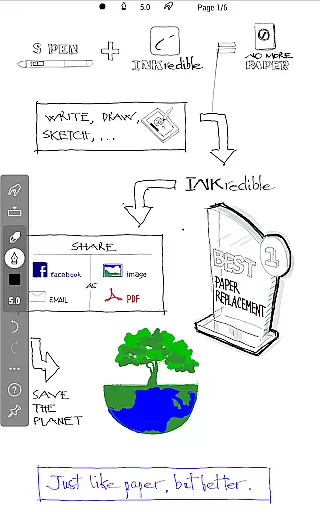
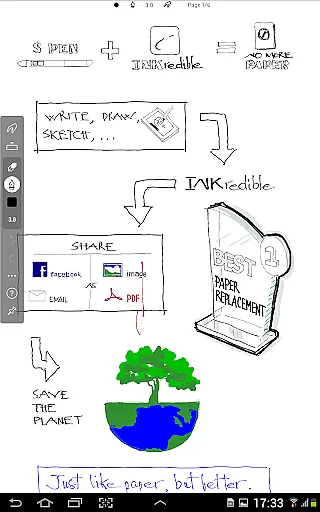
INKredible PRO is a premium handwriting app designed to deliver an exceptional writing experience on tablets. Building upon the success of its predecessor, Notes Plus, this app incorporates advanced inking technology with automatic palm and wrist rejection, making digital writing feel as natural as using pen and paper. The app focuses on simplicity, offering a clean interface free from distractions, allowing users to concentrate solely on their writing.
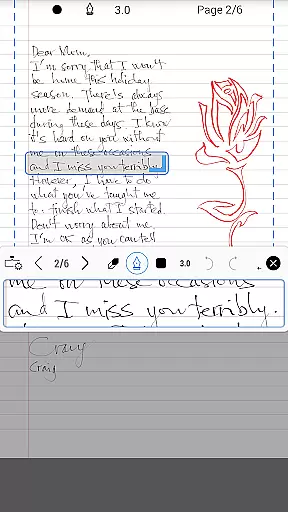
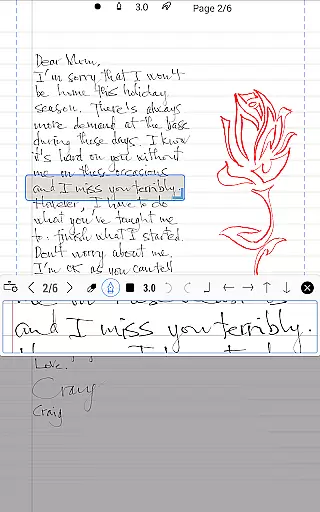
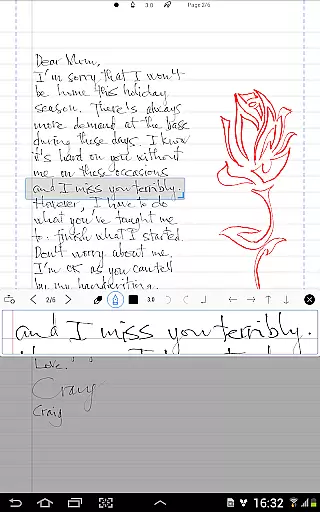
Beyond its core functionality, INKredible PRO stands out with its vector-graphics inking technology. This feature ensures that handwriting appears more refined than on traditional paper and maintains its quality at any resolution, making it ideal for both printing and digital display. Whether you're taking notes, sketching ideas, or drafting documents, INKredible PRO provides a seamless and beautiful writing experience that enhances productivity.
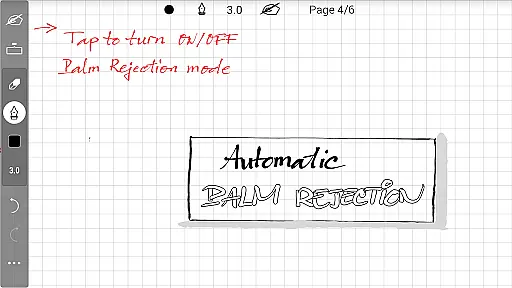
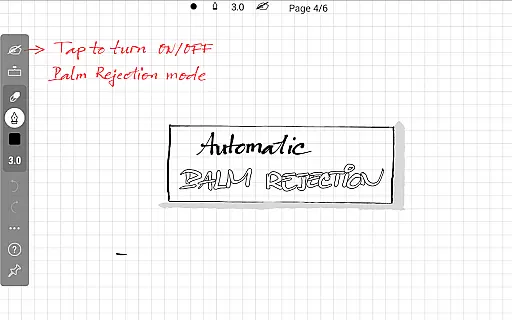
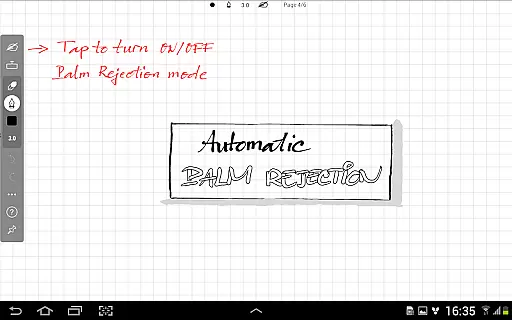
INKredible PRO boasts several standout features that enhance the writing experience on tablets. First and foremost, the app's automatic palm and wrist rejection technology allows users to write naturally without worrying about unintended touches. This feature, combined with the app's sophisticated manipulation of Bezier curves, ensures that handwriting looks smooth and elegant, surpassing the quality of traditional pen and paper.
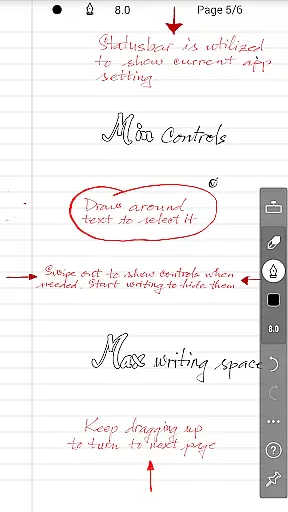
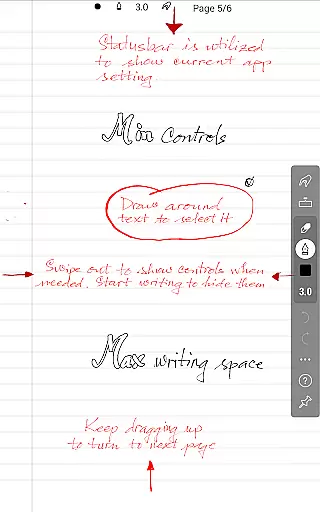
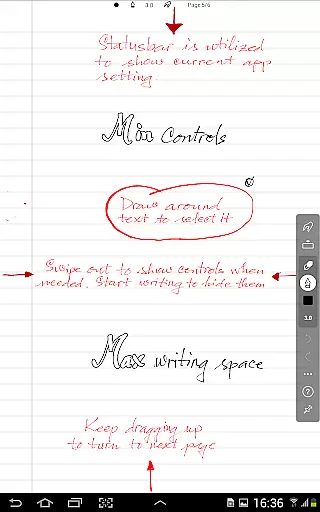
In addition to its technical prowess, INKredible PRO offers a minimalist design focused on providing a distraction-free environment. Most UI controls are hidden, presenting users with a blank canvas for writing. Furthermore, the app supports high-resolution rendering, ensuring that notes look crisp and clear whether viewed on-screen or printed. These features collectively create a writing tool that is not only functional but also aesthetically pleasing.
INKredible PRO excels in core task management by focusing on delivering an unparalleled writing experience. The app strips away unnecessary distractions, offering users a clean slate to work on, free from intrusive UI elements. This singular focus ensures that your primary tasku2014writingu2014is performed with utmost ease and fluidity.
The app's dedication to simplicity is evident in its design philosophy. By removing all extraneous controls, INKredible PRO allows users to concentrate fully on their content creation without any digital noise. This minimalist approach enhances productivity by centering the user's attention solely on their handwriting or note-taking tasks.
With features inherited from the popular Notes Plus app, including automatic palm and wrist rejection, INKredible PRO ensures that the act of writing on a tablet mirrors traditional pen-and-paper methods. This seamless integration of technology provides a distraction-free environment where ideas can flow freely, making it ideal for both quick notes and extended writing sessions.
While INKredible PRO emphasizes a superior writing experience, it also offers reliable cross-device synchronization, ensuring your work is accessible wherever you go. Although specific details about cloud services are not provided in the description, the app promises future updates that could enhance this feature further, securing your data across multiple devices.
The value of consistent access to your notes cannot be overstated. Whether transitioning from a tablet to a smartphone or sharing documents between devices, INKredible PRO aims to maintain continuity in your workflow. This reliability means you can start a thought on one device and seamlessly continue it on another without missing a beat.
Moreover, the promise of free future updates indicates a commitment to improving synchronization capabilities over time. As digital workflows become increasingly complex, having an application that reliably keeps your notes updated across all your devices becomes crucial for maintaining productivity and organization.
Advanced inking technology
Automatic palm rejection
High-resolution rendering
Minimalist user interface
Free future updates
Higher cost compared to alternatives
Limited additional features beyond writing
No collaboration tools
Premium pricing model
Requires compatible hardware

 4.20
4.20
Smart PDF reader & editor to view, organize and manage PDF documents easily.
3.70
Device's storage information in a simple and clear graphical form (infographics)
4.10
Font maker keyboard with your own handwriting
4.10
PDF scanner & converter for files, photos, lottery, QR codes. One swipe away!
4.50
Enjoy classic gameplay with customizable features and retro-style graphics.
4.30
A comprehensive suite of tools designed specifically for Lactation Consultants
4.1
Experience and share your SolidWorks designs on your Android® phone and tablet.
2.50
AI Chatbot and AI writing assistant powered by ChatGPT.
4.60
We're working to become the best machining app on the market! www.cncdirt.com
4.80
All document reader, all in one file viewer read PDF, DOCX, XLS, PPT, TXT files.
4.60
Docker, Kubernetes management over Portainer Mobile
4.40
Professional calendar app for Google Calendar, MS Outlook & Exchange
4.20
Todo reminder
4.10
Mega cloud explorer plugin for Solid Explorer
3.80
Auto-shutoff Alarm with Sunrise, Sunset & Fixed Options.
3.50
AI Video AI Image Private LLM AI Browser Llama Gemma Ollama Connect LLM Studio
4.3
Create study competitions, track your hours, and stay consistent with friends
4.1
IP Camera Viewer - Android TV : RTSP Surveillance camera viewer for Android TV
4.4


User Reviews