

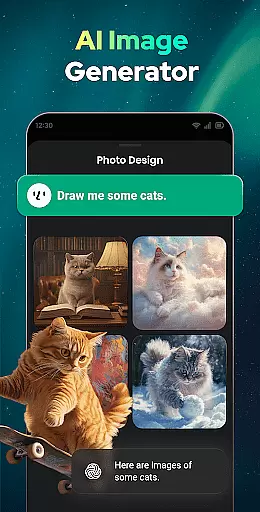

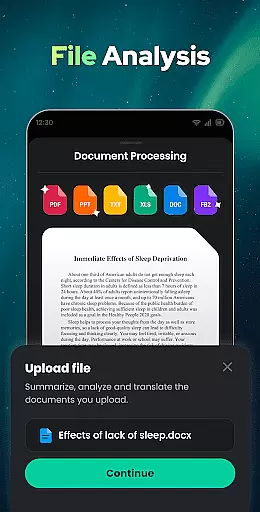

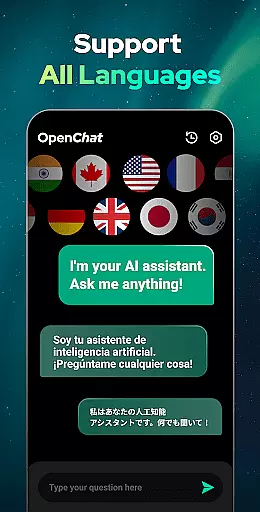
Open Chat is a cutting-edge AI chatbot application designed to revolutionize the way users interact with artificial intelligence. As the leading AI assistant app powered by ChatGPT, it leverages the latest advancements in AI chat technology to deliver human-like text responses. The app's core functionality lies in its ability to understand and answer questions across various fields while assisting with writing tasks such as essays, stories, and lyrics in multiple languages.
Beyond its question-answering capabilities, Open Chat serves as a reliable AI chat partner, offering continuous dialogue and personalized interactions. Its innovative features include night mode, grammar checking, multilingual support, and chat history management. Whether you need help drafting content, translating text, or simply engaging in meaningful conversation, Open Chat provides an intuitive and elegant user interface that ensures a seamless experience.
This app is particularly useful for individuals seeking assistance with creative writing, language learning, or daily productivity tasks. By combining advanced GPT-4 technology with practical utilities like grammar correction and translation services, Open Chat empowers users to accomplish more in both personal and professional settings.
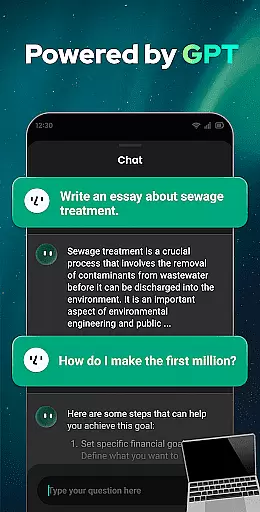
Open Chat distinguishes itself through a robust set of features tailored to enhance user interaction and productivity. One of its standout characteristics is the integration of GPT-4 technology, which enables the app to generate highly accurate and contextually relevant responses. This feature allows users to ask questions on any topic, from social issues to health advice, and receive detailed answers akin to conversing with a knowledgeable friend.
In addition to its question-answering prowess, Open Chat functions as a versatile AI writing assistant. It supports a wide range of writing tasks, including composing essays, creating social media posts, drafting stories, and even generating lyrical content. The app also incorporates a grammar checker, spell checker, and punctuation corrector, ensuring error-free writing. These tools collectively make it an indispensable resource for anyone looking to refine their written communication.
Another key feature is its continuous dialogue capability, which allows the AI to remember past conversations and adapt to individual preferences over time. Coupled with multilingual support and chat history functionality, Open Chat offers a comprehensive solution for users who value fluid, uninterrupted interactions. Whether you're practicing a new language or revisiting previous discussions, this app provides the flexibility and reliability needed to meet diverse user needs.
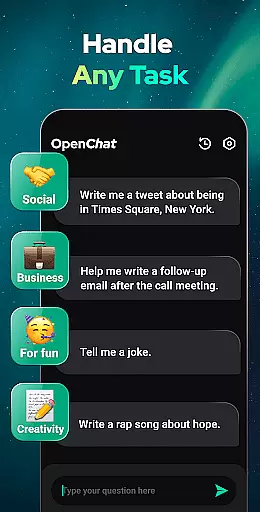
Effective task management is essential for productivity applications, serving as the backbone for organizing and executing tasks efficiently. Open Chat excels in this area by offering users a versatile platform to manage various types of tasks.
The app leverages advanced AI technology powered by ChatGPT to assist with task creation, organization, and completion. Whether it's drafting essays, creating social media content, or planning travel itineraries, Open Chat provides comprehensive support tailored to individual needs.
Users benefit from features like continuous dialogue, which allows for follow-up questions and seamless task progression. This ensures that every interaction builds upon previous ones, enhancing the overall efficiency of task management.
By integrating capabilities such as grammar checking and multilingual support, Open Chat not only simplifies task handling but also elevates the quality of output. This multifaceted approach empowers users to accomplish more with less effort, making it an invaluable tool for both personal and professional use.
Cross-device synchronization is crucial for maintaining workflow continuity across different devices. Open Chat addresses this need by ensuring reliable and real-time updates, allowing users to transition smoothly between their smartphones, tablets, and computers.
The app employs sophisticated algorithms to synchronize chat histories, preferences, and ongoing tasks. This means that whether you're at home, in the office, or on the go, your data remains consistent and accessible wherever you are.
One of the standout features is the automatic saving of chat history, enabling users to revisit past conversations and retrieve valuable information at any time. This functionality is particularly beneficial for long-term projects that require frequent consultations and updates.
Moreover, Open Chat's commitment to supporting all languages further enhances its cross-device usability. Users can switch devices without losing context or facing language barriers, thus maintaining a fluid and uninterrupted workflow regardless of their location or preferred device.
User-friendly interface
Multilingual support
Advanced AI technology
Continuous dialogue memory
Comprehensive grammar tools
Limited offline functionality
Occasional response delays
Premium features require subscription
Dependent on internet connection
Privacy concerns with chat history

Wake up & get tasks done! Add alarms & reminders on the Clock Launcher.
 4.00
4.00
We're working to become the best machining app on the market! www.cncdirt.com
4.80
Make your handwriting beautiful, even more than pen on paper.
3.60
Absolutely the best CNC machinist speed and feed calculator around. fswizard.com
4.60
Secure, fast, open-source, Remote Desktop Client for Windows and Linux with SSH
4.60
⏰ Finally a timer app which can run multiple timers simultaneously on your watch
3.90
Best Tool for the professionals Electrician, Electrical contractors, etc.
4.90
AT&T Internet customers can use this app to personalize their Wi-Fi network.
4.40
Note taking, handwriting, record audio, PDF annotation, planner & journal
4.20
Protect and view your important info on your phone and tablet with eWallet®
4.80
Quickly and easily keep track of your work shifts
4.70
Scan paperwork into PDF/JPG, generate your own e-signature and send fax or email
4.70
Planet Free VPN - The best Fast Unlimited and Secure VPN Without Logs
4.50
Pwnagotchi companion app
4.20
Cloud storage, automatic phone backup, and more.
4.10
Access your phone's notifications, calls, apps, photos & texts on your PC
3.90
All in one sketching tool. Technical and General drawing. Online Maps support.
3.70
Create study competitions, track your hours, and stay consistent with friends
4.5
IP Camera Viewer - Android TV : RTSP Surveillance camera viewer for Android TV
4.3


User Reviews