
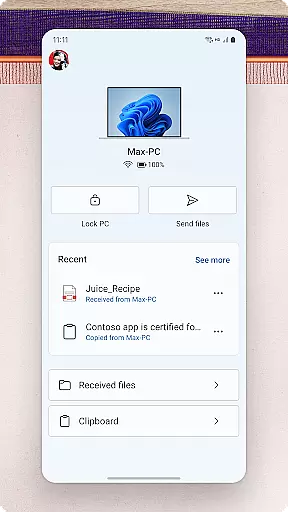
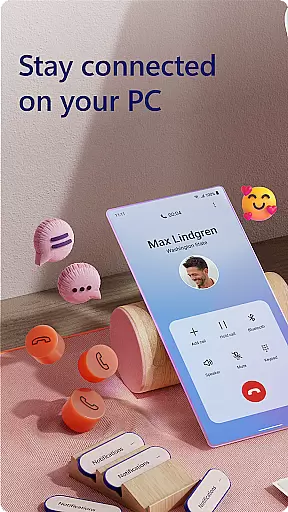
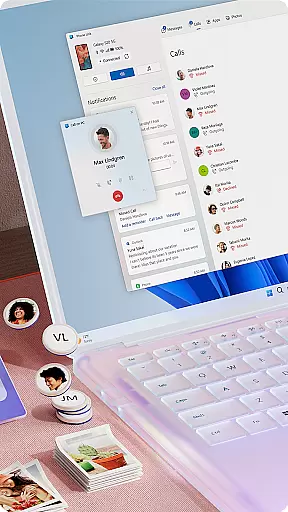
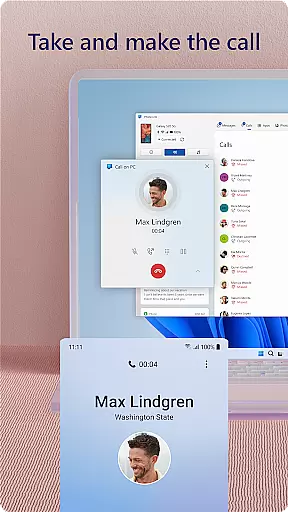
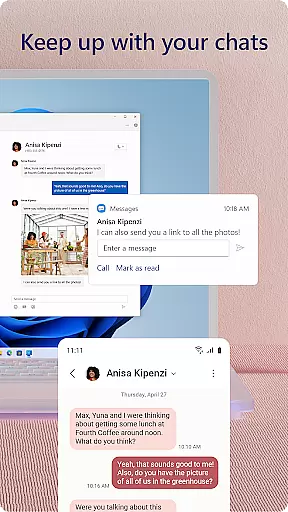
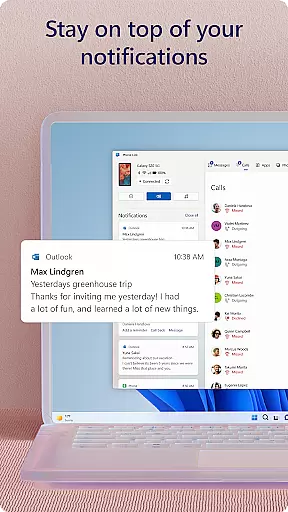
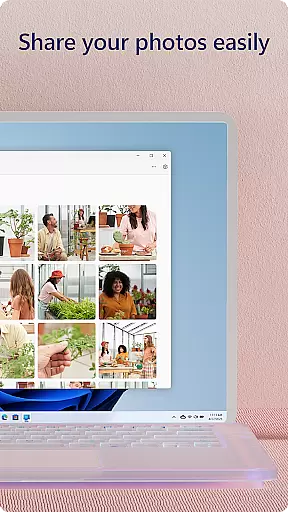
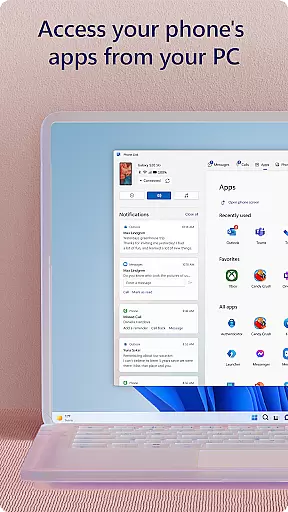
Link to Windows is a productivity-focused application that bridges the gap between your Android phone and Windows PC. This app allows users to seamlessly interact with their mobile devices directly from their computers. Key functionalities include making and receiving calls, managing notifications, accessing mobile apps, and handling text messages on the PC. The app also supports advanced features like file sharing through drag-and-drop, copying and pasting content across devices, and instant photo access.
Designed for professionals who rely on both mobile and desktop environments, Link to Windows enhances workflow efficiency by centralizing device management. Compatible with select Microsoft Duo, Samsung, and HONOR phones, it offers an integrated experience that minimizes the need for constant device switching. Whether you're responding to urgent texts or transferring important files, this app ensures that your digital life remains interconnected and efficient.
Link to Windows stands out with its comprehensive feature set tailored for seamless cross-device interaction. One of its core capabilities is the ability to make and receive calls directly from a Windows PC, provided the PC has Bluetooth capability. Users can also manage their Android phone's notifications on their computer, ensuring they never miss an important alert. The app enables access to favorite mobile apps on the PC, allowing for a unified digital workspace.
Additional standout features include reading and replying to text messages from the PC, dragging files between the PC and phone, and copying-pasting content across devices. For those with compatible devices, exclusive functionalities such as cross-device copy-paste, Phone screen mirroring, and app multitasking are available. These features collectively enhance productivity by streamlining how users interact with their devices, making Link to Windows an essential tool for modern professionals.
Task management is a cornerstone of productivity applications, and Link to Windows excels in this area by integrating your Android phone's functionalities with your PC. This seamless connection allows users to handle calls, text messages, and notifications directly from their computer.
The app enables multitasking between devices, such as making and receiving calls or replying to texts without touching your phone. By centralizing these tasks on your PC, it simplifies the workflow and keeps you focused on what matters most.
With features like drag-and-drop file sharing and cross-device copy-paste, Link to Windows streamlines operations that would otherwise interrupt your work process. These capabilities ensure that managing tasks across devices becomes second nature, enhancing overall efficiency.
Cross-device synchronization is vital for maintaining productivity, and Link to Windows ensures reliable performance through its integration with select Microsoft Duo, Samsung, and HONOR phones. This compatibility provides an uninterrupted flow of information between devices.
Users benefit from instant access to their phoneu2019s photos, messages, and even mobile apps right on their PC. The synchronization extends to interactive features like Phone screen and Apps, which require compatible devices but offer a richer experience when available.
For those relying on accessibility services, Link to Windows supports screen reading tools, allowing control over phone apps via PC using keyboard navigation. This commitment to accessibility and data security underlines the app's dedication to serving all users' needs while ensuring privacy remains intact.
Seamless cross-device integration
Enhanced productivity features
User-friendly interface
Comprehensive notification management
Advanced file sharing options
Limited to specific devices
Requires Windows 10 or later
Some features need Android 11.0
Bluetooth dependency for calls
Integrated only with select brands

Mega cloud explorer plugin for Solid Explorer
 3.80
3.80
Wake up & get tasks done! Add alarms & reminders on the Clock Launcher.
4.00
Direct Chat without saving contacts & Dual WA Account on Single Device
4.70
8 custom complications. Custom Time Fonts. Beautiful color schemes. A++ Design.
5.00
Device's storage information in a simple and clear graphical form (infographics)
4.10
Make your handwriting beautiful, even more than pen on paper.
3.60
CalenGoo is a very flexible and feature-rich calendar app
4.40
Font maker keyboard with your own handwriting
4.10
Set up, print, and get support—in one place
4.20
Great calculator for Android named one of USA TODAY's "25 Essential Apps".
4.90
Scan paperwork into PDF/JPG, generate your own e-signature and send fax or email
4.70
Planet Free VPN - The best Fast Unlimited and Secure VPN Without Logs
4.50
Fill, sign & send docs, forms, agreements & contracts via electronic signature.
4.50
Tally and goal counter for Wear OS & mobile
4.50
This small app MUST BE INSTALLED after purchase, else license won't work
4.40
Secure your apps with lock screens, use custom themes and different features.
4.40
Total remote control for your Android device, PC and cloud services (IFTTT)!
4.20
Activate Two Factor Authentication (2FA or Multi OTP), Password manager and more
4.10
Create study competitions, track your hours, and stay consistent with friends
4.1


User Reviews