

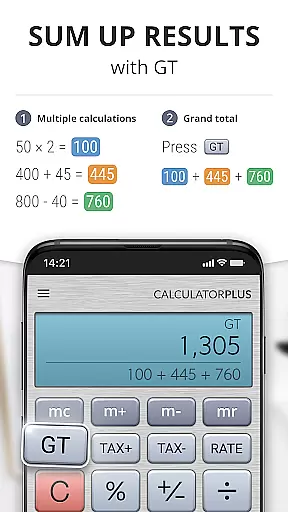
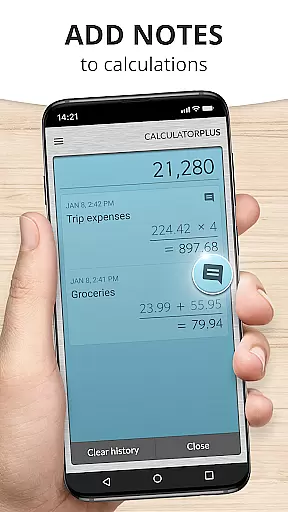
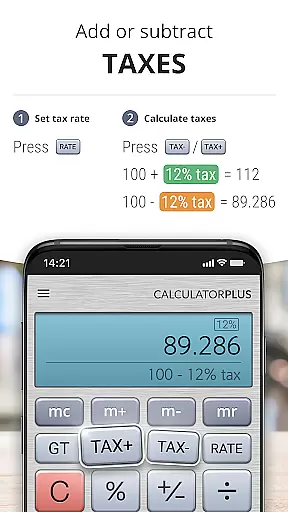
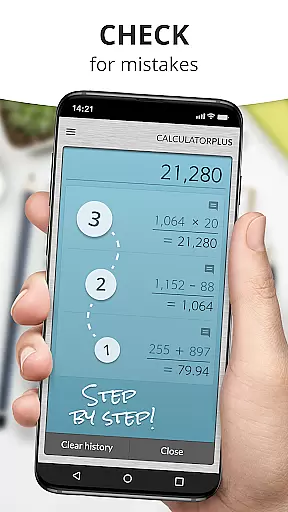
Calculator Plus is a feature-rich productivity app designed to replace traditional handheld calculators. This Android calculator offers advanced functionality beyond basic arithmetic, including memory functions, percentage calculations, and backspace correction. Its user-friendly interface features elegant typography with proper comma placement for easy reading. The app automatically saves all calculations, allowing users to review past entries anytime. This makes it particularly useful for various tasks such as shopping calculations, homework assistance, financial management, and tax preparation.
The application stands out with its intuitive design that maximizes modern device displays. It provides clear calculation tracking while offering advanced mathematical functions through swipe gestures. Calculator Plus also includes practical features like visible running totals and detailed percentage breakdowns. These capabilities make it an essential tool for both everyday calculations and more complex mathematical operations on mobile devices.
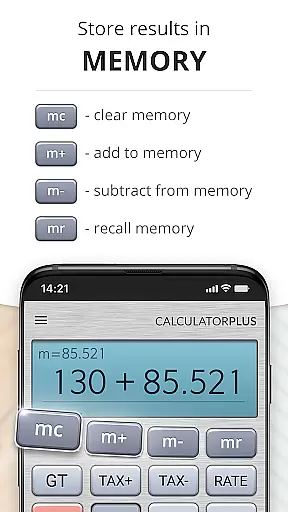
Calculator Plus distinguishes itself through several innovative features that enhance user experience. The app's memory function maintains running totals visibly, while its backspace key allows for simple error correction without restarting calculations. Advanced mathematical operations are readily accessible by swiping memory keys aside, providing power users with necessary tools while maintaining simplicity for casual users.
A notable feature is the app's ability to save and display all calculation history. This persistent memory ensures users can pause their work and return later without losing progress. The percentage function provides clear explanations of its calculations, eliminating confusion. Additionally, the app's elegant typography and proper number formatting make calculations easy to read and verify. These features combine to create a calculator app that surpasses traditional handheld devices in both functionality and usability.
Calculator Plus excels in core task management by offering a seamless calculation experience. The app allows users to save and review past calculations effortlessly, making it an ideal tool for various tasks such as shopping, homework, or balancing checkbooks.
With its memory function, users can maintain a running total and easily access advanced math functions by swiping aside memory keys. This ensures that users have all the necessary tools at their fingertips without cluttering the interface.
The app's design emphasizes clarity and precision, ensuring that users never lose track of their calculations. It provides real-time feedback on operations like percentage calculations, enhancing user understanding and accuracy.
By remembering everything, Calculator Plus enables users to take breaks and return to their work without losing progress. This feature is particularly beneficial for complex tasks that require intermittent attention, providing both convenience and reliability.
While Calculator Plus does not explicitly advertise cross-device synchronization, its robust memory functionality offers reliable continuity for users across sessions. This means users can quit the app and resume their calculations later without any loss of data.
The app's ability to store and recall calculations ensures that users won't need to retype previous entries, saving time and reducing errors. This creates a seamless experience akin to cross-device synchronization but contained within a single device.
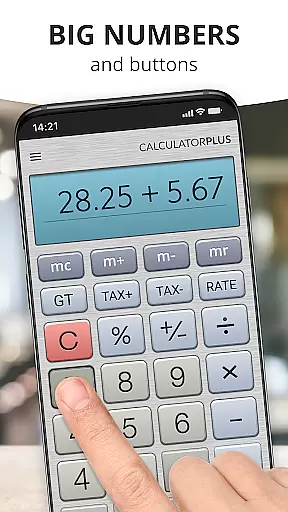
Calculator Plus uses an intuitive interface that makes everyday calculations simple and efficient. Its lovable design and ease of use ensure that users can perform tasks on their phone or tablet with the same proficiency as a handheld calculator.
Overall, while not traditional cross-device syncing, Calculator Plus provides reliable session management that enhances productivity by maintaining calculation history and intermediate results securely until the user completes their task.
User-friendly interface
Automatic calculation saving
Advanced math functions
Clear percentage breakdowns
Intuitive memory system
Limited scientific functions
No graphing capabilities
Premium feature costs
Occasional ads
Android only

Secure, fast, open-source, VNC and SSH Remote Desktop for Windows, Linux and Mac
 4.70
4.70
All in one sketching tool. Technical and General drawing. Online Maps support.
3.70
Make apps & sites with natural language prompts
4.10
Secure, open-source, SPICE and SSH Remote Desktop for QEMU KVM virtual machines
4.00
Code on-the-go with VScode for Android. Edit,debug and collaborate from mobile!!
3.10
This small app MUST BE INSTALLED after purchase, else license won't work
4.40
Secure your apps with lock screens, use custom themes and different features.
4.40
Okta MFA
4.70
Note taking, handwriting, record audio, PDF annotation, planner & journal
4.20
Mind Map and brainstorm, note taking and idea collection
4.80
Android Wallet Password Manager
4.80
Calendar 2023 widget for Android. Appointment scheduler, planner, and reminder
4.60
When you Focus, so will your Bean in this cozy focus timer
4.30
Automates browsing any website and notifies you of important changes or events
4.30 4.20
4.20
Create and edit presentations with Google Slides, part of Google Workspace.
4.00
ID.me Authenticator is a simple and free Two Factor Authentication solution
3.50
AI Video AI Image Private LLM AI Browser Llama Gemma Ollama Connect LLM Studio
4.3
A simple, portable logger for POTA, SOTA, Field Day, and more
4.0


User Reviews