
Web Alert (Pro) is a powerful productivity tool designed for professionals in web development and automation. This premium version offers advanced features to monitor web pages for changes and notify users when specific conditions are met. With capabilities like parallel checks, custom frequency settings, and text filtering, it provides precise control over change detection.
The app excels in monitoring numerical values such as product prices, detecting website downtime, and exporting website versions for record-keeping. Its integration with Tasker and support for CSS/jQuery selectors make it an indispensable tool for power users who need programmable automation without requiring extensive coding knowledge.
Whether you're tracking price drops in online stores or monitoring code changes during web development, Web Alert (Pro) ensures you never miss critical updates. The app's ability to filter content using regular expressions and view only the changed portions of a webpage makes it especially valuable for technical professionals.
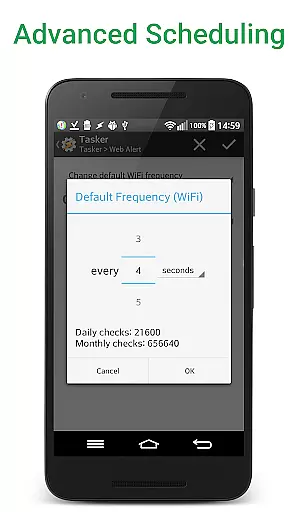
Web Alert (Pro) stands out with its comprehensive feature set tailored for advanced users. The app allows setting custom check frequencies as low as every 5 seconds, enabling real-time monitoring of web page changes. Its parallel checking capability ensures multiple alerts can be processed simultaneously without delays.
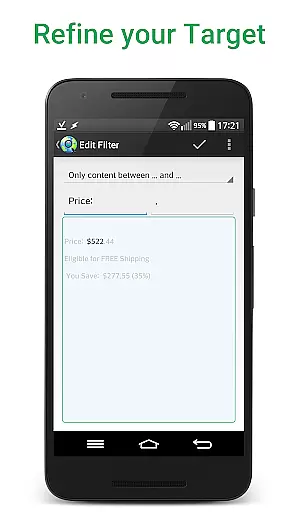
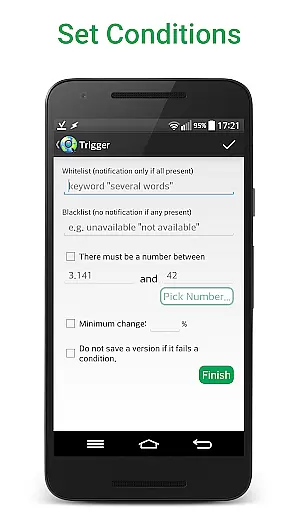
One of the key innovations is its sophisticated filtering system. Users can monitor specific text ranges, track numerical changes, and set conditional notifications based on keywords or percentage changes. The app also handles technical challenges gracefully, including accessing websites with SSL certificate issues and maintaining alert integrity.
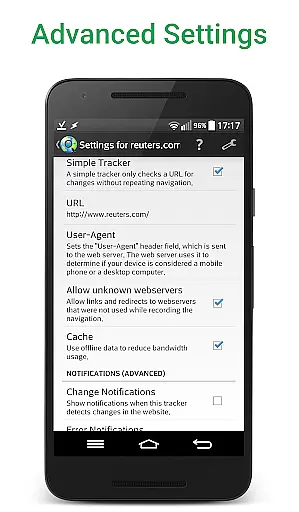
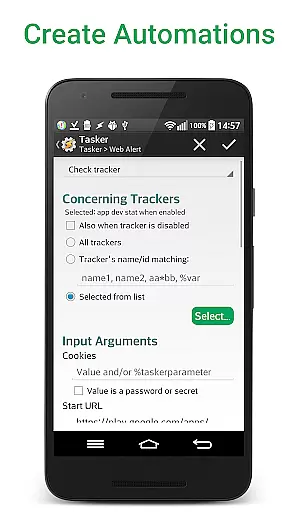
For developers and automation specialists, the app provides professional-grade tools such as RegEx filtering, CSS/jQuery selectors, and HTML source code monitoring. The Tasker plugin integration extends its functionality, allowing complex automation scenarios to be implemented easily. Additional features like alert duplication, URL modification, and accidental deletion recovery enhance its practicality for daily use.
Web Alert (Pro) excels in core task management by offering users the ability to monitor web pages for changes with precision and flexibility. This feature is crucial for professionals who need to stay updated on specific website alterations, such as price drops in online stores.
The app allows setting custom frequencies for checks, filtering text, and monitoring numbers for changes. Users can define time ranges without checks or notifications, ensuring they receive alerts only when necessary. These capabilities make it an indispensable tool for managing tasks related to web page monitoring.
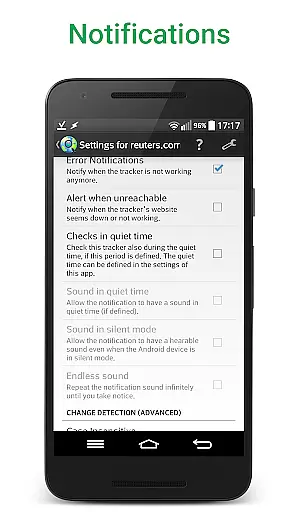
By providing detailed change notifications and exporting options, Web Alert (Pro) ensures that users can efficiently manage their monitoring tasks. The ability to view changes directly in notifications and keep website links within these changes enhances productivity and streamlines workflow.
Cross-device synchronization is a vital feature of Web Alert (Pro), allowing users to maintain consistency across multiple devices. This reliability ensures that all alerts and monitored web pages are up-to-date, regardless of the device being used.
With functionalities like exporting and importing alerts, users can easily transfer their monitoring tasks between devices. This seamless synchronization supports professionals who rely on consistent data access, whether they are working on web development or automation projects.
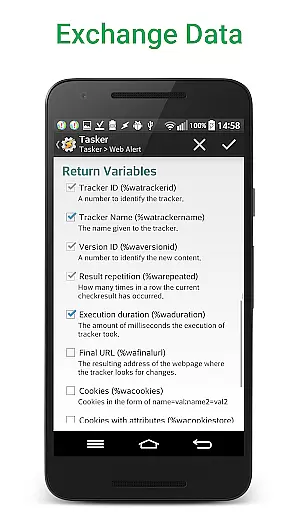
Moreover, the app's integration with Tasker, Automate, and Automagic through an extensive plugin enhances its programmability. This cross-device compatibility and synchronization empower users to manage their web monitoring tasks effectively, boosting overall productivity and ensuring no critical updates are missed.
Advanced monitoring options
Real-time change detection
Professional-grade tools
Tasker integration
Comprehensive export options
Requires free app
Complex for beginners
Premium price point
Limited UI customization
Technical learning curve

Auto-shutoff Alarm with Sunrise, Sunset & Fixed Options.
 3.50
3.50
Create study competitions, track your hours, and stay consistent with friends
4.0
All in one sketching tool. Technical and General drawing. Online Maps support.
3.70
Secure, fast, open-source, Remote Desktop Client for Windows and Linux with SSH
4.60
IP Camera Viewer - Android TV : RTSP Surveillance camera viewer for Android TV
4.1
To do list widget with a notebook organizer, checklist, simple shopping list
4.60
Ultimate Virtual AI Character for immersive Roleplay Chat. Perfect Companion
3.90
Seamlessly read, manage, and organize all your PDF files solution in one place
4.40
QuickEdit is a fast, stable and full featured text and code editor.
4.20
Use powerful, industry-leading AI tools to generate visual charts from any data
4.80
Protect and view your important info on your phone and tablet with eWallet®
4.80
The long-awaited modern gallery app for your Nextcloud server
4.70
Lightweight PDF, Word, Excel reader.
4.60
Subscribe to Webcal & .ics calendars and keep them up-to-date!
4.50
Share files & memories safely. Keep your photos and videos secure.
4.40
The ultimate file manager for rooted devices. The original and still the best.
4.00
Take control of your clipboard with Clipper!
3.90
Simple and reliable communication between inmates, friends and family
3.20
Easiest event planning, volunteer signups & parent teacher conference scheduling
2.20


User Reviews