
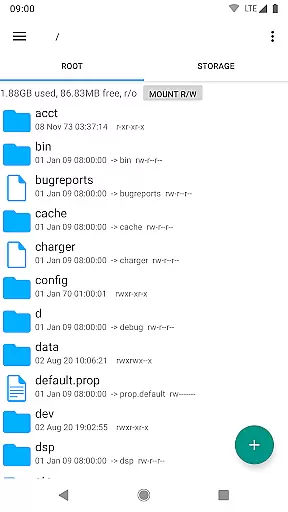
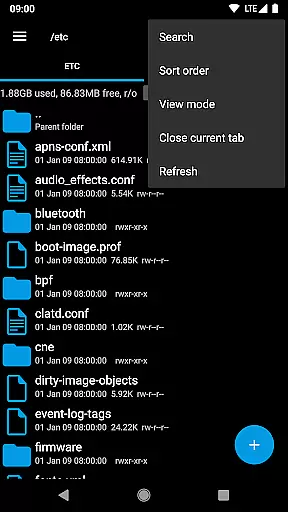
Root Explorer stands as the premier file manager tailored for root users, providing unrestricted access to Android's entire file system, including the often inaccessible data folder. This powerful tool empowers users with advanced capabilities such as multi-tab navigation, cloud storage integration, and comprehensive file manipulation options.
The app is designed for tech-savvy individuals who require granular control over their device's file structure. Whether you're a developer debugging applications or an advanced user managing system files, Root Explorer offers the necessary tools to efficiently handle complex file operations while maintaining system integrity.
With its robust feature set and intuitive interface, this productivity app becomes indispensable for users who need to perform detailed system-level tasks on their Android devices, making it a must-have utility for anyone seeking complete control over their mobile environment.
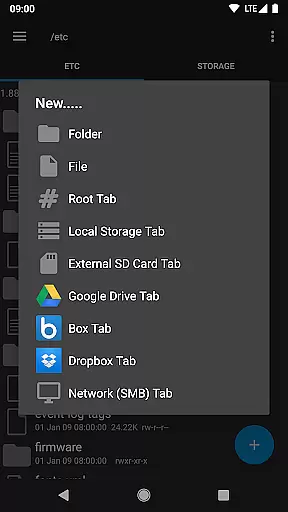
Root Explorer distinguishes itself through an impressive array of features that cater to power users' needs. The application supports multiple tabs, enabling seamless navigation between different directories while working with Google Drive, Box, Dropbox, and network (SMB) locations.
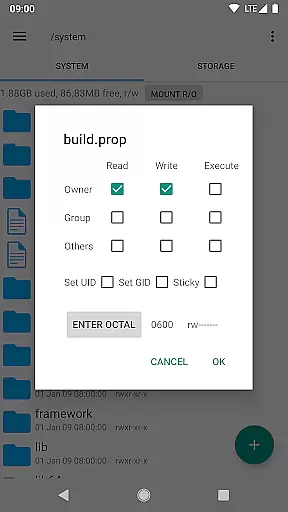
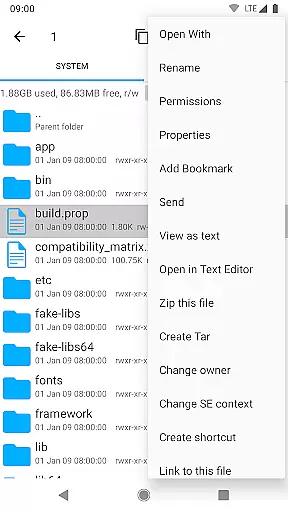
Advanced functionality includes an SQLite database viewer, text editor, and support for creating and extracting various archive formats like ZIP, TAR/GZIP, and RAR. Users can execute scripts, search files, remount partitions, modify permissions, create bookmarks, and send files via email or Bluetooth.
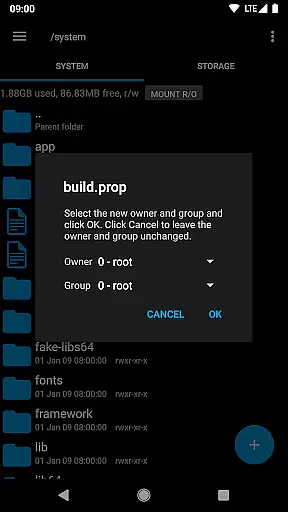
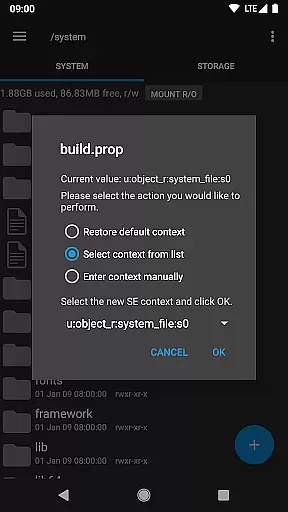
Additional professional-grade tools encompass APK binary XML viewing, changing file ownership, creating symbolic links, MD5 checksum generation, and 'Open With' facilities. These features collectively provide users with unparalleled control and flexibility in managing their Android device's file system.
Root Explorer excels in core task management by providing users with a comprehensive suite of tools to efficiently handle their files and data.
This includes multiple tabs for easy navigation, support for cloud services like Google Drive, Box, and Dropbox, and the ability to create and extract zip or tar/gzip files.
Users can execute scripts, search through their files, remount partitions, and manage permissions, all within a single app. This makes file management not only straightforward but also powerful.
The inclusion of an SQLite database viewer, Text Editor, and APK binary XML viewer further enhances its utility, allowing users to perform tasks that would otherwise require separate specialized applications.
Cross-device synchronization is a critical feature for users who need reliable access to their files across different platforms. Root Explorer ensures this by offering robust network (SMB) support.
With seamless integration into cloud storage solutions such as Google Drive, users can be confident that their data is synchronized accurately and securely across devices.
The app's permission system allows for safe and controlled access to network resources without compromising personal information.
Furthermore, the 'Prevent from sleeping' feature ensures long operations are completed without interruption, maintaining the integrity of the synchronization process. This reliability empowers users to focus on their tasks without worrying about data consistency.
Unrestricted file access
Comprehensive feature set
Intuitive user interface
Reliable customer support
Regular updates
Complex for beginners
Requires root access
Premium price point
Occasional stability issues
Limited appeal to casual users

A customizable calendar for your Wear OS watch
 4.20
4.20
Take control of your clipboard with Clipper!
3.90
Unlock AutoNotification
4.00
A lightweight JSON & XML files creator, editor and viewer (Premium Version)
4.40
A simple, portable logger for POTA, SOTA, Field Day, and more
4.0
Mind Map and brainstorm, note taking and idea collection
4.80
Customizable calendar widget for seamless event sync, planning & scheduling.
4.00
PDF scanner & converter for files, photos, lottery, QR codes. One swipe away!
4.50
Experience and share your SolidWorks designs on your Android® phone and tablet.
2.50
The long-awaited modern gallery app for your Nextcloud server
4.70
App lock - lock apps with fingerprint, password, pin or pattern, protect privacy
4.70
Subscribe to Webcal & .ics calendars and keep them up-to-date!
4.50
Tally and goal counter for Wear OS & mobile
4.50
Activate Two Factor Authentication (2FA or Multi OTP), Password manager and more
4.10
* block pre-roll ads, pop-up and forced redirect ads * Samsung certification app
4.00
A Revolutionary All-in-One Artificial Intelligence Tools
3.80
Create study competitions, track your hours, and stay consistent with friends
4.2
The upgraded version of Name Wheel with AI and the power to add your own wheels.
4.4
A comprehensive suite of tools designed specifically for Lactation Consultants
4.0


User Reviews