
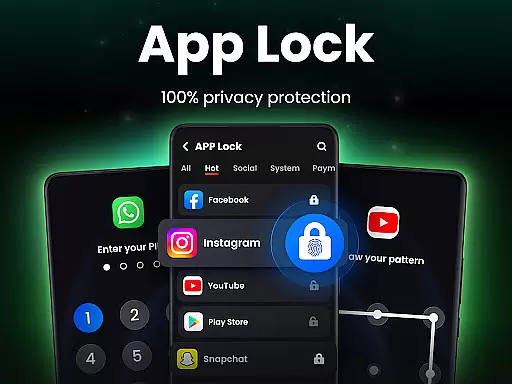
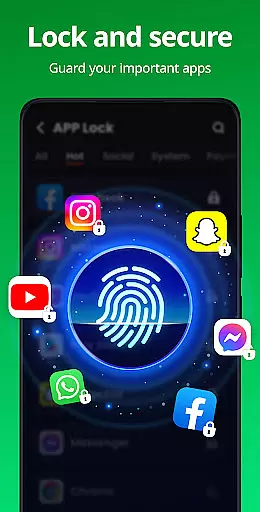
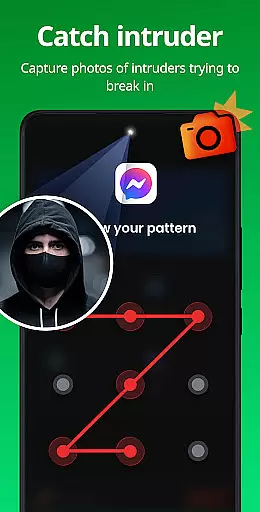
App Lock is a powerful productivity tool designed to protect your private data with one-click security. This app allows users to lock specific applications using PIN, pattern, or fingerprint authentication, ensuring complete privacy and protection against unauthorized access. With features like Safe Vault for hiding private photos/videos and Intruder Selfie that captures unauthorized access attempts, it provides comprehensive security measures for personal devices.
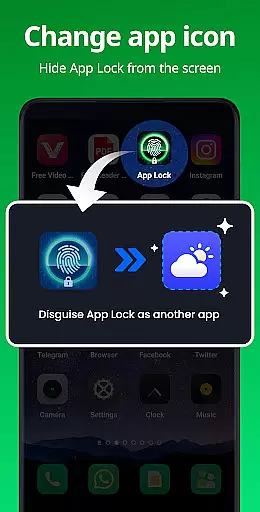
The application extends its utility beyond just locking apps by offering multiple layers of protection such as disguising itself as another app and providing uninstall protection to prevent accidental removal. Users can customize their experience with various themes and benefit from additional functionalities like random keyboards and relock settings. Whether you're concerned about privacy on social media or need to safeguard financial apps, App Lock delivers an essential layer of security tailored to individual needs.
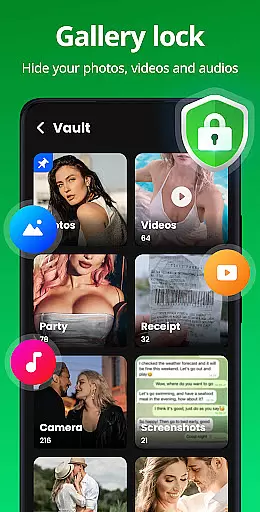
App Lock offers a robust set of features designed to maximize user privacy and device security. One standout feature is the ability to lock apps in multiple ways including PIN, pattern, or fingerprint, which ensures that only authorized users can access sensitive information. The Safe Vault functionality allows users to hide private photos and videos, making them accessible only through a secure password, thus maintaining confidentiality.
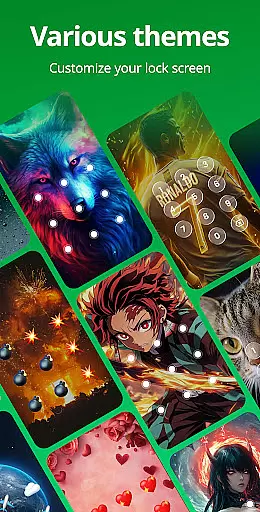
In addition to securing individual apps, App Lock includes innovative features like Intruder Selfie, which automatically takes a picture of anyone attempting unauthorized access. Disguise App functionality helps mask the app's presence by changing its icon, adding another layer of stealth. Customizable themes and advanced settings such as random keyboards and relock options provide users with personalized and adaptive security solutions, enhancing both usability and protection.
Looking ahead, upcoming features promise even greater utility, including encrypted notifications and cloud backup capabilities. These enhancements will further solidify App Lock’s position as a leader in mobile security applications, offering peace of mind to users who demand top-tier privacy protection.
App Lock exemplifies core task management by offering a streamlined approach to securing your digital life. The app allows users to lock specific applications with a single click, ensuring that private data remains protected at all times. This functionality is crucial for anyone looking to maintain privacy across social platforms like WhatsApp and Instagram.
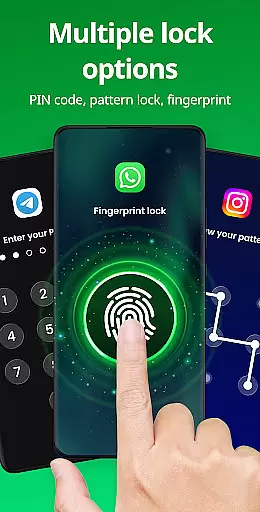
The implementation of multiple locking methods including PIN, pattern, or fingerprint adds layers of security tailored to user preference. By enabling the locking of financial apps such as Google Pay and PayPal, App Lock not only safeguards personal information but also prevents unauthorized transactions, providing peace of mind for users concerned about accidental payments or in-app purchases by children.
For users, this means an intuitive way to manage access to sensitive content without complicating their daily app interactions. With features like Uninstall Protection and Relock Settings, individuals can customize their security parameters based on their lifestyle needs, making sure that their devices remain secure even when they're not actively managing them.
Ultimately, App Lock's comprehensive suite of tools empowers users with control over their deviceu2019s privacy settings. Whether it's through disguising the app icon to prevent detection or capturing intruder selfies for added security, these capabilities underscore the importance of having robust task management solutions in today's digital age.
Cross-device synchronization reliability is another cornerstone feature of App Lock, ensuring that your security measures are consistently applied across different devices. While primarily designed for individual device protection, the app offers cloud backup functionalities that allow users to safeguard their data against loss from accidental deletion or device changes.
This continuity is vital for maintaining uninterrupted privacy management. Users can back up hidden files, settings, and locked app configurations to the cloud, which means they won't lose their protective measures or personal data when switching phones or after a factory reset. This seamless transition between devices enhances the overall user experience by removing the hassle of reconfiguring security settings each time.
Moreover, App Locku2019s commitment to privacy extends to its use of permissions responsibly; it requires All Files Access permission solely for protecting user files and never for unrelated purposes. This transparent approach builds trust with users who are cautious about granting extensive permissions to apps.
In essence, App Lock provides reliable cross-device synchronization that complements its core task management features. By integrating future-proof elements such as encryption notifications and junk file cleaners, the app continues to evolve, promising enhanced productivity and security for its users in an increasingly connected world.
Easy-to-use interface
Multiple locking methods
Comprehensive privacy protection
Innovative intruder detection
Customizable themes
Requires multiple permissions
May drain battery faster
Limited free features
Occasional bugs reported
Ads in free version

The long-awaited modern gallery app for your Nextcloud server
 4.70
4.70
Total remote control for your Android device, PC and cloud services (IFTTT)!
4.20
A simple, portable logger for POTA, SOTA, Field Day, and more
4.4
Mind Map and brainstorm, note taking and idea collection
4.80
Pwnagotchi companion app
4.20
Todo reminder
4.10
Create and edit presentations with Google Slides, part of Google Workspace.
4.00
This small app MUST BE INSTALLED after purchase, else license won't work
4.40
Share files & memories safely. Keep your photos and videos secure.
4.40
Native client for Forgejo and Gitea
5.00
Scientific calculator for Android - looks and operates like the real thing!
4.90
A beautiful digital clock with autostart and many other functions
4.70
App Lock with fingerprint, password: Lock apps & hide photos with lock screens
4.60
Experience Reading - Night Mode for Documents
4.40
A customizable calendar for your Wear OS watch
4.20
Font maker keyboard with your own handwriting
4.10
The ultimate file manager for rooted devices. The original and still the best.
4.00
Ultimate Virtual AI Character for immersive Roleplay Chat. Perfect Companion
3.90
Remotely view listen control and record cameras.
3.70


User Reviews