
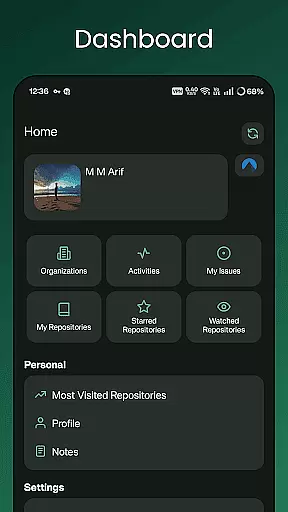
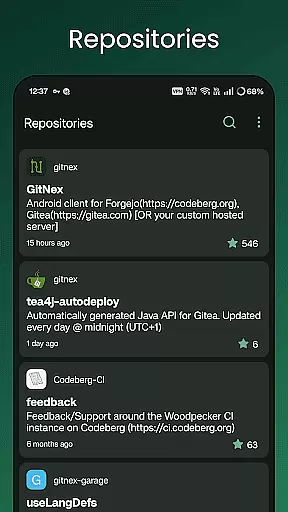
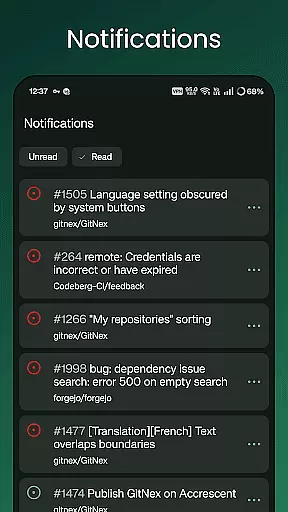
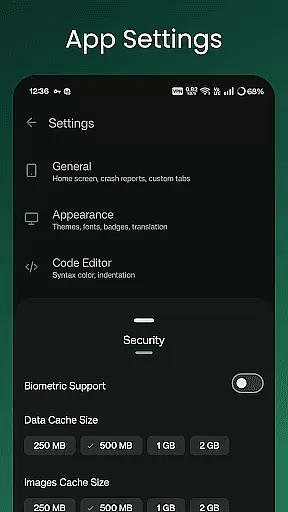
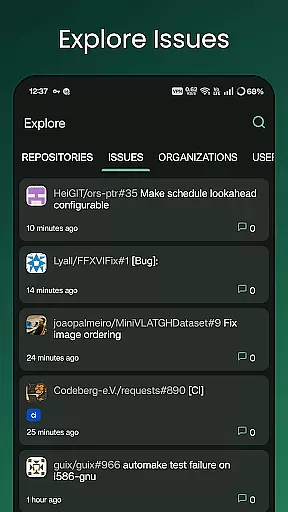
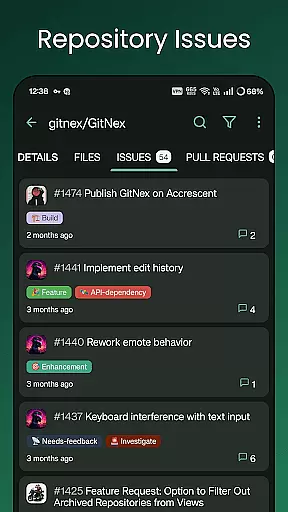
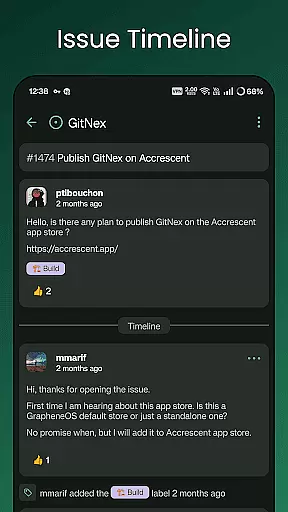
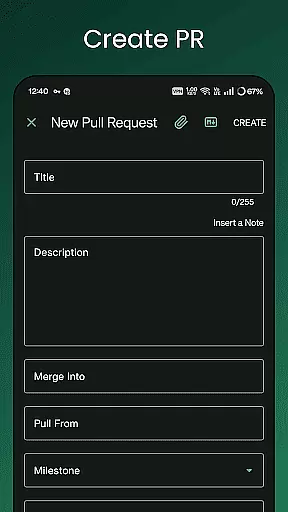
GitNex is a powerful productivity tool designed for developers and project managers who use Forgejo or Gitea for version control and repository management. This Android client enables users to efficiently manage multiple accounts, browse files and directories, and create various elements such as issues, pull requests, and wikis directly from their mobile devices.
The app's comprehensive feature set includes repository exploration, issue tracking, milestone management, and release monitoring. With support for markdown, emoji, themes, and self-signed certificates, GitNex provides a complete mobile solution for Git-based project management while maintaining enterprise-level security standards.
Whether you're working on open-source projects or managing private repositories, GitNex streamlines your workflow by providing instant access to crucial project information and management tools right at your fingertips.
GitNex distinguishes itself through its extensive feature set tailored for productivity-focused users. The application supports multiple account management, allowing seamless switching between different Git instances. Its integrated file browser enables users to navigate repository structures and view file contents with syntax highlighting.
One of GitNex's key strengths lies in its comprehensive creation capabilities. Users can create issues, pull requests, wiki pages, milestones, releases, and labels directly from their mobile devices. The app also provides detailed lists for repositories, organizations, issues, labels, milestones, and releases, ensuring all project aspects are accessible on the go.
Additional productivity features include notification management, commit tracking, theme customization, and extensive settings options. The inclusion of markdown support and emoji integration enhances communication effectiveness, while self-signed certificate support ensures secure connections to private Git servers.
Effective task management is essential for productivity applications, and GitNex excels in this area by providing comprehensive tools for managing Git repositories. The app supports multiple accounts, allowing users to handle tasks across different profiles seamlessly.
GitNex offers features like pull requests, issues, and milestone lists, which are crucial for organizing and prioritizing tasks in project management. These capabilities ensure that users can keep track of various project elements and deadlines efficiently.
With its extensive settings and notifications, GitNex ensures users are always informed about their tasks' status. This proactive approach helps maintain workflow continuity and enhances overall productivity.
Cross-device synchronization is a vital feature for users who manage their projects on multiple devices. GitNex provides reliable synchronization, ensuring that all user data is consistently updated across devices.
The app's support for self-signed certificates and themes adds an extra layer of customization and security, making cross-device usage more robust and personalized. Users can trust that their configurations will remain intact, regardless of the device they use.
Additionally, GitNex's file and directory browser, along with the repository commits feature, allows users to access their files and track changes effortlessly. This seamless experience across devices ensures that users can work efficiently from anywhere.
User-friendly interface
Multi-account support
Comprehensive feature set
Secure connection options
Active development
Steep learning curve
Occasional bugs
Limited iOS support
No desktop version
Complex setup

Wake up & get tasks done! Add alarms & reminders on the Clock Launcher.
 4.00
4.00
A lightweight JSON & XML files creator, editor and viewer (Premium Version)
4.40
Protect and view your important info on your phone and tablet with eWallet®
4.80
Pwnagotchi companion app
4.20
Easiest event planning, volunteer signups & parent teacher conference scheduling
2.20
Simple and reliable communication between inmates, friends and family
3.20
Secure, open-source, SPICE and SSH Remote Desktop for QEMU KVM virtual machines
4.00
Understand anything with a personalized AI research assistant
4.80
Seamlessly read, manage, and organize all your PDF files solution in one place
4.40
The Pro Version of Android's tiniest Notepad app. Just 0.3MB but feature-packed!
4.60
Translate text/voice/photos in 150+ languages. Offline & fast translator app.
4.50
Subscribe to Webcal & .ics calendars and keep them up-to-date!
4.50
A Pixel Art watchface inspired by other iconic 90s designs for Wear OS devices!
4.40
Experience real multitasking on your Android!
4.00
Take control of your clipboard with Clipper!
3.90
Remotely view listen control and record cameras.
3.70
ID.me Authenticator is a simple and free Two Factor Authentication solution
3.50
Code on-the-go with VScode for Android. Edit,debug and collaborate from mobile!!
3.10
Create study competitions, track your hours, and stay consistent with friends
4.0


User Reviews