
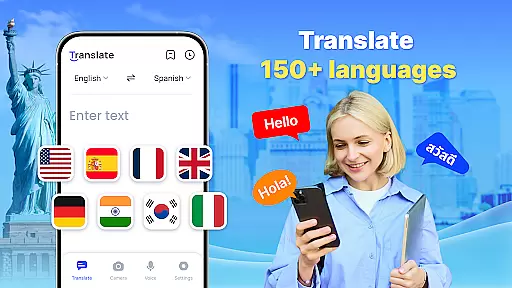


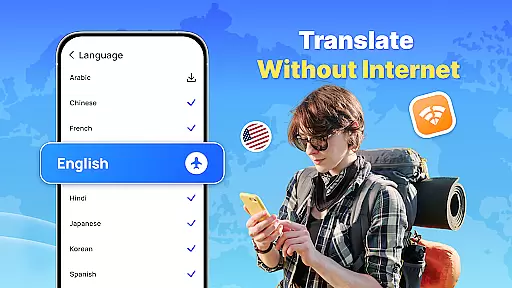
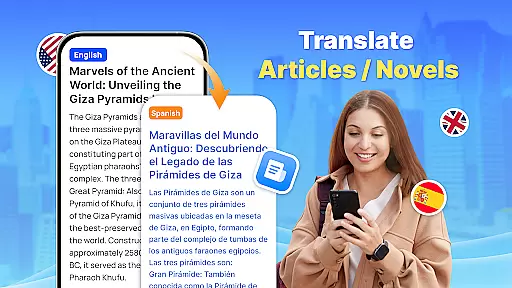
Translate - Translator is a versatile productivity app designed to break language barriers through its comprehensive translation capabilities. This free translator app supports text, voice, and photo translation across 150+ languages, making it an essential tool for travelers, students, and professionals alike. The app's standout feature is its offline functionality, allowing users to translate languages without an internet connection, which proves invaluable in areas with weak signals or during international travel.
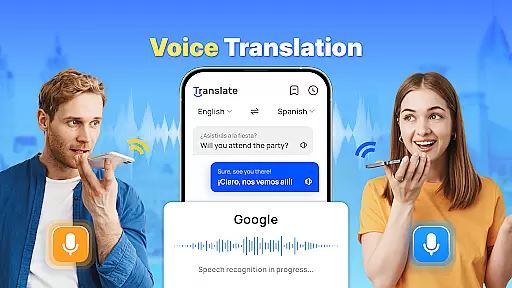
In addition to basic text translation, the app offers advanced features like real-time voice translation using intelligent voice recognition technology, AI-powered photo translation for capturing foreign language materials, and a floating ball for quick full-screen translations. Users can also create translation collections to save important translations for future reference. Whether you're communicating with foreign friends, preparing for business negotiations, or learning new languages, this app provides accurate and fast translations that cater to various needs.
The app's ability to auto-detect input languages and provide reverse translations adds to its user-friendliness. With its comprehensive language support and practical features, Translate - Translator enhances cross-cultural interactions and makes communication more accessible than ever before.
Translate - Translator stands out in the productivity category due to its diverse and innovative features. One of its core strengths is the multi-mode translation capability, supporting text, voice, and photo translation. The instant text translation feature allows users to enter or paste text and receive quick results across 150+ languages, catering to various scenarios such as travel, business, and study. The real-time voice translation function uses advanced voice recognition technology to facilitate smooth conversations with foreigners, making it an excellent talking translator.
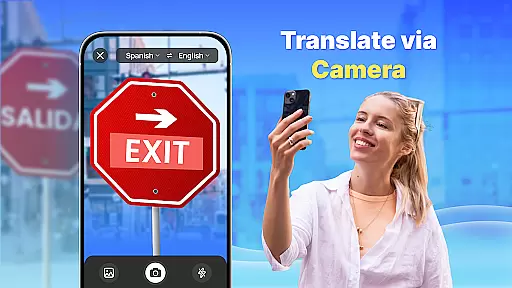
Another remarkable feature is the AI-powered photo translation, which enables users to capture images of foreign language materials like menus or product descriptions and receive accurate translations. This feature also allows text extraction and copying for easy sharing. The app's offline translation mode ensures uninterrupted service even without an internet connection, saving users from roaming charges while traveling abroad. Additionally, the floating ball feature provides quick access to full-screen translations, enhancing user convenience.
The app also includes practical tools like creating translation collections for saving important translations and auto-detecting input languages for easier use. These features collectively make Translate - Translator a powerful tool for anyone needing reliable and versatile translation services.
Core task management in a productivity app like Translate ensures that users can efficiently handle multiple translation tasks without losing track of their workflow. This feature is crucial for maintaining productivity, especially when dealing with complex or high-volume translation needs.
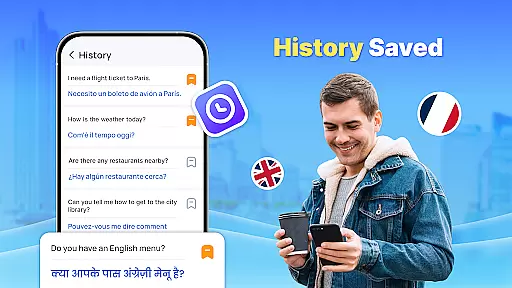
The Translate app implements core task management through several key functionalities. Users can easily switch between text, voice, and photo translation modes, ensuring they can tackle different types of translation tasks seamlessly. The app also allows users to save and organize previous translations, making it simple to revisit or reuse content as needed.
For users, this means enhanced efficiency and organization. Whether you're traveling, conducting business, or learning a new language, the ability to manage various translation tasks within a single app streamlines the process significantly. You can focus on communication rather than managing multiple tools or losing time searching for past translations.
This functionality ultimately empowers users by providing them with a centralized platform for all their translation needs. By integrating features such as auto-detect input language, reverse translation, and quick access to saved translations, the app ensures that users can maintain a smooth and uninterrupted workflow, enhancing both productivity and user satisfaction.
Cross-device synchronization reliability is essential for users who rely on productivity apps across multiple devices. Ensuring that translations, settings, and preferences are consistently updated and accessible from any device enhances the overall user experience and supports seamless productivity.
In the case of Translate, cross-device synchronization is achieved through cloud-based technology. This allows users to start a translation task on one device and continue it on another without missing a beat. Whether switching from a smartphone to a tablet or accessing translations from a computer, users can expect real-time updates and consistency across all platforms.
The benefits of reliable synchronization are numerous. Users can enjoy uninterrupted workflows, knowing that their data is always up-to-date and accessible wherever they go. This feature is particularly useful for individuals who travel frequently or use multiple devices throughout their day, ensuring they have access to their translations at all times.
By prioritizing cross-device synchronization reliability, Translate not only meets but exceeds user expectations. This commitment to providing a dependable and consistent experience across devices underscores the app's dedication to quality and user-centric design, setting it apart in the realm of productivity applications.
Fast and accurate translations
Supports 150+ languages
Offline functionality available
User-friendly interface
AI-powered photo translation
Limited advanced features in free version
Occasional accuracy issues
Ads may disrupt experience
Requires permissions for full functionality
Interface can feel cluttered

AI Video AI Image Private LLM AI Browser Llama Gemma Ollama Connect LLM Studio
 4.3
4.3
A customizable calendar for your Wear OS watch
4.20
Take control of your clipboard with Clipper!
3.90
Ads Free App! Editor, Hide File, Copy, Move, Delete and Rename.. all facility av
1.70
8 custom complications. Custom Time Fonts. Beautiful color schemes. A++ Design.
5.00
* block pre-roll ads, pop-up and forced redirect ads * Samsung certification app
4.00
Share files & memories safely. Keep your photos and videos secure.
4.40
Understand anything with a personalized AI research assistant
4.80
Simple notepad & memo. Take notes, to-do list, shopping list with reminders.
4.80
A beautiful digital clock with autostart and many other functions
4.70
The long-awaited modern gallery app for your Nextcloud server
4.70
All document reader, all in one file viewer read PDF, DOCX, XLS, PPT, TXT files.
4.60
To do list widget with a notebook organizer, checklist, simple shopping list
4.60
PDF scanner & converter for files, photos, lottery, QR codes. One swipe away!
4.50
Send files, sync SMS, notifications & clipboard across devices via local network
4.40
A Pixel Art watchface inspired by other iconic 90s designs for Wear OS devices!
4.40
Secure your apps with lock screens, use custom themes and different features.
4.40
Easiest event planning, volunteer signups & parent teacher conference scheduling
2.20
The upgraded version of Name Wheel with AI and the power to add your own wheels.
4.0


User Reviews