

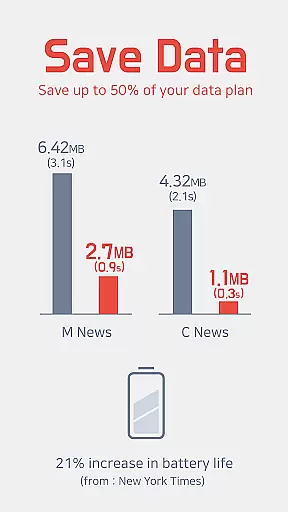
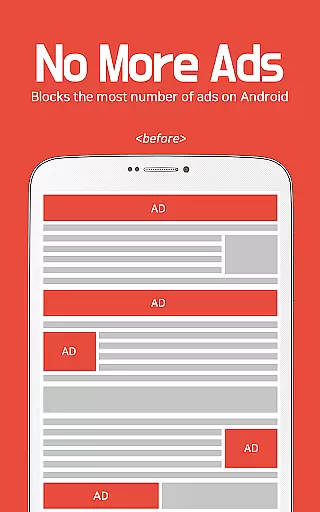
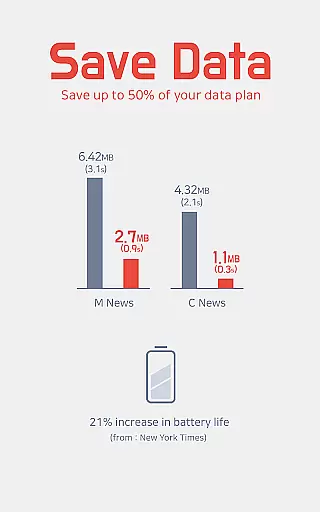
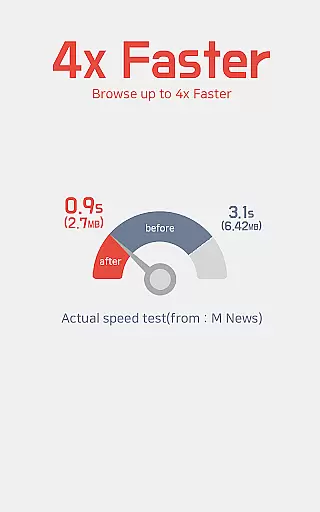
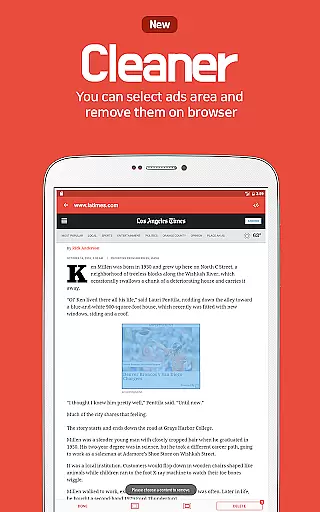
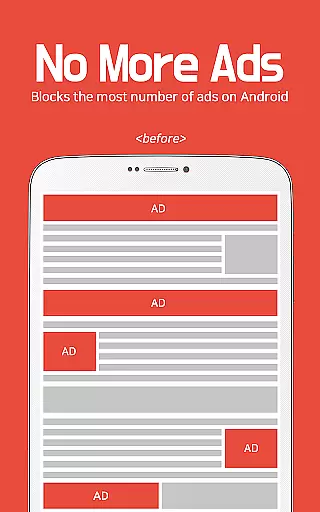
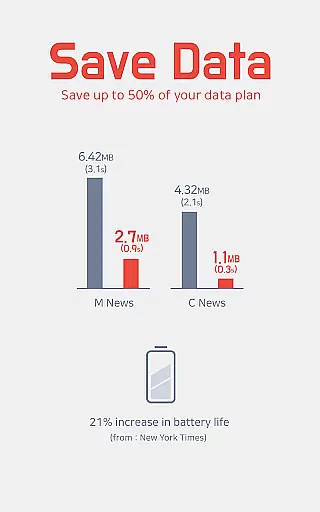
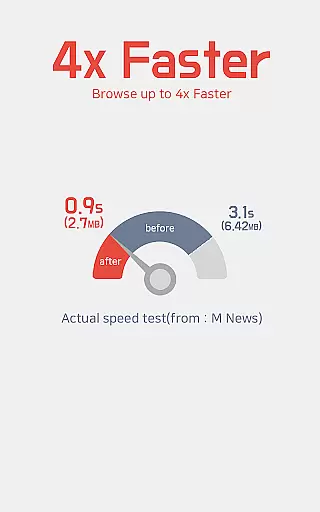
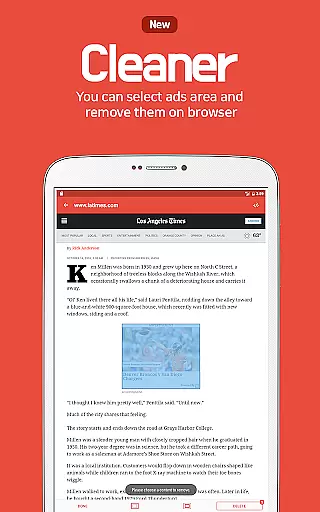
Unicorn Blocker is a powerful ad-blocking application designed to enhance your web browsing experience. The app focuses on saving data expenses by blocking various types of ads, making web surfing up to three times faster while also extending battery life by up to 21%. Unicorn Blocker supports Samsung Internet and Yandex Browser, ensuring compatibility with Android 4.4 (KitKat) or higher. By eliminating annoying pre-roll video ads, pop-up ads, and forced redirect ads, this tool ensures a smoother and more efficient browsing experience.
In addition to its core functionality, Unicorn Blocker provides users with tips for optimizing their browser settings. For instance, it offers guidance on syncing bookmarks from Google Chrome to Samsung Browser and changing Facebook settings to open links in the default browser. This makes Unicorn Blocker not just an ad-blocker but also a comprehensive productivity tool that helps streamline your online activities.
Unicorn Blocker stands out due to its robust feature set tailored to maximize efficiency and user convenience. One of its key features is the ability to block multiple types of ads, including those that hide and then appear, waste data, or are sexual in nature. It also blocks tracking mechanisms, ensuring enhanced privacy protection. These capabilities collectively contribute to a reduction in data usage by up to 50%, allowing users to make the most of their data plans.
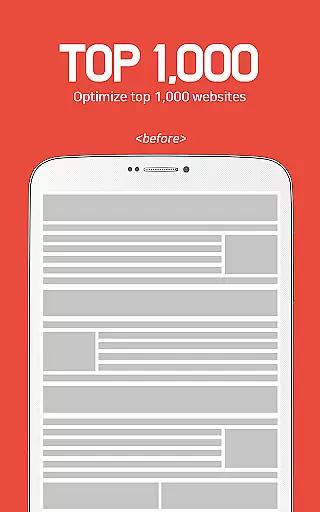
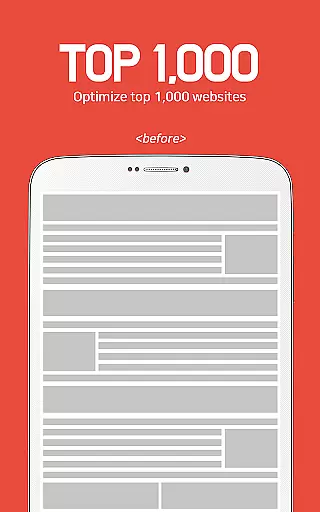
Beyond ad-blocking, Unicorn Blocker supports popular browsers like Samsung Internet 4.0 or higher and Yandex Browser. The app is compatible with the top 1,000 mobile and PC websites, covering community platforms, press outlets, portals, blogs, and advertising agencies. Additionally, the app provides practical tips for improving browser performance, such as enabling Power-saving mode without affecting app functionality. These features make Unicorn Blocker a versatile tool for anyone looking to optimize their browsing experience.
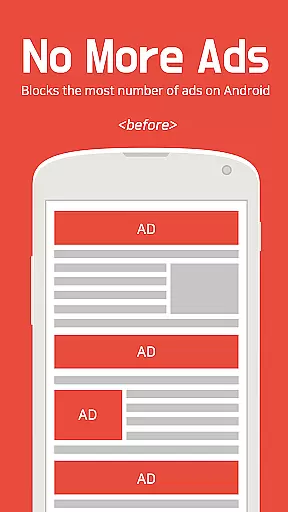
Unicorn Blocker excels in core task management by efficiently handling ad-blocking tasks across various websites and platforms. The app focuses on saving users' data plans by blocking different types of ads, including annoying pre-roll video ads, pop-up ads, and those that waste data or suddenly appear. This ensures a seamless browsing experience without interruptions from unwanted advertisements.
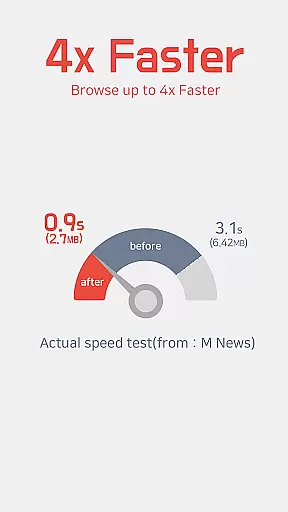
The application's robust ad-blocking capabilities extend to the top 1,000 mobile and PC websites, covering a wide range of categories such as community sites, press, portals, blogs, and advertising agencies. By doing so, Unicorn Blocker not only enhances productivity but also optimizes web surfing speed, making it up to three times faster. This increase in efficiency translates into tangible benefits for users who can browse more content in less time while conserving their data usage.
Moreover, Unicorn Blocker is compatible with Samsung Internet 4.0 or higher and Yandex Browser, ensuring broad accessibility for users of these popular browsers. With support for Android 4.4 (KitKat) or higher, the app provides a versatile solution for managing online tasks effectively. Users will appreciate how this tool simplifies their daily digital activities by removing distractions and allowing them to focus on what truly matters.
Cross-device synchronization reliability is a standout feature of Unicorn Blocker, ensuring consistent performance and user experience across multiple devices. Whether you're using Samsung Internet or Yandex Browser, the app maintains its ad-blocking functionalities seamlessly, providing reliable service irrespective of the device in use. This cross-compatibility is crucial for users who switch between different devices throughout their day.
By supporting both Samsung Internet and Yandex Browser, Unicorn Blocker offers flexibility and convenience. Users can enjoy an uninterrupted browsing experience without worrying about compatibility issues. The appu2019s ability to sync settings and preferences across devices means that users won't miss out on any blocked ads or saved data plans when transitioning from one device to another. This reliability fosters trust and satisfaction among users seeking a dependable ad-blocking solution.
In addition to browser compatibility, Unicorn Blocker supports Android 4.4 (KitKat) or higher, further enhancing its cross-device capabilities. Detailed installation guides for Samsung Internet and Yandex Browser are provided, ensuring users can easily set up the app on their preferred devices. Tips like changing Facebook settings to open links in the default browser and syncing bookmarks from Google Chrome to Samsung Browser add extra layers of convenience, making Unicorn Blocker a comprehensive tool for managing online activities efficiently.
Blocks various ad types
Saves up to 50% data
Increases browsing speed
Enhances battery life
Improves privacy protection
Limited browser support
Requires specific OS
No iOS compatibility
Paid application
Complex setup process

AI Video AI Image Private LLM AI Browser Llama Gemma Ollama Connect LLM Studio
 4.2
4.2
Native client for Forgejo and Gitea
5.00
A lightweight JSON & XML files creator, editor and viewer (Premium Version)
4.40
Make your handwriting beautiful, even more than pen on paper.
3.60
Pwnagotchi companion app
4.20
aCalendar+ makes your day, week and month
4.70
Simple and reliable communication between inmates, friends and family
3.20
Browse and view your photos and videos from the phone with photo & video hide.
4.10
QuickEdit is a fast, stable and full featured text and code editor.
4.20
QuickBooks Workforce lets teams view pay info and track time in one place.
4.70
Planet Free VPN - The best Fast Unlimited and Secure VPN Without Logs
4.50
Docker, Kubernetes management over Portainer Mobile
4.40
Total remote control for your Android device, PC and cloud services (IFTTT)!
4.20
Take control of your clipboard with Clipper!
3.90
A Revolutionary All-in-One Artificial Intelligence Tools
3.80
Mega cloud explorer plugin for Solid Explorer
3.80
All in one sketching tool. Technical and General drawing. Online Maps support.
3.70
Find and delete junk files & block unwanted notifications & manage files
3.70
Experience and share your SolidWorks designs on your Android® phone and tablet.
2.50


User Reviews