
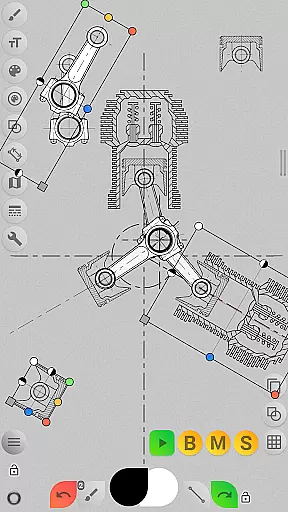
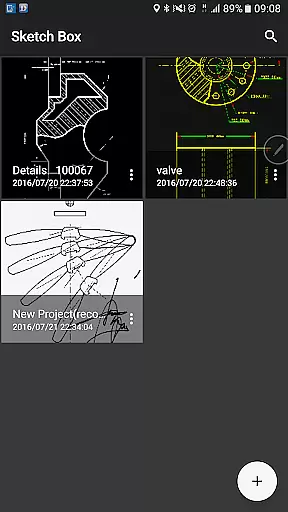
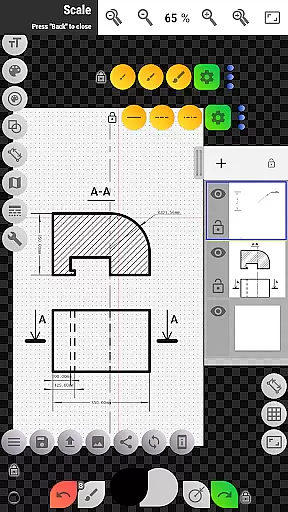
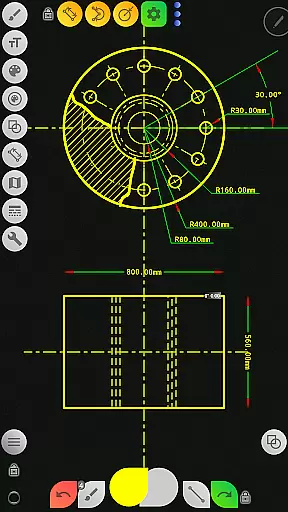
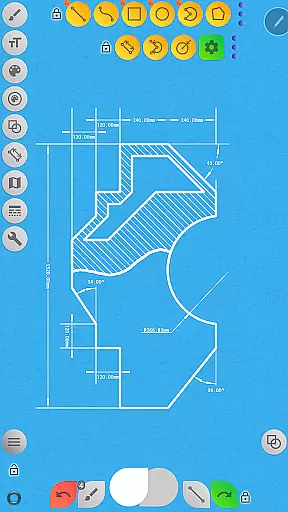
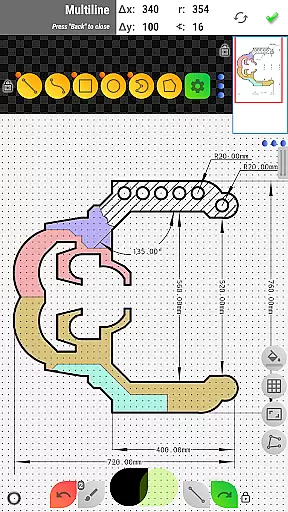


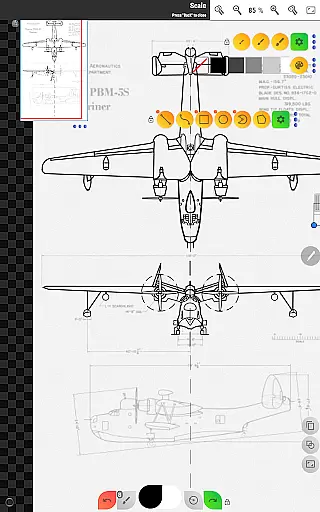
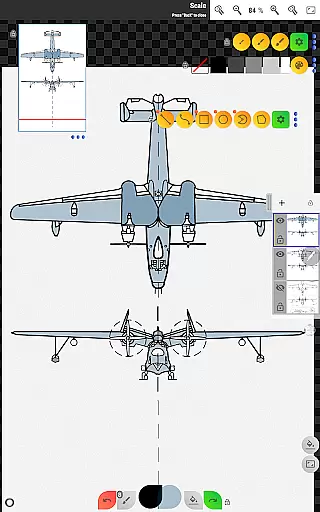
Sketch Box Pro is a versatile sketching and drawing application designed for both technical drawings and general sketching needs. This productivity tool serves as an alternative to vector CAD systems while maintaining the simplicity of traditional drawing applications. With features like online map support and interactive map tools, it caters to a wide range of requirements from engineering sketches to creative drawings.
The app provides a smooth combination of traditional drawing tools and CAD system functionalities, making it suitable for users who need precision and flexibility. Whether you're working on technical drawings or spontaneous sketches, Sketch Box Pro offers the convenience of having professional-grade tools always at hand in your pocket.
One notable feature is its project-based workflow that allows users to create projects from scratch, import maps, or use images from the device gallery. The application supports layers, various drawing tools, and exporting options, making it a comprehensive solution for anyone looking to create detailed and precise sketches on their mobile device.
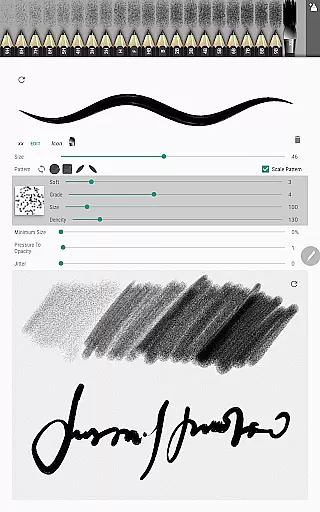
Sketch Box Pro stands out with its innovative features tailored for both casual and professional artists. One of its key highlights is the Pencils Set, which includes customizable pencils with unique characteristics editable via the Pencil Redactor. This allows users to fine-tune their drawing tools according to specific needs, enhancing the overall drawing experience.
The app also introduces optimized drawing tools such as the Multiline tool, free and radial selection options, and improved UI elements. These features ensure a seamless drawing process whether you're creating basic shapes, using predefined brushes, or utilizing advanced tools like the Dimension and Scale tools. Additionally, the layer support—with up to six layers in the Pro version—provides extensive control over complex projects.
Another remarkable aspect is the Online Maps Support, which integrates Google Maps as a background for projects. Users can leverage interactive compass tools, measure distances, and calculate areas directly within the app. These capabilities make Sketch Box Pro not just a drawing tool but a comprehensive platform for technical and creative projects alike.
Sketch Box Pro excels in core task management by offering a versatile platform for various drawing and sketching needs. The app supports technical drawings, general sketching, and even integrates with online maps to provide interactive tools.
With project-based functionality, users can initiate new projects from scratch, utilize predefined themes, or import snapshots from online maps and device galleries. This flexibility ensures that every task, whether it's drafting an engineering plan or sketching a creative idea, is managed efficiently within the app.
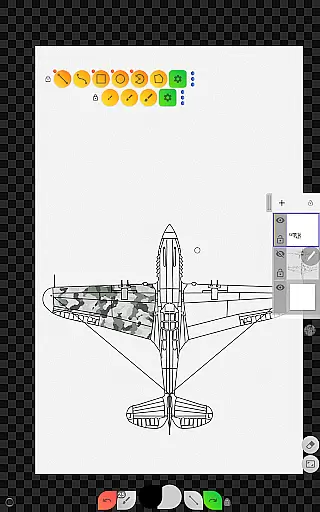
The layers support feature allows users to work with up to six layers in the Pro version, providing options to lock, adjust opacity, duplicate, clear, delete, and merge layers. These capabilities enhance task management by enabling complex drawing organization and easy editing.
Overall, Sketch Box Pro empowers users to handle multiple drawing tasks seamlessly, making it an essential tool for anyone needing reliable and adaptable task management in their creative workflow.
Cross-device synchronization is crucial for maintaining productivity, and Sketch Box Pro ensures reliability through its robust export and sharing features. Users can export their current drawings to the gallery or share them directly from the app, ensuring that work is accessible across different devices.
The app supports importing projects from device galleries, allowing users to continue their work on another device without losing progress. This seamless transition between devices enhances the reliability of cross-device synchronization, which is vital for users who switch between smartphones, tablets, or computers.
Additionally, the copy tool offers advanced functionalities such as saving selections to the device disk for later reuse. This feature not only aids in efficient task management but also guarantees that elements created on one device can be easily transferred and utilized on another.
By focusing on these synchronization aspects, Sketch Box Pro provides a dependable solution for users who require consistent access to their projects across multiple devices, thus boosting overall productivity.
User-friendly interface
Customizable drawing tools
Layer management
Online map integration
Project versatility
Limited free version
Steep learning curve
Occasional bugs
High system requirements
Subscription cost

Secure, fast, open-source, VNC and SSH Remote Desktop for Windows, Linux and Mac
 4.70
4.70
A customizable calendar for your Wear OS watch
4.20
Take control of your clipboard with Clipper!
3.90
Experience real multitasking on your Android!
4.00
Mega cloud explorer plugin for Solid Explorer
3.80
Professional calendar app for Google Calendar, MS Outlook & Exchange
4.20
Fill, sign & send docs, forms, agreements & contracts via electronic signature.
4.50
The ultimate file manager for rooted devices. The original and still the best.
4.00
Okta MFA
4.70
Native client for Forgejo and Gitea
5.00
Best Tool for the professionals Electrician, Electrical contractors, etc.
4.90
We're working to become the best machining app on the market! www.cncdirt.com
4.80
Stay on top of your to-dos with Google Tasks, part of Google Workspace.
4.60
Subscribe to Webcal & .ics calendars and keep them up-to-date!
4.50
Unlock AutoNotification
4.00
Smart PDF reader & editor to view, organize and manage PDF documents easily.
3.70
Auto-shutoff Alarm with Sunrise, Sunset & Fixed Options.
3.50
Simple and reliable communication between inmates, friends and family
3.20
Code on-the-go with VScode for Android. Edit,debug and collaborate from mobile!!
3.10


User Reviews