
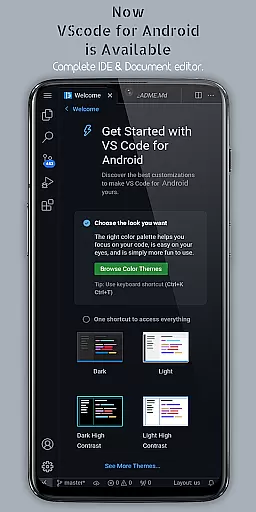
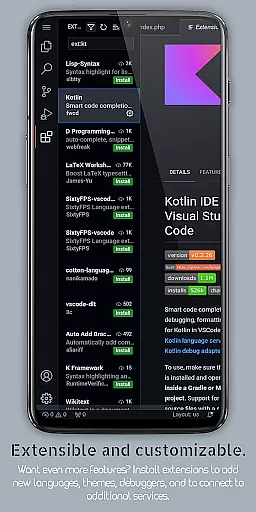
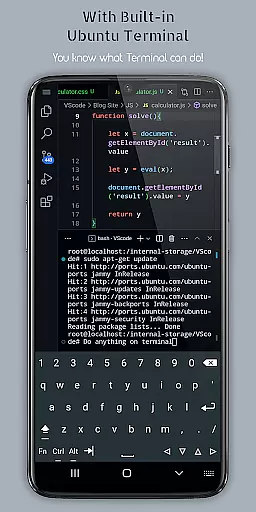
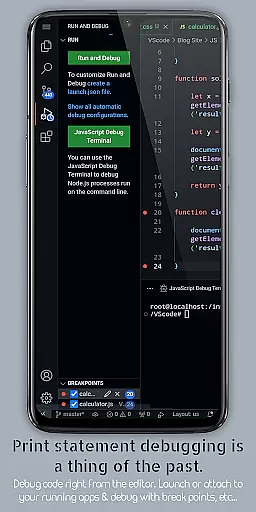
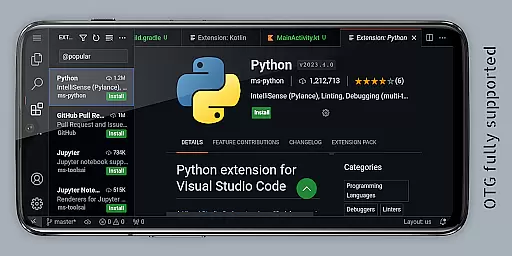
VScode for Android brings the powerful functionality of Visual Studio Code to mobile devices, allowing developers to write, edit, and debug code on-the-go. With support for a wide range of programming languages and file types, this app provides an immersive coding experience with features like customizable themes, IntelliSense, debugging tools, and Git integration.
The app offers a professional-grade coding environment in your pocket, complete with fullscreen mode for uninterrupted sessions and remote access capabilities through a web browser. Whether you're working on HTML, Python, Java, or other languages, VScode for Android ensures that location is no longer a barrier to productivity.
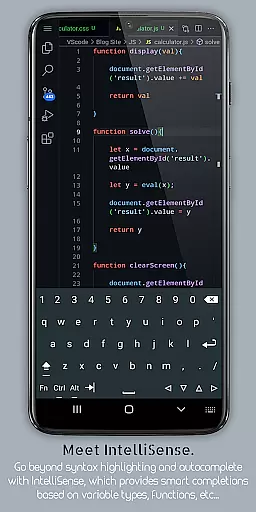
VScode for Android stands out with its comprehensive feature set tailored for developers. The app includes built-in debugging tools, syntax highlighting for numerous programming languages, and IntelliSense for intelligent code completion. These features ensure efficient coding with fewer errors.
Additionally, the app supports multi-cursor editing, embedded Git for version control, customizable keyboard shortcuts, and split view editing. A built-in terminal and integrated task runner further enhance workflow automation, while language-specific settings allow for optimized project management across different coding environments.
VScode for Android revolutionizes the way developers handle task management by bringing the full power of desktop Visual Studio Code to mobile devices. This app allows users to write, edit, and debug code on-the-go, ensuring that productivity is not confined to a desk.
The application supports a wide array of programming languages and file types, which means you can easily switch between projects without losing momentum. With features like IntelliSense, customizable themes, and debugging tools, managing coding tasks becomes intuitive and efficient.
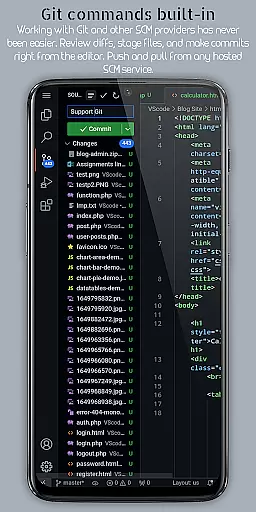
Moreover, VScode for Android includes built-in support for Git and other version control systems, making collaborative work seamless. The ability to perform common version control operations directly from the editor enhances the overall task management experience for developers who need to stay connected with their teams.
Cross-device synchronization is a critical feature for modern development environments, and VScode for Android excels in this area. By allowing access to the IDE through a web browser using the phone's IP address and port 8080, it ensures that your work is available wherever you are, providing reliable access to your development environment.
This synchronization capability extends to its extensive feature set, including support for debugging, syntax highlighting, and intelligent code completion. As a result, users can expect a consistent experience across devices, whether they're working on a mobile phone or a desktop computer.
Furthermore, the app's support for multi-cursor editing, split view editing, and an integrated terminal means that all the tools you need are synchronized and at your fingertips, no matter which device you're using. This reliability empowers developers to maintain productivity and consistency in their workflow.
Powerful code editor
Wide language support
Git integration
Remote access
Customizable interface
Complex for beginners
Requires internet
Limited mobile features
Not officially by Microsoft
Interface can be cluttered

A Revolutionary All-in-One Artificial Intelligence Tools
 3.80
3.80
Smart PDF reader & editor to view, organize and manage PDF documents easily.
3.70
We're working to become the best machining app on the market! www.cncdirt.com
4.80
Todo reminder
4.10
Fill, sign & send docs, forms, agreements & contracts via electronic signature.
4.50
Activate Two Factor Authentication (2FA or Multi OTP), Password manager and more
4.10
Translate text/voice/photos in 150+ languages. Offline & fast translator app.
4.50
Best Tool for the professionals Electrician, Electrical contractors, etc.
4.90
The ultimate file manager for rooted devices. The original and still the best.
4.00
Scientific calculator for Android - looks and operates like the real thing!
4.90
Simple notepad & memo. Take notes, to-do list, shopping list with reminders.
4.80
Stay on top of your to-dos with Google Tasks, part of Google Workspace.
4.60
Experience Reading - Night Mode for Documents
4.40
Automates browsing any website and notifies you of important changes or events
4.30
Access, manage and transfer files on Android, PC, Mac, NAS and cloud storages.
4.30
Font maker keyboard with your own handwriting
4.10
Cloud storage, automatic phone backup, and more.
4.10
⏰ Finally a timer app which can run multiple timers simultaneously on your watch
3.90
The upgraded version of Name Wheel with AI and the power to add your own wheels.
4.1


User Reviews