
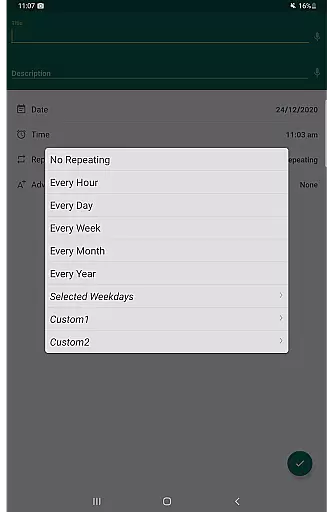
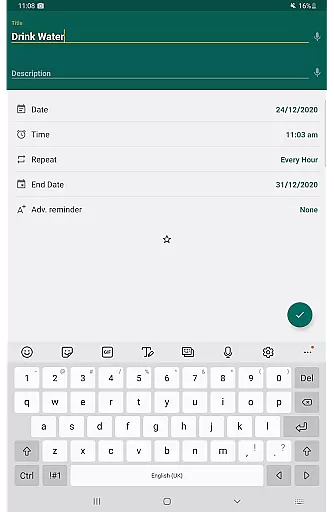
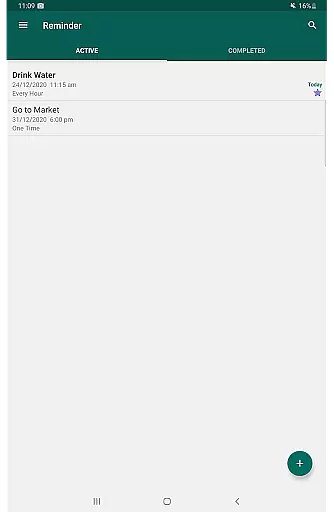
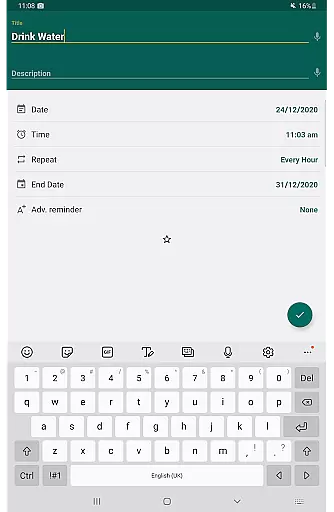
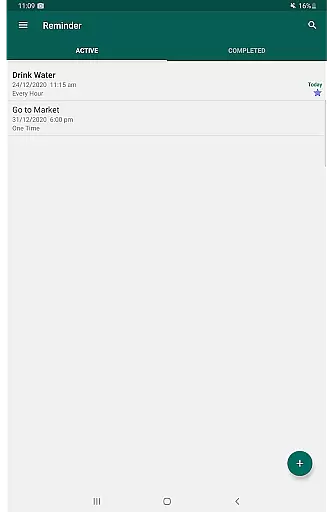
Reminder Pro is a versatile productivity application designed to help users manage their daily tasks and important deadlines effectively. The app allows you to create both one-time and recurring reminders, ensuring you never miss an essential task or event. With its user-friendly interface, Reminder Pro makes setting notifications quick and easy, taking only a matter of seconds.
Beyond basic reminders, the app offers features such as deadline notifications for work or school, medication alerts, and even anniversary reminders. Whether you need to remember daily chores, business meetings, or special occasions, Reminder Pro has got you covered. Its comprehensive functionality extends to organizing your life with features like quiet hours settings, multiple themes, and various view options for your reminders.
This app is particularly useful for busy professionals, students, and anyone looking to enhance their personal organization. By streamlining task management and integrating seamlessly into daily routines, Reminder Pro helps users maintain focus and peace of mind, ultimately boosting overall productivity.
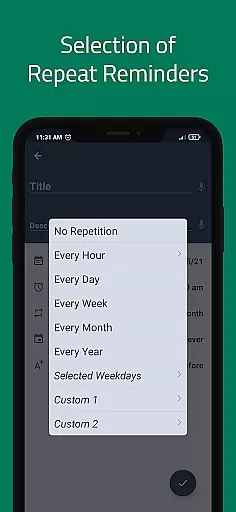
Reminder Pro stands out with its rich set of features tailored to meet diverse user needs. One of its core functionalities is the ability to set custom recurring reminders, which can be tailored to specific days of the week or month, making it ideal for routine tasks like bill payments or medication schedules.
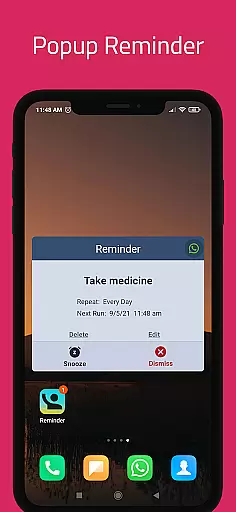
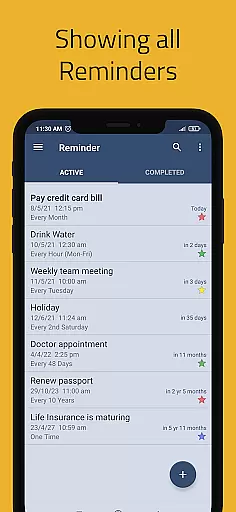
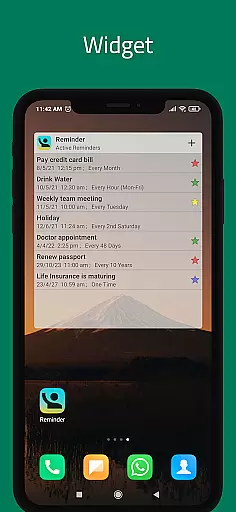
The app also includes popup notifications and a snooze option, allowing users to temporarily delay reminders if they're occupied. For those who prefer a more visual approach, Reminder Pro offers widget support and different view options such as standard, compact, and monthly grouping views. These features ensure that users can customize their experience to best suit their preferences.
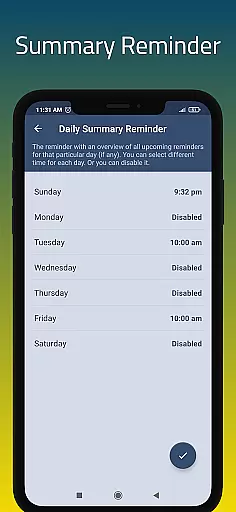
Additional notable features include a daily summary reminder, quiet hours settings, advance reminders, and auto/manual backup options. Categories with different colors and settings further enhance organization, while the search functionality makes finding specific reminders effortless. With these capabilities, Reminder Pro not only keeps users on track but also provides a personalized and efficient task management experience.
Effective task management is essential for maintaining productivity and ensuring that no important deadlines are missed. Reminder Pro offers a comprehensive solution for organizing both personal and professional tasks. The app allows users to create detailed reminders for one-time events as well as recurring commitments, making it adaptable to various lifestyles and work requirements.
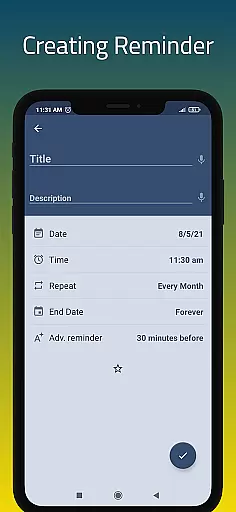
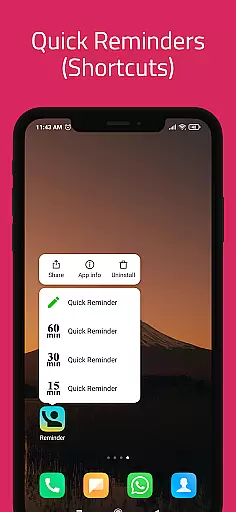
The application's interface is designed for quick and intuitive task entry. Users can set reminders within seconds, specifying the date, time, and additional notes to provide context for each task. This simplicity ensures that even those with a busy schedule can keep track of their responsibilities without spending excessive time on organization.
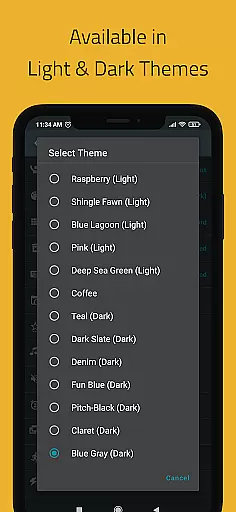
Reminder Pro stands out by offering versatile features such as custom recurring reminders, multiple theme options, and different view modes for task lists. These functionalities allow users to tailor the app to their preferences and needs. Whether it's managing daily chores, tracking bill payments, or remembering special occasions, Reminder Pro equips users with the tools necessary to stay on top of their schedules.
By integrating practical features like popup notifications, snooze options, and quiet hours settings, Reminder Pro enhances the user experience. These elements ensure that users receive timely alerts without feeling overwhelmed. As a result, individuals can focus on completing tasks efficiently while enjoying peace of mind, knowing they have a reliable system in place to manage their responsibilities.
In today's interconnected world, having reliable cross-device synchronization is crucial for maintaining consistency across multiple platforms. Reminder Pro addresses this need by providing seamless integration between devices, allowing users to access their reminders from anywhere at any time. This feature ensures that whether you're using your smartphone, tablet, or computer, your data remains up-to-date and accessible.
The synchronization process in Reminder Pro is designed to be fast and dependable. By leveraging advanced cloud technology, the app ensures that all changes made on one device are instantly reflected on others. This real-time update capability means users don't have to worry about missing important notifications due to outdated information on a particular device.
Moreover, Reminder Pro includes robust backup options, supporting both automatic and manual backups. This dual approach provides an extra layer of security, safeguarding against data loss and ensuring that users can restore their reminders if needed. With categories featuring distinct colors and settings, users can maintain clear distinctions between different types of tasks, further enhancing organizational clarity.
Ultimately, Reminder Pro's commitment to reliable synchronization empowers users to manage their lives more effectively. By delivering consistent performance across devices, the app becomes an indispensable tool for anyone seeking to streamline their daily routines and maintain control over their schedules, regardless of where they are or which device they use.
User-friendly interface
Customizable reminders
No advertisements
Comprehensive task management
Versatile functionality
Limited advanced features
No cross-platform sync
Premium version required
Occasional bugs
Basic design aesthetics

QuickBooks Workforce lets teams view pay info and track time in one place.
 4.70
4.70
Experience Reading - Night Mode for Documents
4.40
Direct Chat without saving contacts & Dual WA Account on Single Device
4.70
Automates browsing any website and notifies you of important changes or events
4.30
Smart PDF reader & editor to view, organize and manage PDF documents easily.
3.70
Make your handwriting beautiful, even more than pen on paper.
3.60
Easiest event planning, volunteer signups & parent teacher conference scheduling
2.20
Access, manage and transfer files on Android, PC, Mac, NAS and cloud storages.
4.30
A simple Whisper AI keyboard for reliable speech transcription and rewording
4.60
Best Tool for the professionals Electrician, Electrical contractors, etc.
4.90
We're working to become the best machining app on the market! www.cncdirt.com
4.80
Simple notepad & memo. Take notes, to-do list, shopping list with reminders.
4.80
Secure, fast, open-source, Remote Desktop Client for Windows and Linux with SSH
4.60
App Lock with fingerprint, password: Lock apps & hide photos with lock screens
4.60
PDF scanner & converter for files, photos, lottery, QR codes. One swipe away!
4.50
Device's storage information in a simple and clear graphical form (infographics)
4.10
Customizable calendar widget for seamless event sync, planning & scheduling.
4.00
ID.me Authenticator is a simple and free Two Factor Authentication solution
3.50
Ads Free App! Editor, Hide File, Copy, Move, Delete and Rename.. all facility av
1.70


User Reviews