
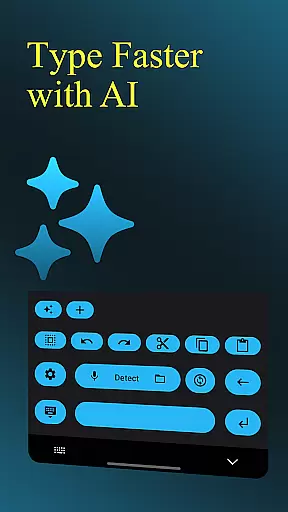
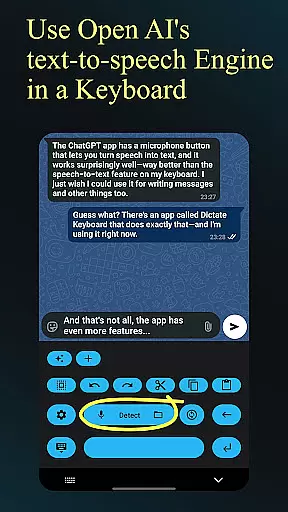
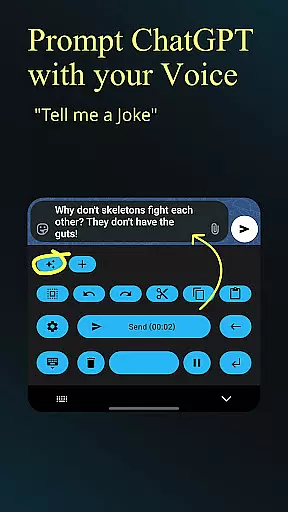
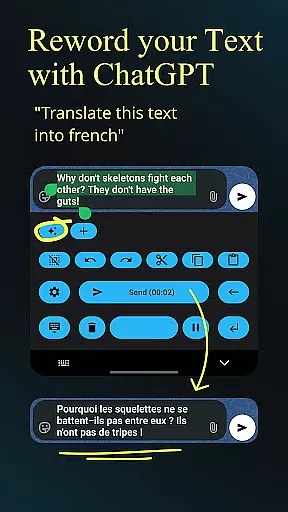
Dictate Keyboard is a cutting-edge productivity tool designed to streamline text input through advanced speech recognition technology. This innovative keyboard app converts spoken language into accurate text, supporting all major languages. Its AI-powered engine not only transcribes words but also intelligently adds punctuation and recognizes even sung phrases.
Beyond basic transcription, Dictate offers professional-grade features including custom rewording through GPT models, automatic formatting of spoken commands, and seamless integration with various transcription providers. The app's comprehensive customization options extend to theme settings, API configurations, and system prompts that guide the recognition process. Whether you're a content creator or business professional, this keyboard solution significantly enhances typing efficiency.
The application particularly shines in professional environments where hands-free operation is essential. Users can maintain productivity while keeping their focus on other tasks, making it an invaluable tool for modern workflows.
Dictate Keyboard distinguishes itself through its sophisticated feature set that caters to diverse productivity needs. The app employs state-of-the-art Whisper technology alongside multiple transcription models, ensuring unparalleled accuracy in speech-to-text conversion across different languages and accents.
A key innovation lies in its advanced command processing capabilities. Users can execute complex formatting instructions verbally, from creating paragraphs to inserting specific characters. The integration with GPT-5 and other AI models enables powerful text transformation functions including translation, summarization, and style adaptation. Professional users will appreciate the flexibility to switch between different transcription providers and customize API server connections.
Productivity is further enhanced through practical features like haptic feedback, quick keyboard switching, and support for both light and dark modes. The app's open-source nature and detailed documentation make it particularly appealing to tech-savvy users who value transparency and customization possibilities.
Dictate Keyboard revolutionizes core task management by integrating advanced speech recognition technology into a user-friendly keyboard interface. This innovative approach allows users to convert spoken language into text with remarkable accuracy, supporting all common national languages.
The app's AI-driven system goes beyond basic transcription by intelligently adding punctuation and formatting spoken commands. Users can create new paragraphs, insert specific phrases, and even dictate complex instructions without manual editing.
What sets Dictate apart in task management is its seamless integration with various transcription models and providers. Users can switch between different recognition systems, including Whisper and GPT-4o-transcribe, while maintaining consistent performance across platforms.
This versatility enables professionals and casual users alike to manage their writing tasks more efficiently, whether they're composing emails, creating documents, or transcribing audio files, all through intuitive voice commands.
Cross-device synchronization stands as one of Dictate Keyboard's most reliable features, ensuring users can access their customized settings across multiple devices. The application maintains consistent configuration through its cloud-based API system, which securely stores user preferences and custom instructions.
When users create custom rewording instructions or set specific system prompts, these settings automatically sync across all registered devices. This includes personalized speech recognition styles, custom themes, and preferred transcription models, guaranteeing a uniform experience regardless of the device being used.
The synchronization process works seamlessly with both OpenAI and Groq API keys, allowing users to maintain their workflow without interruption. Even advanced features like emoji insertion patterns and number formatting rules remain consistent across devices.
This reliable synchronization capability ensures that users can switch between their phone, tablet, or other devices without losing any functionality or having to reconfigure their settings, making Dictate an indispensable tool for productive multitasking across devices.
Advanced AI-powered transcription
Multi-language support
Customizable features
Open-source platform
Professional integrations
Requires API setup
Incurs usage fees
Complex configuration
Dependent on network
Learning curve

A lightweight JSON & XML files creator, editor and viewer (Premium Version)
 4.40
4.40
We're working to become the best machining app on the market! www.cncdirt.com
4.80
⏰ Finally a timer app which can run multiple timers simultaneously on your watch
3.90
Easiest event planning, volunteer signups & parent teacher conference scheduling
2.20
Stay on top of your to-dos with Google Tasks, part of Google Workspace.
4.60
Scientific calculator for Android - looks and operates like the real thing!
4.90
Access your phone's notifications, calls, apps, photos & texts on your PC
3.90
Okta MFA
4.70
Browse and view your photos and videos from the phone with photo & video hide.
4.10
8 custom complications. Custom Time Fonts. Beautiful color schemes. A++ Design.
5.00
Android Wallet Password Manager
4.80
QuickBooks Workforce lets teams view pay info and track time in one place.
4.70
Direct Chat without saving contacts & Dual WA Account on Single Device
4.70
Functional QR scanner and barcode reader that requires little storage space.
4.60
All document reader, all in one file viewer read PDF, DOCX, XLS, PPT, TXT files.
4.60
Experience real multitasking on your Android!
4.00
Wake up & get tasks done! Add alarms & reminders on the Clock Launcher.
4.00
Find and delete junk files & block unwanted notifications & manage files
3.70
Ads Free App! Editor, Hide File, Copy, Move, Delete and Rename.. all facility av
1.70


User Reviews