
Direct Chat & Messaging is a productivity-focused application designed to streamline your communication process. The app allows users to send messages without saving contacts, manage multiple accounts on one device, and recover deleted messages. This functionality proves especially useful for professionals who need to maintain efficient communication without cluttering their contact lists.
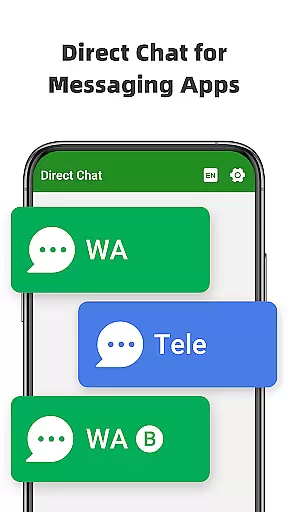
The app supports direct messaging for popular platforms like WA, WA Business, and Tele Chatting App. Its Dual App feature enables users to access the same account across multiple devices or manage different accounts on a single device. Additionally, the Message Recovery function ensures that accidentally deleted content can be retrieved, providing peace of mind and data security.
Whether you're handling business communications or personal chats, Direct Chat & Messaging offers a seamless experience by combining convenience with advanced features. This makes it an ideal solution for users seeking efficiency and flexibility in their daily messaging activities.
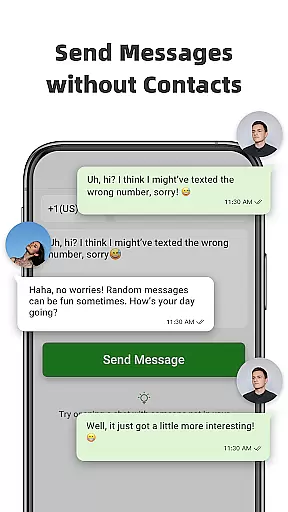
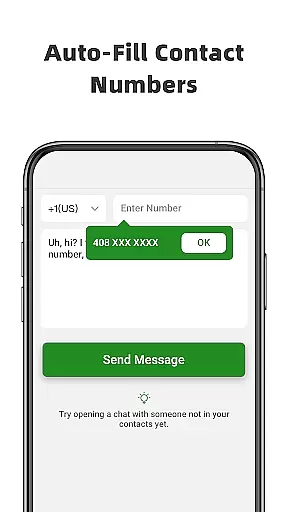
Direct Chat & Messaging stands out with its innovative features tailored for enhanced productivity. The Direct Chat functionality allows users to initiate conversations without saving phone numbers, which is particularly beneficial for one-time interactions or professional settings where permanent contact storage is unnecessary.
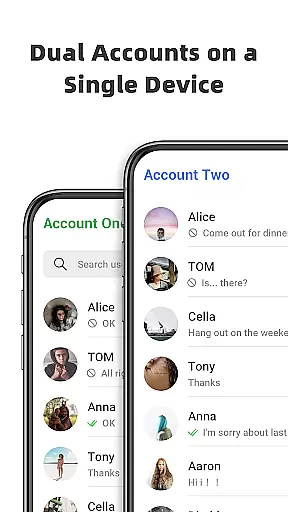
The Dual App - Web Scan feature revolutionizes multi-device management by enabling users to operate the same WA account on various devices or handle two distinct accounts on a single device. This ensures uninterrupted connectivity and efficient file management across cloned accounts.
Another remarkable feature is the Message Recovery tool, which retrieves deleted messages and media, including photos and videos. By accessing notifications, the app detects and saves content before it's permanently erased. This not only enhances user privacy but also guarantees that valuable information remains accessible, making Direct Chat & Messaging an indispensable tool for modern communicators.
Direct Chat & Messaging excels in core task management by offering features that streamline communication and enhance productivity. The app allows users to send messages without saving contacts, manage multiple accounts, and recover deleted messages, all of which contribute to efficient task handling.
The Direct Chat functionality is a standout feature, enabling users to initiate conversations with new contacts effortlessly. This eliminates the need to clutter your phonebook with temporary contacts, making it ideal for business communications or one-off interactions. By simplifying this process, the app ensures that users can focus on their primary tasks without unnecessary distractions.
In addition to direct messaging, the Dual App - Web Scan feature supports task management by allowing access to the same account on multiple devices. This flexibility is crucial for users who need to stay connected across different platforms, ensuring seamless communication and task coordination. The ability to manage two accounts on a single device further enhances organizational efficiency.
Overall, these capabilities ensure that Direct Chat & Messaging is not just a communication tool but a comprehensive solution for managing various tasks efficiently. Users can handle their messaging needs with minimal effort, allowing them to dedicate more time to other important activities.
Cross-device synchronization is a critical aspect of modern productivity apps, and Direct Chat & Messaging delivers reliable performance in this area. The app's Dual App - Web Scan feature allows users to access the same account on multiple devices, ensuring that all messages and files are synced accurately and promptly.
This synchronization capability is particularly beneficial for users who manage multiple devices or need to switch between them frequently. Whether you're using a smartphone, tablet, or computer, the app ensures that your conversations and files are always up-to-date and accessible. This seamless integration helps maintain continuity in communication, which is essential for both personal and professional contexts.
Moreover, the app automatically syncs all messages from cloned accounts, allowing users to read and reply to messages anytime, anywhere. This feature not only enhances convenience but also boosts productivity by ensuring that no important message is missed due to device switching. Efficient management of downloaded files from cloned accounts further adds to the app's reliability.
By providing robust cross-device synchronization, Direct Chat & Messaging ensures that users can rely on the app for consistent and dependable performance. This reliability is crucial for maintaining smooth and uninterrupted workflows, making the app an invaluable tool for enhancing productivity.
User-friendly interface
Multi-account support
Message recovery
Efficient communication
Cross-device sync
Limited platform support
Notification dependency
Potential privacy concerns
Feature complexity
Internet required

 4.20
4.20
Seamlessly integrate data and reports to build your presentation to impress
4.80
Planet Free VPN - The best Fast Unlimited and Secure VPN Without Logs
4.50
8 custom complications. Custom Time Fonts. Beautiful color schemes. A++ Design.
5.00
Android Wallet Password Manager
4.80
Mind Map and brainstorm, note taking and idea collection
4.80
CalenGoo is a very flexible and feature-rich calendar app
4.40
* block pre-roll ads, pop-up and forced redirect ads * Samsung certification app
4.00
QuickEdit is a fast, stable and full featured text and code editor.
4.20
Scientific calculator for Android - looks and operates like the real thing!
4.90
Quickly and easily keep track of your work shifts
4.70
To do list widget with a notebook organizer, checklist, simple shopping list
4.60
A Pixel Art watchface inspired by other iconic 90s designs for Wear OS devices!
4.40
All in One PDF Reader: Manage, Read and Edit your Documents
4.20
Intelligent AI Assistant
4.10
Unlock AutoNotification
4.00
Create and edit presentations with Google Slides, part of Google Workspace.
4.00
Ultimate Virtual AI Character for immersive Roleplay Chat. Perfect Companion
3.90
Experience and share your SolidWorks designs on your Android® phone and tablet.
2.50


User Reviews