
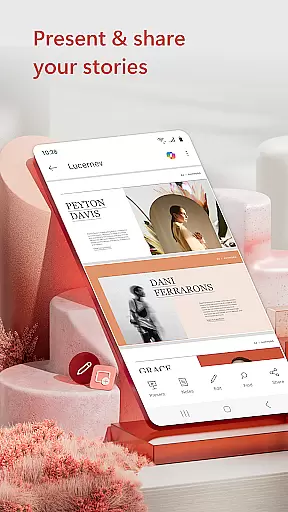
Microsoft PowerPoint is the quintessential presentation app that empowers users to create, edit, and view slideshows on the go. With its mobile platform support, you can carry your presentations wherever you are, ensuring seamless synchronization across devices. This eliminates the hassle of managing multiple file versions and allows for real-time collaboration on ppt or pptx files.
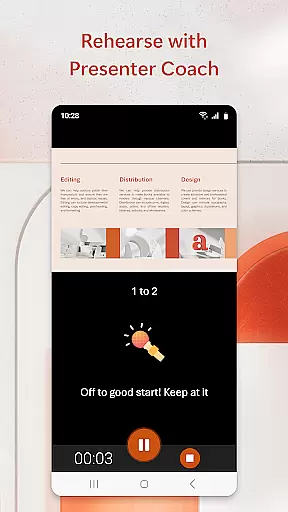
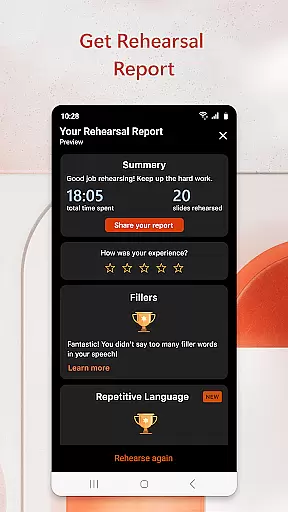
The app stands out with features like Presenter Coach, an AI-driven tool designed to refine public speaking skills. It provides real-time suggestions, helping users to adjust their pacing, avoid filler words, and speak confidently. Whether crafting a quarterly report or delivering a yearly summary, PowerPoint's templated slides and customizable options ensure your presentations leave a lasting impression.
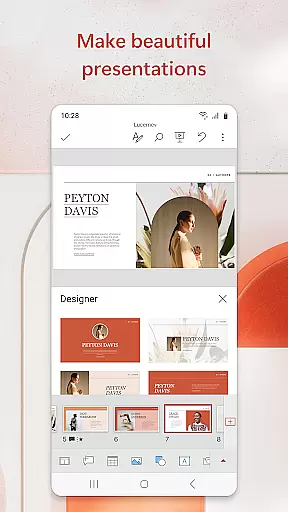
With Microsoft PowerPoint, you have the capability to make impactful slideshows incorporating music, graphics, charts, photos, and videos. The app facilitates not just creation but also confident delivery, making it an indispensable tool for anyone looking to present their ideas effectively.
Microsoft PowerPoint offers a rich set of features tailored to meet the needs of modern presenters. One standout feature is the Presenter Coach, which uses artificial intelligence to help users practice their presentations. It provides feedback on pacing, language usage, and even detects when you're relying too much on filler words like 'umms.' This ensures that your delivery is polished and professional.
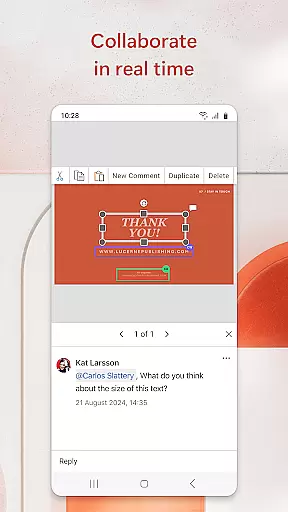
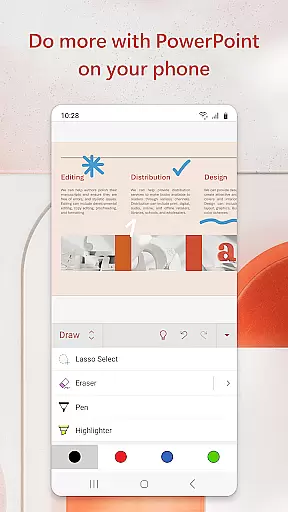
The app supports real-time collaboration, allowing multiple users to work on the same presentation simultaneously. Integrated comments enable teams to communicate efficiently within the app, streamlining the review process. Additionally, PowerPoint's powerful customization tools let you design visually appealing slides with ease. You can insert images, videos, charts, and other multimedia elements directly into your slides.
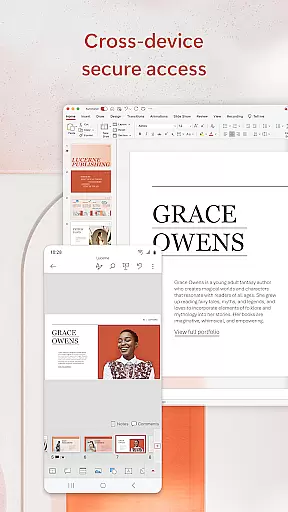
Another notable feature is the ability to sync presentations seamlessly across devices. Whether you're working on a phone, tablet, or PC, your files are always up-to-date and accessible. This cross-device compatibility ensures that you can start a presentation on one device and continue on another without missing a beat. With these robust features, Microsoft PowerPoint remains a top choice for creating dynamic and engaging presentations.
Microsoft PowerPoint revolutionizes core task management by offering seamless tools for creating, editing, and presenting slideshows. The app ensures that users can efficiently manage their presentation tasks from any location.
With features like real-time collaboration, users can work together on the same presentation simultaneously. This functionality enhances productivity by allowing teams to edit and refine presentations without being in the same physical space.
The Presenter Coach tool further augments task management by providing AI-driven feedback. This feature helps users practice their presentations, ensuring they deliver polished and confident performances during actual presentations.
Additionally, PowerPoint's synchronization across devices means that users can pick up where they left off, eliminating the hassle of managing multiple versions of the same file. This cohesive ecosystem streamlines task management, making it easier than ever to produce high-quality presentations.
Cross-device synchronization is a cornerstone of Microsoft PowerPoint's reliability, ensuring that presentations are always up-to-date across all user devices. This seamless integration allows users to start a presentation on one device and continue on another without missing a beat.
PowerPoint achieves this through its cloud-based system, which automatically saves and syncs changes in real-time. Whether you're using a phone, tablet, or PC, your presentation will always reflect the latest edits, maintaining consistency and accuracy.
This reliable synchronization extends to collaborative efforts as well. Teams can work on different sections of a presentation simultaneously, with all changes being instantly visible to everyone involved. This fosters a more dynamic and efficient workflow.
Moreover, PowerPoint's robust syncing minimizes the risk of version conflicts, ensuring that all collaborators are working on the most current version of a presentation. This reliability empowers users to focus on content creation rather than worrying about file management.
User-friendly interface
Real-time collaboration
AI-powered Presenter Coach
Seamless cross-device syncing
Extensive template library
Requires subscription for full features
Limited offline functionality
Occasional sync issues
Resource-intensive on older devices
Learning curve for new users

Experience real multitasking on your Android!
 4.00
4.00
Mega cloud explorer plugin for Solid Explorer
3.80
Device's storage information in a simple and clear graphical form (infographics)
4.10
Make apps & sites with natural language prompts
4.10
Find and delete junk files & block unwanted notifications & manage files
3.70
Code on-the-go with VScode for Android. Edit,debug and collaborate from mobile!!
3.10
A simple Whisper AI keyboard for reliable speech transcription and rewording
4.60
Simple notepad & memo. Take notes, to-do list, shopping list with reminders.
4.80
AT&T Internet customers can use this app to personalize their Wi-Fi network.
4.40
8 custom complications. Custom Time Fonts. Beautiful color schemes. A++ Design.
5.00
Best Tool for the professionals Electrician, Electrical contractors, etc.
4.90
The AI assistant that thinks with you - write, code, and solve complex tasks
4.60
Planet Free VPN - The best Fast Unlimited and Secure VPN Without Logs
4.50
Docker, Kubernetes management over Portainer Mobile
4.40
Secure your apps with lock screens, use custom themes and different features.
4.40
Create and edit presentations with Google Slides, part of Google Workspace.
4.00
⏰ Finally a timer app which can run multiple timers simultaneously on your watch
3.90
Ultimate Virtual AI Character for immersive Roleplay Chat. Perfect Companion
3.90
A comprehensive suite of tools designed specifically for Lactation Consultants
4.1


User Reviews