
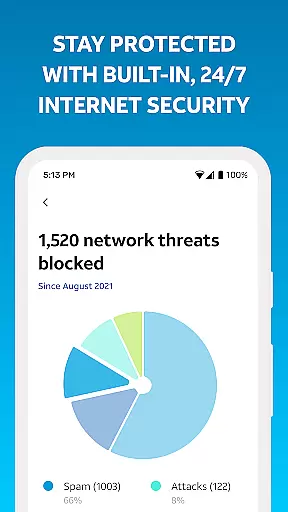
Smart Home Manager is a productivity-focused application designed to simplify the management of your AT&T Internet service. The app provides an intuitive interface for setting up and managing your home network without needing technical assistance. With this tool, users can easily configure Wi-Fi settings, monitor connected devices, and personalize their network environment.
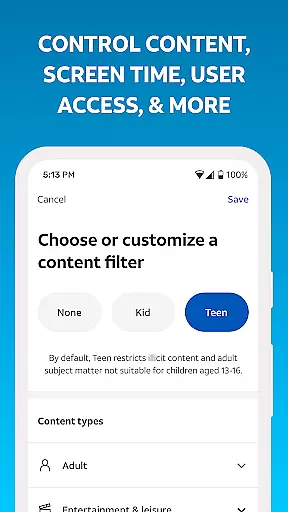
A key feature is its ability to facilitate technician-free troubleshooting, allowing users to resolve common connectivity issues independently. Additionally, it offers advanced controls such as parental controls, downtime scheduling, and pausing Wi-Fi access for specific devices. These features make it especially useful for families looking to manage screen time and maintain a healthy digital environment at home.
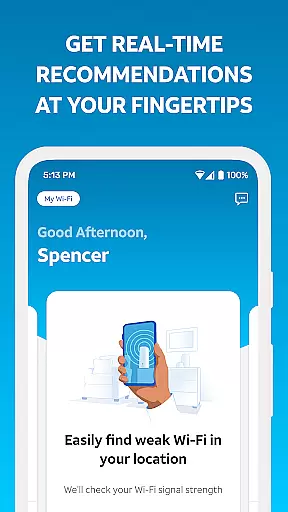
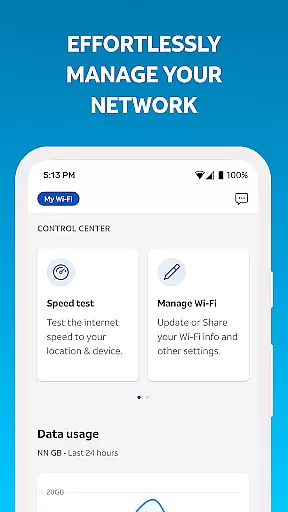
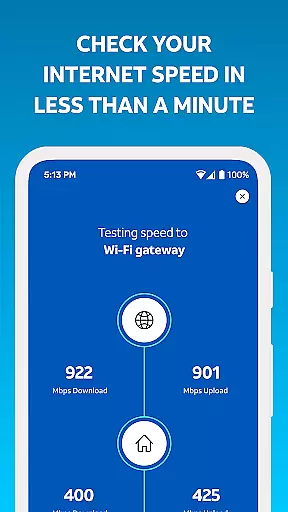
The app also includes diagnostic tools to test internet speed, identify weak signal areas, and check overall network health. This functionality ensures optimal performance and helps prevent service disruptions. Available to AT&T Internet customers with compatible gateways, Smart Home Manager is a comprehensive solution for maintaining an efficient and secure home network.
Smart Home Manager stands out with its extensive range of features tailored to enhance home network management. One notable capability is the self-setup process, which guides users through configuring their new service effortlessly. This eliminates the need for professional installation and empowers users to take control from the start.
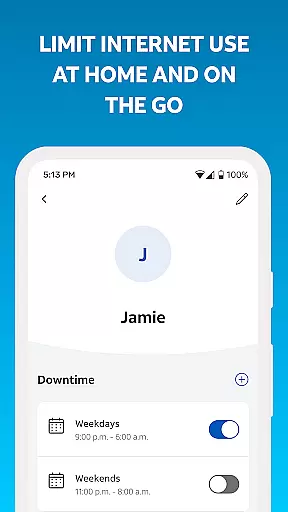
Another significant feature is the comprehensive device management system. Users can view all connected devices, update Wi-Fi credentials, and personalize device names. Advanced options include creating profiles for family members, setting parental controls, and scheduling Wi-Fi downtimes. These functionalities provide granular control over the household's digital activities, promoting responsible usage.
Diagnostic tools further enrich the user experience by enabling speed tests, identifying weak signal spots, and monitoring network health. Notifications about potential issues or outages ensure proactive maintenance. Overall, these features collectively contribute to a robust, user-friendly network management solution that enhances both convenience and security.
Smart Home Manager excels in core task management by offering a centralized platform for overseeing your home network. The app allows you to easily view and update essential network settings such as your Wi-Fi name and password, ensuring that your personal information remains secure while maintaining optimal connectivity.
Beyond basic network oversight, the application provides advanced features like parental controls and downtime scheduling. These tools enable you to create customized profiles for each family member, managing screen time effectively and promoting healthier digital habits without constant manual intervention.
The ability to pause Wi-Fi access for specific devices adds another layer of control, allowing you to manage internet usage during important family moments or at bedtime. This feature ensures that your home remains a balanced environment where technology serves your lifestyle rather than dictating it.
Cross-device synchronization is a standout feature of Smart Home Manager, ensuring that all your connected devices maintain reliable and consistent performance. By providing real-time updates on network status and device connections, the app helps you monitor signal strength and identify weak spots throughout your home, optimizing your Wi-Fi experience across multiple gadgets.
The app's capability to test internet speed directly to your Wi-Fi gateway offers valuable insights into your network's performance. This feature not only aids in troubleshooting but also ensures that all your devices are operating at their best potential, minimizing lag and maximizing efficiency for activities like streaming or gaming.
Furthermore, Smart Home Manager alerts you to any network issues or service outages, allowing for quick resolutions. With the ability to remotely restart your Wi-Fi gateway, you can resolve common connectivity problems instantly, ensuring uninterrupted service across all your devices without needing technical assistance.
User-friendly interface
Comprehensive network diagnostics
Advanced parental controls
Technician-free setup
Real-time issue alerts
Limited to AT&T customers
Gateway model dependent
No offline functionality
Premium features require subscription
Occasional connectivity issues

The long-awaited modern gallery app for your Nextcloud server
 4.70
4.70
Take control of your clipboard with Clipper!
3.90
Smart PDF reader & editor to view, organize and manage PDF documents easily.
3.70
Mind Map and brainstorm, note taking and idea collection
4.80
ID.me Authenticator is a simple and free Two Factor Authentication solution
3.50
Docker, Kubernetes management over Portainer Mobile
4.40
Share files & memories safely. Keep your photos and videos secure.
4.40
Simple notepad & memo. Take notes, to-do list, shopping list with reminders.
4.80
Note taking, handwriting, record audio, PDF annotation, planner & journal
4.20
We're working to become the best machining app on the market! www.cncdirt.com
4.80
App Lock with fingerprint, password: Lock apps & hide photos with lock screens
4.60
A lightweight JSON & XML files creator, editor and viewer (Premium Version)
4.40 4.20
4.20
Device's storage information in a simple and clear graphical form (infographics)
4.10
A Revolutionary All-in-One Artificial Intelligence Tools
3.80
All in one sketching tool. Technical and General drawing. Online Maps support.
3.70
Remotely view listen control and record cameras.
3.70
Find and delete junk files & block unwanted notifications & manage files
3.70
Experience and share your SolidWorks designs on your Android® phone and tablet.
2.50


User Reviews