
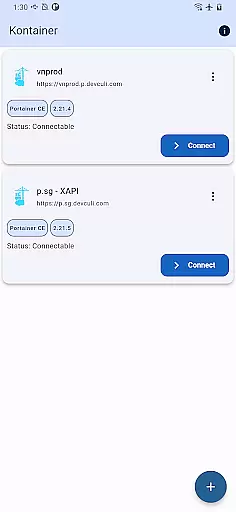
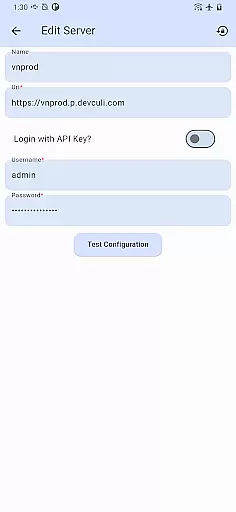
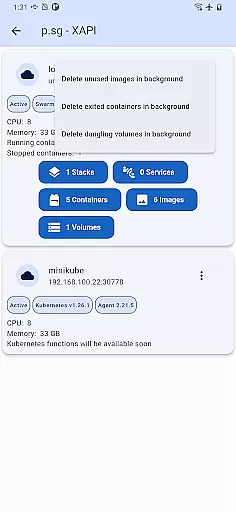
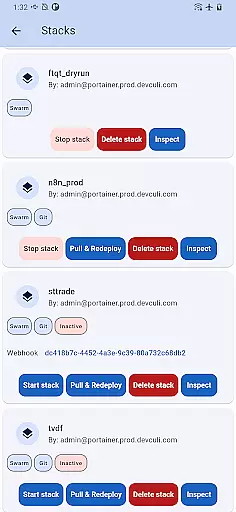
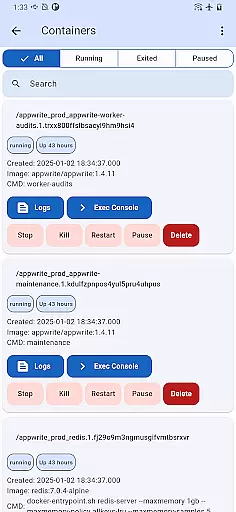
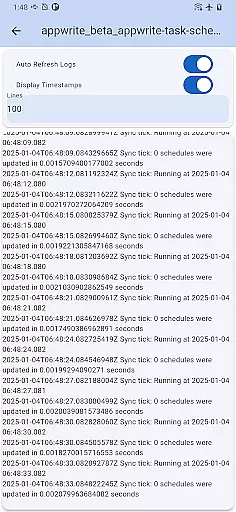
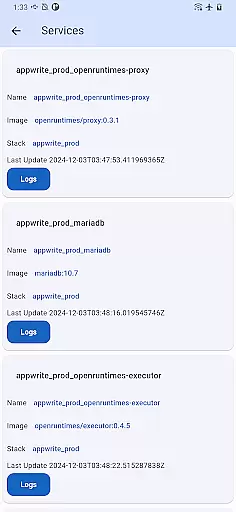
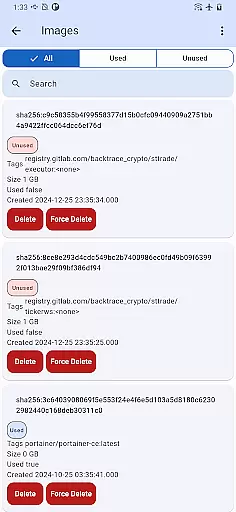
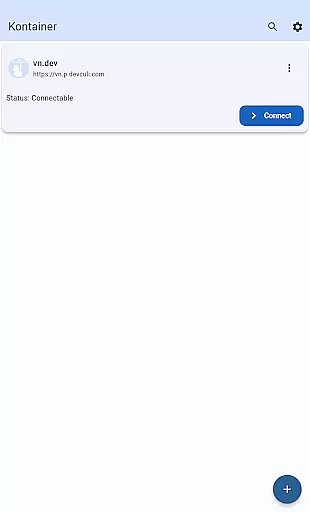
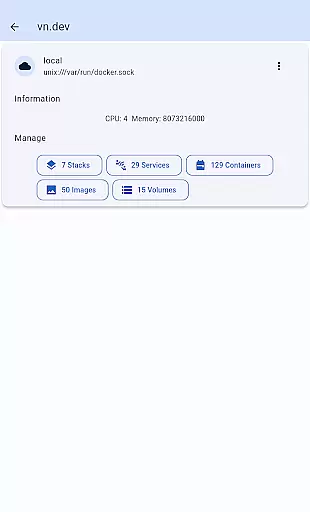
Portainer Mobile is a powerful productivity tool designed to simplify container management for both Docker and Kubernetes environments. This mobile application allows users to manage their Portainer deployments from anywhere, providing full control over containerized environments across hybrid and multi-cloud infrastructures.
The app's standout feature is its unified interface that consolidates multiple Docker and Kubernetes endpoints into a single view. This enables administrators to monitor, configure, and optimize their container operations with unprecedented ease. Whether you're overseeing developer laptops, data center deployments, or cloud-based infrastructure, Portainer Mobile puts all the necessary tools right at your fingertips.
For IT professionals and DevOps teams who need to maintain operational efficiency while on the move, Portainer Mobile offers a secure and flexible solution. The ability to streamline deployment processes and manage multi-cluster environments from a mobile device significantly enhances productivity and responsiveness in today's fast-paced technological landscape.
Portainer Mobile distinguishes itself through several key features that enhance container management capabilities. The application's most notable feature is its support for multi-cluster and multi-device management, allowing users to maintain complete oversight of their entire container infrastructure from a single mobile interface.
The app implements advanced security protocols while maintaining an intuitive user experience. Its unified dashboard provides real-time monitoring and configuration options for both Docker and Kubernetes environments, making it easier to implement changes and track performance metrics. Additionally, the upcoming K8S functions will further expand its capabilities in managing complex Kubernetes clusters.
What sets Portainer Mobile apart is its commitment to accessibility without compromising functionality. The developers have successfully created a mobile solution that maintains feature parity with desktop counterparts, ensuring that users don't have to sacrifice capability when managing their infrastructure on the go. This comprehensive approach to mobile container management makes it an invaluable tool for modern IT operations.
Efficient task management is crucial for overseeing containerized environments, and Kontainer excels in this area. The app provides a unified interface that consolidates Docker and Kubernetes endpoints into a single view. This allows users to monitor, configure, and optimize their deployments with ease.
Kontainer supports multi-cluster and multi-device management, empowering users to control hybrid and multi-cloud environments effortlessly. Whether managing developer laptops, data center operations, or cloud-based resources, the app ensures full visibility and operational control. This comprehensive approach streamlines deployment processes and boosts overall efficiency.
With Kontainer, users can execute tasks such as deploying new containers, scaling resources, and troubleshooting issues directly from their mobile devices. The intuitive design minimizes the learning curve while maximizing productivity. This makes it an invaluable tool for DevOps teams and IT professionals who require flexibility and precision in managing their infrastructure.
Cross-device synchronization is essential for maintaining consistency across multiple management points, and Kontainer delivers reliable performance in this domain. The app ensures that all changes made on one device are accurately reflected across other connected devices in real-time. This feature is particularly beneficial for teams managing distributed systems from various locations.
Kontainer's synchronization mechanism guarantees that updates to container configurations, deployment statuses, and monitoring metrics are consistently updated. Users can trust that their actions, whether performed on a smartphone or tablet, will be mirrored without delay. This reliability eliminates potential discrepancies and enhances team collaboration.
Furthermore, Kontainer's secure management capabilities ensure that sensitive operations remain protected during synchronization. By providing a seamless and secure cross-device experience, Kontainer enables users to manage their containerized environments confidently and efficiently, regardless of their location or the device they are using.
User-friendly interface
Multi-cluster support
Real-time monitoring
Unified dashboard
Secure access
K8S features pending
Limited customization
Requires internet
Premium features locked
Learning curve

When you Focus, so will your Bean in this cozy focus timer
 4.30
4.30
Take control of your clipboard with Clipper!
3.90
The upgraded version of Name Wheel with AI and the power to add your own wheels.
4.1
PDF scanner & converter for files, photos, lottery, QR codes. One swipe away!
4.50
ID.me Authenticator is a simple and free Two Factor Authentication solution
3.50
Translate text/voice/photos in 150+ languages. Offline & fast translator app.
4.50
Great calculator for Android named one of USA TODAY's "25 Essential Apps".
4.90
Daily processing of PDF documents.
4.40
Set up, print, and get support—in one place
4.20
Multilingual translator for text, voice, and image translation!
4.90
Mind Map and brainstorm, note taking and idea collection
4.80
Scan paperwork into PDF/JPG, generate your own e-signature and send fax or email
4.70
App Lock with fingerprint, password: Lock apps & hide photos with lock screens
4.60
This small app MUST BE INSTALLED after purchase, else license won't work
4.40
Cloud storage, automatic phone backup, and more.
4.10
Create and edit presentations with Google Slides, part of Google Workspace.
4.00
Experience and share your SolidWorks designs on your Android® phone and tablet.
2.50
Create study competitions, track your hours, and stay consistent with friends
4.1
A comprehensive suite of tools designed specifically for Lactation Consultants
4.3


User Reviews