
CamScanner is a versatile productivity app that transforms your mobile device into a powerful document scanner. With advanced OCR technology, it allows users to digitize various types of documents such as receipts, notes, and business cards with remarkable clarity. The app optimizes scan quality through smart cropping and auto-enhancement features, ensuring professional-grade results every time.
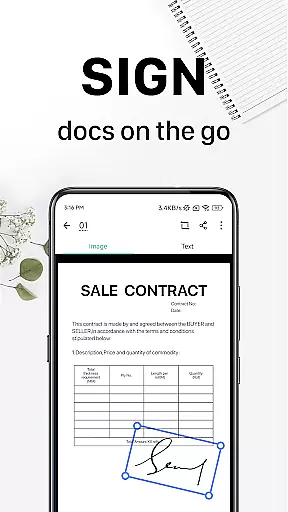
Beyond basic scanning, CamScanner offers comprehensive document management capabilities. Users can extract text from images or PDFs for editing and sharing, annotate documents with various tools, and add customized watermarks. The app supports wireless printing and remote faxing to over 30 countries, making it an essential tool for both personal and professional use. Its cross-platform synchronization ensures seamless access across multiple devices.
The application's value extends to its robust security features and efficient organization tools. Users can protect sensitive documents with password protection and easily locate files through tagging and content-based search. With over 300 million global users and 500,000 daily new registrations, CamScanner stands as a trusted solution for anyone seeking to streamline their document management process while maintaining high standards of quality and security.
CamScanner distinguishes itself through its comprehensive feature set designed to enhance productivity. The app's quick document digitization capability utilizes the device's camera to capture various paper documents, automatically optimizing them through intelligent cropping and enhancement algorithms. This ensures that all scans maintain premium resolution and color accuracy, regardless of the original document's condition.
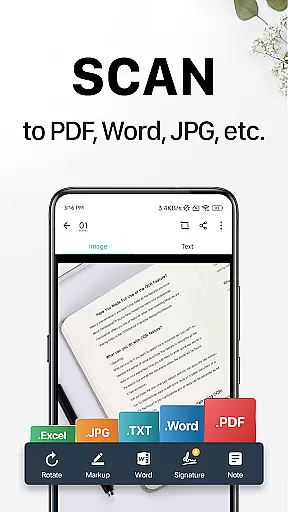
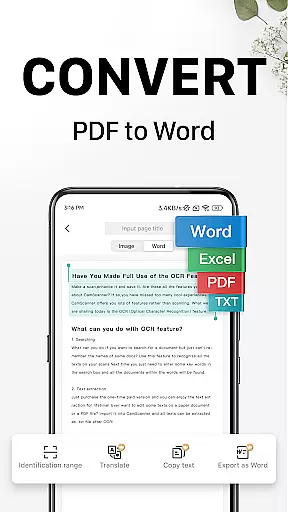
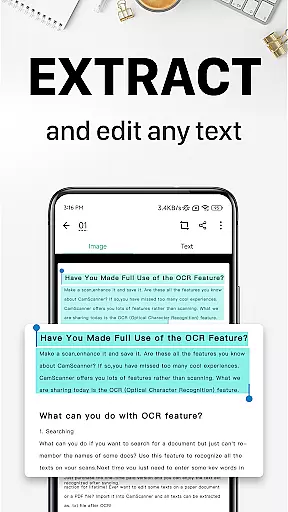
A standout feature is its advanced OCR functionality, which enables users to extract and edit text from scanned documents or images. The app supports multiple output formats including PDF, JPG, Word, and TXT, allowing for flexible document management. Its wireless printing capability works seamlessly with nearby printers without requiring additional drivers, while the remote fax feature provides international coverage to over 30 countries.
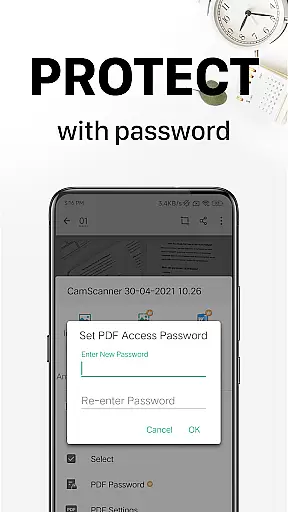
Document security and organization are prioritized through several innovative tools. Users can apply customized watermarks, create annotations using professional editing tools, and implement multiple layers of password protection. The app's quick search function utilizes both manual tagging and OCR-powered content recognition, ensuring efficient document retrieval. These features, combined with cross-platform synchronization, make CamScanner an indispensable tool for modern document management.
CamScanner excels in core task management by offering a comprehensive suite of tools designed to streamline document handling. This productivity app allows users to quickly digitize receipts, notes, invoices, and more, transforming them into high-quality scans.
The app's intelligent cropping and auto-enhancement features ensure that every scan is optimized for clarity and sharpness. With optical character recognition (OCR), CamScanner enables users to extract text from images or PDFs, making the content easily searchable and editable.
Sharing documents is effortless with CamScanner's multiple sharing options. Users can send files in PDF or JPEG formats via social media, email attachments, or download links. The ability to tag documents simplifies organization and retrieval, enhancing overall task efficiency.
Cross-device synchronization is a standout feature of CamScanner, ensuring reliable access to documents across all user devices. By signing up for an account, users can sync their scanned documents between smartphones, tablets, and computers, accessing them anytime and anywhere.
This seamless integration enhances productivity by allowing users to view, edit, and share documents on the go. Whether at home, in the office, or traveling, CamScanner ensures that important files are always within reach, maintaining consistency and security across platforms.
Security measures such as password protection for viewing and downloading add an extra layer of safety. This guarantees that confidential documents remain protected while benefiting from the convenience of cloud-based synchronization.
User-friendly interface
High-quality OCR technology
Multi-format export options
Wireless printing capability
Cross-platform synchronization
Premium features require subscription
Occasional ads in free version
Advanced OCR limited to paid users
File size limitations for free accounts
Watermark on free exports

When you Focus, so will your Bean in this cozy focus timer
 4.30
4.30
Ads Free App! Editor, Hide File, Copy, Move, Delete and Rename.. all facility av
1.70
Make your handwriting beautiful, even more than pen on paper.
3.60
aCalendar+ makes your day, week and month
4.70
All in One PDF Reader: Manage, Read and Edit your Documents
4.20
Translate text/voice/photos in 150+ languages. Offline & fast translator app.
4.50
A Pixel Art watchface inspired by other iconic 90s designs for Wear OS devices!
4.40
Intelligent AI Assistant
4.10
Lightweight PDF, Word, Excel reader.
4.60
Multilingual translator for text, voice, and image translation!
4.90
Simple notepad & memo. Take notes, to-do list, shopping list with reminders.
4.80
The long-awaited modern gallery app for your Nextcloud server
4.70
All document reader, all in one file viewer read PDF, DOCX, XLS, PPT, TXT files.
4.60
A simple Whisper AI keyboard for reliable speech transcription and rewording
4.60
Experience Reading - Night Mode for Documents
4.40 4.20
4.20
Professional calendar app for Google Calendar, MS Outlook & Exchange
4.20
Secure, open-source, SPICE and SSH Remote Desktop for QEMU KVM virtual machines
4.00
The upgraded version of Name Wheel with AI and the power to add your own wheels.
4.5


User Reviews