
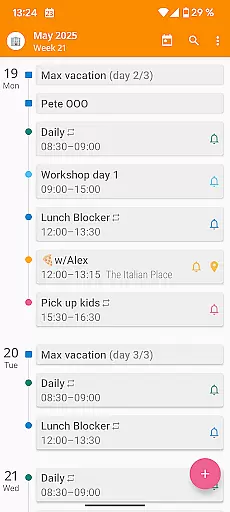

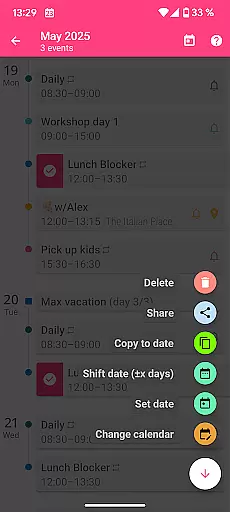
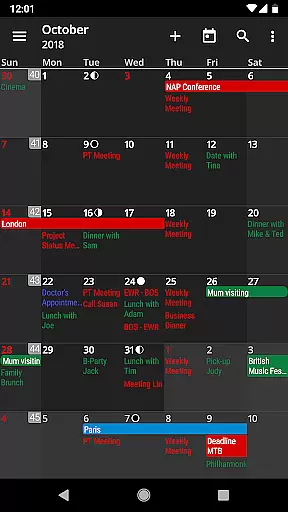
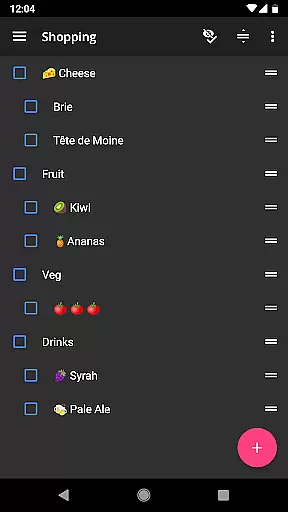
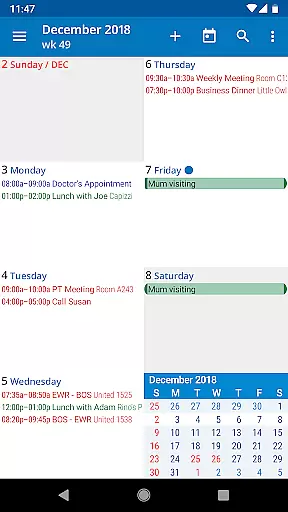
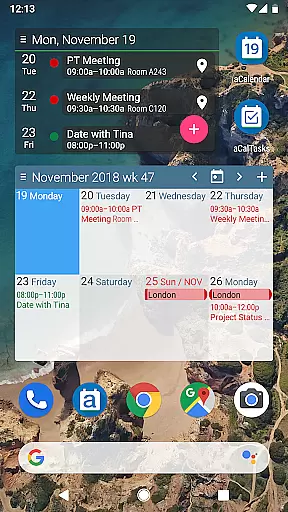
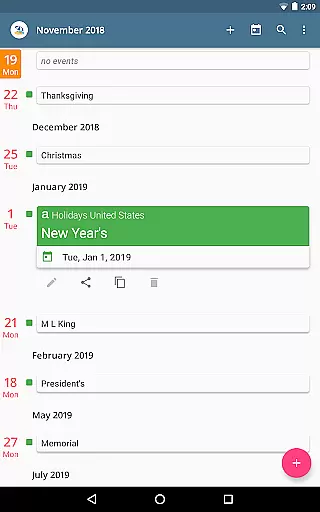
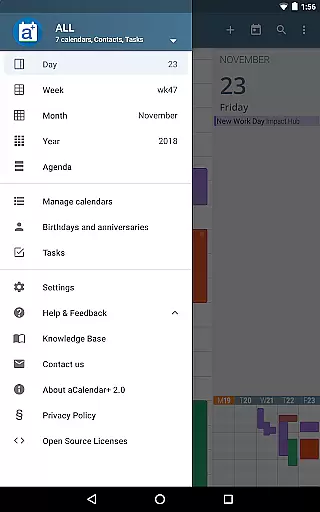
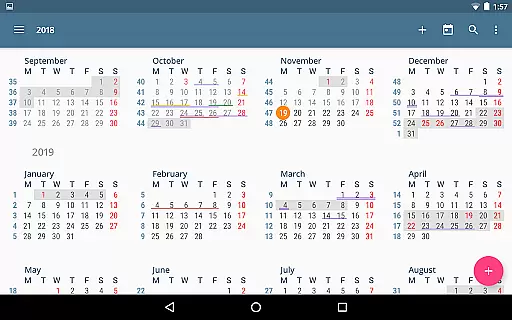

aCalendar+ is a premium productivity app that enhances your daily, weekly, and monthly planning with its comprehensive calendar and task management features. Designed for efficiency, the app offers intuitive navigation, smooth transitions between day, week, month, and year views, and over 100 customizable colors for events and calendars.
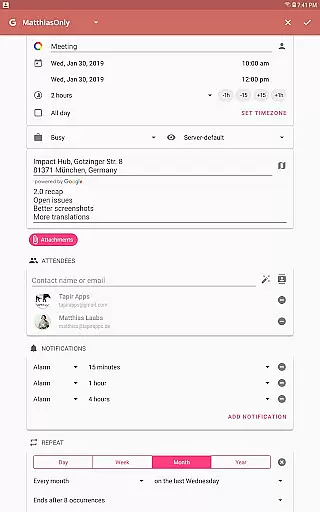
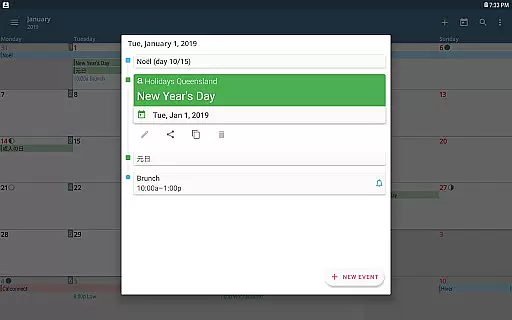
What sets aCalendar+ apart is its advanced functionality, including public holidays configuration, business features like attendee invitations, and seamless integration with Google Tasks or CalDAV/OpenTasks. With no ads and additional theme options, it ensures a distraction-free experience while supporting rainforest conservation through revenue donations.
aCalendar+ stands out with its rich feature set tailored for both personal and professional use. The app provides fullscreen widgets, flexible recurrence options for events, and per-event color customization, even if the calendar doesn't natively support it. Its native integration with Android's calendar backend ensures reliable synchronization across devices.
Additional highlights include advanced task management, configurable actions via gestures, and privacy-focused permissions. Users can personalize their experience further with custom event font sizes, photo-enabled birthday reminders, and multi-language support. These innovations make aCalendar+ a versatile tool for maximizing productivity while maintaining ease of use.
Effective task management is essential for productivity apps, and aCalendar+ excels in this area. The app provides comprehensive tools for managing tasks from various sources, including Google Tasks and CalDAV/OpenTasks.
Users can organize their tasks with intuitive navigation and smooth transitions between different views such as day, week, month, and year. This ensures that users never lose sight of their upcoming responsibilities and can plan accordingly.
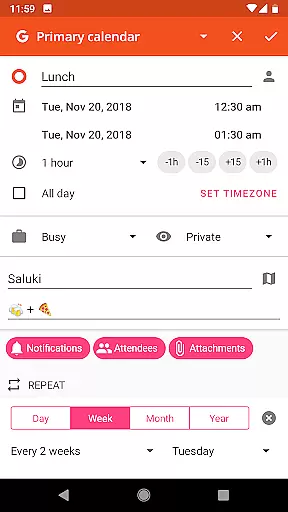
The ability to set flexible recurrences for tasksu2014such as every few weeks or specific days of the weeku2014adds another layer of customization. With over 100 colors to choose from, users can color-code their tasks for quick identification and better organization.
Additionally, aCalendar+ offers features like per-event colors and custom event font sizes, which enhance the clarity and readability of the user's schedule. These thoughtful touches ensure that users can tailor the app to their personal preferences and work styles.
In todayu2019s interconnected world, reliable cross-device synchronization is crucial. aCalendar+ leverages Android's native calendar backend and synchronization capabilities to keep your data consistent across all devices.
This means that whether you're viewing your calendar on your phone, tablet, or computer, you'll always have the most up-to-date information at your fingertips. Any changes made on one device are instantly reflected on others, ensuring seamless continuity.
The app also supports Fullscreen widgets, allowing users to access their calendar quickly without needing to open the app fully. This feature enhances accessibility and convenience, making it easier to stay on top of your schedule.
Furthermore, aCalendar+ respects user privacy by not sending private data anywhere unless explicitly configured by the user. This commitment to privacy adds an extra layer of trust and security, making it a reliable choice for managing your calendar and tasks.
User-friendly interface
Customizable event colors
Advanced task management
No ads
Supports rainforest conservation
Paid premium version
Occasional sync delays
Limited free features
Complex for beginners
Requires account setup

Mega cloud explorer plugin for Solid Explorer
 3.80
3.80
A lightweight JSON & XML files creator, editor and viewer (Premium Version)
4.40
Device's storage information in a simple and clear graphical form (infographics)
4.10
Make your handwriting beautiful, even more than pen on paper.
3.60
Secure, fast, open-source, Remote Desktop Client for Windows and Linux with SSH
4.60
Font maker keyboard with your own handwriting
4.10
Secure your apps with lock screens, use custom themes and different features.
4.40
Understand anything with a personalized AI research assistant
4.80
Seamlessly read, manage, and organize all your PDF files solution in one place
4.40
Subscribe to Webcal & .ics calendars and keep them up-to-date!
4.50
Send files, sync SMS, notifications & clipboard across devices via local network
4.40
Docker, Kubernetes management over Portainer Mobile
4.40
This small app MUST BE INSTALLED after purchase, else license won't work
4.40
Easily read and manage all your PDF files
4.10
Cloud storage, automatic phone backup, and more.
4.10
A Revolutionary All-in-One Artificial Intelligence Tools
3.80
Code on-the-go with VScode for Android. Edit,debug and collaborate from mobile!!
3.10
Ads Free App! Editor, Hide File, Copy, Move, Delete and Rename.. all facility av
1.70
The upgraded version of Name Wheel with AI and the power to add your own wheels.
4.1


User Reviews