
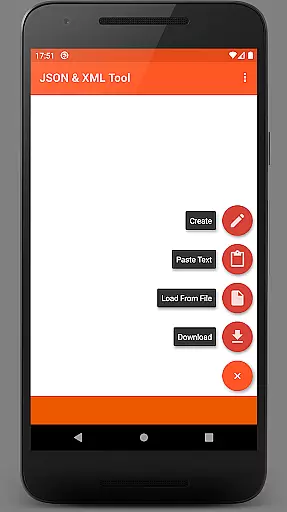
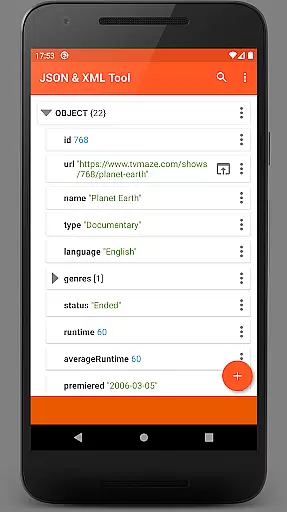
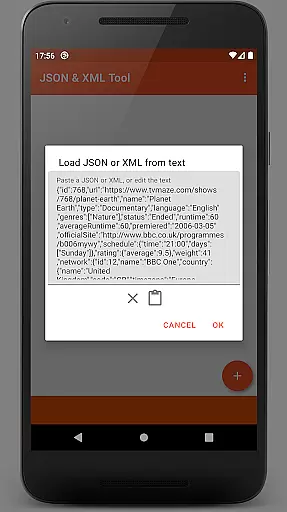
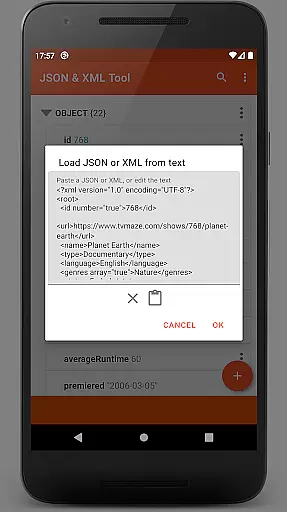
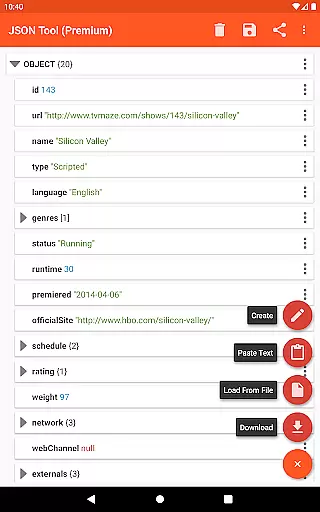
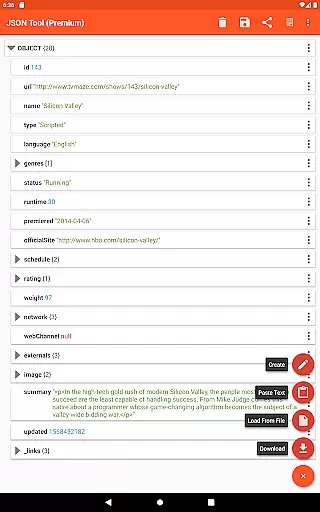
JSON & XML Tool Premium is a powerful productivity app designed for effortless creation, editing, and conversion of JSON and XML files. The app's standout feature is its simple hierarchical view that makes working with complex data structures intuitive and efficient. Whether you're developing game addons or handling data transformation tasks, this tool provides the necessary functionality to streamline your workflow.
The app integrates seamlessly with Android's Storage Access Framework (SAF), eliminating the need for traditional storage permissions in most use cases. This approach ensures better security while maintaining full functionality through external file pickers when needed. With support for multiple file loading methods - including web downloads, text parsing, and inter-app sharing - users can access their data from virtually any source.
What sets this premium tool apart is its comprehensive editing capabilities combined with developer-friendly features like JMESPath query language support for advanced data extraction and transformation. The inclusion of practical functions such as PDF export, formatted text output, and complete theme customization makes it an indispensable utility for both professional developers and casual users who need to work with structured data formats.
The JSON & XML Tool Premium offers an impressive array of features that cater to various data manipulation needs. At its core, the app provides robust editing capabilities including element renaming, value modification, and easy switching between Boolean, Number, and String value types. Users can efficiently manage node elements through adding, duplicating, removing, and reordering within arrays.
For developers and power users, the app implements advanced functionality such as JMESPath query language support for sophisticated data extraction and transformation tasks. The tool maintains data integrity through careful handling of formatted text output and provides multiple saving options including overwriting existing files or creating new ones. Its integration with Android's ACTION_SEND mechanism enables seamless sharing of JSON/XML text with other applications.
Usability enhancements include a complete dark theme implementation, PDF document export capability, and text preview functionality. The app intelligently registers itself as a JSON/XML file handler upon installation, streamlining future file operations. These features are complemented by flexible file loading options that support SAF-based internal picker, external picker integration, web downloads, and text pasting - all contributing to a comprehensive data management solution.
At the heart of the JSON & XML Tool Premium app lies its robust core task management system, which is essential for anyone dealing with JSON and XML files. This feature allows users to view, create, and edit these files effortlessly through a simple hierarchical view.
The tool facilitates various scenarios, from editing game addons to converting file types, such as loading a JSON and saving it as XML. Its versatility ensures that whether you're a developer or a casual user, your productivity is maximized without compromising on functionality.
With the SAF (Storage Access Framework) integrated, the app provides a seamless storage browser experience without needing explicit storage permissions in most cases. However, when necessary, it intelligently requests access, ensuring uninterrupted workflow while maintaining security protocols.
Cross-device synchronization is crucial for users who operate on multiple platforms, and the JSON & XML Tool Premium app excels in this area. By leveraging modern technologies, the app ensures that your JSON and XML files are reliably synchronized across all your devices.
Whether you load a file using the internal or external file picker, download from the web, paste text, or receive files from other applications, consistency is maintained. This guarantees that no matter where you access your files from, the integrity and current state of your work are preserved.
In addition to reliable synchronization, the app offers supplementary features like dark theme support, sharing capabilities, formatted text output, and PDF exporting. These ensure that not only is your cross-device experience smooth but also enriched with functionalities that cater to diverse user needs.
User-friendly interface
Advanced editing tools
Flexible file handling
Secure data access
Comprehensive feature set
Premium-only availability
Occasional permission requests
Complex for beginners
Limited free alternatives
Specific use case focus

Client for Nextcloud Deck
 4.60
4.60
Professional calendar app for Google Calendar, MS Outlook & Exchange
4.20
Wake up & get tasks done! Add alarms & reminders on the Clock Launcher.
4.00
Make your handwriting beautiful, even more than pen on paper.
3.60
App lock - lock apps with fingerprint, password, pin or pattern, protect privacy
4.70
Subscribe to Webcal & .ics calendars and keep them up-to-date!
4.50
Calendar 2023 widget for Android. Appointment scheduler, planner, and reminder
4.60
A beautiful digital clock with autostart and many other functions
4.70
Understand anything with a personalized AI research assistant
4.80
Scientific calculator for Android - looks and operates like the real thing!
4.90
The AI assistant that thinks with you - write, code, and solve complex tasks
4.60
Tally and goal counter for Wear OS & mobile
4.50
Docker, Kubernetes management over Portainer Mobile
4.40
Total remote control for your Android device, PC and cloud services (IFTTT)!
4.20
Font maker keyboard with your own handwriting
4.10
Access your phone's notifications, calls, apps, photos & texts on your PC
3.90
Ultimate Virtual AI Character for immersive Roleplay Chat. Perfect Companion
3.90
Find and delete junk files & block unwanted notifications & manage files
3.70
Easiest event planning, volunteer signups & parent teacher conference scheduling
2.20


User Reviews