
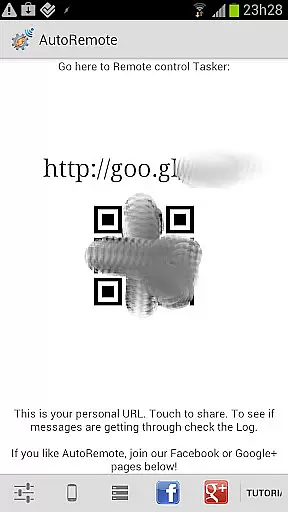
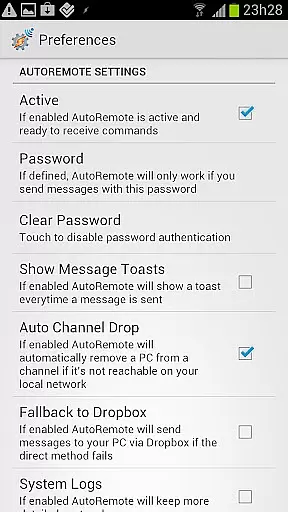
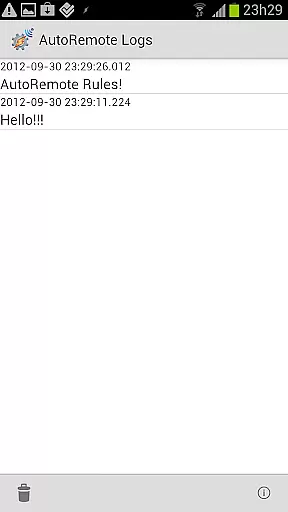
AutoRemote is a powerful productivity tool that allows users to remotely control their devices, including phones, PCs, and web services. With seamless IFTTT integration, it enables you to send push notifications and automate tasks through Tasker or standalone apps. The app provides an unprecedented level of control, allowing you to manage your Android device from anywhere, control your PC or Chrome browser, and even interact with hundreds of web services like Facebook or Twitter.
The true power of AutoRemote lies in its flexibility and advanced command system. You can set up bi-directional messaging between devices, share links or text directly via the Android Share menu, and create custom commands for various use cases. Whether you want to locate your lost phone, receive spoken reminders, or fetch your phone's location, AutoRemote empowers you to customize and automate your digital life according to your needs.
AutoRemote stands out with its versatile features designed to enhance productivity. One of its core functionalities is the ability to send and react to AutoRemote messages from multiple platforms such as web browsers, desktops, or Chrome. This feature allows you to trigger specific actions on your devices by setting up corresponding profiles in Tasker.
Another remarkable feature is the advanced matching options and flexible command system. Users can create highly customizable commands for different scenarios, such as finding a lost phone, receiving shopping lists, or fetching real-time locations. Additionally, the device-to-device messaging capability lets you control one device from another, making it easy to share content or request information across your network of devices.
AutoRemote also integrates seamlessly with other applications and services, enhancing its utility. For instance, you can share YouTube videos from your phone directly to a tablet for a better viewing experience. Overall, AutoRemote offers a comprehensive suite of tools that cater to both casual users and power users seeking extensive automation capabilities.
At the heart of AutoRemote lies its robust core task management system, which allows users to remotely control devices and applications through customizable commands. This feature is pivotal for anyone looking to automate their digital life.
The application enables seamless integration with Tasker, allowing for sophisticated automation scenarios. Users can set up profiles in Tasker that react to specific messages sent via AutoRemote, creating a personalized and powerful remote control system.
This level of customization provides immense value by letting users define exactly how they want their devices to interact. Whether it's sending a command to find a lost phone or triggering an action based on time and location, AutoRemote empowers users with precise control over their tasks.
Cross-device synchronization is where AutoRemote truly shines, offering reliable connectivity across various platforms including Android, PC, and web services. This ensures that your commands are accurately transmitted and executed regardless of the source or destination device.
The app supports multiple communication methods such as push notifications, direct sharing via Android's Share menu, and even URL-based triggers. These options guarantee that no matter where you are or what device you're using, you can maintain consistent control over your networked devices.
With this reliable synchronization, users benefit from uninterrupted service and peace of mind knowing their instructions will be carried out promptly. From opening a YouTube video on a tablet directly from a phone to requesting a phoneu2019s location from another device, AutoRemote delivers dependable cross-device interaction.
Highly customizable
IFTTT integration
Bi-directional messaging
Advanced command system
Cross-platform support
Steep learning curve
Requires Tasker
Limited UI
Complex setup
Premium features cost

The Pro Version of Android's tiniest Notepad app. Just 0.3MB but feature-packed!
 4.60
4.60
A lightweight JSON & XML files creator, editor and viewer (Premium Version)
4.40
Todo reminder
4.10
All in One PDF Reader: Manage, Read and Edit your Documents
4.20
Font maker keyboard with your own handwriting
4.10
Simple and reliable communication between inmates, friends and family
3.20
Experience and share your SolidWorks designs on your Android® phone and tablet.
2.50
AT&T Internet customers can use this app to personalize their Wi-Fi network.
4.40
Note taking, handwriting, record audio, PDF annotation, planner & journal
4.20
Quickly and easily keep track of your work shifts
4.70
Secure, fast, open-source, Remote Desktop Client for Windows and Linux with SSH
4.60
A simple Whisper AI keyboard for reliable speech transcription and rewording
4.60
To do list widget with a notebook organizer, checklist, simple shopping list
4.60
Tally and goal counter for Wear OS & mobile
4.50
CalenGoo is a very flexible and feature-rich calendar app
4.40
Docker, Kubernetes management over Portainer Mobile
4.40
When you Focus, so will your Bean in this cozy focus timer
4.30
Professional calendar app for Google Calendar, MS Outlook & Exchange
4.20
Ads Free App! Editor, Hide File, Copy, Move, Delete and Rename.. all facility av
1.70


User Reviews