
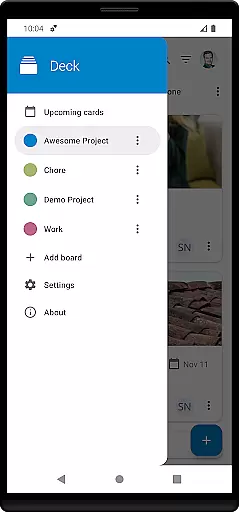
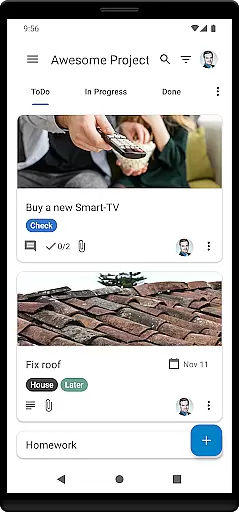
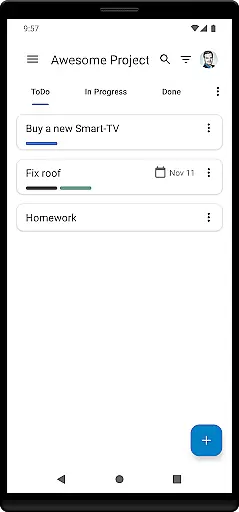
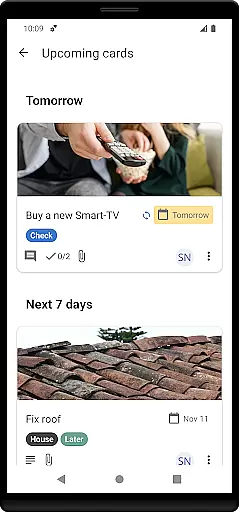
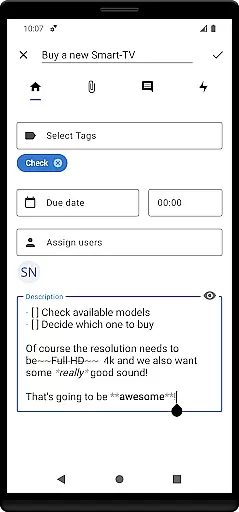
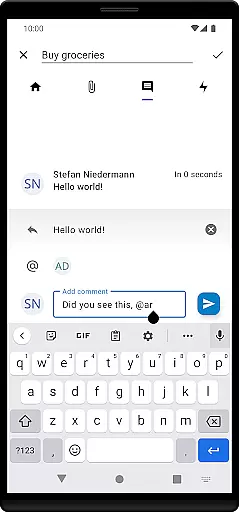
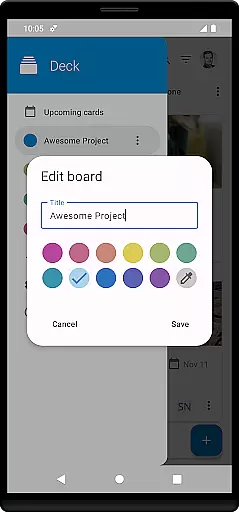

Nextcloud Deck is a productivity-focused application designed to streamline task management and team collaboration. This app allows users to create and organize tasks using customizable boards, lists, and cards, making it an ideal tool for both personal and professional project management.
The app supports multiple accounts and works seamlessly offline, ensuring users can access their data anytime, anywhere. With features like tags, attachments, activities, and comments, Nextcloud Deck enhances workflow efficiency. Additionally, its dark mode and multilingual support provide a comfortable and accessible user experience across different preferences and regions.
Nextcloud Deck stands out with its comprehensive set of features tailored for efficient task management. Users can manage multiple accounts from a single interface, which is particularly beneficial for those juggling various projects or teams. The offline functionality ensures that users are not constrained by internet availability, allowing uninterrupted access to their boards and tasks.
The app's core revolves around managing cards, lists, and boards, enabling users to structure their workflows systematically. Tags help in categorizing tasks efficiently, while attachments, activities, and comments foster better communication and documentation within teams. Furthermore, the availability of dark mode reduces eye strain during extended use, and the app's translation into numerous languages makes it globally accessible.
Nextcloud Deck offers a robust platform for managing tasks and projects efficiently. The app allows users to create, organize, and prioritize cards, lists, and boards, which are essential for task management.
With features like multiple account support and offline functionality, users can seamlessly manage their tasks without interruptions. This ensures that productivity is maintained regardless of internet connectivity.
The app also supports tags, attachments, activities, and comments, enhancing collaboration and organization within teams. These features allow users to categorize tasks, track progress, and communicate effectively, ensuring smooth workflow management.
By integrating with Nextcloud and its ecosystem, including the Android app, Nextcloud Deck provides a comprehensive solution for personal and team productivity, making it an ideal choice for users seeking efficient task management tools.
Cross-device synchronization is a critical feature of Nextcloud Deck, ensuring that all your data is consistently updated across multiple devices. This reliability is vital for users who switch between different platforms throughout their day.
Nextcloud Deck's synchronization capabilities are bolstered by its compatibility with the Nextcloud ecosystem. This means that whether you're using a desktop or mobile device, your tasks, comments, and attachments will always be up-to-date.
In addition to real-time updates, the app offers dark mode and multilingual support, providing a comfortable and accessible user experience on any device. These features ensure that users can work efficiently and effectively, regardless of their preferred device or language.
Overall, Nextcloud Deck's reliable cross-device synchronization makes it an excellent tool for individuals and teams looking to maintain productivity and consistency in their workflows across various devices.
User-friendly interface
Offline capabilities
Multiple account support
Comprehensive task management
Multilingual support
Requires Nextcloud setup
Limited standalone functionality
No built-in calendar view
Dependent on third-party integrations
Advanced features need technical know-how

Send files, sync SMS, notifications & clipboard across devices via local network
 4.40
4.40
The Pro Version of Android's tiniest Notepad app. Just 0.3MB but feature-packed!
4.60
Absolutely the best CNC machinist speed and feed calculator around. fswizard.com
4.60
⏰ Finally a timer app which can run multiple timers simultaneously on your watch
3.90
aCalendar+ makes your day, week and month
4.70
Create and edit presentations with Google Slides, part of Google Workspace.
4.00
* block pre-roll ads, pop-up and forced redirect ads * Samsung certification app
4.00
Okta MFA
4.70
Daily processing of PDF documents.
4.40
Native client for Forgejo and Gitea
5.00
Protect and view your important info on your phone and tablet with eWallet®
4.80
Direct Chat without saving contacts & Dual WA Account on Single Device
4.70
Subscribe to Webcal & .ics calendars and keep them up-to-date!
4.50
Experience Reading - Night Mode for Documents
4.40
Secure your apps with lock screens, use custom themes and different features.
4.40
Automates browsing any website and notifies you of important changes or events
4.30
Font maker keyboard with your own handwriting
4.10
Experience real multitasking on your Android!
4.00
Find and delete junk files & block unwanted notifications & manage files
3.70


User Reviews