
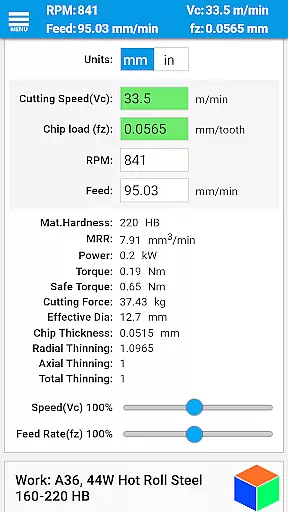
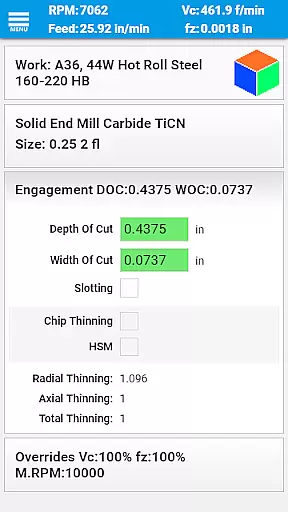
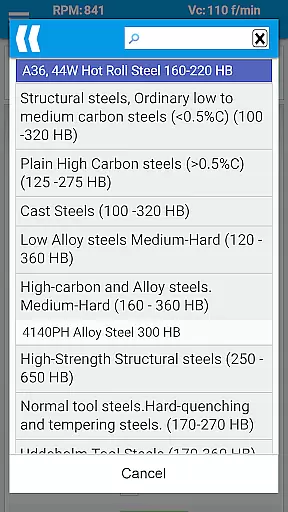
FSWizard Pro Machinist Calc is a premier CNC milling and turning speed and feed calculator designed for machinists by a machinist. This app simplifies the process of calculating speeds and feeds by only requiring users to select their work and tool material, eliminating the need to memorize specific numbers. It supports a wide range of tools including indexed and solid endmills, drills, and taps, making it versatile for various machining tasks.
The application not only calculates traditional speeds and feeds but also includes advanced features such as chip thinning and high-speed machining (HSM) calculations. These capabilities help improve machining productivity and optimize cutter life, ensuring efficient and cost-effective operations. Whether you're working with metric or imperial units, FSWizard adapts seamlessly to provide accurate recommendations.
FSWizard Pro is particularly useful in environments where precision and efficiency are paramount. By providing optimal machining parameters like depth and width of cuts, it helps machinists achieve better results while extending tool life. Its comprehensive feature set makes it an indispensable tool for both novice and experienced CNC operators looking to enhance their workflow.
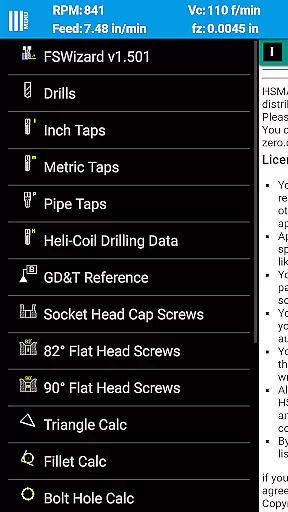
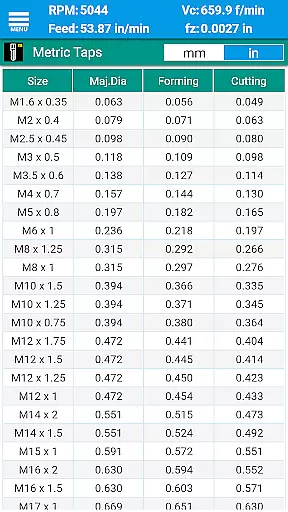
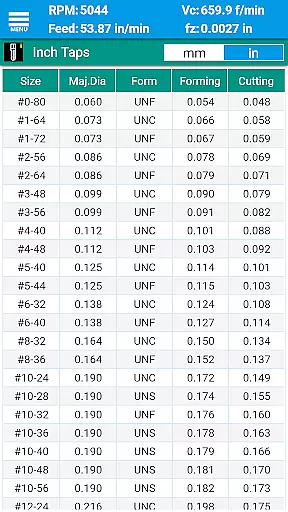
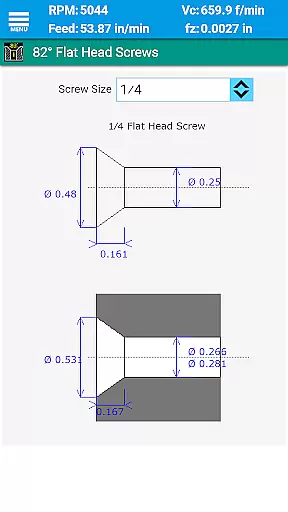
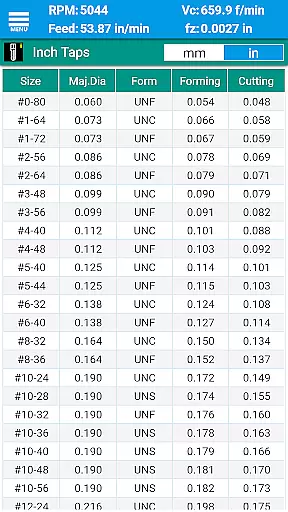
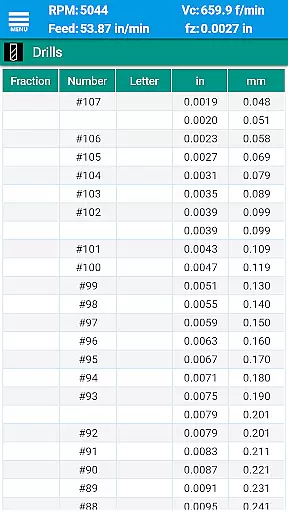
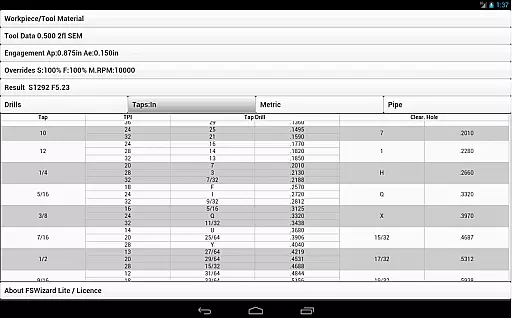
FSWizard Pro Machinist Calc offers a robust suite of features tailored for CNC machinists. At its core, the app provides detailed speed and feed calculations for milling, drilling, and tapping operations. Users can access specialized calculators for ball nose endmills, HSM, and chip thinning, which are crucial for optimizing cutting processes. Additionally, the app includes extensive drill and tap charts for both imperial and metric systems, aiding in precise tool selection.
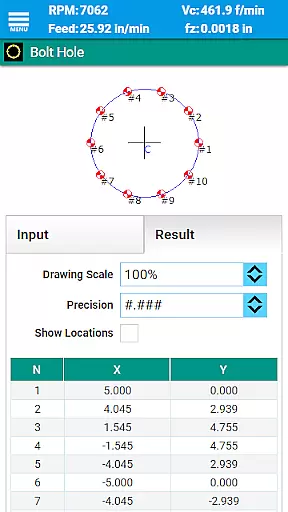
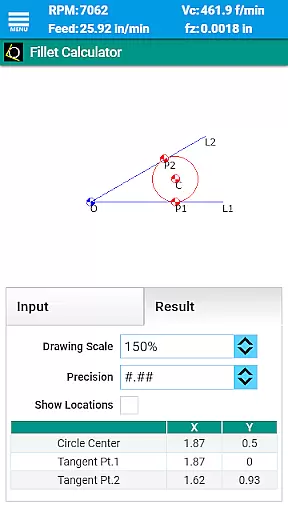
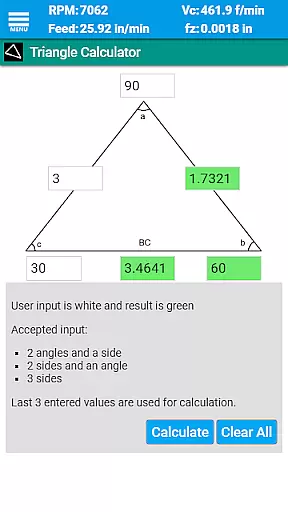
Beyond basic calculations, FSWizard incorporates advanced functionalities such as oblique triangle and fillet calculators, bolt circle and line calculators, and true position calculators. These tools assist machinists in performing complex geometric computations necessary for accurate part fabrication. The inclusion of interactive GD&T references further enhances usability by providing clear definitions and guidelines for maintaining dimensional accuracy.
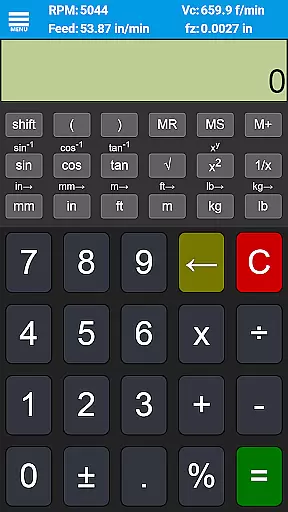
Another standout feature is the scientific calculator equipped with trigonometric functions and brackets, facilitating quick and accurate mathematical operations. With support for a variety of tool types including solid endmills, indexed endmills, facemills, and turning tools, FSWizard ensures compatibility across different machining scenarios. Its dual-unit system compatibility allows users to switch effortlessly between metric and imperial measurements, catering to global industry standards.
FSWizard Pro Machinist Calc excels in core task management by offering a comprehensive suite of calculators tailored for CNC milling and turning operations. The app simplifies the process of calculating speeds and feeds, which are crucial for efficient machining.
Users can effortlessly choose their workpiece and tool material, eliminating the need to memorize specific numbers. This feature streamlines the decision-making process, allowing machinists to focus on optimizing productivity and extending tool life.
The application automatically applies recommended cutting speeds and chip loads for various tools, including indexed and solid endmills, drills, and taps. This automation ensures that users achieve the best possible results without extensive manual calculations.
By integrating advanced features like High-Speed Machining (HSM) and Chip Thinning, FSWizard empowers machinists to improve their workflow significantly. These capabilities not only enhance machining efficiency but also contribute to better surface finishes and increased tool longevity.
While FSWizard Pro Machinist Calc does not explicitly advertise cross-device synchronization, its robust design ensures reliable performance across different devices. This reliability is vital for machinists who rely on consistent data access and functionality.
The app's comprehensive feature set, including drill charts, tap drill charts, and threading information, remains accessible regardless of the device used. This consistency allows users to seamlessly transition between smartphones, tablets, or other mobile devices without losing access to critical information.
FSWizard supports both metric and imperial units, catering to a global audience with varying measurement preferences. This dual compatibility enhances its reliability as a go-to resource for machinists worldwide, ensuring accurate calculations irrespective of regional standards.
Although direct synchronization features may not be present, the app's uniform performance across devices provides a dependable experience. Users can trust that their essential machining data and tools will be available whenever needed, maintaining workflow continuity and operational efficiency.
User-friendly interface
Comprehensive tool library
Advanced calculation options
Dual-unit system support
Regular updates and improvements
Premium version required for full features
Occasional performance lags
Limited offline functionality
Steep learning curve for beginners
Subscription fees may be costly

Client for Nextcloud Deck
 4.60
4.60
Create study competitions, track your hours, and stay consistent with friends
4.3
Mega cloud explorer plugin for Solid Explorer
3.80
Professional calendar app for Google Calendar, MS Outlook & Exchange
4.20
Automates browsing any website and notifies you of important changes or events
4.30
Make your handwriting beautiful, even more than pen on paper.
3.60
IP Camera Viewer - Android TV : RTSP Surveillance camera viewer for Android TV
4.2
Make apps & sites with natural language prompts
4.10
* block pre-roll ads, pop-up and forced redirect ads * Samsung certification app
4.00
Scientific calculator for Android - looks and operates like the real thing!
4.90
Protect and view your important info on your phone and tablet with eWallet®
4.80
The long-awaited modern gallery app for your Nextcloud server
4.70
Quickly and easily keep track of your work shifts
4.70
Functional QR scanner and barcode reader that requires little storage space.
4.60
The AI assistant that thinks with you - write, code, and solve complex tasks
4.60
This small app MUST BE INSTALLED after purchase, else license won't work
4.40
Wake up & get tasks done! Add alarms & reminders on the Clock Launcher.
4.00
Customizable calendar widget for seamless event sync, planning & scheduling.
4.00
The ultimate file manager for rooted devices. The original and still the best.
4.00


User Reviews