
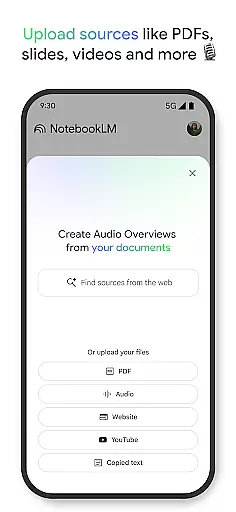
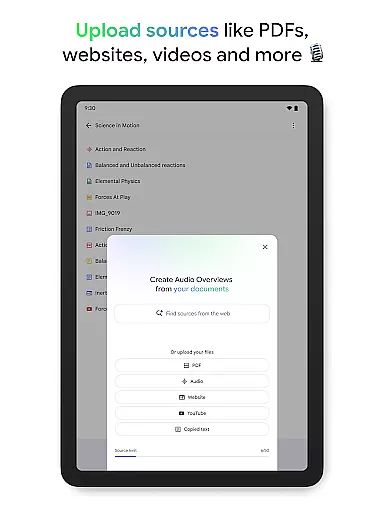
NotebookLM is a productivity app designed to simplify complex information management. It allows users to upload various sources like PDFs, websites, and videos, transforming them into easily digestible formats. The app's AI capabilities provide trusted insights by analyzing uploaded content and making meaningful connections.
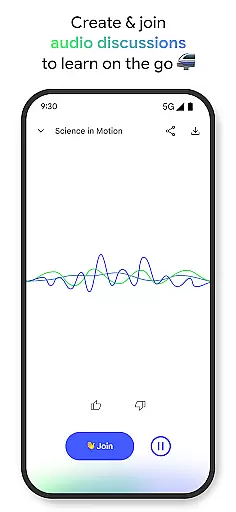
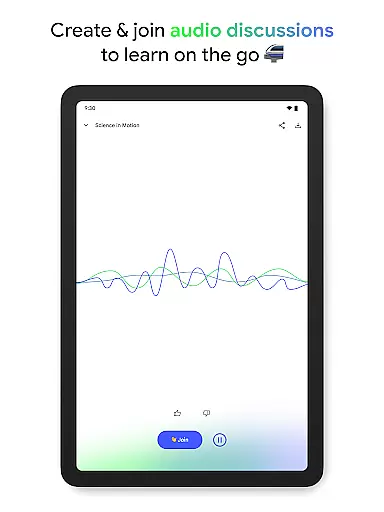
With features like Audio Overviews, users can learn on the go through podcast-style discussions. The app supports background playback and offline access, making it ideal for professionals, students, and researchers who need flexible learning options. NotebookLM helps users save time and enhance productivity by providing quick access to summarized information and expert analysis.
NotebookLM stands out with its ability to process multiple source types including PDFs, websites, and YouTube videos. The app's AI-powered analysis generates reliable summaries and uncovers interesting connections between different sources. Users can engage in interactive learning experiences through Audio Overviews, where two AI hosts discuss the content in an engaging podcast format.
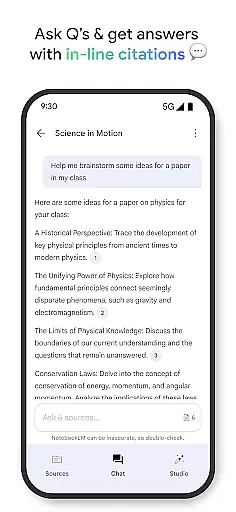
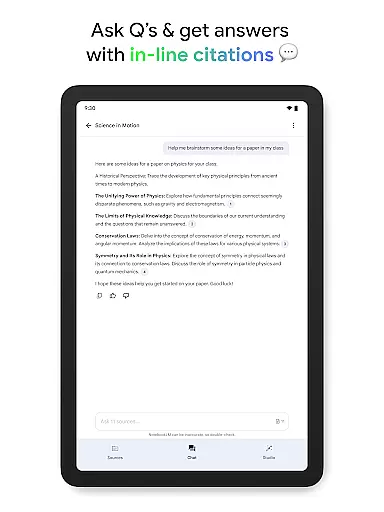
The app's unique strength lies in its ability to adapt to different learning styles. Users can join live audio sessions to ask questions or guide discussions. With robust citation features, all insights are backed by original sources. This combination of flexibility, reliability, and interactivity makes NotebookLM a powerful tool for knowledge workers seeking efficient information processing solutions.
Effective task management is essential for productivity applications, serving as the backbone for organizing and executing tasks efficiently. NotebookLM excels in this area by transforming complex information into manageable insights.
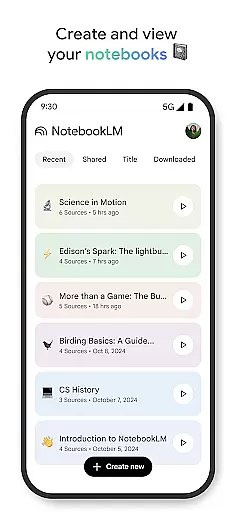
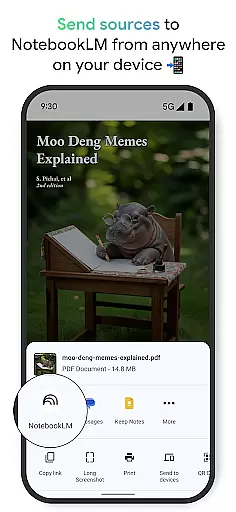
The app allows users to upload various sources such as PDFs, websites, and videos, turning them into structured notebooks. This feature supports the user's ability to dissect and manage large volumes of information systematically.
Users benefit from the app's capability to summarize content and draw connections between different pieces of information. This functionality not only aids in task organization but also enhances comprehension and retention of knowledge.
By enabling background playback and offline support, NotebookLM ensures that users can access their managed content anytime, anywhere, thus significantly boosting productivity and learning on their terms.
In today's interconnected world, reliable cross-device synchronization is crucial for maintaining workflow continuity. NotebookLM addresses this need by ensuring seamless data accessibility across multiple devices.
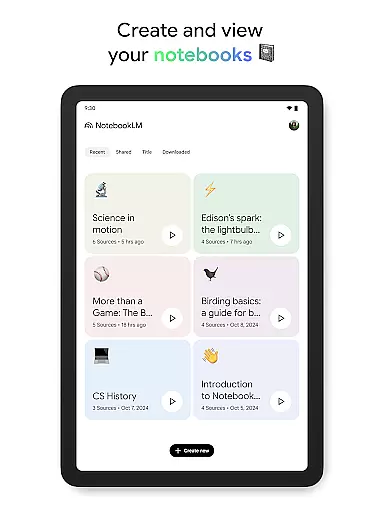
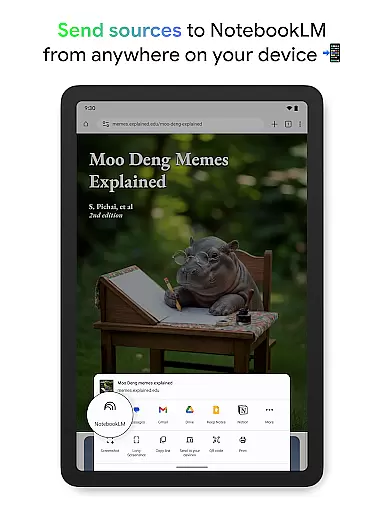
With the ability to create and access notebooks from any device, users can start a task on one device and continue on another without missing a beat. This flexibility is supported by the app's robust cloud infrastructure, which guarantees data consistency and availability.
NotebookLM further enhances synchronization reliability with features like background playback and offline support. These ensure uninterrupted access to Audio Overviews, even when internet connectivity is spotty or unavailable.
Ultimately, the app empowers users to stay productive regardless of their location or device, providing peace of mind that their data is always up-to-date and accessible wherever they go.
Trusted AI insights
Flexible learning formats
Offline functionality
Source citations
Interactive features
Limited free features
Requires internet
Premium pricing
Complex interface
Learning curve

A customizable calendar for your Wear OS watch
 4.20
4.20
8 custom complications. Custom Time Fonts. Beautiful color schemes. A++ Design.
5.00
A lightweight JSON & XML files creator, editor and viewer (Premium Version)
4.40
Pwnagotchi companion app
4.20
All in One PDF Reader: Manage, Read and Edit your Documents
4.20
Make apps & sites with natural language prompts
4.10
Simple and reliable communication between inmates, friends and family
3.20
Cloud storage, automatic phone backup, and more.
4.10
To do list widget with a notebook organizer, checklist, simple shopping list
4.60
Seamlessly integrate data and reports to build your presentation to impress
4.80
App lock - lock apps with fingerprint, password, pin or pattern, protect privacy
4.70
Functional QR scanner and barcode reader that requires little storage space.
4.60
Calendar 2023 widget for Android. Appointment scheduler, planner, and reminder
4.60
Send files, sync SMS, notifications & clipboard across devices via local network
4.40
This small app MUST BE INSTALLED after purchase, else license won't work
4.40
Unlock AutoNotification
4.00
The ultimate file manager for rooted devices. The original and still the best.
4.00
Ultimate Virtual AI Character for immersive Roleplay Chat. Perfect Companion
3.90
The upgraded version of Name Wheel with AI and the power to add your own wheels.
4.1


User Reviews