
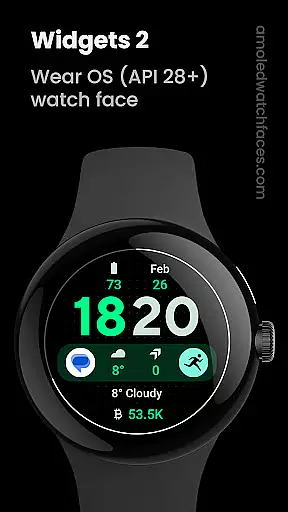
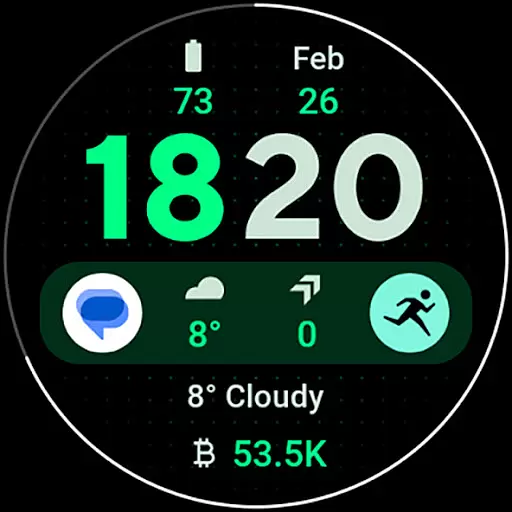
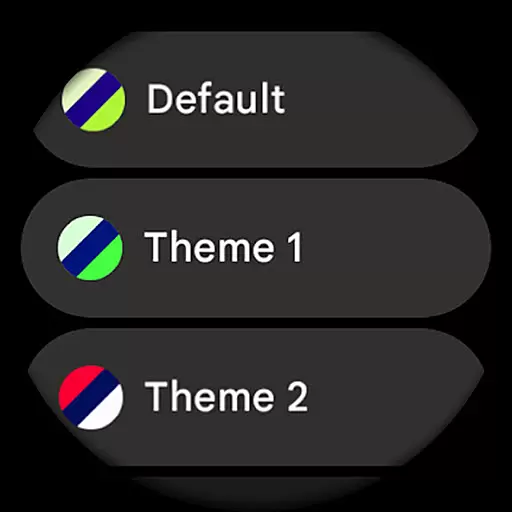
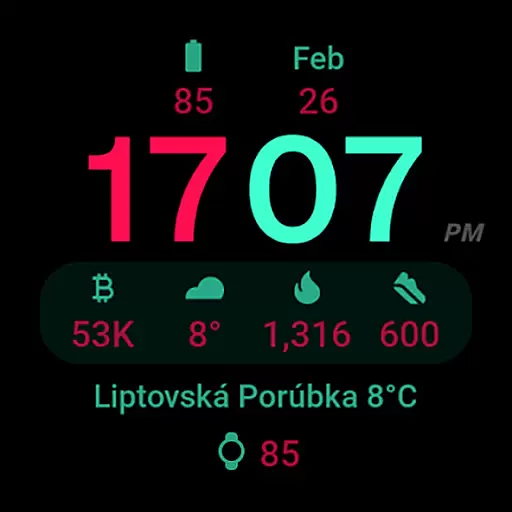
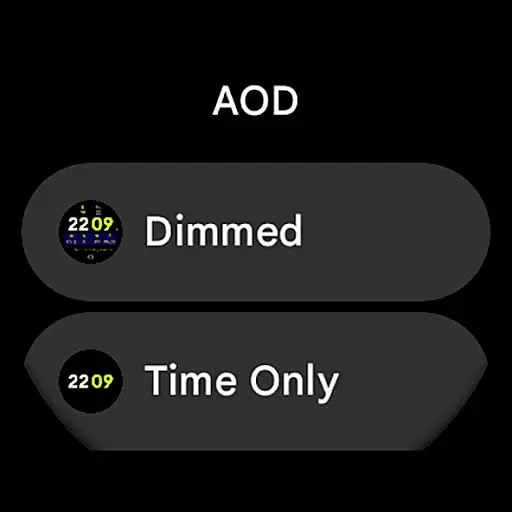
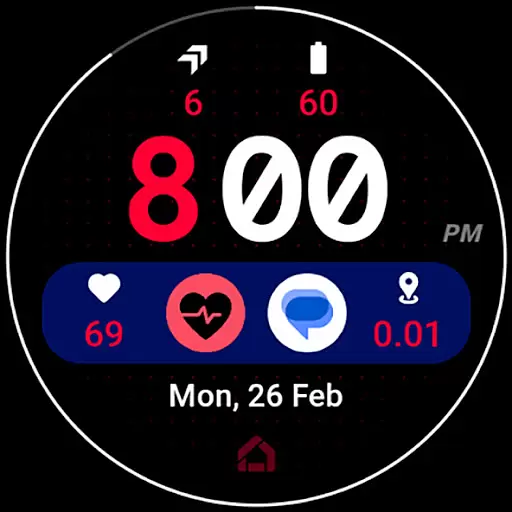
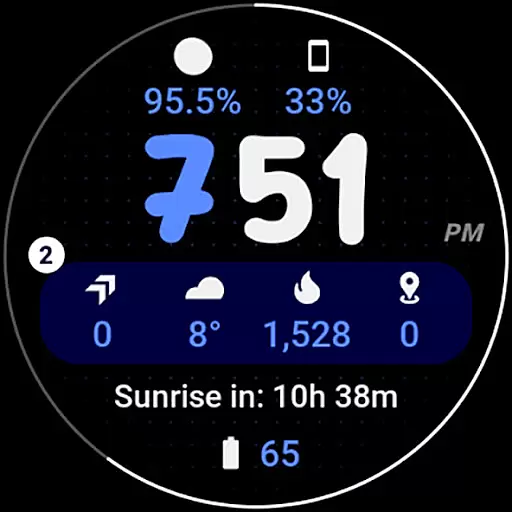
Widgets 2 is a feature-rich productivity app specifically designed for Wear OS 4+ devices. This application offers advanced watch face customization options, making it an ideal choice for users seeking to personalize their smartwatch experience. With support for true black backgrounds, high resolution displays, and unique color themes, Widgets 2 ensures optimal visual quality while maintaining battery efficiency.
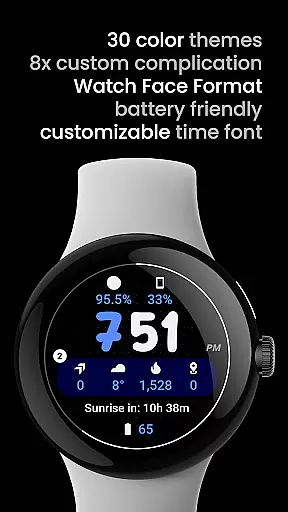
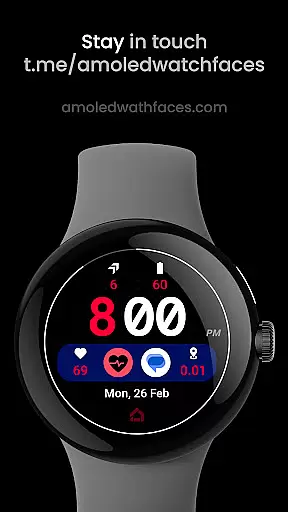
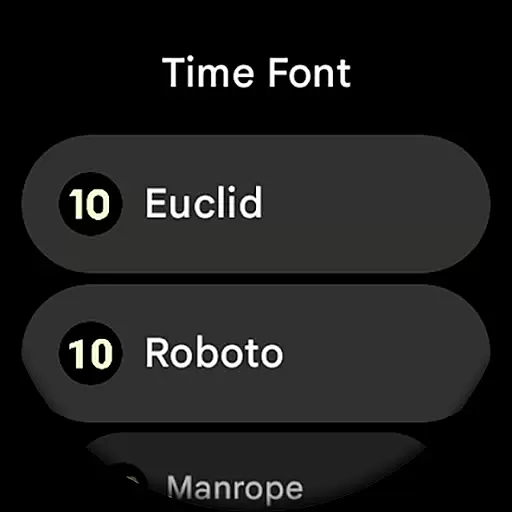
The app includes eight custom complication slots and an innovative ambient mode with adaptive colors and burn-in protection. Users can enjoy additional functionalities like progress bar seconds indicator, customizable time fonts, and phone notifications complication support. These features collectively provide a highly tailored and practical wearable experience for productivity-focused individuals.
Widgets 2 stands out in the productivity category through its comprehensive feature set specifically optimized for Wear OS devices. The application utilizes Watch Face Format 1 technology, ensuring full compatibility with latest Wear OS versions while delivering exceptional performance.
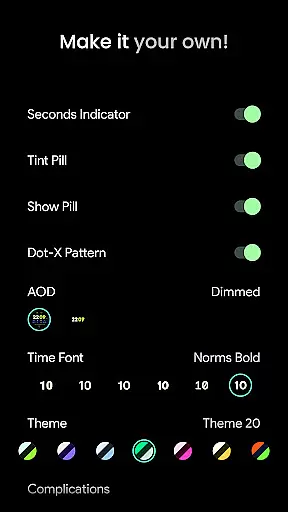
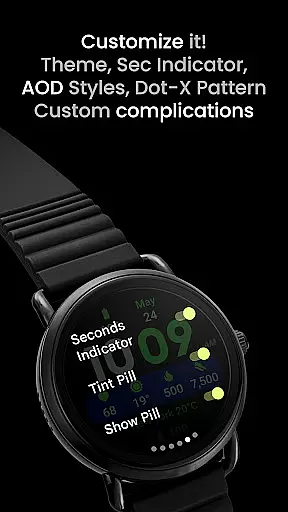
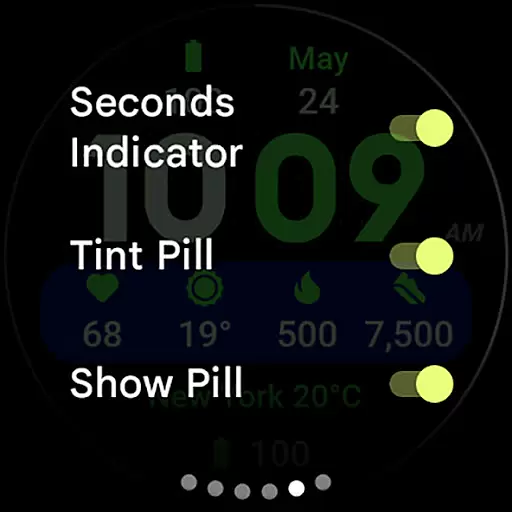
Among its notable capabilities are multiple user configuration options including 30 theme variations, seven time font choices, and two AOD styles. The app supports various toggles for seconds indicator, tint pill, and dot-X pattern, giving users precise control over their watch face appearance. Additionally, the inclusion of eight customizable complication slots enables seamless integration of essential information and functions.
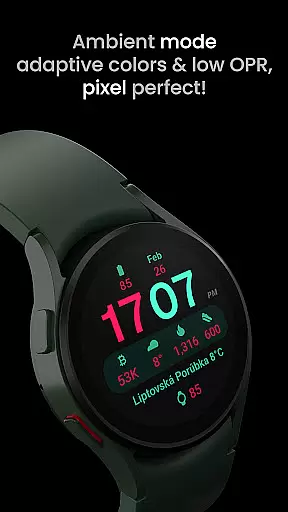
What sets Widgets 2 apart is its implementation of advanced display technologies such as true black background, high resolution rendering, and adaptive ambient mode with low OPR. These features not only enhance visual clarity but also contribute to extended battery life, making it an excellent choice for power users seeking both functionality and personalization in their wearable devices.
Task management is a cornerstone of productivity applications, and Widgets 2 excels in providing users with the tools necessary for efficient task organization. This app offers eight custom complication slots that allow users to track various tasks and events directly from their Wear OS device interface.
The application supports unique color themes and high-resolution display, ensuring that each task or event stands out visually. Users can customize time fonts and toggle features like the Seconds Indicator, Tint Pill, and Dot-X Pattern, tailoring the visual cues to their personal preferences or needs.
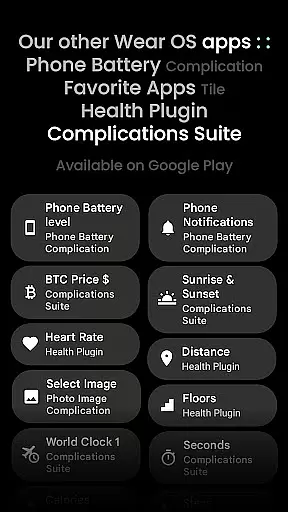
Widgets 2 also integrates with phone notifications through its complication support system, which means users can receive reminders and updates about their tasks without needing to check their phones constantly. This seamless connection helps maintain focus and ensures no important notification is missed.
With true black backgrounds and adaptive colors in ambient mode, Widgets 2 not only conserves battery life on AMOLED screens but also keeps the information visible at a glance. The ability to customize and control these features makes Widgets 2 an invaluable tool for managing daily tasks efficiently.
Cross-device synchronization is vital for maintaining workflow continuity across different platforms, and Widgets 2 ensures reliable data coherence between devices. As a Wear OS application, it provides real-time updates and configurations that sync instantly with paired smartphones.
This synchronization extends to user configurations such as themes, time fonts, AOD styles, and complication settings. Whether switching from a watch face format or adjusting ambient mode settings, all changes are promptly mirrored on connected devices, ensuring consistency in user experience.
Moreover, Widgets 2's burn-in protection feature works harmoniously with other devices' displays, reducing the risk of screen damage over time. By offering synchronized customization options like unique color themes and progress bar seconds indicators, users enjoy a cohesive aesthetic across their devices.
The reliability of this synchronization is further enhanced by the app's compatibility with latest Wear OS devices and its robust support infrastructure. With comprehensive guides and live support available via Telegram groups or email, users can resolve any issues swiftly, ensuring uninterrupted cross-device functionality.
Highly customizable
Battery efficient
Advanced display options
Multiple complication slots
Unique color themes
Not for rectangular watches
Wear OS 4+ only
Separate app required
Complex setup process
Premium price point

Easily read and manage all your PDF files
 4.10
4.10
Device's storage information in a simple and clear graphical form (infographics)
4.10
Make apps & sites with natural language prompts
4.10
Cloud storage, automatic phone backup, and more.
4.10
ID.me Authenticator is a simple and free Two Factor Authentication solution
3.50
Tally and goal counter for Wear OS & mobile
4.50
The ultimate file manager for rooted devices. The original and still the best.
4.00
Intelligent AI Assistant
4.10
AT&T Internet customers can use this app to personalize their Wi-Fi network.
4.40
Secure, fast, open-source, VNC and SSH Remote Desktop for Windows, Linux and Mac
4.70
Scan paperwork into PDF/JPG, generate your own e-signature and send fax or email
4.70
Absolutely the best CNC machinist speed and feed calculator around. fswizard.com
4.60
Lightweight PDF, Word, Excel reader.
4.60
Planet Free VPN - The best Fast Unlimited and Secure VPN Without Logs
4.50
Wake up & get tasks done! Add alarms & reminders on the Clock Launcher.
4.00
* block pre-roll ads, pop-up and forced redirect ads * Samsung certification app
4.00
Smart PDF reader & editor to view, organize and manage PDF documents easily.
3.70
AI Video AI Image Private LLM AI Browser Llama Gemma Ollama Connect LLM Studio
4.2
The upgraded version of Name Wheel with AI and the power to add your own wheels.
4.4


User Reviews