
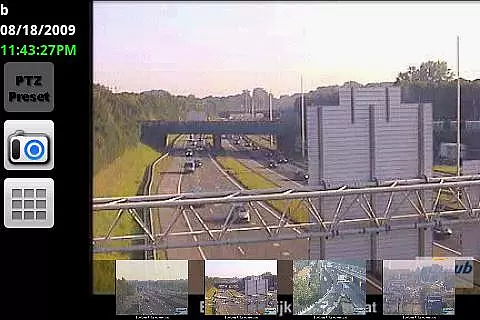

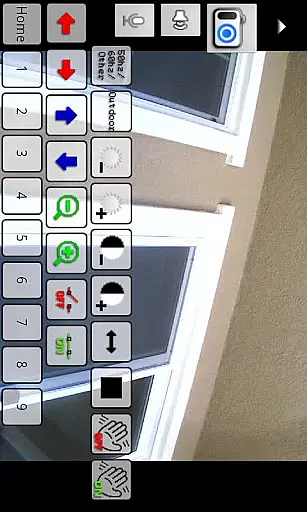
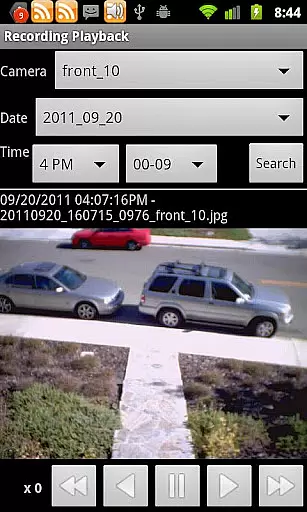
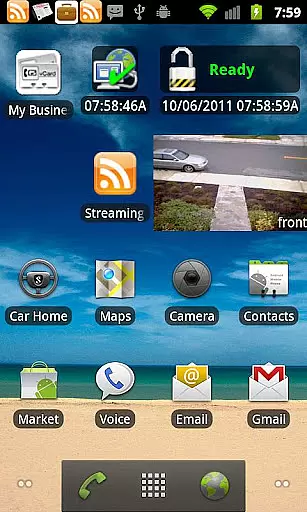
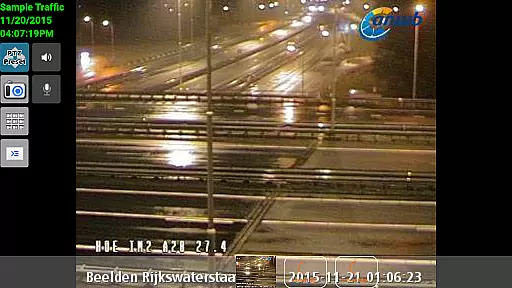
IP Cam Viewer Pro is a leading productivity tool in the Utilities category, recognized as the Best Software for 2011. This application allows users to remotely access their video cameras, digital video recorders, network recorders, and webcams from their mobile devices. With support for over 1600 devices, it offers an extensive compatibility range, ensuring that most users can find support for their specific equipment.
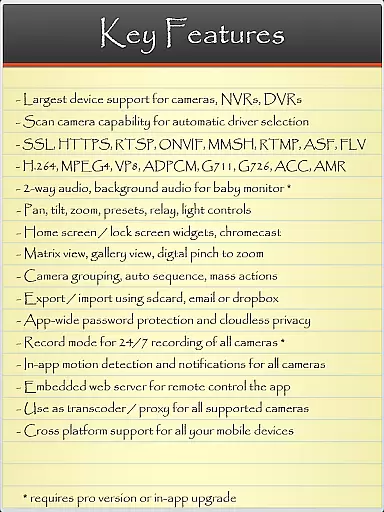
The app boasts a rich set of features developed over five years, including advanced functionalities such as HTTPS, RTSP, and ONVIF protocol support. Users can enjoy matrix view options, pan-tilt-zoom controls, widgets for home or lock screens, device grouping, encryption, and in-app motion detection. These features make it an indispensable tool for both personal surveillance needs and professional security operations.
One of the standout aspects of IP Cam Viewer Pro is its wide-ranging protocol and video format support. It accommodates various streaming standards like HTTPS, RTSP, and ONVIF, making it versatile for different types of cameras and recording devices. The inclusion of a Scan Camera feature automatically detects compatible drivers, simplifying setup processes for users.
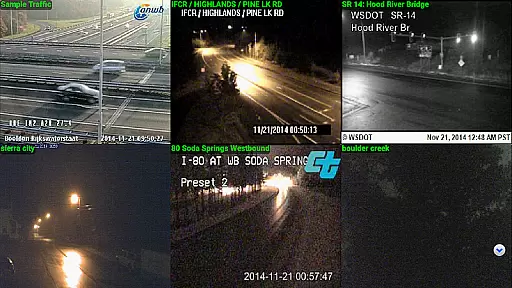
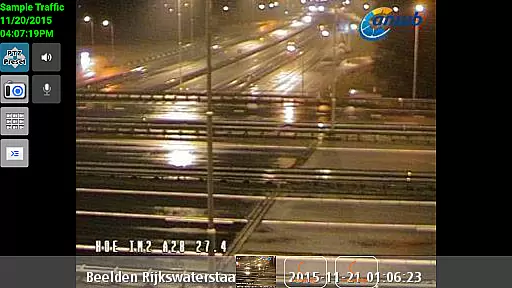
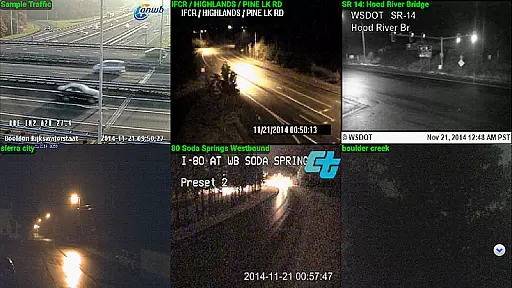
Additional notable features include matrix view functionality, which lets users monitor multiple camera feeds simultaneously. Pan-tilt-zoom controls offer dynamic viewing angles, while home and lock screen widgets provide quick access to frequently used functions. Grouping capabilities allow streamlined management of numerous devices, and encryption ensures data security. In-app motion detection adds another layer of vigilance by alerting users to any movement captured by their cameras.
IP Cam Viewer Pro excels in core task management by offering a comprehensive suite of tools for video surveillance. The app supports over 1,600 devices, ensuring compatibility with a wide range of cameras and recorders.
With features like matrix view and pan-tilt-zoom functionality, users can efficiently monitor multiple camera feeds and control their field of view with ease. This ensures that no detail is missed, providing a robust solution for both personal and professional surveillance needs.
The inclusion of home and lock screen widgets allows for quick access to critical functions without navigating through the app, streamlining the user experience. Grouping capabilities further enhance task management by enabling users to organize cameras into logical clusters.
Encryption and in-app motion detection add layers of security and automation, allowing users to focus on important events while the app handles routine monitoring tasks. These features collectively ensure that IP Cam Viewer Pro delivers a powerful, flexible, and secure task management solution for all video surveillance requirements.
Cross-device synchronization is a standout feature of IP Cam Viewer Pro, ensuring reliable performance across various platforms. Users can seamlessly access their surveillance feeds from different devices, maintaining consistent functionality and user experience.
The app supports a broad spectrum of protocols including HTTPS, RTSP, and ONVIF, guaranteeing that data transmission remains stable and secure regardless of the device used. This protocol support is crucial for maintaining synchronization reliability, especially when switching between mobile and desktop environments.
Additional features such as 2-way audio and background audio enhance the cross-device experience by providing continuous communication and monitoring capabilities. Users can receive real-time audio feedback and alerts, ensuring they remain informed about their surveillance status at all times.
Record mode with remote control further solidifies the app's synchronization reliability, allowing users to manage recordings and playback from any connected device. This comprehensive approach to cross-device functionality makes IP Cam Viewer Pro an indispensable tool for dependable and versatile video surveillance management.
User-friendly interface
Extensive device support
Advanced security protocols
Comprehensive feature set
Efficient customer support
Occasional connectivity issues
Complex setup for beginners
Limited free version availability
High cost for full features
Resource-intensive operation

A customizable calendar for your Wear OS watch
 4.20
4.20
The upgraded version of Name Wheel with AI and the power to add your own wheels.
4.2
Device's storage information in a simple and clear graphical form (infographics)
4.10
We're working to become the best machining app on the market! www.cncdirt.com
4.80
App lock - lock apps with fingerprint, password, pin or pattern, protect privacy
4.70
Daily processing of PDF documents.
4.40
Seamlessly read, manage, and organize all your PDF files solution in one place
4.40
Browse and view your photos and videos from the phone with photo & video hide.
4.10
Put a lock on your cloud: Take the security of your data into your own hands
3.70
Scientific calculator for Android - looks and operates like the real thing!
4.90
QuickBooks Workforce lets teams view pay info and track time in one place.
4.70
Quickly and easily keep track of your work shifts
4.70
App Lock with fingerprint, password: Lock apps & hide photos with lock screens
4.60
Send files, sync SMS, notifications & clipboard across devices via local network
4.40
Secure your apps with lock screens, use custom themes and different features.
4.40
All in One PDF Reader: Manage, Read and Edit your Documents
4.20
Wake up & get tasks done! Add alarms & reminders on the Clock Launcher.
4.00
Code on-the-go with VScode for Android. Edit,debug and collaborate from mobile!!
3.10
Easiest event planning, volunteer signups & parent teacher conference scheduling
2.20


User Reviews