
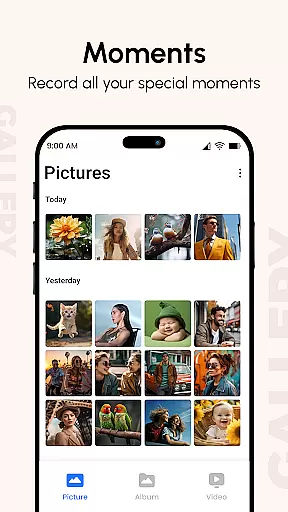
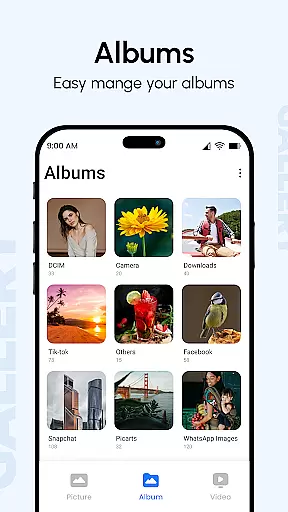
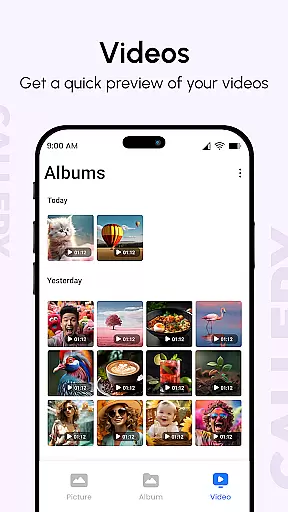
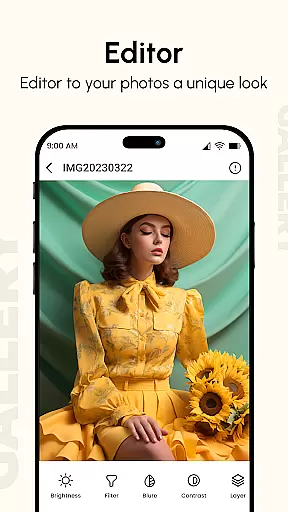
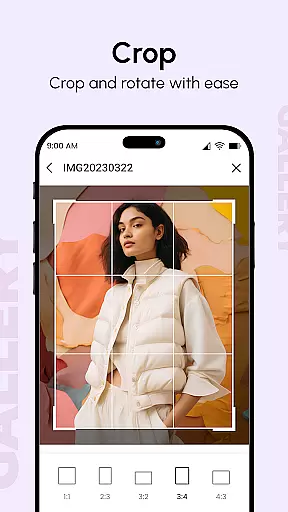
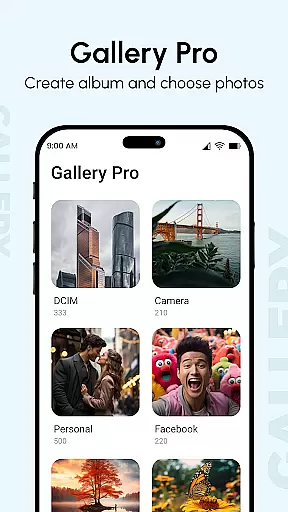
Gallery is a comprehensive photo and video management application designed to enhance your digital memories. This productivity app brings together all your media files from various devices, organizing them into visually appealing albums while enhancing image quality. The app's intelligent features include metadata-based search, GIF support, and password protection for private content.
One of the standout capabilities is its flexible slideshow feature that allows users to create dynamic presentations with customizable transitions. Whether you're a Samsung Galaxy user or need a universal gallery solution, this app provides a modern and efficient way to view, organize, and protect your precious images and videos across different platforms.
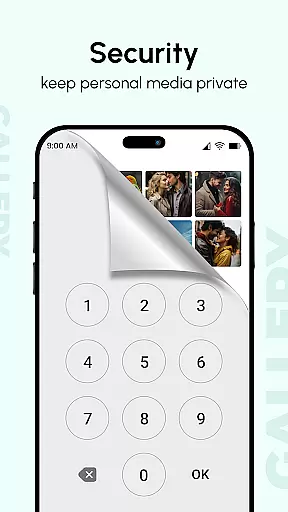
The application shines in professional and personal use cases where secure media management is crucial. Users can hide sensitive photos and videos using secret PIN codes, making it ideal for sharing devices without compromising privacy. Its robust organization tools and enhanced viewing experience make Gallery an essential tool for anyone seeking better control over their digital assets.
Gallery distinguishes itself through its rich feature set tailored for both casual users and professionals. The app supports all major image formats, GIFs, and video files, automatically sorting them based on folders, tags, and dates. Its Smart Mode offers intelligent organization, while the metadata-based search function allows precise filtering using EXIF, XMP, and IPTC data.
Security features are particularly robust, including hidden galleries protected by passwords and lockable albums. The app's performance is optimized for large screens, supporting multiple finger gestures for smooth navigation. Professional photographers will appreciate the detailed photo view that displays technical information such as location and camera settings.
Advanced capabilities include instant photo access through quick replies, reminder setting from the after-call screen, and seamless integration with social media platforms. The app's Pro version offers enhanced features like HD gallery views and vault functionality for maximum privacy. These comprehensive tools make Gallery a versatile solution for managing digital media collections efficiently.
Gallery excels in core task management by offering a comprehensive suite of tools for organizing and managing digital memories. The app consolidates photos and videos from all devices, enhancing them to improve quality and organizing them into visually appealing albums.
With features like metadata-based search, GIF support, and password protection, Gallery ensures users can efficiently locate and secure their media files. This functionality is crucial for individuals who require quick access to specific images or videos among thousands of stored files.
The app's ability to hide private content using a secret PIN code adds an extra layer of security, allowing users to share their devices without compromising privacy. This feature is particularly beneficial for those who value discretion in personal media.
By providing advanced options such as slideshow modes with customizable transitions and instant sharing capabilities, Gallery empowers users to create dynamic presentations and easily distribute their work. These capabilities make it an indispensable tool for both casual users and professionals alike.
Cross-device synchronization is a cornerstone of Gallery's productivity-enhancing features. By seamlessly integrating media from various sources, the app ensures that users have consistent access to their complete photo and video libraries regardless of the device they are using.
This synchronization process not only aggregates files but also maintains important metadata such as location, camera information, and timestamps. Such attention to detail guarantees that users can effectively sort and retrieve their media based on multiple criteria, enhancing overall organization.
Gallery's commitment to reliability extends to its recovery methods. In cases where synchronization issues arise, the app provides clear procedures for restoring lost data, ensuring minimal disruption to the user experience. This robust backup system instills confidence in users who depend on continuous access to their digital assets.
Furthermore, the app's optimization for large screens and support for multiple finger gestures demonstrate its adaptability across different devices. These features contribute to a smooth and intuitive user experience, making cross-device management of digital memories both efficient and enjoyable.
User-friendly interface
Advanced security features
Comprehensive file support
Smart organization tools
Customizable viewing options
Premium features locked
Occasional bugs reported
Storage intensive
Limited free options
Complex settings menu

 4.20
4.20
Take control of your clipboard with Clipper!
3.90
IP Camera Viewer - Android TV : RTSP Surveillance camera viewer for Android TV
4.1
Find and delete junk files & block unwanted notifications & manage files
3.70
The AI assistant that thinks with you - write, code, and solve complex tasks
4.60
Access your phone's notifications, calls, apps, photos & texts on your PC
3.90
Ultimate Virtual AI Character for immersive Roleplay Chat. Perfect Companion
3.90
AI Chatbot and AI writing assistant powered by ChatGPT.
4.60
Seamlessly read, manage, and organize all your PDF files solution in one place
4.40
Best Tool for the professionals Electrician, Electrical contractors, etc.
4.90
Use powerful, industry-leading AI tools to generate visual charts from any data
4.80
Secure, fast, open-source, Remote Desktop Client for Windows and Linux with SSH
4.60
A simple Whisper AI keyboard for reliable speech transcription and rewording
4.60
Pwnagotchi companion app
4.20
Wake up & get tasks done! Add alarms & reminders on the Clock Launcher.
4.00
Create and edit presentations with Google Slides, part of Google Workspace.
4.00
The ultimate file manager for rooted devices. The original and still the best.
4.00
Ads Free App! Editor, Hide File, Copy, Move, Delete and Rename.. all facility av
1.70
Create study competitions, track your hours, and stay consistent with friends
4.5


User Reviews