



Microsoft Excel is the leading spreadsheet application that empowers users to create, edit, and share professional-grade documents directly from their mobile devices. The app provides a comprehensive suite of tools for budgeting, chart creation, data analytics, and more. With its intuitive interface, Excel allows you to manage finances through on-the-go expense tracking and robust formatting options. Whether you're analyzing data, editing templates, or collaborating with colleagues, Excel's powerful features make it an indispensable tool for productivity.
The app offers seamless integration across devices, ensuring consistent functionality regardless of platform. Its advanced calculation engine supports complex formulas while maintaining ease of use. From business professionals managing spreadsheets to students working on projects, Microsoft Excel caters to diverse user needs, making sophisticated data analysis accessible to everyone.
Microsoft Excel stands out with its extensive feature set designed for both casual and power users. The app includes modern spreadsheet templates for various purposes, including budget planning, task management, and financial analysis. Its calculation capabilities support familiar formulas and functions, enabling users to perform complex accounting tasks with ease. The consistent user experience across devices ensures that all features, formats, and formulas operate uniformly, regardless of whether you're using a phone, tablet, or desktop.
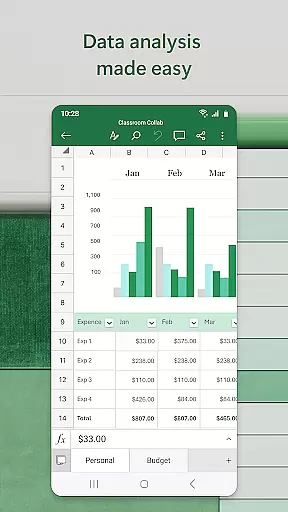
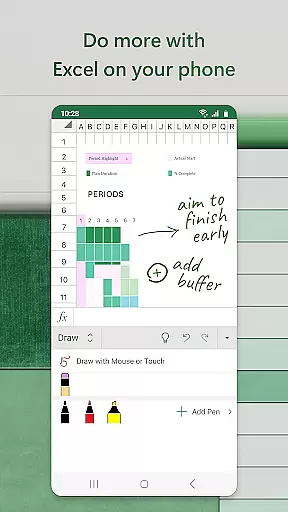
Data visualization is another key strength of Excel. Users can create dynamic charts and pivot tables that transform raw data into meaningful insights. The built-in review tools allow for efficient collaboration, letting multiple users edit and comment on shared documents. Advanced annotation features, including shape creation and equation writing, enhance worksheet interactivity. These comprehensive features make Microsoft Excel the go-to solution for mobile productivity and data management.
Microsoft Excel revolutionizes core task management by offering a comprehensive suite of tools that streamline productivity and organization. At its heart, Excel provides powerful spreadsheet capabilities that allow users to create budgets, track expenses, and perform detailed financial analysis with ease.
The app's modern templates are designed for various use cases, from simple task lists to complex accounting tasks. With familiar formulas and calculation tools, users can run essential computations without any hassle. The consistent functionality across devices ensures that whether you're on a phone or tablet, the experience remains intuitive and reliable.
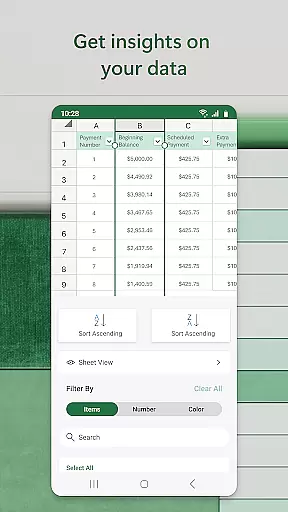
Excel goes beyond basic spreadsheets by integrating advanced features like pivot tables and chart makers. These tools enable users to visualize data in digestible formats, making it easier to identify trends and insights. Additionally, the ability to annotate, edit, and insert charts directly within the app enhances the analytical process.
By centralizing these robust features into a mobile application, Excel empowers users to manage their tasks efficiently from anywhere. This flexibility not only boosts productivity but also ensures that critical business decisions are supported by accurate and well-presented data.
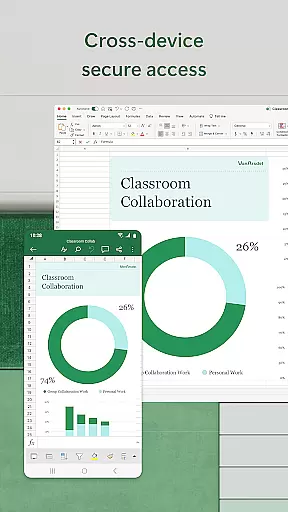
Cross-device synchronization is a cornerstone of Microsoft Excel's productivity-enhancing features. In today's fast-paced world, having reliable access to your files across multiple devices is crucial for maintaining workflow continuity. Excel excels in this area by providing seamless synchronization that ensures your documents are always up-to-date, regardless of where you make changes.
With a Microsoft account, users can sign in on any device and access their spreadsheets, charts, and data instantly. This cloud-based integration means that whether you're editing a budget on your phone during a commute or reviewing quarterly reports on a tablet at home, your work is automatically saved and synced in real-time.
The app also supports collaboration features that enhance cross-device usability. By sharing files with colleagues, multiple users can view, edit, and comment on documents simultaneously. This collaborative environment fosters teamwork and ensures everyone is working with the most current information.
Furthermore, Excel's subscription model unlocks the full potential of cross-device functionality. Subscribers benefit from enhanced features and dedicated support, ensuring maximum reliability and performance. This commitment to synchronization excellence makes Excel an indispensable tool for professionals who demand consistent access to their data across all platforms.
Comprehensive feature set
Intuitive user interface
Cross-device compatibility
Robust calculation engine
Advanced data visualization
Complex for beginners
Subscription required
Limited free features
High system requirements
Occasional sync issues

Wake up & get tasks done! Add alarms & reminders on the Clock Launcher.
 4.00
4.00
Easily read and manage all your PDF files
4.10
Simple and reliable communication between inmates, friends and family
3.20
* block pre-roll ads, pop-up and forced redirect ads * Samsung certification app
4.00
A comprehensive suite of tools designed specifically for Lactation Consultants
4.3
Access your phone's notifications, calls, apps, photos & texts on your PC
3.90
Lightweight PDF, Word, Excel reader.
4.60
QuickEdit is a fast, stable and full featured text and code editor.
4.20
Note taking, handwriting, record audio, PDF annotation, planner & journal
4.20
Protect and view your important info on your phone and tablet with eWallet®
4.80
Understand anything with a personalized AI research assistant
4.80
All document reader, all in one file viewer read PDF, DOCX, XLS, PPT, TXT files.
4.60
Tally and goal counter for Wear OS & mobile
4.50
When you Focus, so will your Bean in this cozy focus timer
4.30
Device's storage information in a simple and clear graphical form (infographics)
4.10
Make apps & sites with natural language prompts
4.10
Font maker keyboard with your own handwriting
4.10
Smart PDF reader & editor to view, organize and manage PDF documents easily.
3.70
Create study competitions, track your hours, and stay consistent with friends
4.5


User Reviews