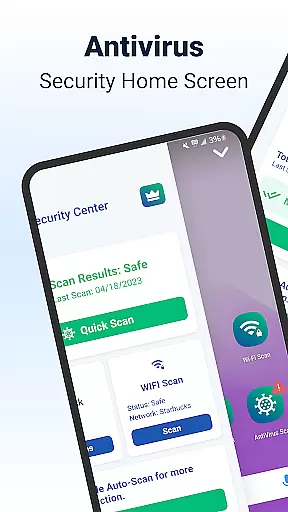
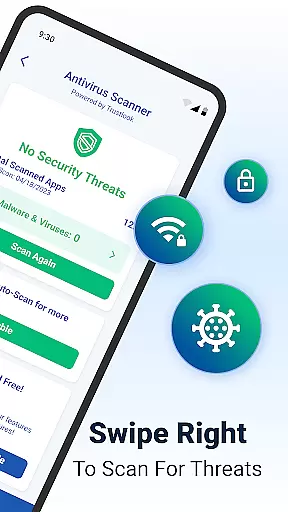
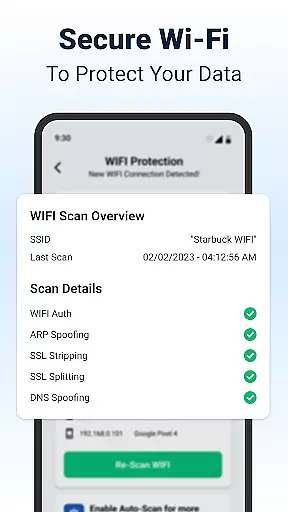
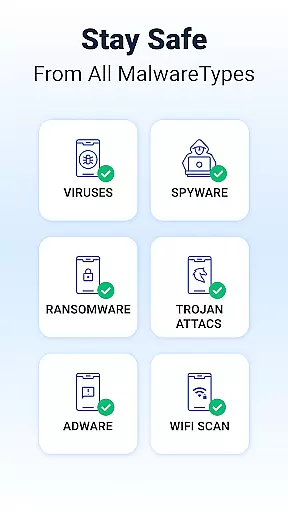
Shield Antivirus Home Screen is a comprehensive security solution for Android devices, offering robust protection against viruses, malware, and cyber threats. The app features an advanced AI-driven antivirus scanner with a 99% detection rate, ensuring accurate identification and blocking of malicious software. Additionally, Shield provides privacy tools like AppLock and secure WiFi scanning to safeguard user data on public networks.
Beyond its core security functions, Shield allows users to customize their experience through personalized lock screens and app settings. Its WiFi security module detects network-based attacks, while the intuitive home screen design integrates privacy controls seamlessly. With both free and premium versions available, Shield delivers enterprise-grade protection without compromising device performance or user experience.
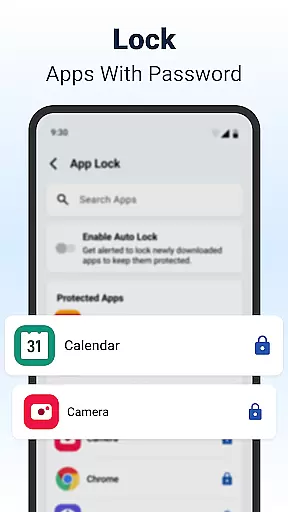
Shield stands out with its high-accuracy AI-driven antivirus engine, which achieves a 99% detection rate with minimal false positives. This ensures that users receive reliable protection without unnecessary alerts. The app also includes AppLock functionality, enabling users to secure sensitive apps using passwords or biometric authentication such as fingerprints.
Another key feature is the advanced WiFi scanning tool, which protects against network vulnerabilities like ARP spoofing and DNS hijacking. Users can monitor all connected devices on their network, adding another layer of security. Furthermore, Shield's customizable home screen enhances usability by integrating privacy controls directly into the interface, making it easy to manage security settings while maintaining a stylish look.
Customization is at the heart of Shield Antivirus Home Screen, offering users a versatile way to personalize their Android experience. This feature allows you to modify your device's home screen with intuitive privacy controls and custom settings that cater to your specific needs.
The app provides extensive customization options, including personalized lock screens and app settings. You can tailor the appearance and functionality of your device to match your preferences, ensuring that security does not come at the expense of style.
With Shield, you are empowered to create an Android environment that is both visually appealing and secure. The ability to customize privacy options ensures that your private information remains protected while enjoying a unique and stylish interface.
Shield Antivirus Home Screen ensures seamless theme compatibility, allowing users to apply their favorite themes without compromising on security features. This means you can enjoy a consistent visual experience across your device while benefiting from top-notch protection.
The app supports a wide range of themes, giving you the freedom to choose designs that resonate with your personal style. Whether you prefer minimalist aesthetics or vibrant colors, Shield maintains its robust security functionalities regardless of the theme applied.
This compatibility extends beyond just looks; it encompasses functional elements as well. Users can be confident that all customized themes will work harmoniously with Shield's advanced antivirus scanner, AppLock, and WiFi scanning features, providing both beauty and brawn in one package.
Powerful antivirus protection
User-friendly interface
Advanced WiFi security
Customizable home screen
Free version available
Premium features require subscription
Occasional ads in free version
May drain battery on older devices
Limited iOS compatibility
Some features need manual setup

Glass style colourful icons with a One UI look and feel
 4.60
4.60
Ultra realistic high quality analog watch face for Wear OS.
4.60
Try creating your own keyboard with "Keyboard theme for android" app now!
4.50
Ultimate Gallery Lock App - Hide Pictures, Videos and Lock Apps Instantly!
4.60
Design your screen with unique, vibrant clocks
3.80
300+ widgets inspired by Material You and Material 3 expressive design.
4.60
Transform your device in a game console
4.40
Modern Glass Icon Pack with glossy icons, clean minimal theme & aesthetic style
4.4
set a new experience for the Android mobile phone
4.20
Winter's Journey: digital watch face for Galaxy Watch & Wear OS
4.80
Enjoy a variety of amazing live wallpapers and colorful EDGE lighting borders!
4.80
Make your phone look simple & luxury, like iDevice
4.60
300+ Beautifully crafted widgets inspired by OneUI.
4.60
Ultra realistic gold analog watch face with lots of customization options.
4.50
Transform your phone with Launcher iOS 26 - Smooth & elegant iOS experience
4.50
Turn text & photos into stunning AI videos, art, and creative visual stories.
4.50
Vibrant Adaptive Icons with Material You and Enhanced Monet Colors.
4.50
Romantic Kiss Stickers App. Start romantic messaging now!
4.30
Create unique, fun emojis with Funny Emoji Maker! Unlimited creativity!
4.00


User Reviews