
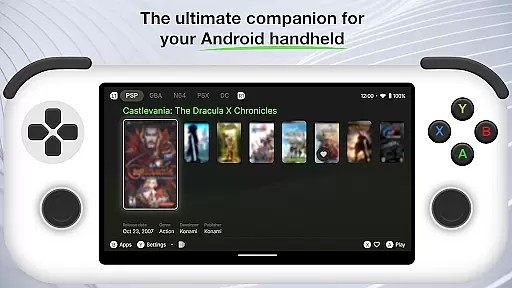
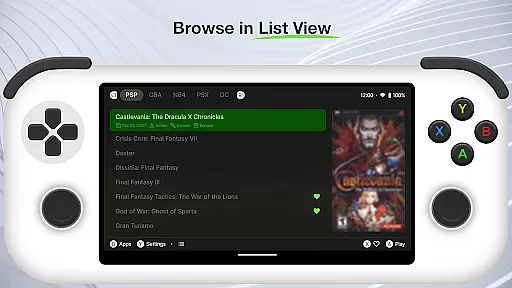
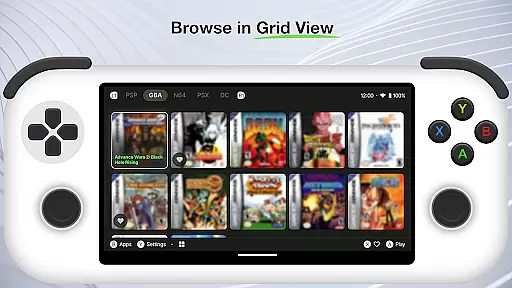
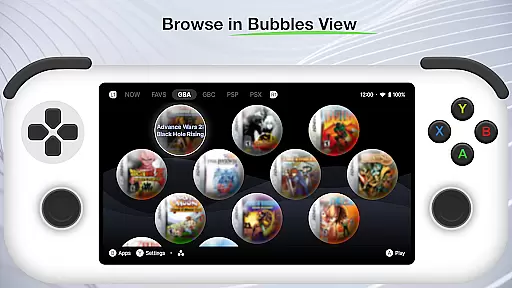
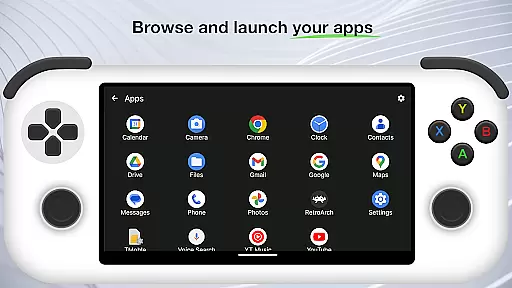
Beacon Game Launcher is an innovative Android launcher specifically designed for retro gaming enthusiasts. This application serves as a central hub to organize and launch your classic game collection, providing a seamless way to access all your favorite titles in one place.
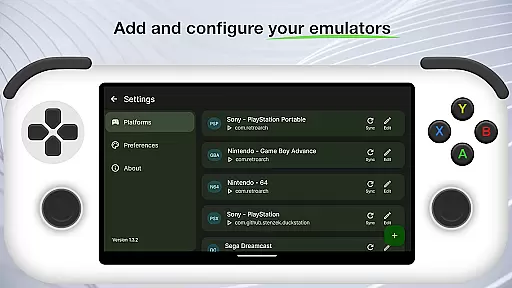
The app's core functionality lies in its ability to integrate with various emulators, allowing users to add their preferred emulation software and manage multiple gaming platforms effortlessly. Beacon automatically enhances your game library by scraping cover art and metadata, creating a visually appealing and well-organized collection that brings back nostalgic memories.
Ideal for gamers who value both functionality and aesthetics, Beacon transforms the retro gaming experience into a modern, user-friendly interface while maintaining the authenticity of classic titles.
Beacon Game Launcher distinguishes itself through several remarkable features that cater specifically to retro gaming aficionados. The app's primary feature is its advanced integration system, which supports multiple emulator types and allows users to seamlessly launch games from different platforms.
A standout characteristic is the automatic metadata and artwork scraping function. This feature saves users countless hours by automatically populating game entries with relevant information and attractive cover art, creating a professional-looking game library without manual input.
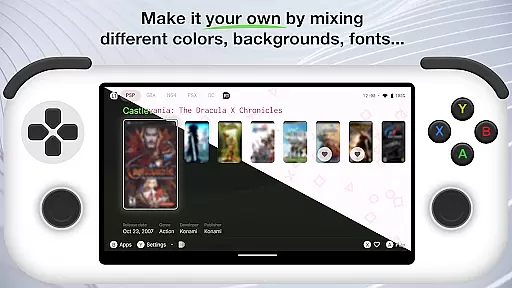
The launcher also offers customizable organization options, enabling users to categorize and sort their game collections according to personal preferences. This level of customization extends to the user interface, where gamers can adjust visual elements to create a personalized retro gaming dashboard that suits their individual style.
Beacon Game Launcher offers a wide array of customization options that allow users to tailor their gaming interface according to personal preferences.
This Android launcher is designed not just to launch games, but also to enhance the overall gaming experience by enabling gamers to organize and display their retro game collections in a personalized manner.
Users can add their preferred emulators and curate their game library with ease, ensuring that each individual's setup is unique to their taste and style.
The ability to automatically scrape cover art and metadata further enriches the user's library, providing a visually appealing and informative presentation of their games.
Theme compatibility in Beacon Game Launcher ensures that users can enjoy a consistent look and feel across their gaming interface.
By integrating with various emulators and supporting different themes, this launcher allows for an adaptable visual experience that aligns with the user's aesthetic preferences.
Gamers are not limited to a single appearance; instead, they have the freedom to choose from multiple themes or even create their own, making sure the launcher's design matches the retro vibe of their game collection.
This flexibility in theme selection enhances the authenticity of the classic gaming experience, offering both nostalgia and modern convenience in one package.
User-friendly interface
Extensive emulator support
Automatic metadata scraping
Highly customizable
Visually appealing design
No built-in games
Requires technical knowledge
Dependent on third-party emulators
Limited to retro gaming
Metadata accuracy varies

A launcher for Samsung Good Lock and Good Guardians modules without ads
 4.70
4.70
More than 3000+ themes and 9000+ wallpapers for everybody!
4.10
Turn text & photos into stunning AI videos, art, and creative visual stories.
4.50
Customize glowing edges, wallpapers, and caller screen with EdgeAura.
3.50 3.50
3.50
Adaptive Dot Style IconPack with Light & Dark Theme.
3.70
Organize and manage your photos and videos effortlessly with Photo Gallery
4.20
Stylish Pink Cute Hippo keyboard with 10000+ customized keyboard themes!
4.60
set a new experience for the Android mobile phone
4.20
Enjoy a variety of amazing live wallpapers and colorful EDGE lighting borders!
4.80
Nothing Icon pack with more than 3750+ highly crafted icons.
4.70
Classic analogue watch face. For wear os devices.
4.60
Make your phone look simple & luxury, like iDevice
4.60
Want to make your phone more special than ever?
4.60
Choose your keyboard with RGB colors effect, themes, fonts, emojis.
4.60
Handcrafted pixel art icons, widgets & wallpapers
4.60
Ninja Turtles Cowabunga SE watch face for Wear OS
4.50 4.10
4.10
⭐ OneUI inspired Fluffy Icon Pack – Soft. Stylish. Standout. ⭐
4.0


User Reviews