
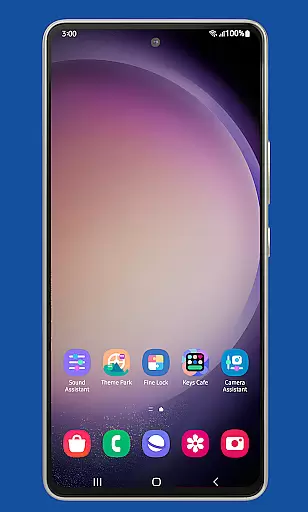
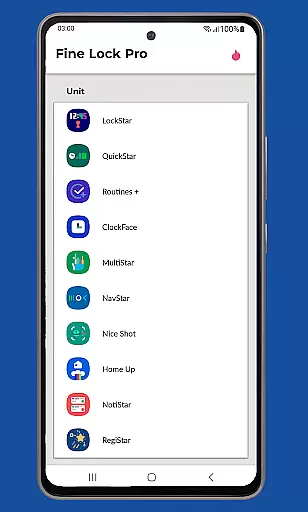
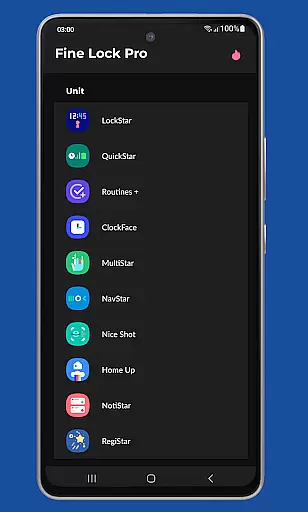
Fine Lock is a specialized launcher designed exclusively for Samsung devices running official One UI, enabling users to access and optimize Good Lock and Galaxy Labs modules. This app bridges the gap for users in regions where these customization tools are not readily available through Galaxy Store.
With Fine Lock, users can enjoy advanced personalization features while ensuring compatibility with their Samsung devices' official software builds. The app offers both essential and premium functionalities, making it an ideal solution for power users seeking greater control over their device's interface and performance.
This application is particularly useful for tech-savvy individuals who want to unlock the full potential of their Samsung smartphones without being limited by regional restrictions or OS compatibility issues.
Fine Lock stands out with its unique ability to act as a gateway for Good Lock and Galaxy Labs modules, offering features like module app shortcuts on the home screen and background update checks. These capabilities ensure users maintain optimal performance while enjoying personalized experiences.
The PRO version takes customization further with dynamic wallpapers that adapt to Dark/Night modes, requiring Android 9 or later. Additional premium features include the option to hide uninstalled modules, providing a cleaner interface. The app also maintains strict compliance with Google Play policies while delivering these advanced functionalities.
What makes Fine Lock particularly valuable is its commitment to user experience - from clear purchase instructions to dedicated support for PRO feature activation issues. This attention to detail ensures users can confidently invest in enhancing their device's capabilities.
Fine Lock offers a diverse range of customization options tailored specifically for Samsung devices running official One UI. This app acts as a launcher for Good Lock and Galaxy Labs modules, which are powerful tools for personalizing the Android experience.
With Fine Lock, users can access features such as module app shortcuts on the home screen, providing quick entry to their favorite customization tools. The ability to hide uninstalled modules ensures a clutter-free interface, enhancing user experience by displaying only relevant options.
The app also supports dynamic wallpapers that adapt to the device's Dark or Night modes, provided the device runs on Android 9 or later. This feature not only adds aesthetic value but also aligns with user preferences for different lighting conditions, ensuring optimal visibility and comfort.
By offering these varied customization options, Fine Lock empowers users to tailor their Samsung devices to match their personal style and functional needs, making it an essential tool for those seeking a highly personalized smartphone experience.
Theme compatibility is a crucial aspect of Fine Lock, ensuring that all visual customizations maintain consistency across the Samsung deviceu2019s One UI. By supporting dynamic wallpapers that change based on the device's Dark or Night mode settings, Fine Lock guarantees a seamless visual experience.
This compatibility extends to various themes and styles available through Good Lock and Galaxy Labs modules. Users can download these modules from trusted sources like APKMirror or Sammobile, knowing that Fine Lock will integrate them smoothly into their existing setup.
Moreover, Fine Lock's ability to manage and display only installed modules avoids any disruptions in theme application, preserving the integrity of the user's chosen aesthetics. This selective display ensures that all applied themes render correctly without conflicts or inconsistencies.
Overall, Fine Lock's robust theme compatibility enriches the customization journey, allowing users to experiment with different looks while maintaining a cohesive and visually pleasing interface on their Samsung devices.
User-friendly interface
Extensive customization options
Regular feature updates
Responsive customer support
Seamless module integration
Samsung-exclusive functionality
Limited to official One UI
No direct module downloads
PRO features require payment
Potential compatibility issues

Stunningly Different look with Line Icons and Neon Colors
 4.60
4.60
Customizable Glass widgets. Over 360+ stunning widgets and more!
4.70
Only for Wear OS devices!
4.90
Unique Android Launcher
4.60
Want to make your phone more special than ever?
4.60
Romantic Kiss Stickers App. Start romantic messaging now!
4.30 4.50
4.50
300+ Stunning and well-designed widgets inspired by NOTHING.
4.70
200+ Material Inspired Widgets
4.50
One 8 icons glass color version
4.80
Ultra realistic high quality analog watch face for Wear OS.
4.60
Ninja Turtles Cowabunga SE watch face for Wear OS
4.50
Try creating your own keyboard with "Keyboard theme for android" app now!
4.50
Customizable screen pets that play, climb, and keep you company.
4.50
Yandex Browser — stylish and secure, with voice search and data compression
4.40
Transform your device in a game console
4.40
App Icon Changer & Shortcut Creator. Customize your icons without any watermarks
4.30
Organize and manage your photos and videos effortlessly with Photo Gallery
4.20
⭐ OneUI inspired Fluffy Icon Pack – Soft. Stylish. Standout. ⭐
4.3


User Reviews