
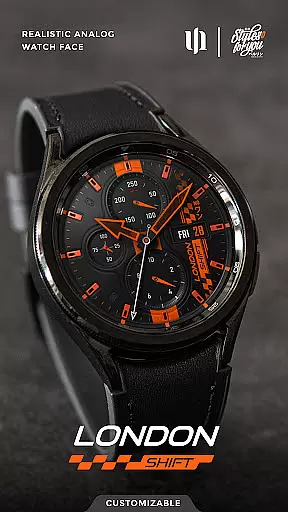
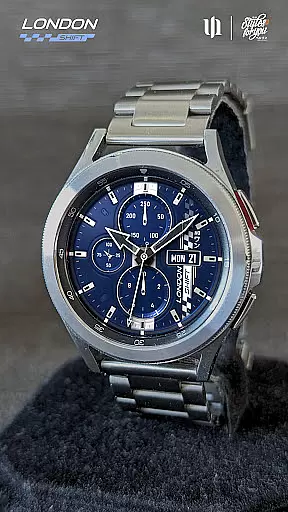
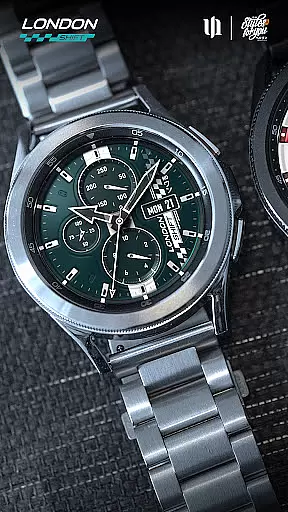
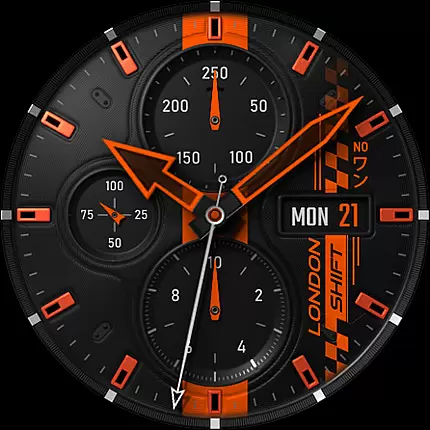
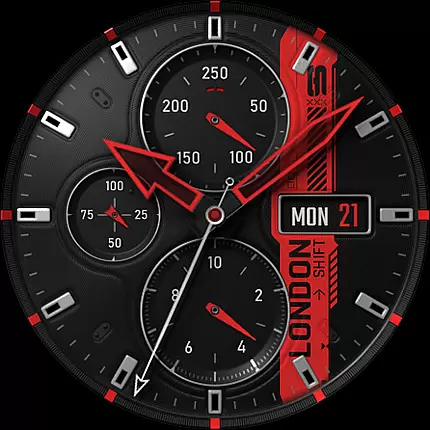
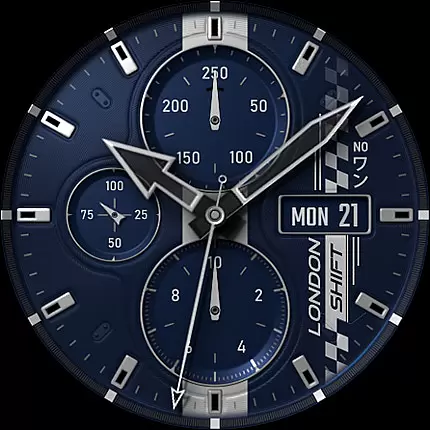
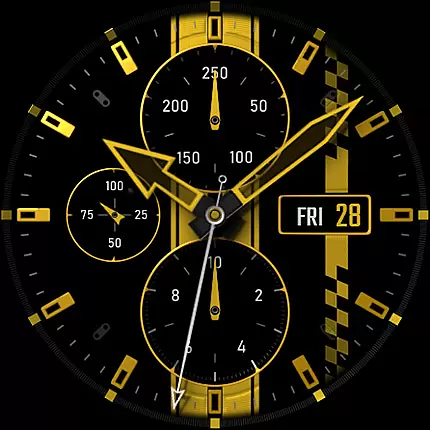
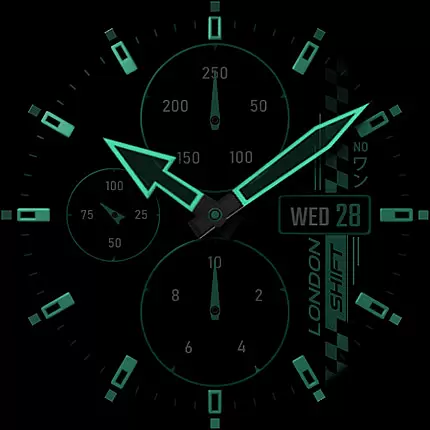
S4U Shift - Analog watch face is a premium Wear OS watch face designed for smartwatches running Wear OS 5 or higher. This highly customizable analog dial offers an ultra-realistic watch experience with its 3D effects and massive color options.
Key features include day, date, battery status, heart rate display, and an analog pedometer. The always-on display (AOD) provides four dimming options to balance visibility and battery life. With seven customizable shortcuts, users can access their favorite widgets effortlessly.
Ideal for fitness enthusiasts and professionals who value both aesthetics and functionality, this watch face brings the sophistication of a real watch to your smartwatch while offering modern digital conveniences.
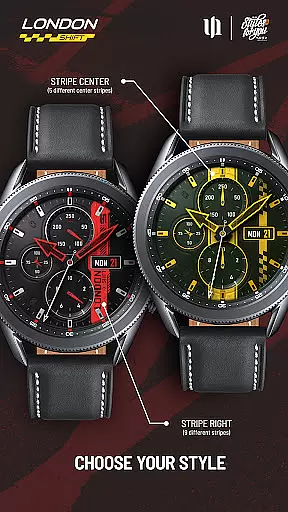
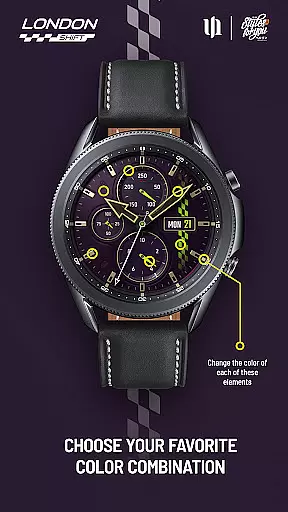
The S4U Shift watch face stands out with its multiple customization options. Users can adjust colors for various elements including background, hands, indexes, and dials. With up to 13 color options for certain components, personalization reaches a new level.
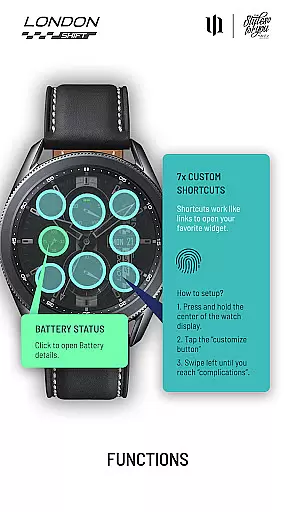
Functionality is enhanced through interactive displays. The left area shows battery status, while tapping it opens detailed battery information. The bottom analog pedometer tracks steps, and the top section displays heart rate. Automatic heart rate measurement intervals can be set in health settings.
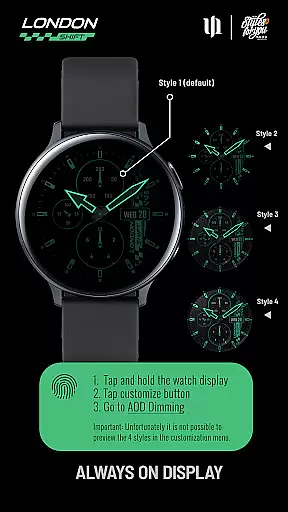
Seven customizable shortcuts provide quick access to favorite widgets. The always-on display (AOD) offers four styles, with the default style optimized for battery efficiency and preventing burn-in. These features combine to create both a visually stunning and practical smartwatch experience.
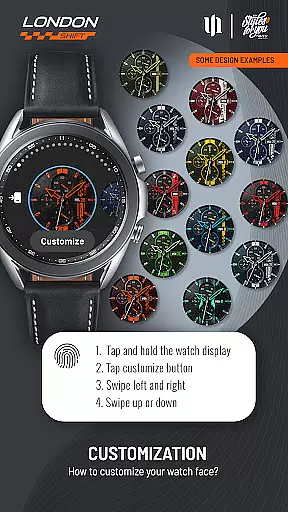
Customization is at the heart of the S4U Shift - Analog watch face, offering users an extensive range of personalization choices. With multiple color options available for various elements of the watch face, users can adjust the background, stripes, hands, and indices to their preference. This level of customization ensures that each user can have a unique and personalized experience on their Wear OS smartwatch.
The app provides an intuitive interface for making these adjustments. Users simply press and hold on the watch display, press the adjustment button, and swipe to switch between customizable items and change their colors. The wide array of color customization options includes backgrounds, stripes, hands, and dials borders among others, allowing for a tailored look that suits individual style.
This vast selection of customization not only enhances aesthetic appeal but also allows for improved usability. By being able to set custom shortcuts to favorite widgets, users can optimize their interaction with the smartwatch. Shortcuts such as battery details or heart rate provide quick access to important information, thus enriching the overall user experience by combining form with function.
The S4U Shift - Analog watch face is designed with theme compatibility in mind, ensuring it works seamlessly with Wear OS devices running version 5 or higher (Wear OS API 34+). This compatibility extends to popular models like Samsung Galaxy Watches and Google Pixel Watches, providing a consistent experience across different hardware platforms.
Ensuring visual consistency, the always-on display (AOD) feature has been synchronized with the normal view. Although previewing AOD styles within the customization menu isn't possible, four dimming options are available to conserve battery power while preventing screen burn-in. Users can select from these styles to match their preferred balance between visibility and energy efficiency.
Beyond its adaptable design, the app supports additional functionalities that enhance its utility. For instance, tapping the battery indicator opens detailed battery information, demonstrating how integrated features maintain thematic continuity while serving practical purposes. Such cohesive integration underlines the importance of selecting a watch face that aligns with both personal taste and device capabilities.
Highly realistic design
Extensive customization
Interactive display features
Seven shortcut options
Always-on display functionality
Wear OS only
Complex setup
Battery intensive
Limited AOD preview
Premium price

Adult video chat, dating, making friends, random matching
 4.20
4.20
Dark icon pack based on One 8
4.80
100+ Stylish Fonts, Emojis, Symbols keyboard for Instagram & TikTok!
4.80
Adaptive Dot Style IconPack with Light & Dark Theme.
3.70
Organize and manage your photos and videos effortlessly with Photo Gallery
4.20
Custom edge gestures for volume control, brightness, apps, and shortcuts.
4.5
Yandex Browser — stylish and secure, with voice search and data compression
4.40
400+ Beautifully crafted widgets inspired by NOTHING.
4.70
set a new experience for the Android mobile phone
4.20
Gun Chase - Let the chase begin.
4.80
A minimalist productivity launcher. One-hand-friendly. Zero ads.
4.70
Stylish Pink Cute Hippo keyboard with 10000+ customized keyboard themes!
4.60
3D, live, and moving wallpapers & themes in 4K and HD for your device.
4.50
Turn text & photos into stunning AI videos, art, and creative visual stories.
4.50 4.50
4.50
Unique Fonts, typefaces and stylish text. Fonts for Instagram, Whatsapp & others
4.20
More than 3000+ themes and 9000+ wallpapers for everybody!
4.10
Customizable flower power digital watch face for Wear OS watches.
4.00
Struggling to find apps? Use this app to locate and open any app on your phone!
2.20


User Reviews