
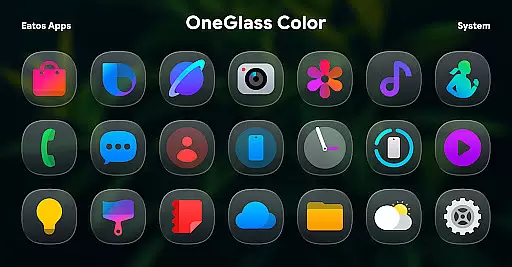
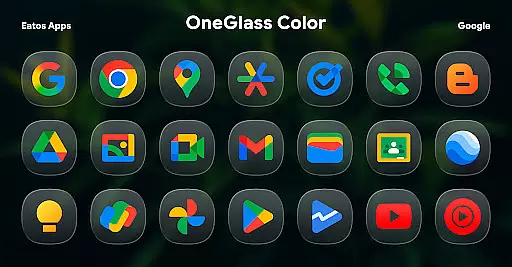
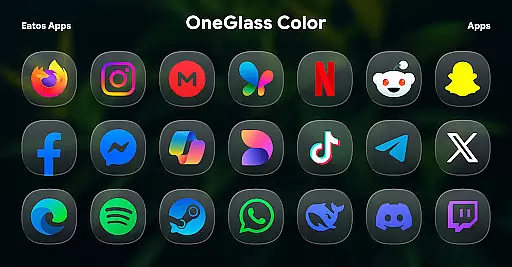
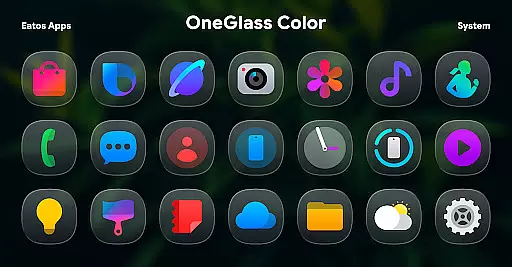
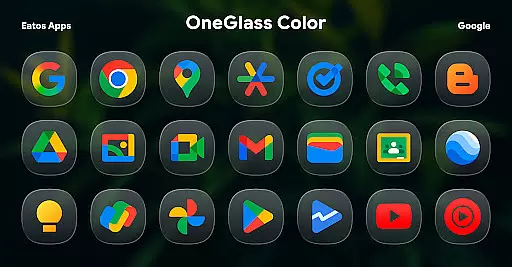
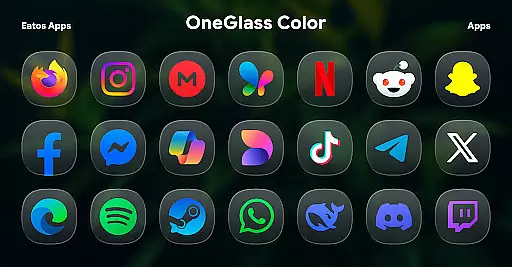
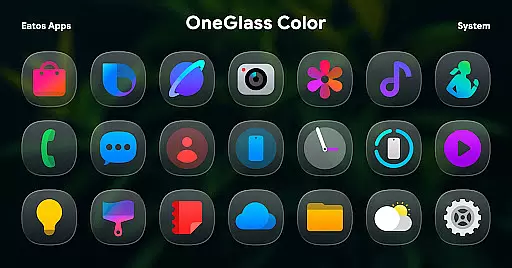
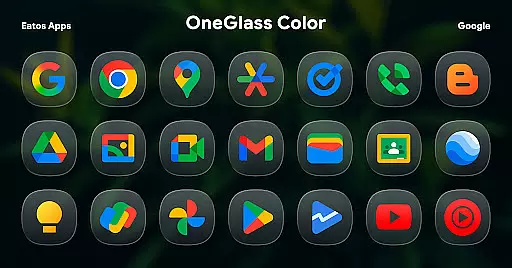
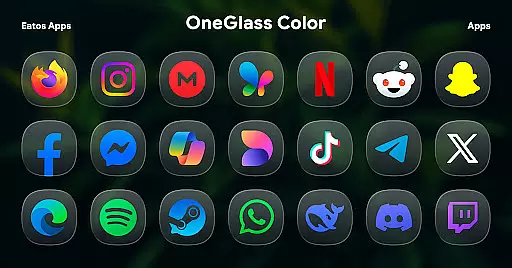
OneGlass 8 (Color) is a premium icon pack featuring over 4,600 beautifully crafted glass-style icons inspired by One 8 design language. This pack also includes more than 430 high-quality wallpapers, offering users a complete customization experience for their devices. Designed specifically for dark mode enthusiasts, the icon pack works best with dark wallpapers and themes, creating a sleek and modern aesthetic.
The icon pack supports various popular launchers such as Hyperion Launcher, Nova Launcher, and Smart Launcher. For Samsung OneUI launcher users, applying the theme requires downloading additional apps like Good Lock and Theme Park. With its extensive icon library and visually appealing wallpapers, OneGlass 8 (Color) provides a polished and cohesive look to enhance your device's interface.
OneGlass 8 (Color) stands out with its unique glass-style icons that combine vibrant colors with a sleek design. Each icon is meticulously crafted to ensure clarity and visual appeal, making them perfect for users who appreciate attention to detail. The pack includes over 4,600 icons, ensuring broad compatibility with a wide range of apps on your device.
In addition to the extensive icon collection, the pack offers more than 430 wallpapers designed to complement the icons. These wallpapers are optimized for dark mode, enhancing the overall user experience. The pack also provides clear instructions for applying the theme across different launchers, including specific steps for OneUI launcher users through Good Lock and Theme Park apps. This ensures a seamless setup process regardless of your device or launcher preference.
OneGlass 8 (Color) offers an extensive range of customization options, featuring over 4,600 Glass color icons and more than 430 wallpapers. This vast selection ensures that users can find the perfect aesthetic match for their device's interface.
The icon pack is specifically designed to excel in dark mode, providing visually appealing icons that complement dark wallpapers. This design choice enhances the overall user experience by maintaining visual harmony across the device's UI elements.
To utilize these customization features, users need a compatible launcher such as Hyperion Launcher or Nova Launcher. The app also supports OneUI launcher through Good Lock and Theme Park apps, offering step-by-step instructions for seamless integration.
This level of customization empowers users to create a personalized mobile environment that reflects their unique style while maintaining professional-quality design standards.
The OneGlass 8 (Color) icon pack demonstrates exceptional theme compatibility, working seamlessly with various launchers including Hyperion, Nova, and Smart Launcher. This broad compatibility ensures that users can maintain consistent theming across different devices and launcher preferences.
For Samsung users, the icon pack integrates perfectly with OneUI launcher through Good Lock and Theme Park applications. The developer provides detailed instructions for applying the theme in OneUI, making it accessible even to less technical users.
Each icon and wallpaper has been carefully crafted to ensure visual consistency when applied across different themes and launchers. This attention to detail guarantees that users won't experience any visual discrepancies or compatibility issues.
The pack's compatibility extends beyond just launchers, as its dark-mode optimized design works harmoniously with various system themes and third-party applications, creating a unified look throughout the entire device interface.
Extensive icon library
Vibrant color options
Dark mode optimization
High-quality wallpapers
Broad launcher support
Requires compatible launcher
No automatic theme application
Limited light mode support
Additional apps needed for OneUI
Not all apps may be covered

Classic analogue watch face. For wear os devices.
 4.60
4.60
Winter's Journey: digital watch face for Galaxy Watch & Wear OS
4.80
Ninja Turtles Cowabunga SE watch face for Wear OS
4.50
3D, live, and moving wallpapers & themes in 4K and HD for your device.
4.50
A launcher for Samsung Good Lock and Good Guardians modules without ads
4.70
Art & Emoji Keyboard with Cool Fonts, Cute Themes and Custom Designs.
4.40
Want to make your phone more special than ever?
4.60
Stylish Pink Cute Hippo keyboard with 10000+ customized keyboard themes!
4.60
Emoji Maker app - Design custom emojis and effortlessly blend them with Mixer
3.80
100+ Stylish Fonts, Emojis, Symbols keyboard for Instagram & TikTok!
4.80
Personalize your phone with stunning HD and 4K wallpapers!
4.70
Ultra realistic high quality analog watch face for Wear OS.
4.60
Over 28,000 high quality icons to bring color & homogeneity to your phone.
4.60
Icons made of colorful linear lines
4.60
Customizable screen pets that play, climb, and keep you company.
4.50 4.50
4.50
App Icon Changer & Shortcut Creator. Customize your icons without any watermarks
4.30
Design your screen with unique, vibrant clocks
3.80
HappyLighting is a Bluetooth lamp control software.
3.40


User Reviews