
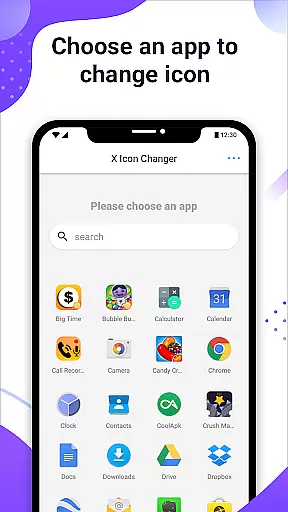
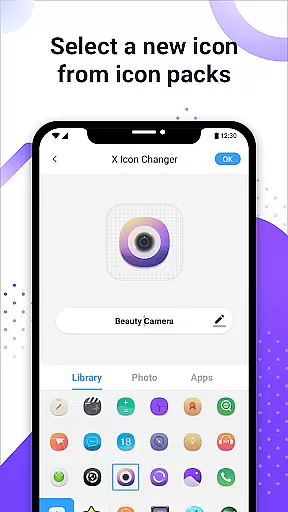
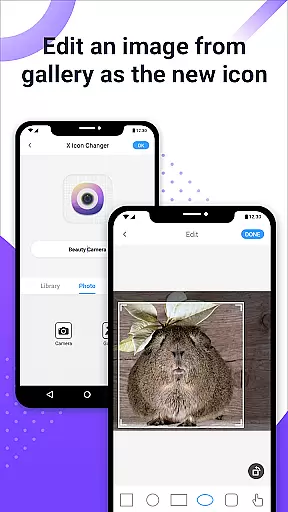
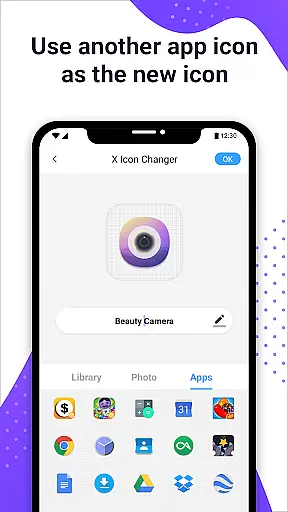
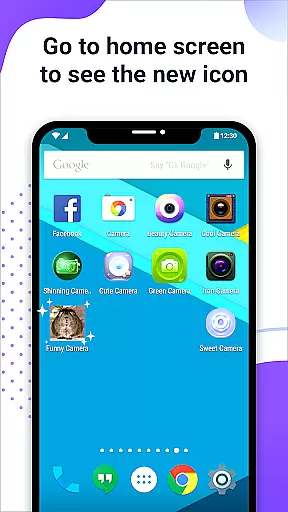
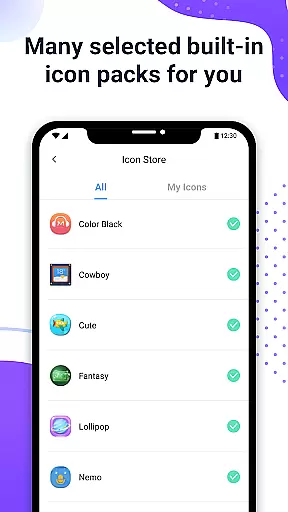
X Icon Changer is a free app designed to help users customize and change icons for any application on their Android devices. This tool allows you to select new icons from various sources including built-in icon packs, your gallery, or third-party icon packs.
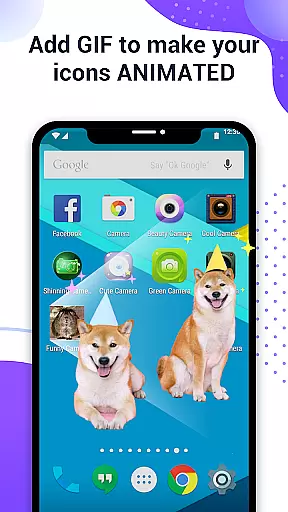
One of the standout features is the ability to add GIF animations to app icons, providing an interesting visual effect when launching apps. Additionally, the app offers a widget solution to avoid watermarks on Android 8.0 and above, ensuring a clean and personalized home screen experience.
This app is particularly useful for users who wish to personalize their smartphone interface with unique designs and creative aesthetics, making it a valuable tool for enhancing personal style and device usability.
The X Icon Changer app boasts several key features that make it a powerful tool for personalizing your Android device. Firstly, it provides a wide range of icon customization options, allowing users to choose from built-in icon packs, personalized third-party packs, or even images from their gallery.
Another notable feature is the ability to edit app names, which can be left blank if desired. The inclusion of GIF support means that each app icon can have a unique animation, adding a dynamic element to your home screen.
For users on Android 8.0 and above, the app includes a widget-based solution to bypass system-imposed watermarks, ensuring that your custom icons remain pristine and watermark-free. These features collectively offer a comprehensive and user-friendly approach to device personalization.
X Icon Changer offers an extensive range of customization options, allowing users to personalize their app icons effortlessly. The application provides a vast selection of built-in icon packs, which cater to various tastes and preferences.
Users can also choose to select new icons from their gallery or even other app icons, ensuring that personalization is not just limited to pre-existing choices. This flexibility empowers users to truly make their devices unique.
In addition to changing icons, the app allows for the renaming of apps with custom names, adding another layer of personal touch to the user's home screen. This feature enhances the ability to organize and beautify the Android interface according to individual needs.
The inclusion of GIF animations upon launching apps further enriches the customization experience, making X Icon Changer a comprehensive tool for those looking to express their personality through their device's appearance.
Theme compatibility is at the heart of X Icon Changer's design philosophy. The app ensures that all customizations are visually consistent and harmonious with the overall theme of the user's device.
Whether you're using default themes or third-party ones, X Icon Changer maintains the integrity of your chosen aesthetic by adapting icons to fit seamlessly within your existing setup.
For users on Android 8.0 and above, where watermarks might be an issue, the app innovatively uses widget technology to bypass this limitation. By dragging the X Icon Changer widget onto the desktop, users can change icons without any watermark disruptions.
This approach not only preserves the visual appeal of customized icons but also extends the creative freedom to all corners of the Android operating system, ensuring a cohesive look across the entire device.
User-friendly interface
Wide selection of icons
Supports GIF animations
Free to use
Effective watermark solution
Limited to Android devices
Requires manual setup
Third-party packs may vary
Some features are complex
Widget setup needed for watermark removal

Fingerprint Lock Screen & Live Animations with 4K Wallpapers as Live Wallpaper
 4.40
4.40
Themes - Widget & Wallpaper: Customize home screen, icon changer w unique themes
4.30
Sparkle your screen with Glitter Wallpapers For Girls and Cute Backgrounds!
4.80
Gun Chase - Let the chase begin.
4.80
Customizable screen pets that play, climb, and keep you company.
4.50
Unique Fonts, typefaces and stylish text. Fonts for Instagram, Whatsapp & others
4.20
Customize glowing edges, wallpapers, and caller screen with EdgeAura.
3.50
set a new experience for the Android mobile phone
4.20
Customize phone with anime themes, 3D icons, aesthetic widgets & wallpapers
4.80
100+ Stylish Fonts, Emojis, Symbols keyboard for Instagram & TikTok!
4.80
A Colorful and Minimal icon pack in an Outline Style - Over 13,600 icons!
4.70
Vertically oriented rectangular icons
4.70
A launcher for Samsung Good Lock and Good Guardians modules without ads
4.70
Customize your home screen with stunning themes, blur, widgets & icons.
4.60
Ninja Turtles Cowabunga SE watch face for Wear OS
4.50
Launcher OS™ Pro without ads help make your phone simple and pretty
4.30
Unleash Your Creativity and Connect with Loved Ones with Lockscreen Drawing!
4.20
Design your screen with unique, vibrant clocks
3.80
Custom edge gestures for volume control, brightness, apps, and shortcuts.
4.4


User Reviews