
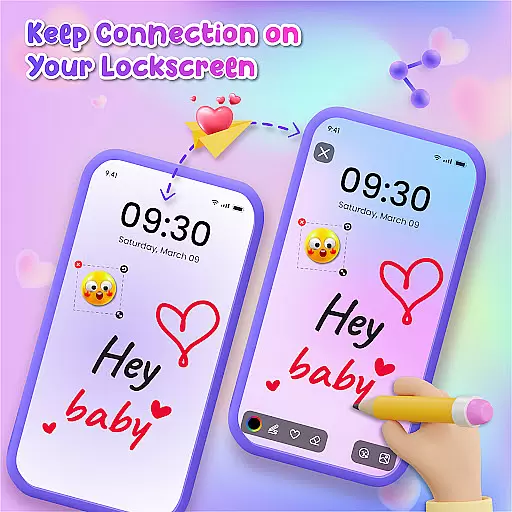
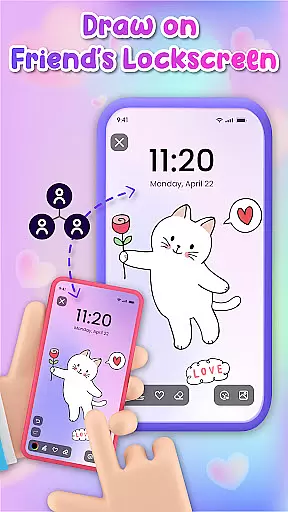
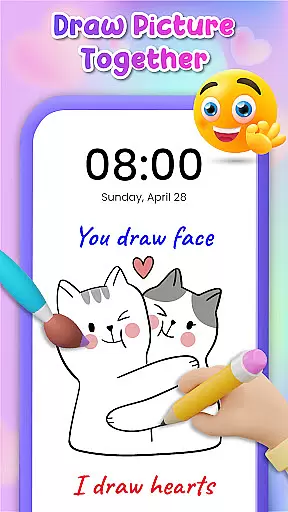
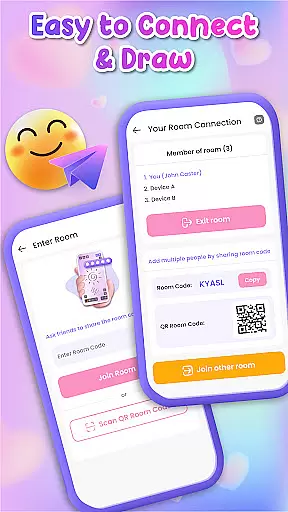
Lockscreen Drawing is a unique personalization app that transforms your phone's lock screen into an interactive canvas. This innovative application allows users to draw directly on their lock screens, share creations instantly with friends, and collaborate on artwork in real-time.
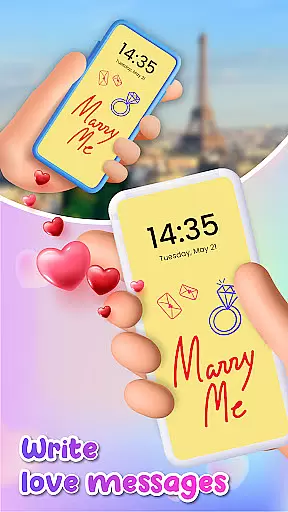
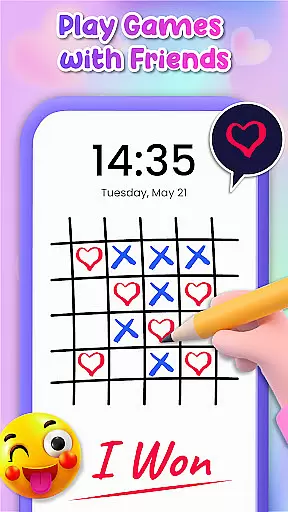
The app offers multiple creative options including various backgrounds, over 100 stickers, and different drawing interfaces. Users can express themselves through personalized doodles, create collaborative artwork with friends, or send romantic messages to loved ones. Its versatility makes it perfect for both casual doodlers and those seeking more meaningful connections.
This creative platform provides value by turning a typically static space into an interactive experience. Whether you're looking to unleash your artistic side or strengthen bonds through shared activities, Lockscreen Drawing offers a novel way to personalize your device while connecting with others.
Lockscreen Drawing stands out with its comprehensive set of features designed for maximum creativity. The app's main attraction is its live lock screen collaboration capability, allowing multiple users to draw simultaneously and see each other's strokes appear in real-time.
Beyond the core functionality, users can access a widget for quick viewing of friends' latest creations, utilize an in-app canvas for more detailed work, and choose from over 20 themed backgrounds. The inclusion of more than 100 free stickers adds extra personality to every drawing, while multiple connection methods make sharing artwork seamless.
Additional practical features include easy friend connections through QR codes and links, plus the ability to save and share finished pieces. These elements combine to create a robust platform that supports both spontaneous creativity and more thoughtful artistic expression.
Lockscreen Drawing offers a rich array of customization options that allow users to express their creativity in unique ways. With over 100 stickers and more than 20 themed backgrounds, the app ensures that every user can find something that resonates with their personal style.
The ability to choose from various backgrounds, including using personal photos, enhances the personal connection users have with their devices. This feature transforms the lock screen into not just a security measure but also a canvas for self-expression.
Moreover, the app's live collaboration feature adds another layer of customization by enabling real-time interaction with friends. Users can see each other's strokes as they happen, making it an engaging way to connect and create together, thus enriching the overall user experience.
Theme compatibility is at the heart of Lockscreen Drawing's design philosophy. The app seamlessly integrates with different themes, ensuring that whether you prefer a romantic or whimsical look, your lock screen remains visually cohesive and appealing.
Users can select from a wide range of themes available within the app, allowing them to match their device's appearance with their current mood or preferences. This flexibility ensures that the lock screen does not only serve a functional purpose but also reflects the user's personality.
In addition to its extensive theme options, Lockscreen Drawing supports creative expression through its widget and in-app canvas features. These tools maintain visual consistency across different themes, providing a unified yet customizable aesthetic that enhances the user's interaction with their device.
User-friendly interface
Real-time collaboration
Variety of creative tools
Free to use
Social connectivity
Limited advanced tools
Potential battery drain
Privacy concerns
May distract users
Requires constant connection

Customizable flower power digital watch face for Wear OS watches.
 4.00
4.00
Themes - Widget & Wallpaper: Customize home screen, icon changer w unique themes
4.30
Sparkle your screen with Glitter Wallpapers For Girls and Cute Backgrounds!
4.80
Customizable screen pets that play, climb, and keep you company.
4.50
Color phone with cool effects for call screen, flash alert & ringtones music
4.50
Custom edge gestures for volume control, brightness, apps, and shortcuts.
4.5
Crystal-clear, square icon provides a sleek and sophisticated visual upgrade
4.00
A minimalist productivity launcher. One-hand-friendly. Zero ads.
4.70
Emoji Maker app - Design custom emojis and effortlessly blend them with Mixer
3.80
Ultimate Gallery Lock App - Hide Pictures, Videos and Lock Apps Instantly!
4.60
Icons made of colorful linear lines
4.60
Choose your keyboard with RGB colors effect, themes, fonts, emojis.
4.60 4.50
4.50
Vibrant Adaptive Icons with Material You and Enhanced Monet Colors.
4.50
AI-powered Copilot. Personalized keyboard with gifs, stickers & themes
4.40
More than 3000+ themes and 9000+ wallpapers for everybody!
4.10
Run multiple accounts of the same app on a single device
4.10
Design your screen with unique, vibrant clocks
3.80
Your go to Weather App & Home Screen. Get your weather at a swipe of a finger!
3.80


User Reviews