
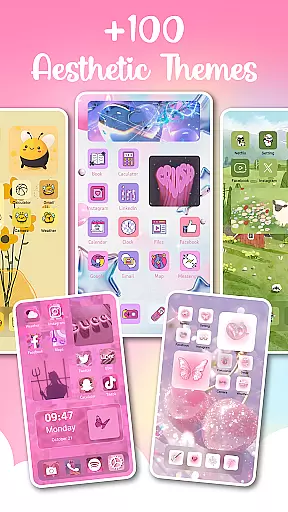
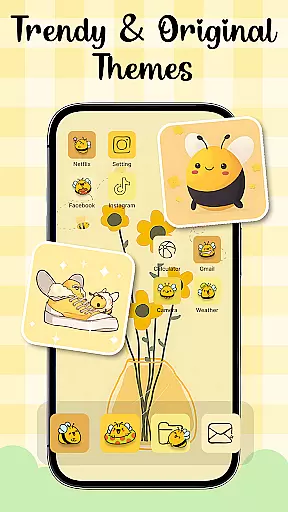
Themes - Widgets, Icon Changer is a comprehensive personalization app that allows users to transform their phone's interface into a unique and stylish work of art. With an extensive collection of wallpapers, themes, widgets, and icon packs, the app caters to diverse aesthetic preferences, from minimalist designs to vibrant art styles.
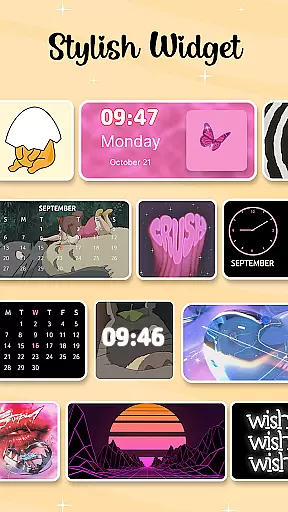
The app offers over 100 customizable widgets and various trendy themes such as anime, cute, aesthetic, and Kpop themes. Users can personalize their home screen with ease by selecting from a wide range of options including social media icons for platforms like Facebook, WhatsApp, Messenger, and Instagram. The intuitive design ensures that even daily wallpaper refreshes are possible with just one click.
Whether you're looking to customize your lock screen or create a personalized widget layout, Themes - Widgets, Icon Changer provides all the tools necessary to make your smartphone truly yours. Its regular updates and easy-to-use features make it an indispensable app for those who value aesthetics and personal expression in their mobile experience.
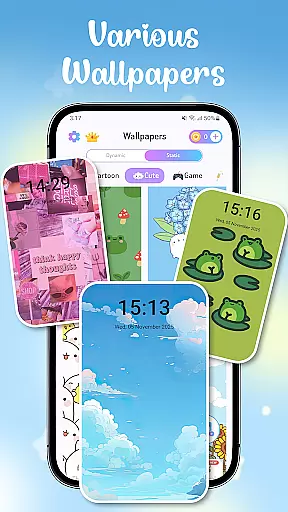
One of the standout features of Themes - Widgets, Icon Changer is its vast array of customization options. Users can choose from numerous wallpapers and themes, including anime, aesthetic, and holiday-themed backgrounds, ensuring there's something for every mood and occasion. The app also includes a variety of lock screen designs that add an extra layer of personalization.
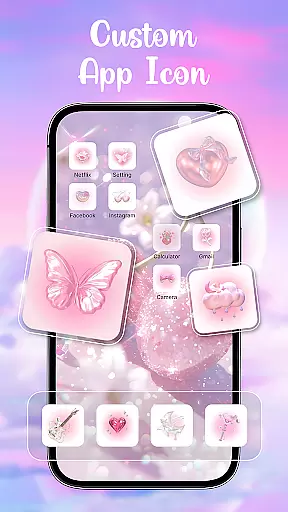
In addition to wallpapers and themes, the app offers over 100 stylish widgets that allow users to change the traditional appearance of their home screens. These widgets can be customized further by incorporating images from the user's gallery, providing endless creative possibilities. The app also features a wide selection of icon packs, including specialized icons for popular social media platforms, allowing for cohesive and personalized home screen aesthetics.
Themes - Widgets, Icon Changer stands out due to its user-friendly interface and constant updates. The app ensures that users have access to fresh content regularly, keeping their devices looking new and exciting. With dedicated permissions for accessibility services and media projection, the app maintains convenience without compromising user privacy, making it a reliable choice for personalizing your device.
Customization is at the heart of Themes - Widgets, Icon Changer, offering users a plethora of options to tailor their smartphone experience. This app provides an extensive selection of themes that cater to various tastes and moods, including anime, cute, aesthetic, and Kpop themes. The availability of such diverse themes ensures that users can constantly refresh their phone's appearance, aligning it with their personal style or current preferences.
In addition to themes, the app boasts over 100 widgets that break away from traditional screen appearances. These customizable widgets not only enhance functionality but also serve as a medium for personal expression. Users have the freedom to select images from their gallery and incorporate them into their widgets, creating a truly unique interface that reflects their individuality.
The app also features a rich collection of wallpapers and icon packs, which can be mixed and matched to create distinctive home screen combinations. With the ability to choose from a variety of social media icons and other app icons, users can ensure that every element of their phone's aesthetic is personalized. This level of customization empowers users to craft a device that is not just functional, but also a true extension of their personality.
Theme compatibility is a crucial aspect of the Themes - Widgets, Icon Changer app, ensuring that all customizations work seamlessly across different devices and screen sizes. The app is designed to offer a consistent experience, whether you're using a smartphone or tablet, making certain that your carefully selected themes, widgets, and icons retain their quality and appeal regardless of the device in use.
Moreover, the app commits to maintaining high standards of performance with regular updates and new content additions. This dedication means that users will always have access to fresh and trendy customization options that are compatible with their evolving device software. As operating systems receive updates, the app strives to adapt its offerings, preserving the integrity of the user's personalized settings without compromising on functionality.
With easy one-click replacement features, the app simplifies the process of updating your phone's look while guaranteeing compatibility. Whether changing wallpapers daily or experimenting with different themes, users can do so confidently, knowing that each choice will integrate smoothly into their device's ecosystem. This assurance allows for endless creativity and personalization without technical hindrances.
User-friendly interface
Extensive customization options
Regular content updates
Privacy-conscious design
Vibrant community support
Requires multiple permissions
Some features may need premium access
Occasional performance lags
Limited widget functionality on older devices
Ads in free version

Ultra realistic high quality analog watch face for Wear OS.
 4.60
4.60
Realistic animated snow on your wrist, with 10 images landscapes to choose from
4.00
Bring adorable pets to life on your screen. Playful, interactive and full of fun
4.60
Custom edge gestures for volume control, brightness, apps, and shortcuts.
4.4
Yandex Browser — stylish and secure, with voice search and data compression
4.40
Modern Glass Icon Pack with glossy icons, clean minimal theme & aesthetic style
4.5
Transform your phone with stunning video wallpapers and a unique, personal touch
3.80
Fast SMS & group chat - use GIFs and emojis from your home screen launcher.
4.50
Transform your phone with stylish zipper lock themes and 4D live wallpaper
4.10
Enjoy a variety of amazing live wallpapers and colorful EDGE lighting borders!
4.80
350+ widgets with a premium glass-style finish, perfect for home & lock screens.
4.70
A launcher for Samsung Good Lock and Good Guardians modules without ads
4.70
Make your phone look simple & luxury, like iDevice
4.60
Ultimate Gallery Lock App - Hide Pictures, Videos and Lock Apps Instantly!
4.60
Customize your home screen with stunning themes, blur, widgets & icons.
4.60 4.50
4.50 4.50
4.50
Vibrant Adaptive Icons with Material You and Enhanced Monet Colors.
4.50
HappyLighting is a Bluetooth lamp control software.
3.40


User Reviews