
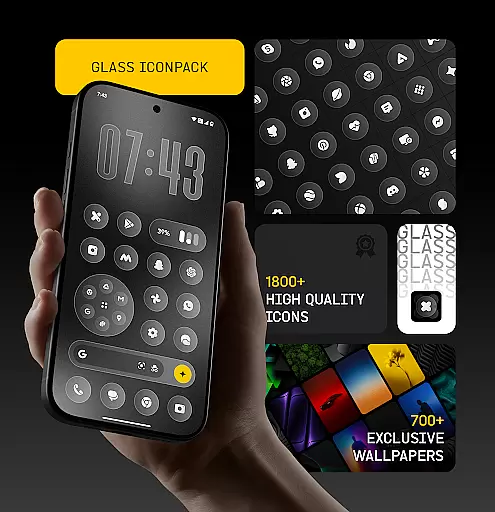
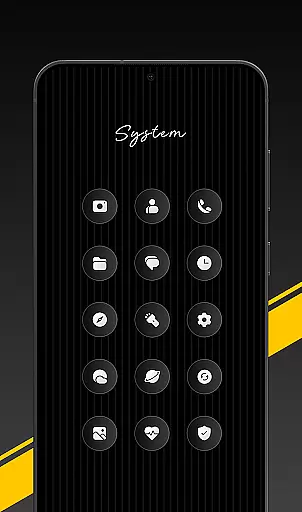
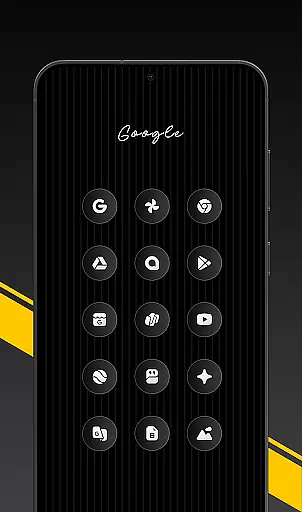
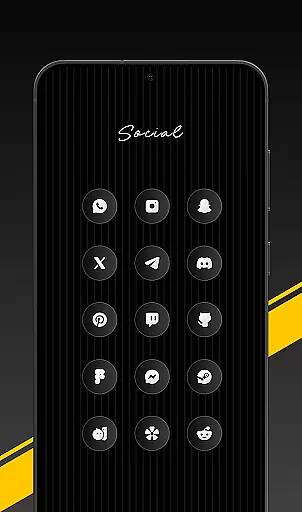
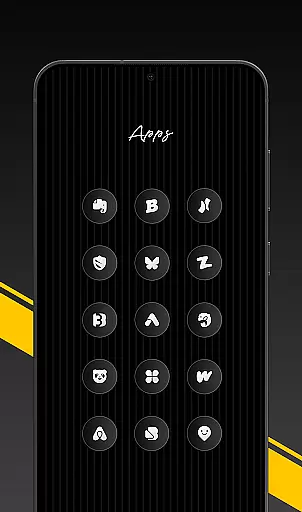
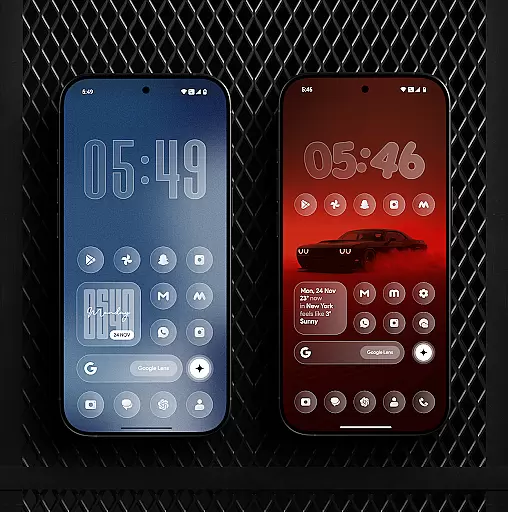
Glass Icon Pack is a premium collection of glossy, modern icons designed to enhance the aesthetic appeal of Android home screens. With over 1850 high-quality icons featuring a smooth glass effect and subtle depth, it offers users a sleek and timeless look.
The pack includes HD resolution icons, 700+ matching wallpapers, dynamic calendar support, and smart icon masking for unthemed apps. Regular updates ensure continuous improvements, while an easy-to-use dashboard allows for seamless navigation and icon management.
This icon pack stands out with its meticulously crafted design elements. Each icon boasts a polished glass effect that blends seamlessly with various wallpapers and setups, offering both minimalists and customization enthusiasts a refined experience.
Key features include 1850+ high-quality icons, HD resolution for crisp visuals, and 700+ gradient-themed wallpapers. The inclusion of dynamic calendar icons and smart masking ensures broader compatibility. Additionally, regular updates and free icon requests demonstrate the developer's commitment to quality and user satisfaction.
Glass Icon Pack offers an extensive range of customization options, ensuring that users can tailor their Android home screens to their exact preferences. With over 1850 high-quality glass icons, the pack covers a wide array of categories including system apps, social media, and tools.
Each icon is meticulously designed with a smooth glass effect, providing a glossy and modern aesthetic that enhances the visual appeal of any device. The inclusion of dynamic calendar icons and smart icon masking for unthemed apps further extends the customization possibilities.
Users also benefit from regular updates that introduce new icons and improvements, keeping their home screens fresh and up-to-date. This commitment to variety and quality ensures that there is an icon for almost every app, allowing for a cohesive and personalized device appearance.
The Glass Icon Pack stands out in its exceptional theme compatibility, making it a versatile choice for users seeking a harmonious home screen design. Compatible with a multitude of launchers, this pack allows seamless integration with various Android devices, including specific support for brands like Nothing, OnePlus, and Poco without the need for additional launchers.
In addition to launcher compatibility, the pack includes 700+ matching wallpapers inspired by glass and gradient themes. These wallpapers complement the icons perfectly, enhancing the overall visual experience and enabling users to create a unified look across their devices.
For those instances where an icon might not be available, the pack provides an easy-to-use dashboard with icon search and preview functionalities, along with free icon requests. This ensures that users can achieve complete theme compatibility and enjoy a fully customized and aesthetically pleasing home screen environment.
Premium glossy design
HD resolution icons
Regular feature updates
Smart icon masking
Free icon requests
Limited launcher support
No iOS compatibility
Some icons missing
Third-party dependency
Paid application

Themes - Widget & Wallpaper: Customize home screen, icon changer w unique themes
 4.30
4.30
AI-powered Copilot. Personalized keyboard with gifs, stickers & themes
4.40
Ultimate Gallery Lock App - Hide Pictures, Videos and Lock Apps Instantly!
4.60 4.10
4.10
Nothing Icon pack with more than 3750+ highly crafted icons.
4.70
Organize and manage your photos and videos effortlessly with Photo Gallery
4.20
Amazing letter fonts in your messages and social statuses
4.70
Fast SMS & group chat - use GIFs and emojis from your home screen launcher.
4.50
Transform your phone with stylish zipper lock themes and 4D live wallpaper
4.10
Only for Wear OS devices!
4.90
Ultra realistic high quality analog watch face for Wear OS.
4.60
Add cute Shimeji pets to screen, interact with them and relax with cute motions
4.60 4.50
4.50
Color phone with cool effects for call screen, flash alert & ringtones music
4.50
Romantic Kiss Stickers App. Start romantic messaging now!
4.30
Your home screen, just the way you like it.
4.30
Unique Fonts, typefaces and stylish text. Fonts for Instagram, Whatsapp & others
4.20 3.50
3.50
Turn your lock screen into fun with smile live wallpapers & animated wallpapers!
2.50


User Reviews