

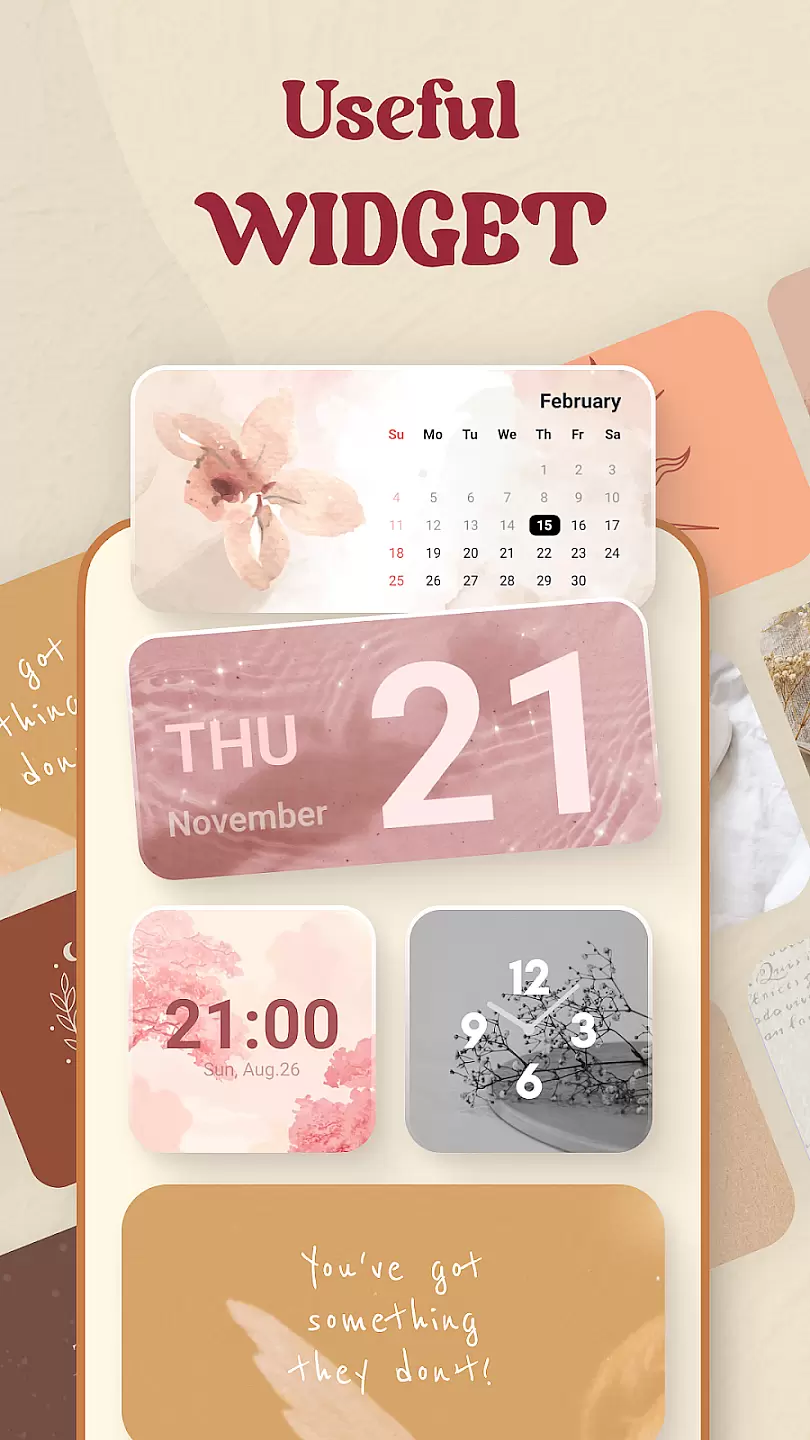
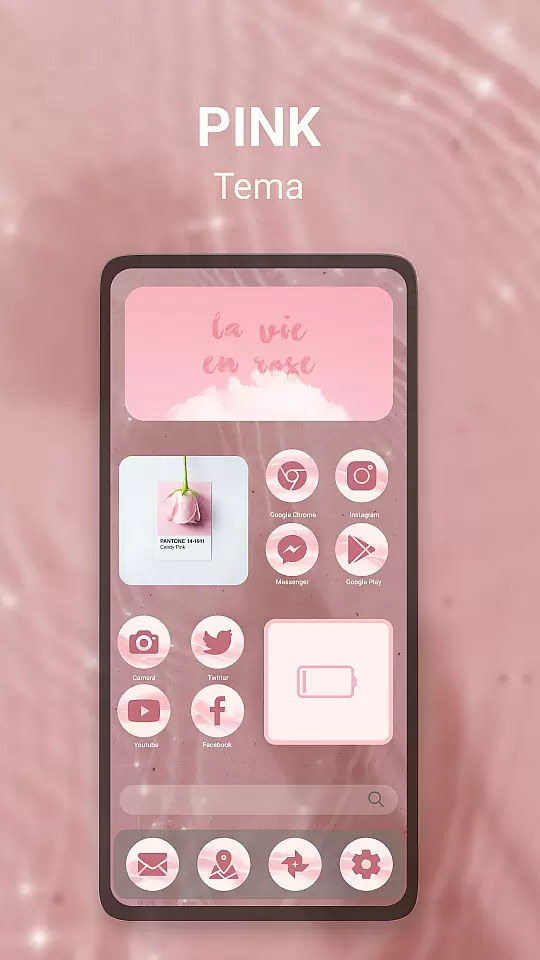
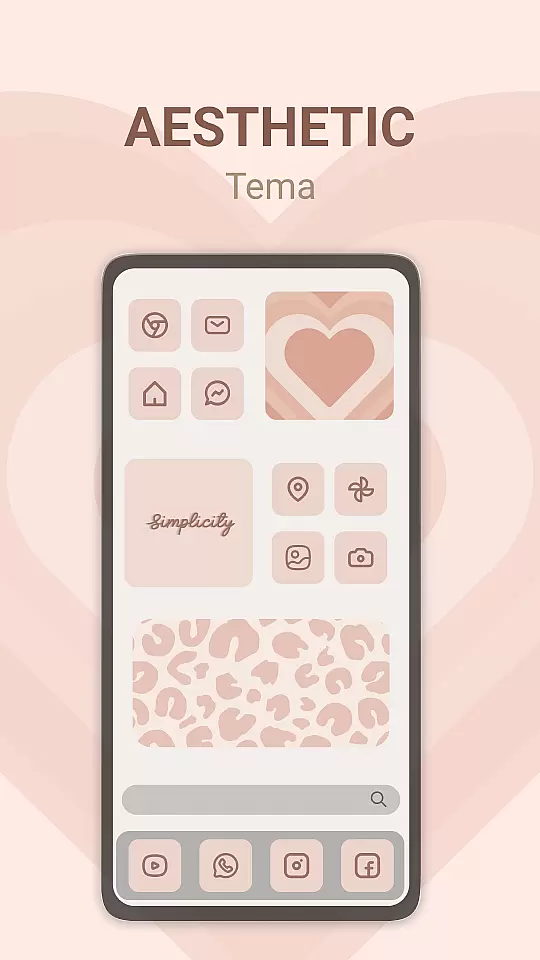
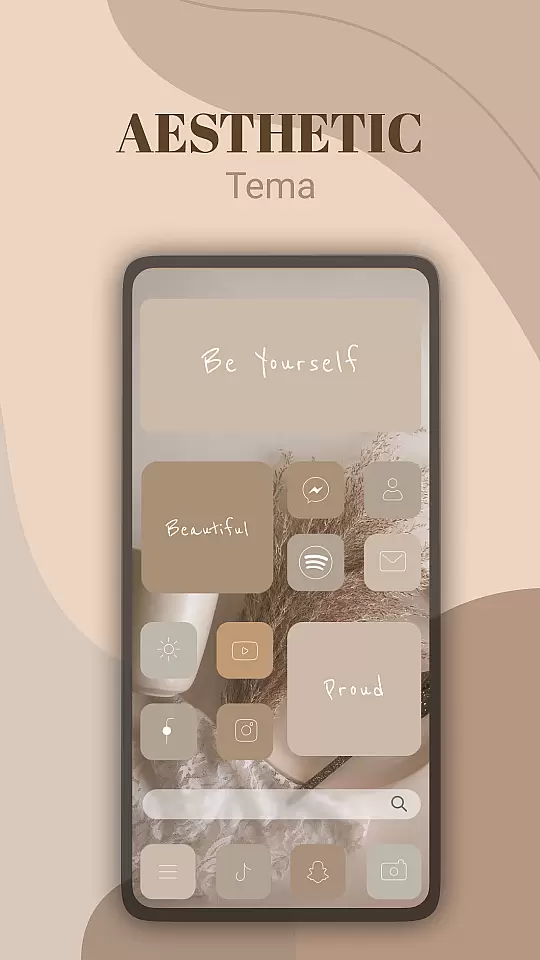
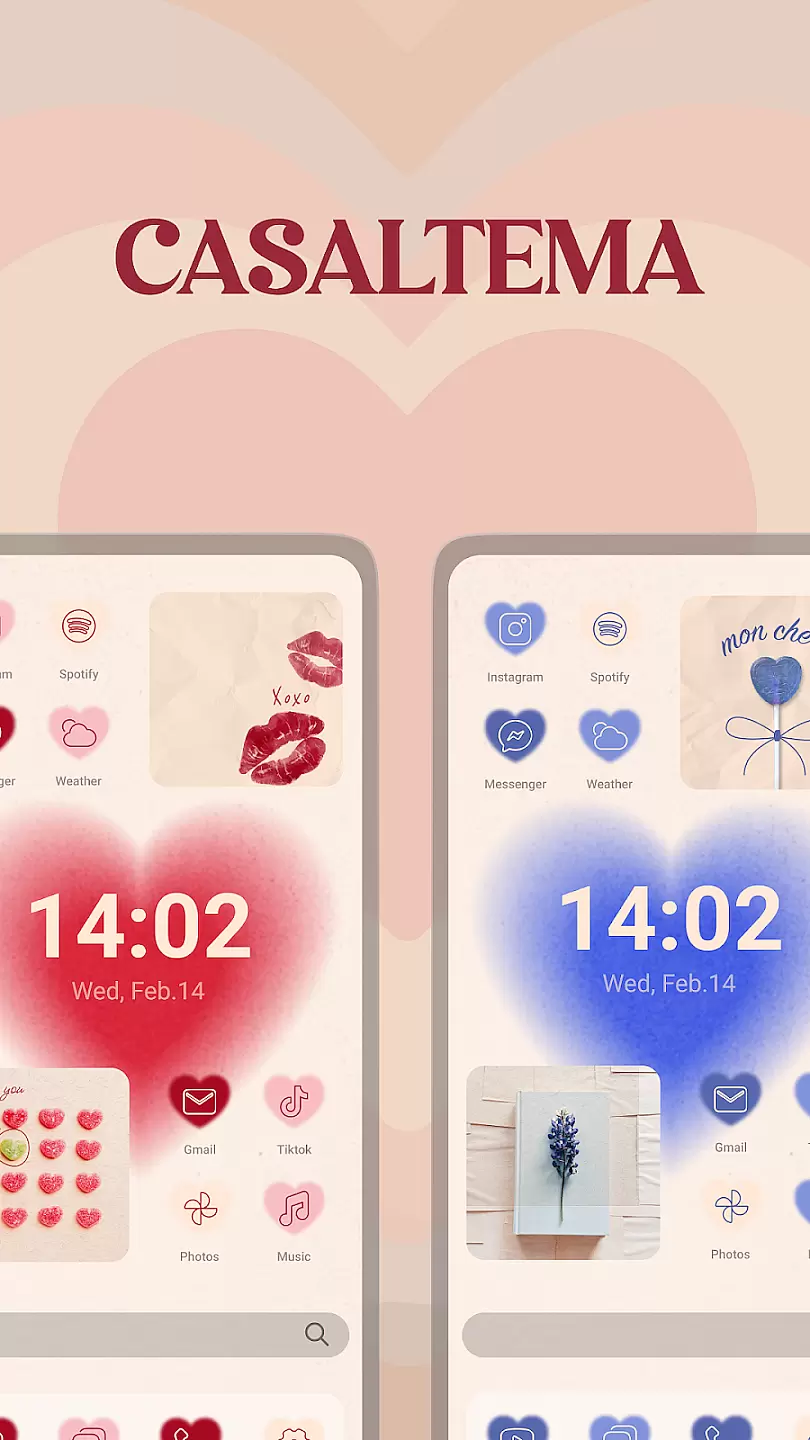
Theme, Widget & Icon Changer is a versatile personalization app that allows users to customize their smartphone experience. With an extensive library of themes, widgets, and icon packs, the app caters to those looking to break away from standard device aesthetics. Users can easily apply unique designs to their home screens, giving their devices a personalized touch.
The app's intuitive interface makes it simple to browse through various categories and apply changes instantly. Whether you're aiming for a sleek modern look or something more playful and colorful, this app provides numerous options to suit different tastes. The ability to preview changes before applying them ensures users can experiment with confidence.
This customization tool is particularly useful for individuals who want their devices to reflect their personality or mood. By offering regular updates and new design additions, the app keeps user experiences fresh and engaging. It represents a valuable resource for anyone seeking to enhance their smartphone's appearance while maintaining usability.
Theme, Widget & Icon Changer stands out with its comprehensive collection of customization options. The app features thousands of professionally designed themes that cover various styles, from minimalist to vibrant patterns. Each theme typically includes matching icons, wallpapers, and widget designs, ensuring a cohesive look across the entire device interface.
One notable feature is the app's advanced search and filtering system. Users can quickly find specific styles or designers by using detailed filters such as color schemes, popularity, or recent additions. The app also supports creating custom combinations by mixing elements from different themes, allowing for truly unique configurations. Additionally, the built-in editor enables users to modify existing designs or create their own from scratch.
The synchronization feature ensures that users' preferences are saved across multiple devices. Regular backups prevent losing favorite configurations, while the community sharing platform allows users to publish and download custom creations. These features collectively provide a powerful toolkit for personalizing Android devices beyond basic manufacturer settings.
Customization is at the heart of personalizing your device to truly make it yours. Theme, Widget & Icon changer offers a wide array of customization options that allow users to tailor their smartphone experience according to their preferences.
This application provides an extensive library of themes, widgets, and icon packs. Whether you prefer a sleek modern look or something more playful and colorful, this app has options to suit every style. Users can easily browse through categories or search for specific designs, ensuring they find exactly what they're looking for.
The ability to mix and match different elements gives users unparalleled control over their device's appearance. From changing app icons to applying system-wide themes, each choice enhances personal expression and usability. This flexibility ensures that your device not only looks unique but also functions in a way that best suits your daily needs.
Ultimately, the variety of customization options empowers users to keep their device fresh and exciting. Regular updates and new content ensure there's always something new to explore, keeping the user experience engaging and dynamic.
Ensuring that themes work seamlessly across different devices and operating systems is crucial for a smooth user experience. Theme, Widget & Icon changer excels in theme compatibility, making it easy for users to apply their favorite designs without worrying about technical glitches.
This app supports a wide range of devices and OS versions, ensuring that no matter what device you own, you'll be able to enjoy a fully customized experience. The development team rigorously tests each theme to guarantee it performs flawlessly, maintaining visual consistency and functionality.
Moreover, the app provides detailed compatibility information for each theme, so users know exactly what to expect before applying any changes. This transparency helps prevent issues and ensures a hassle-free customization process. If a particular theme doesn't support certain features or devices, this information is clearly communicated upfront.
By prioritizing theme compatibility, Theme, Widget & Icon changer delivers a reliable and enjoyable customization experience. Users can confidently explore new themes, knowing they will integrate smoothly with their existing setup, enhancing both aesthetics and performance.
User-friendly interface
Extensive theme library
Regular content updates
Custom combination support
Cross-device sync
Limited iOS compatibility
Some premium themes
Occasional bugs
Requires storage
Internet connection needed

Only for Wear OS devices!
 4.90
4.90
A launcher for Samsung Good Lock and Good Guardians modules without ads
4.70
Zip lock screen with magic wallpaper to decorate your phone with fun zipper lock
4.60
Vibrant Adaptive Icons with Material You and Enhanced Monet Colors.
4.50
Launcher OS™ Pro without ads help make your phone simple and pretty
4.30
Crystal-clear, square icon provides a sleek and sophisticated visual upgrade
4.00
Handcrafted pixel art icons, widgets & wallpapers
4.60
Transform your device in a game console
4.40
Enjoy a variety of amazing live wallpapers and colorful EDGE lighting borders!
4.80
350+ widgets with a premium glass-style finish, perfect for home & lock screens.
4.70
Glass style colourful icons with a One UI look and feel
4.60
Unique Android Launcher
4.60
Try creating your own keyboard with "Keyboard theme for android" app now!
4.50 4.50
4.50
Unique Fonts, typefaces and stylish text. Fonts for Instagram, Whatsapp & others
4.20
Unleash Your Creativity and Connect with Loved Ones with Lockscreen Drawing!
4.20
Customizable flower power digital watch face for Wear OS watches.
4.00
Design your screen with unique, vibrant clocks
3.80 3.50
3.50


User Reviews