
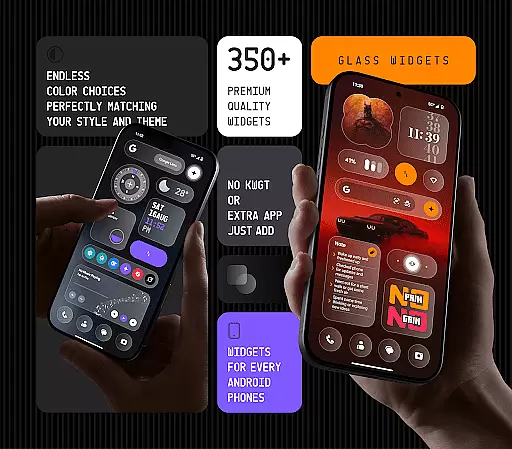
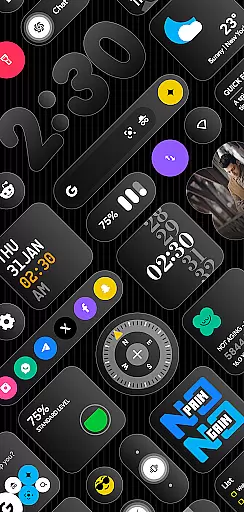
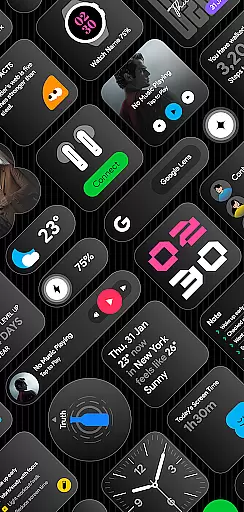
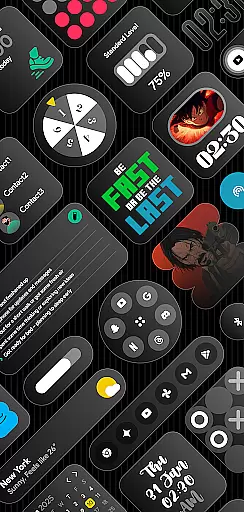
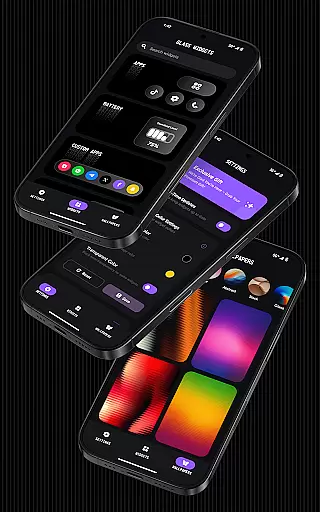
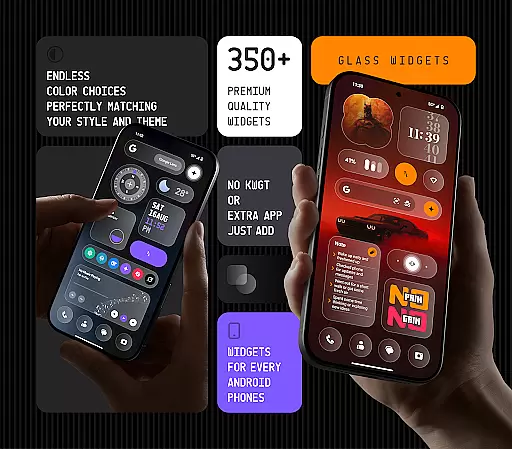
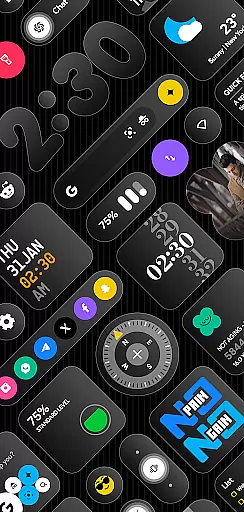
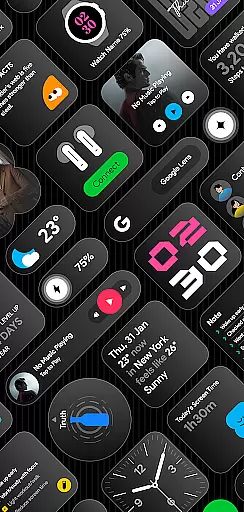
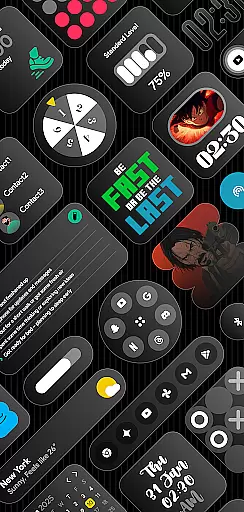
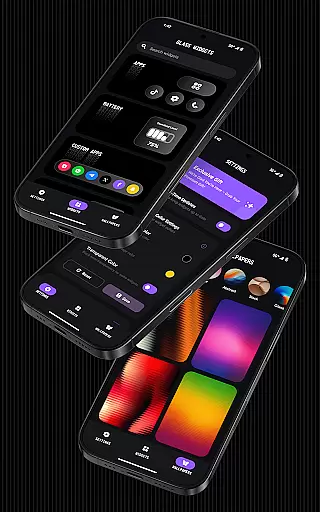
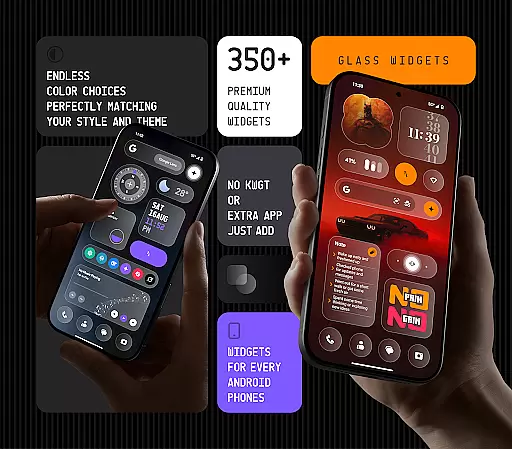
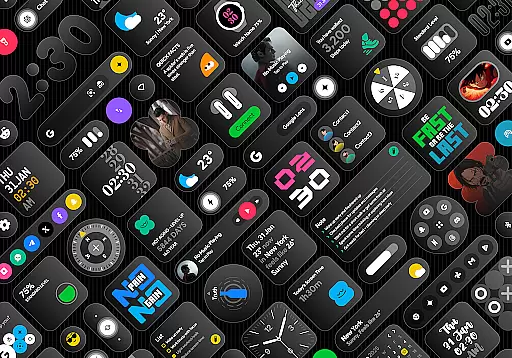
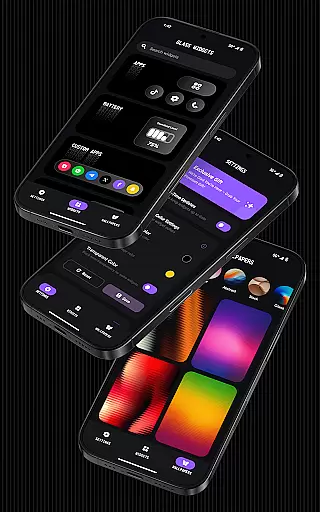
Glass Widgets offers a stunning collection of 350+ glass-style widgets designed to enhance the appearance and functionality of any Android device. These sleek, transparent widgets provide users with essential information such as time, weather, calendar events, battery status, and more, all while maintaining a modern and stylish look.
What sets Glass Widgets apart is its versatility and customization options. Users can personalize colors, choose from a wide variety of widget types, and enjoy support for both home and lock screens. The app also includes battery-friendly features, regular updates with new widget designs, and a seamless installation process that requires no additional apps.
Ideal for those who appreciate minimalist aesthetics, Glass Widgets allows you to create a personalized and visually appealing home screen setup that perfectly matches your style. Whether you're looking to upgrade your device's appearance or streamline your daily tasks, this app delivers both form and function in one comprehensive package.
Glass Widgets stands out with its extensive range of features tailored to provide both aesthetic appeal and practical utility. One of the key highlights is the vast selection of over 350 beautifully crafted widgets, each featuring a sleek glass finish that adds a touch of elegance to any Android device. These widgets cover a broad spectrum of functionalities including clocks, weather updates, calendars, battery indicators, step counters, quotes, compasses, and quick settings.
The app excels in customization, allowing users to adjust widget colors to match their preferences and device themes. It supports both home and lock screens, ensuring that vital information is always accessible. Additionally, Glass Widgets provides unique designs such as minimal, stylish, transparent, and personalized options, catering to diverse user tastes. The inclusion of glass-effect wallpapers further enhances the cohesive look of your device.
Performance-wise, Glass Widgets is optimized for speed and efficiency, ensuring smooth operation without draining your battery. Regular updates introduce fresh content, keeping your home screen dynamic and engaging. With real-time updates powered by foreground services and exact alarms, users can rely on accurate and timely information delivery, making Glass Widgets an indispensable tool for personalizing and enhancing your Android experience.
Customization is at the heart of personalizing your digital experience, and Glass Widgets excels in providing a vast array of options to tailor your Android device to your unique style. With over 350 beautifully crafted glass-style widgets, this application allows users to modify their home and lock screens with ease.
The app offers customizable colors, enabling you to set your widgetu2019s hue to match your personal preference or device theme. Whether you're looking for minimalistic designs or something more vibrant and personalized, Glass Widgets caters to all tastes. The transparent and sleek finish of each widget ensures that they blend seamlessly with any wallpaper or design scheme you have.
Beyond aesthetics, the practicality of having a wide variety of widget types cannot be overstated. From clocks and weather forecasts to battery indicators and step counters, every essential tool can be made available at a glance. This extensive selection not only enhances convenience but also streamlines your interaction with the smartphone, making daily tasks more efficient.
By integrating such a diverse range of customization possibilities, Glass Widgets empowers users to create an intuitive and visually appealing interface without needing additional applications like KWGT. The ability to instantly install and utilize these features makes personalization accessible to everyone, ensuring your device truly reflects your personality and needs.
Theme compatibility is crucial for maintaining a cohesive look across your device, and Glass Widgets has been designed to integrate effortlessly with any Android theme. This seamless integration ensures that whether you prefer a light, dark, or system-default theme, the widgets will adapt and maintain visual harmony with your chosen aesthetic.
Glass Widgets supports both home and lock screens, which means that regardless of where you are interacting with your device, the experience remains consistent and engaging. The transparency and modern glass-effect design of the widgets allow them to complement existing themes rather than clash with them, preserving the integrity of your device's appearance.
In addition to supporting various themes, the app provides glass-effect wallpapers that perfectly blend with the widgets. These wallpapers enhance the overall visual appeal, creating a unified and polished look that elevates the entire user interface. By offering wallpapers alongside widgets, Glass Widgets ensures that every element on your screen works together to deliver a sophisticated and harmonious design.
Furthermore, regular updates bring fresh content while maintaining theme compatibility, so users always have access to new and exciting ways to personalize their devices. This commitment to compatibility and continuous improvement guarantees that your Android device remains both functional and fashionable, adapting to your evolving preferences without missing a beat.
Wide widget variety
Easy customization
Battery efficient
Regular updates
Sleek design
Limited iOS support
Advanced features locked
Occasional bugs
High memory use
Ads in free version

A retro cartoon style watch face and a punch right in the face of the copyright
 4.60
4.60
Interactive Miniature Painting Catalogue
3.30 4.50
4.50
Embrace the Night. Unleash the power of darkness with Raven Dark Icon Pack
4.60
Icons made of colorful linear lines
4.60
Choose your keyboard with RGB colors effect, themes, fonts, emojis.
4.60
300+ widgets inspired by Material You and Material 3 expressive design.
4.60
Your home screen, just the way you like it.
3.80
Cool custom fonts & keyboard themes! Symbols & font changer for Instagram
4.50
Vibrant Adaptive Icons with Material You and Enhanced Monet Colors.
4.50
A light in the dark, a unique style and an andless cutomization!
4.30
Launcher OS™ Pro without ads help make your phone simple and pretty
4.30
Your home screen, just the way you like it.
4.30
Wear Os Watch Face - Seasonal - Animated Snow Effect - 9 Animals
4.20
Realistic animated snow on your wrist, with 10 images landscapes to choose from
4.00
Design your screen with unique, vibrant clocks
3.80
Customize glowing edges, wallpapers, and caller screen with EdgeAura.
3.50
Struggling to find apps? Use this app to locate and open any app on your phone!
2.20
Custom edge gestures for volume control, brightness, apps, and shortcuts.
4.3


User Reviews