
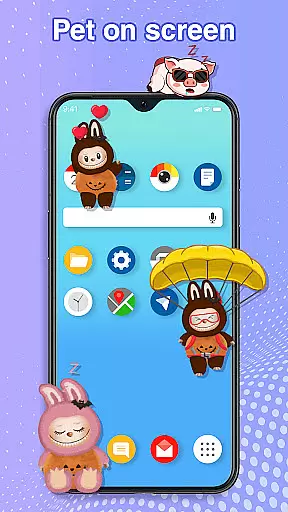
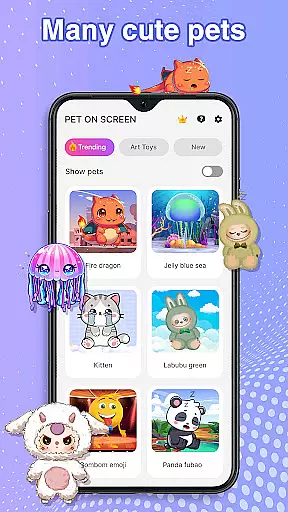
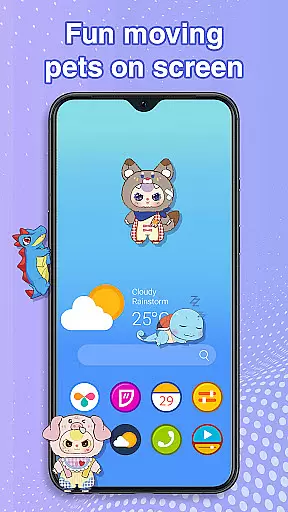
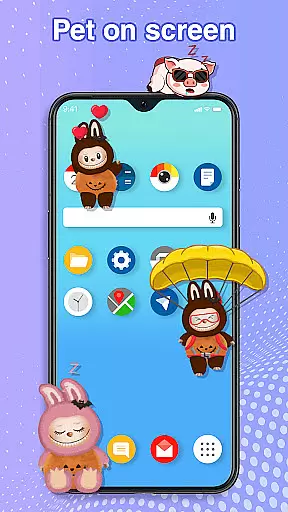
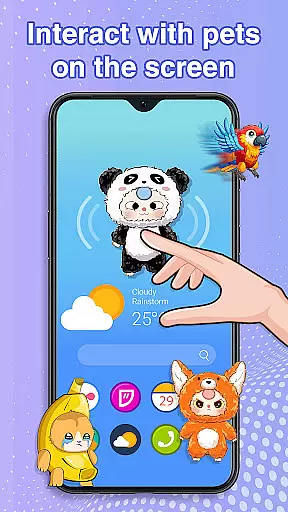
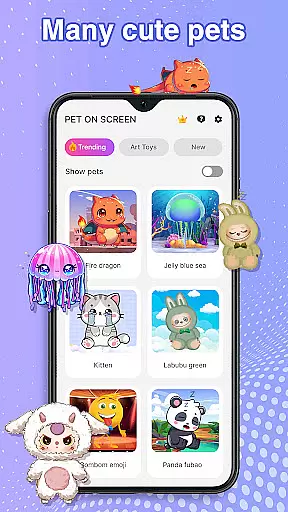
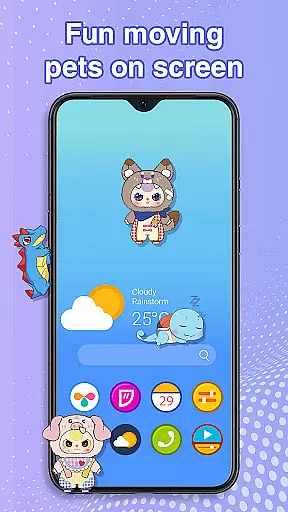
Pet On Screen - Desktop Pet is a delightful personalization app that brings charming virtual pets to your mobile screen. With an extensive collection of unique and colorful creatures, this app allows users to customize their phone experience with playful companions such as Jellyfish, Fire Dragon, Labubu, Panda, Turtle, and Parrot.
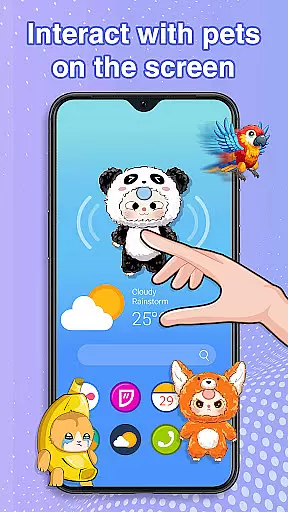
These interactive pets can be freely moved around the screen, respond to touch, and even exhibit random movements, creating a lively and engaging atmosphere. The app also offers customization options for size and movement speed, ensuring seamless integration with your daily activities without interrupting work or entertainment.
Ideal for those seeking moments of joy and relaxation, Pet On Screen serves as a digital stress reliever. Whether you're working under pressure or simply looking to add some fun to your day, these adorable pets are sure to bring a smile to your face and make your phone feel more alive.
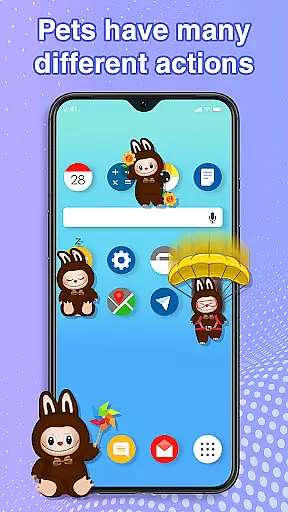
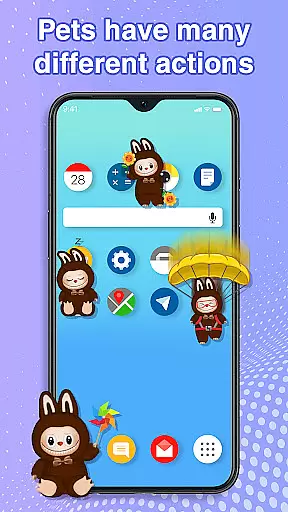
The standout feature of Pet On Screen - Desktop Pet is its diverse range of interactive pets, each with unique characteristics and animations. From the soothing Jellyfish to the energetic Labubu, every pet offers a distinct experience tailored to different moods and preferences.
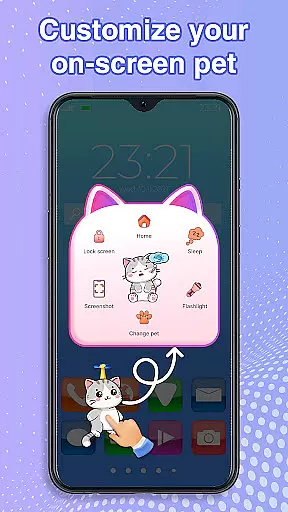
Users can enjoy fun interactions by dragging and dropping their pets anywhere on the screen, tapping them to trigger cute responses, and caring for them by letting them sleep or waking them up for playtime. These features ensure that boredom is never an option.
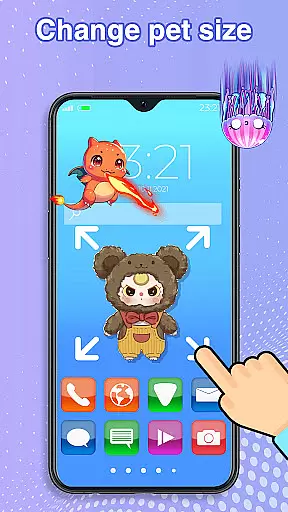
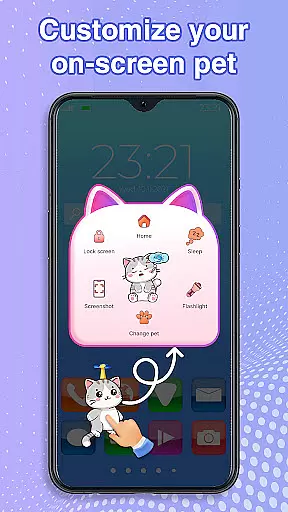
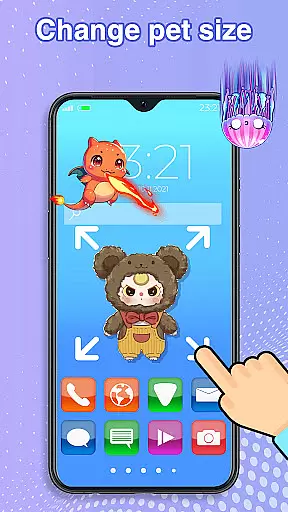
Customization is key in this app, allowing users to adjust pet sizes and movement speeds according to their liking. Additionally, the ability to switch between various pets at any time provides endless variety and personalization possibilities, making it a versatile tool for enhancing your mobile environment.
Customization is at the heart of Pet On Screen - Desktop Pet, allowing users to tailor their experience to their personal preferences. With a diverse array of pets available, each bringing its unique charm and personality, users can select companions that resonate with their mood or style.
The app goes beyond just choosing pets; it offers extensive control over how these digital companions behave and appear on your screen. You have the freedom to adjust the size of your pets, determining whether they are subtle additions or bold features of your mobile environment. Additionally, setting the movement speed lets you decide if your pets should leisurely stroll across the screen or dash about in energetic bursts.
This level of customization ensures that every interaction with Pet On Screen - Desktop Pet feels personal and engaging. Whether it's a majestic Fire Dragon making a grand appearance during your breaks or a soothing Jellyfish gently floating by as you work, the power to customize makes each moment delightful.
Ultimately, this application transforms an ordinary phone screen into a dynamic and personalized space. By offering such a rich tapestry of customization options, Pet On Screen - Desktop Pet not only enhances user engagement but also fosters a deeper connection between users and their digital companions.
Pet On Screen - Desktop Pet excels in theme compatibility, ensuring that no matter what your phoneu2019s aesthetic is, thereu2019s a pet that fits right in. The app supports various themes, from vibrant and playful to calm and serene, matching the visual tone you desire for your device.
Each pet comes with its own set of animations and interactions that are carefully designed to be visually harmonious with different themes. For instance, the gentle floating of a Jellyfish complements a tranquil ocean-themed background, while the energetic hopping of Labubu perfectly suits a lively and colorful setup.
Moreover, the ability to switch between pets effortlessly means you can align your companion with seasonal themes or special occasions. Imagine having a festive-themed pet during holidays or a romantic one for Valentineu2019s Day u2013 all possible within this versatile app.
By prioritizing theme compatibility, Pet On Screen - Desktop Pet guarantees that your chosen pet will always enhance rather than clash with your phoneu2019s look. This thoughtful design aspect allows users to maintain a cohesive and appealing mobile interface while enjoying the company of their virtual pets.
User-friendly interface
Wide variety of pets
Highly customizable options
Engaging and interactive features
Smooth performance
Requires accessibility permission
Limited to Android devices
No multiplayer functionality
Pets may distract during work
Some features need improvement

Glass style colourful icons with a One UI look and feel
 4.60
4.60
Transform your phone with Launcher iOS 26 - Smooth & elegant iOS experience
4.50
More than 3000+ themes and 9000+ wallpapers for everybody!
4.10
Customize your home screen with stunning themes, blur, widgets & icons.
4.60
Custom edge gestures for volume control, brightness, apps, and shortcuts.
4.5
Choose your keyboard with RGB colors effect, themes, fonts, emojis.
4.60
Unleash Your Creativity and Connect with Loved Ones with Lockscreen Drawing!
4.20
Adorable pets roam and play right on your phone screen!
3.30
300+ widgets inspired by Material You and Material 3 expressive design.
4.60
Winter's Journey: digital watch face for Galaxy Watch & Wear OS
4.80
Sparkle your screen with Glitter Wallpapers For Girls and Cute Backgrounds!
4.80
350+ widgets with a premium glass-style finish, perfect for home & lock screens.
4.70
Ultimate Gallery Lock App - Hide Pictures, Videos and Lock Apps Instantly!
4.60
Organize and manage your photos and videos effortlessly with Photo Gallery
4.20
Realistic animated snow on your wrist, with 10 images landscapes to choose from
4.00
Design your screen with unique, vibrant clocks
3.80
Your go to Weather App & Home Screen. Get your weather at a swipe of a finger!
3.80 3.50
3.50
⭐ OneUI inspired Fluffy Icon Pack – Soft. Stylish. Standout. ⭐
4.2


User Reviews