
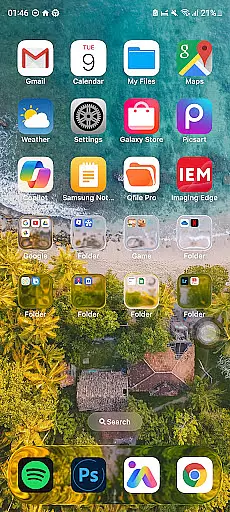
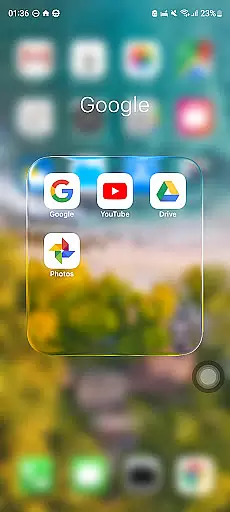
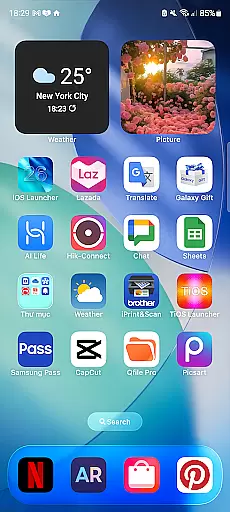
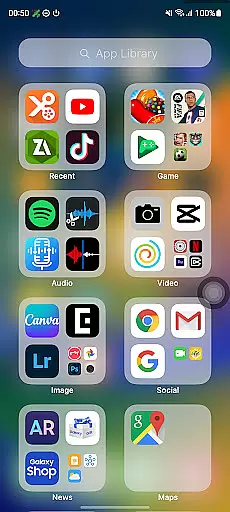
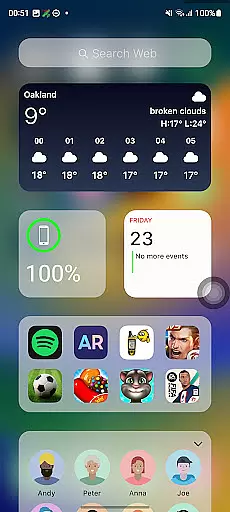
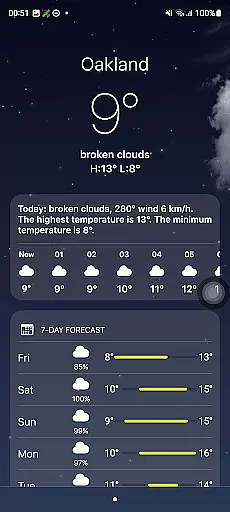
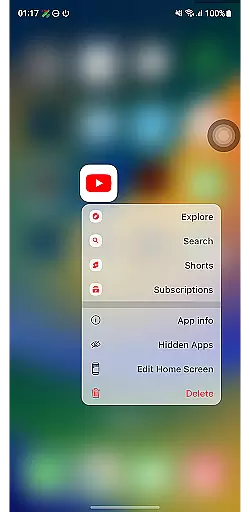
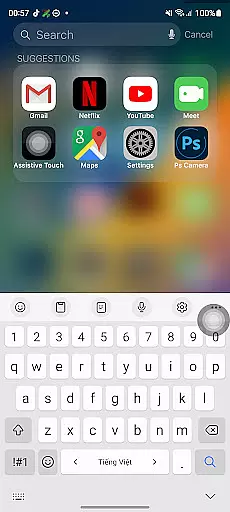
Launcher iOS 26 brings the iconic iPhone experience to Android devices, offering users a familiar interface with enhanced functionality. Designed for those who appreciate the polished aesthetics and intuitive controls of iOS, this launcher transforms the Android home screen into a sleek, iPhone-inspired environment.
The app goes beyond visual appeal by integrating practical features such as a Control Center for quick access to essential functions, customizable wallpapers that mirror the iPhone's personalization options, and an overall smoother navigation experience. Launcher iOS 26 is ideal for Android users seeking the best of both worlds - the flexibility of Android combined with the refined user experience of iOS.
Whether you're transitioning from an iPhone or simply want to refresh your Android device, Launcher iOS 26 provides a seamless way to personalize and simplify your mobile interactions while maintaining the powerful capabilities of the Android platform.
Launcher iOS 26 stands out with its comprehensive replication of the iPhone's signature features tailored for Android. The app meticulously recreates the authentic iOS look and feel, ensuring users enjoy a polished design reminiscent of Apple's ecosystem.
Beyond aesthetics, Launcher iOS 26 incorporates functional enhancements inspired by the iPhone. These include a swipe-accessible Control Center that consolidates frequently used settings, similar to the iPhone’s own feature. Additionally, users can customize their home screens with wallpapers just like on an actual iPhone, providing a personalized touch to the Android experience.
Other notable features include easy access to favorite apps through intuitive gestures, akin to AssistiveTouch functionality. This combination of aesthetic fidelity and practical utility makes Launcher iOS 26 a compelling choice for users looking to elevate their Android devices with an iOS-inspired interface.
Launcher iOS 26 offers a rich array of customization options that allow users to tailor their Android experience to closely mimic the familiar iPhone interface. This includes not only aesthetic elements but also functional features inspired by the iPhone's intuitive design.
The launcher provides an authentic iOS look and feel, enabling users to immerse themselves in a polished design that they are accustomed to. With customizable wallpapers, users can personalize their home screens just like on an actual iPhone, offering a unique and individualized touch to their device's appearance.
Beyond visual customization, Launcher iOS 26 enhances functionality with features such as the Control Center which is accessible with a simple swipe, akin to the iPhoneu2019s own quick settings panel. This allows for swift adjustments to device settings without navigating through menus, thus streamlining daily usage.
Quick Access is another feature adapted from the iPhone's AssistiveTouch, providing fast access to favorite apps and actions. These customization options collectively ensure that Launcher iOS 26 delivers both form and function, making it more than just a visual overlay but a comprehensive personalization tool for Android users.
Theme compatibility in Launcher iOS 26 ensures that users can enjoy a seamless integration of themes across their Android devices, maintaining visual consistency with the iPhone-inspired design language. The application supports various themes that align with iOS aesthetics, allowing for an uninterrupted user experience.
Users have the freedom to apply themes that best suit their style while retaining the core functionalities reminiscent of an iPhone interface. Whether it's adopting a minimalist approach or opting for vibrant colors, Launcher iOS 26 caters to diverse preferences without compromising on the authenticity of the iOS look and feel.
In addition to supporting different visual themes, Launcher iOS 26 maintains operational harmony by ensuring all elements are fully compatible with its system. This means every icon, widget, or menu conforms to the same design principles found in iPhones, delivering uniformity throughout the user interface.
By prioritizing theme compatibility, Launcher iOS 26 guarantees that whether you're adjusting your control center or setting your wallpaper, each element works cohesively within the launcheru2019s environment. This dedication to compatibility enriches the overall user experience by combining aesthetic appeal with functional integrity.
User-friendly interface
Authentic iOS aesthetics
Customizable wallpapers
Convenient Control Center
Quick app access
Limited to Android
May lack native iOS performance
Potential compatibility issues
Not all iOS features included
Requires manual updates

Wear Os Watch Face - Seasonal - Animated Snow Effect - 9 Animals
 4.20
4.20
3D, live, and moving wallpapers & themes in 4K and HD for your device.
4.50
Try creating your own keyboard with "Keyboard theme for android" app now!
4.50 3.50
3.50
Color phone with cool effects for call screen, flash alert & ringtones music
4.50
Your go to Weather App & Home Screen. Get your weather at a swipe of a finger!
3.80
Transform your phone with stunning video wallpapers and a unique, personal touch
3.80
Your home screen, just the way you like it.
3.80
Cool custom fonts & keyboard themes! Symbols & font changer for Instagram
4.50
A Colorful and Minimal icon pack in an Outline Style - Over 13,600 icons!
4.70
Vertically oriented rectangular icons
4.70
A launcher for Samsung Good Lock and Good Guardians modules without ads
4.70
Personalize your phone with stunning HD and 4K wallpapers!
4.70
Unique Android Launcher
4.60
200+ Material Inspired Widgets
4.50
Launcher OS™ Pro without ads help make your phone simple and pretty
4.30
Customizable flower power digital watch face for Wear OS watches.
4.00
Emoji Maker app - Design custom emojis and effortlessly blend them with Mixer
3.80
Struggling to find apps? Use this app to locate and open any app on your phone!
2.20


User Reviews