
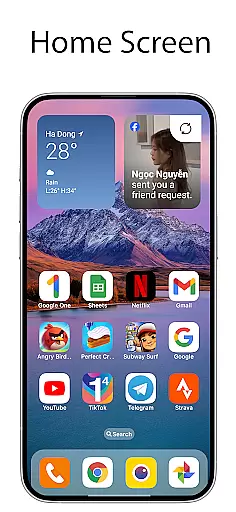
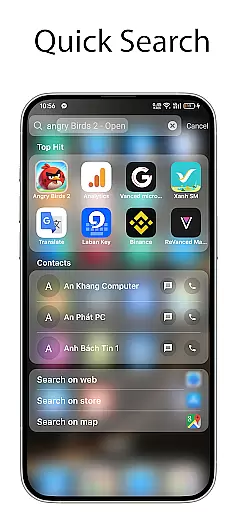
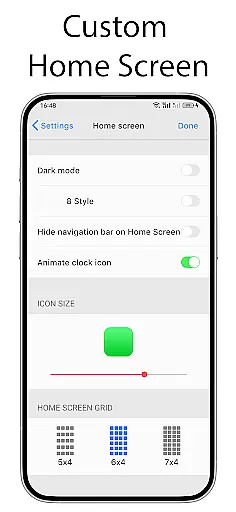
OS Launcher 18 - Phone 16 Max is a personalization app that transforms the visual appearance of Android devices into a more simple and luxurious interface. The app offers users a customized experience by providing unique app icons, wallpapers, and other specific features. It allows Android users to customize their device to match a Simple interface while maintaining the functionality and versatility of the Android operating system.
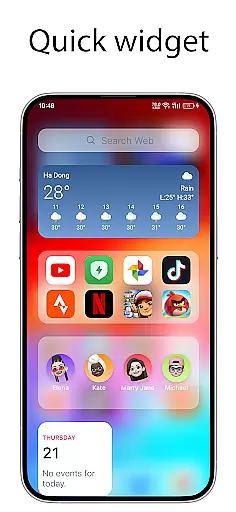
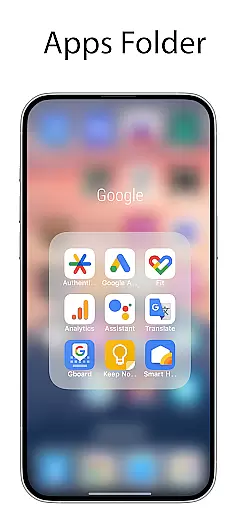
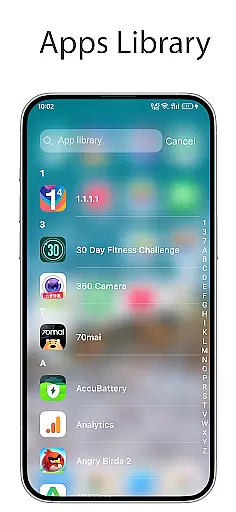
The launcher includes an Apps Library to categorize apps, a Lock App feature for added security, and a Today View that displays weather information, favorite contacts, and calendar events. Users can also create folders by dragging and dropping apps, access a beautiful weather forecast, and add cool widgets to the home screen. With customizable icons, the ability to hide apps, and unread notification dots, OS Launcher 18 provides a comprehensive personalization solution.
This app is ideal for users who want to enhance their Android device's aesthetics without compromising on functionality. Whether you're looking to simplify your interface or add luxury to your device, OS Launcher 18 caters to those seeking a personalized and secure mobile experience.
OS Launcher 18 - Phone 16 Max boasts a variety of features designed to enhance user experience. One of its main attractions is the Apps Library, which helps organize apps into categories, making navigation seamless. The Lock App feature adds a layer of security by preventing unauthorized access to certain apps, ensuring privacy.
Another highlight is the Today View, offering quick access to essential information such as weather updates, favorite contacts, and upcoming calendar events. The app also supports the creation of folders by simply dragging and dropping apps together, streamlining app management. Additionally, it provides a visually appealing Weather forecast with detailed insights like temperature, wind speed, and humidity.
Users can further personalize their home screens with various cool widgets and customizable app icons. The Hide Apps feature allows users to conceal apps from the home screen, while the Unread Notification Dot discreetly alerts users about unread messages. These features collectively offer a versatile and tailored user experience.
OS Launcher 18 - Phone 16 Max offers a wide array of customization options that allow users to personalize their Android devices extensively. This includes the ability to modify app icons and names, hide apps from the home screen, and create folders by simply dragging and dropping apps onto each other.
The launcher also features an Apps Library that organizes applications into categories, making it easier for users to navigate and manage their apps. Additionally, users can access a Today View that displays weather information, favorite contacts, and calendar events, providing quick access to essential information right from the home screen.
With customizable widgets and unread notification dots, users can further tailor their experience by adding functional elements to their home screens and staying informed about unread messages. These diverse customization options ensure that users can create a personalized and efficient interface that suits their individual preferences and needs.
Theme compatibility is a crucial aspect of OS Launcher 18 - Phone 16 Max, ensuring that users can seamlessly integrate various themes to achieve a cohesive visual style across their device. The launcher supports a range of beautiful wallpapers and icon packs, allowing users to transform their device's appearance to match their desired aesthetic.
In addition to visual enhancements, the launcher maintains compatibility with the core functionalities of the Android operating system. This means that while users enjoy a luxury and simplified interface reminiscent of other popular designs, they do not lose access to essential Android features such as app categorization, weather forecasts, and widget support.
By focusing on both form and function, OS Launcher 18 - Phone 16 Max ensures that users can enjoy a visually appealing experience without sacrificing the versatility and performance expected from their Android devices. This balance makes it an ideal choice for those seeking a sophisticated yet practical customization solution.
User-friendly interface
Highly customizable options
Enhanced security features
Variety of useful widgets
Comprehensive weather information
May require frequent updates
Potential compatibility issues
Some features may drain battery
Limited default themes
Occasional performance lags

Only for Wear OS devices!
 4.90
4.90
3D, live, and moving wallpapers & themes in 4K and HD for your device.
4.50
Gun Chase - Let the chase begin.
4.80
Customize your home screen with stunning themes, blur, widgets & icons.
4.60
Organize and manage your photos and videos effortlessly with Photo Gallery
4.20
Choose your keyboard with RGB colors effect, themes, fonts, emojis.
4.60
Stylish Pink Cute Hippo keyboard with 10000+ customized keyboard themes!
4.60
350+ widgets with a premium glass-style finish, perfect for home & lock screens.
4.70
Transform your phone with stylish zipper lock themes and 4D live wallpaper
4.10
Winter's Journey: digital watch face for Galaxy Watch & Wear OS
4.80
100+ Stylish Fonts, Emojis, Symbols keyboard for Instagram & TikTok!
4.80
Nothing Icon pack with more than 3750+ highly crafted icons.
4.70
400+ Beautifully crafted widgets inspired by NOTHING.
4.70
Customizable screen pets that play, climb, and keep you company.
4.50
Vibrant Adaptive Icons with Material You and Enhanced Monet Colors.
4.50
Customizable flower power digital watch face for Wear OS watches.
4.00
Crystal-clear, square icon provides a sleek and sophisticated visual upgrade
4.00
Adorable pets roam and play right on your phone screen!
3.30
⭐ OneUI inspired Fluffy Icon Pack – Soft. Stylish. Standout. ⭐
4.0


User Reviews