
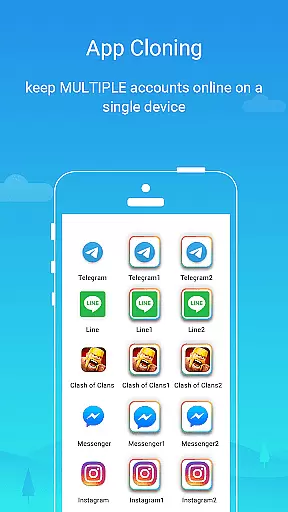
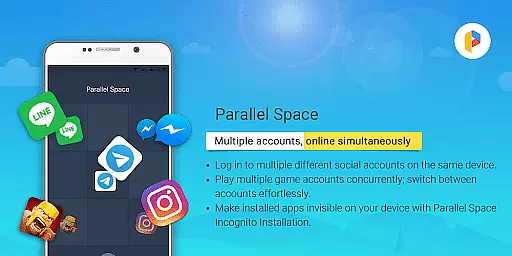
Parallel Space is a powerful Android tool that allows users to clone and run multiple accounts of the same app simultaneously. With over 200 million users, it provides a seamless experience for managing multiple accounts on a single device. The app supports 24 languages and is compatible with most Android apps, making it versatile for various user needs.
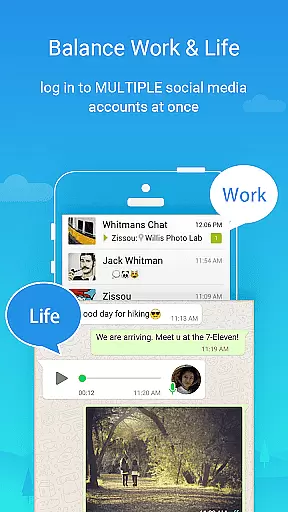
One of Parallel Space's standout features is its Incognito Installation, which makes apps invisible on your device to protect your privacy. This feature is particularly useful for users who need to maintain separation between personal and work accounts or want to explore different game paths without mixing data. Additionally, the app offers enhanced privacy with a secure lock feature, ensuring sensitive apps remain private.
Parallel Space is built on multiDroid, the first application virtualization engine for Android, offering a unique and stable environment for running multiple accounts. Whether you're managing social media profiles, gaming accounts, or work-related tasks, Parallel Space provides an efficient solution for multitasking on your mobile device.
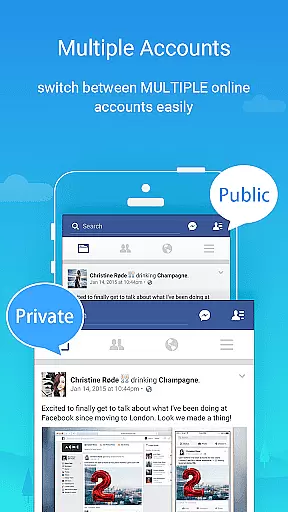
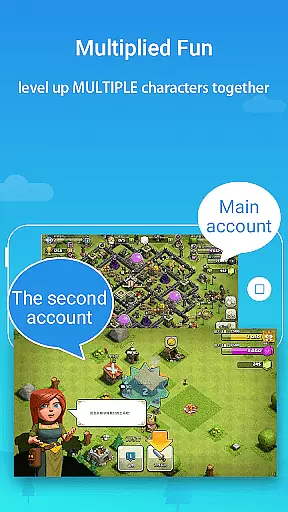
Parallel Space offers a range of features designed to enhance user experience and privacy. One of its core functionalities is the ability to log in to multiple accounts on one device, allowing users to maintain separation between personal and work accounts effortlessly. This feature is especially beneficial for users who need to manage different social media profiles or gaming accounts simultaneously.
The app includes an Incognito Installation feature, which makes apps invisible on your device, providing enhanced privacy protection. Users can safeguard sensitive apps in their private space, away from prying eyes, and further secure their accounts with a secure lock feature. This ensures that personal information remains confidential and protected.
Parallel Space also allows users to switch between accounts seamlessly with a single tap, making multitasking efficient and straightforward. Built on multiDroid, the first application virtualization engine for Android, Parallel Space delivers a powerful, stable, and user-friendly experience. Its compatibility with most Android apps and support for 24 languages make it a versatile tool for a wide range of users.
Parallel Space offers a diverse range of customization options that allow users to tailor their experience according to their needs. This app cloning tool enables the management of multiple accounts, providing flexibility for both personal and professional use.
The ability to run multiple accounts simultaneously is a standout feature, offering users the capability to separate work and leisure apps seamlessly. With just a single tap, users can switch between different accounts, streamlining their digital life without the hassle of logging in and out repeatedly.
Moreover, Parallel Space supports 24 languages, catering to a global audience and ensuring accessibility for millions of users. The inclusion of Incognito Installation enhances user privacy by making selected apps invisible on the device, showcasing the app's commitment to security and customization.
Theme compatibility in Parallel Space ensures that users can enjoy a consistent and personalized visual experience across cloned apps. This feature allows users to apply themes that resonate with their style while maintaining the functionality of the original apps.
Built on multiDroid, the first application virtualization engine for Android, Parallel Space provides a stable and user-friendly environment for theme application. Users can safeguard sensitive apps within a private space, away from prying eyes, thanks to enhanced privacy features.
Additionally, resource consumption is optimized as most usage is attributed to the apps running inside Parallel Space. Users can monitor specific resource usage through settings, ensuring efficient performance while enjoying customized themes and a personalized interface.
User-friendly interface
Enhanced privacy features
Supports multiple languages
Compatible with most apps
Efficient account management
Some apps not supported
Resource consumption
Free plan limitations
Requires permissions
Possible notification issues

Customizable Glass widgets. Over 360+ stunning widgets and more!
 4.70
4.70
Customizable flower power digital watch face for Wear OS watches.
4.00
Art & Emoji Keyboard with Cool Fonts, Cute Themes and Custom Designs.
4.40
The definitive Icon pack maker and editor
4.30
Want to make your phone more special than ever?
4.60
Transfer your live wallpapers from Windows to Android using Wallpaper Engine!
4.00
Aesthetic Widgets, HD Wallpapers, Themes in Mico Widget for Home and Lock Screen
4.50
One 8 icons glass color version
4.80
350+ widgets with a premium glass-style finish, perfect for home & lock screens.
4.70
A minimalist productivity launcher. One-hand-friendly. Zero ads.
4.70
Stunningly Different look with Line Icons and Neon Colors
4.60
300+ Beautifully crafted widgets inspired by OneUI.
4.60
Customizable screen pets that play, climb, and keep you company.
4.50 4.50
4.50
Fingerprint Lock Screen & Live Animations with 4K Wallpapers as Live Wallpaper
4.40
Transform your device in a game console
4.40 4.10
4.10
Crystal-clear, square icon provides a sleek and sophisticated visual upgrade
4.00
HappyLighting is a Bluetooth lamp control software.
3.40


User Reviews