
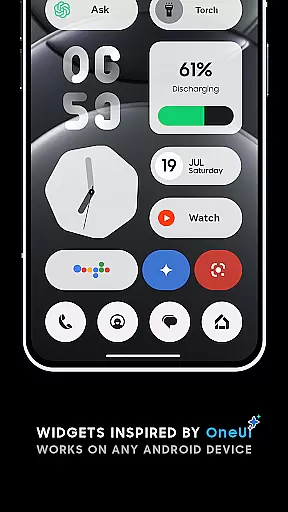
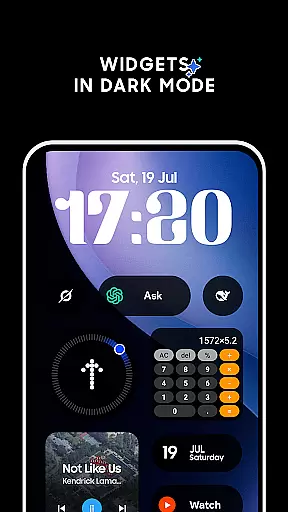
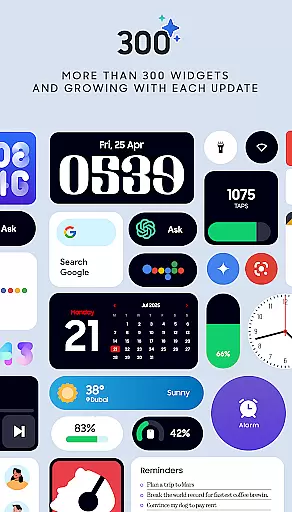
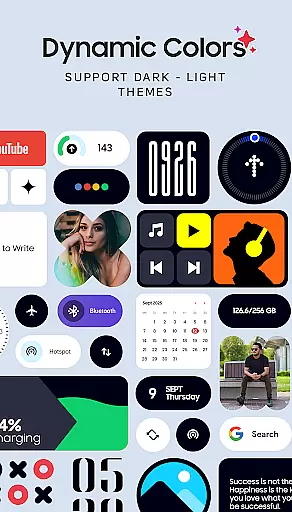
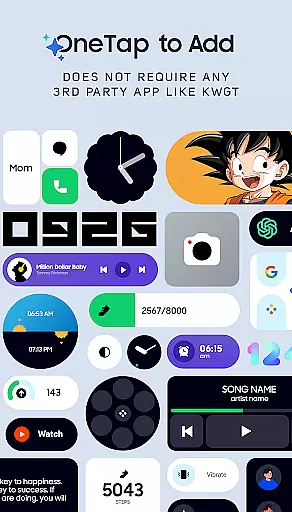
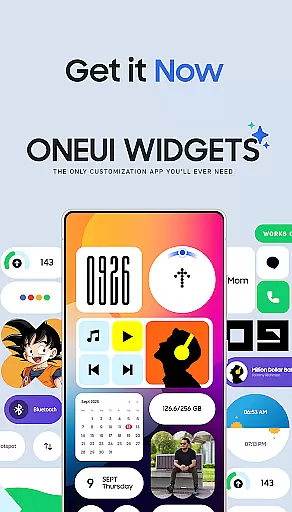
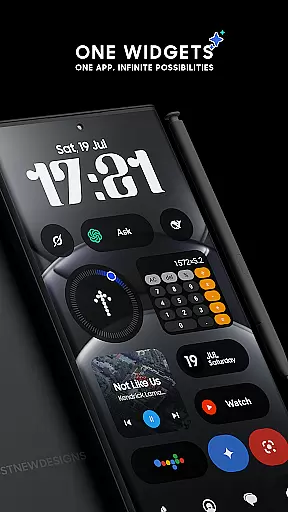
OneUI Widgets is a feature-rich personalization app that transforms your Android home screen with over 300 beautifully designed widgets inspired by Samsung's One UI OS aesthetic. The app offers a diverse range of widget categories, including Clock & Calendar, Battery, Weather, Quick Settings, and more, all fully resizable for optimal customization.
What sets OneUI Widgets apart is its native functionality - no third-party apps like KWGT are required. Users can simply tap to add widgets and enjoy seamless integration with their devices. The app also includes matching wallpapers, providing a complete home screen customization experience. Whether you want to monitor battery life, control device settings, or display favorite photos, this app delivers both form and function.
This application is particularly useful for Samsung device users who appreciate the clean, modern design language of One UI. With regular updates and a commitment to quality, OneUI Widgets helps users create a personalized, efficient home screen that enhances their mobile experience while maintaining visual appeal.
OneUI Widgets stands out with its comprehensive collection of over 300 unique widgets that cater to various user needs. The app features multiple widget categories including productivity tools, system monitors, and creative elements like photo displays and game widgets. Each widget is carefully designed to match the One UI aesthetic while maintaining functional value.
A key differentiator is the app's native implementation - unlike many widget packs that require additional launchers or frameworks, OneUI Widgets works seamlessly with standard Android systems. The widgets are fully responsive and resizable, allowing precise customization from small to large sizes. Special features include Nothing OS-inspired contact widgets, Google app integrations, and even a built-in Snake game widget for entertainment.
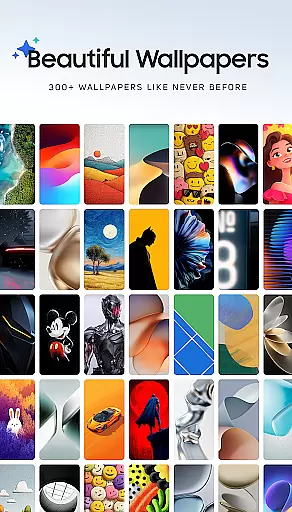
The app goes beyond basic widgets by including 300+ matching wallpapers and exclusive designs that complement the widget collection. This comprehensive approach to home screen customization, combined with features like pedometer tracking (using only motion sensors, without accessing health data) and quick setting toggles, makes OneUI Widgets a complete solution for users seeking both beauty and functionality in their mobile interface.
OneUI Widgets Pack offers an extensive range of customization options, allowing users to transform their home screens with over 300 beautifully designed widgets. These widgets are inspired by the One UI OS aesthetic and work seamlessly on any Android device without requiring extra apps.
The app provides a diverse selection of widget categories including Clock & Calendar, Battery, Weather, Quick Settings, Contact, Photo, Google, Utility, Productivity, Pedometer, Quote, and even Game widgets. Each category contains multiple design variations, ensuring that users can find the perfect widget to match their personal style and functional needs.
Users benefit from the fully resizable and responsive nature of most widgets, which allows for size adjustments from small to large. This flexibility ensures a perfect fit for any home screen layout, enhancing both aesthetics and usability.
Theme compatibility is a standout feature of OneUI Widgets, as it includes matching wallpapers to complement the widgets. With over 300 wallpapers available, users can complete their home screen setup with exclusive designs that harmonize with the widget styles.
This cohesive approach to design extends the One UI OS aesthetic across the entire home screen, providing a visually consistent experience. Users can choose wallpapers that align with their selected widgets, creating a unified look that enhances the overall customization potential.
By offering both widgets and wallpapers in a single package, OneUI Widgets ensures that all elements work together seamlessly. This compatibility allows users to express their unique style while maintaining a professional and polished appearance on their devices.
User-friendly interface
Wide widget variety
No extra apps needed
Frequent updates
Matching wallpapers
Limited iOS support
Some widgets basic
Occasional bugs
Design too minimal
Premium features

Themes - Widget & Wallpaper: Customize home screen, icon changer w unique themes
 4.30
4.30
Unique Android Launcher
4.60
AI-powered Copilot. Personalized keyboard with gifs, stickers & themes
4.40
Over 28,000 high quality icons to bring color & homogeneity to your phone.
4.60
Aesthetic Widgets, HD Wallpapers, Themes in Mico Widget for Home and Lock Screen
4.50
Embrace the Night. Unleash the power of darkness with Raven Dark Icon Pack
4.60
Magic fluids wallpaper 4D: Relax with stunning fluid simulation wallpaper app
4.20
Your home screen, just the way you like it.
3.80
Fast SMS & group chat - use GIFs and emojis from your home screen launcher.
4.50
Gun Chase - Let the chase begin.
4.80
Enjoy a variety of amazing live wallpapers and colorful EDGE lighting borders!
4.80
Shimeji adds cute animated characters to your screen, lively and fun.
4.70
Want to make your phone more special than ever?
4.60
Zip lock screen with magic wallpaper to decorate your phone with fun zipper lock
4.60
Turn text & photos into stunning AI videos, art, and creative visual stories.
4.50
A light in the dark, a unique style and an andless cutomization!
4.30
The definitive Icon pack maker and editor
4.30
Adult video chat, dating, making friends, random matching
4.20
Crystal-clear, square icon provides a sleek and sophisticated visual upgrade
4.00


User Reviews