
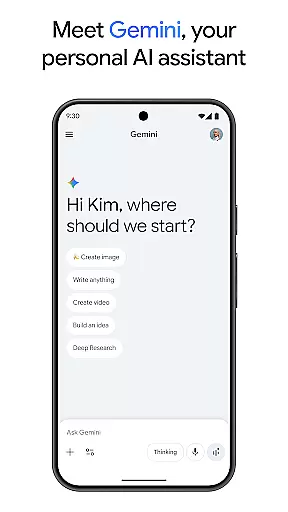
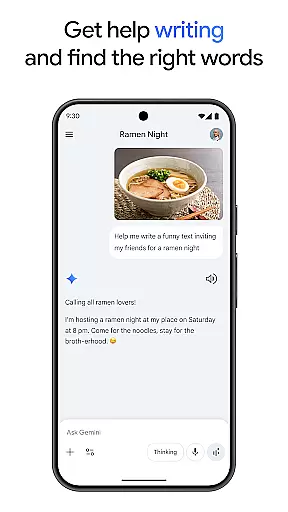
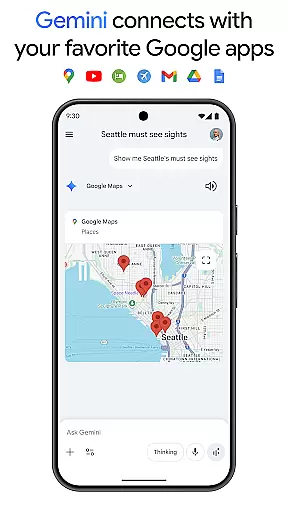
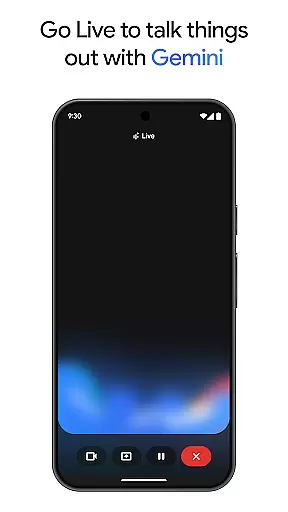
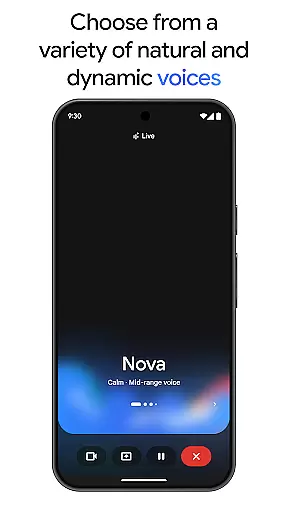
Gemini is a powerful AI assistant developed by Google, designed to enhance both creativity and productivity. This application provides direct access to Google's advanced family of AI models right on your mobile device. With Gemini, users can brainstorm ideas, simplify complex topics, and even rehearse for important events using the Gemini Live feature. Additionally, it integrates seamlessly with popular Google apps like Search, YouTube, Maps, and Gmail, making it an essential tool for both personal and professional use.
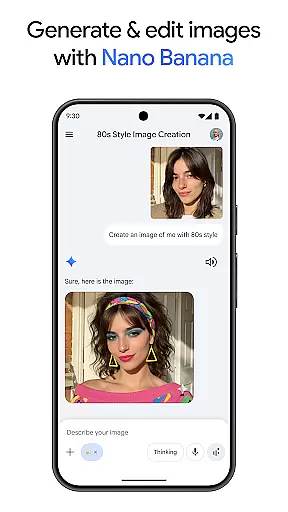
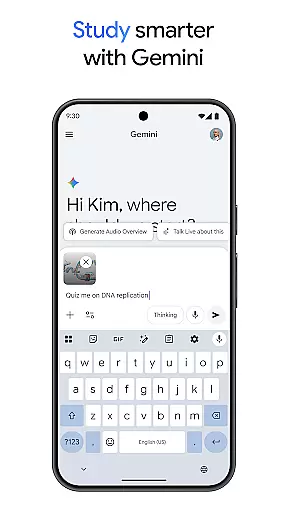
One of the standout features of Gemini is its ability to assist in creating various types of content, from apps and games to web pages and infographics through Canvas. It also supports educational activities by helping users study smarter with quizzes and flashcards. Furthermore, Gemini can transform any file into a podcast, create stunning images from simple text descriptions, and help plan trips efficiently. Its Nano Banana tools allow for advanced image generation and editing, providing users with unparalleled creative capabilities.
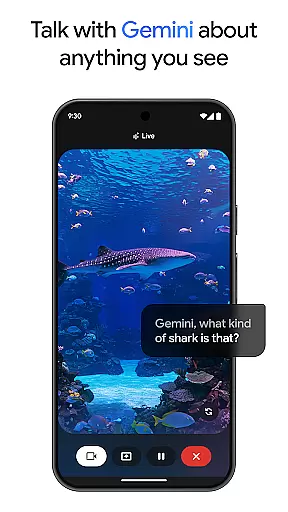
Gemini offers a wide array of features that cater to diverse user needs. The Gemini Live feature allows users to engage in dynamic conversations by sharing their camera or screen, enabling real-time interaction with the AI on virtually any topic. Another significant feature is Canvas, which empowers users to bring their ideas to life by creating prototypes of apps, games, web pages, and more. This functionality bridges the gap between concept and execution, streamlining the creative process.
In addition to these, Gemini enhances productivity by integrating with essential Google services such as Search, YouTube, Maps, and Gmail. Users can leverage this integration to perform tasks more efficiently, whether it's planning a trip, generating summaries, or conducting deep research. The app also includes innovative tools like Nano Banana for image generation and editing, which are built on advanced models like 2.5 Flash and 3 Pro. These tools enable users to create mockups, design posters, and build diagrams with ease, further expanding the app's utility.
Gemini, as a productivity tool, excels in core task management by offering users the ability to brainstorm ideas, simplify complex topics, and rehearse for important moments. Through its innovative Gemini Live feature, users can engage in dynamic conversations with the AI, making it an indispensable tool for organizing thoughts and planning projects.
The app's integration with popular Google services like Search, YouTube, Gmail, and Google Maps enhances its task management capabilities. Users can seamlessly connect their workflow across these platforms, ensuring that all aspects of their personal and professional lives are synchronized and accessible from one central location.
For those needing to study or explore new topics, Gemini provides interactive tools such as quiz and flashcard creation, alongside real-world examples and visual aids. This functionality supports structured learning and research, empowering users to manage educational tasks efficiently.
Additionally, the Canvas feature allows users to bring ideas to life by creating apps, games, web pages, infographics, and more. This comprehensive suite of creative tools ensures that whether you're planning a trip, summarizing information, or developing new concepts, Gemini is equipped to handle all your task management needs.
Cross-device synchronization is a critical component of productivity, and Gemini delivers reliable performance in this area. By connecting with favorite Google apps, users can access their data and workflows across multiple devices without interruption. This seamless experience ensures that whether you're switching from your phone to your computer or vice versa, your information remains up-to-date and consistent.
Gemini's advanced AI models support this synchronization by processing vast amounts of data quickly and accurately. With capabilities such as handling up to 1,500 pages of text or 30k lines of code within a 1M token context window, users can trust that their work will be preserved and accessible wherever they go.
For professionals and students alike, the ability to turn any file into a podcast or create stunning images from simple descriptions adds another layer of convenience. These features ensure that regardless of the device being used, content creation and consumption remain fluid and efficient.
Furthermore, upgrading to the Pro or Ultra plans offers enhanced synchronization benefits, including early access to new AI innovations and exclusive features. This commitment to reliability and innovation makes Gemini a top choice for individuals seeking dependable cross-device task management solutions.
User-friendly interface
Advanced AI capabilities
Seamless Google integration
Versatile content creation
Real-time assistance
Premium features require subscription
High system requirements
Limited offline functionality
Occasional response latency
Privacy concerns

Experience Reading - Night Mode for Documents
 4.40
4.40
Automates browsing any website and notifies you of important changes or events
4.30
Protect and view your important info on your phone and tablet with eWallet®
4.80
aCalendar+ makes your day, week and month
4.70
All document reader, all in one file viewer read PDF, DOCX, XLS, PPT, TXT files.
4.60
To do list widget with a notebook organizer, checklist, simple shopping list
4.60
Secure your apps with lock screens, use custom themes and different features.
4.40
Intelligent AI Assistant
4.10
Use powerful, industry-leading AI tools to generate visual charts from any data
4.80
Native client for Forgejo and Gitea
5.00
Multilingual translator for text, voice, and image translation!
4.90
App Lock with fingerprint, password: Lock apps & hide photos with lock screens
4.60
Stay on top of your to-dos with Google Tasks, part of Google Workspace.
4.60
A simple Whisper AI keyboard for reliable speech transcription and rewording
4.60
Fill, sign & send docs, forms, agreements & contracts via electronic signature.
4.50
Translate text/voice/photos in 150+ languages. Offline & fast translator app.
4.50
Enjoy classic gameplay with customizable features and retro-style graphics.
4.30
Take control of your clipboard with Clipper!
3.90
Easiest event planning, volunteer signups & parent teacher conference scheduling
2.20


User Reviews